

5 Disadvantages Of Using A Mechanical Keyboard
We may receive a commission on purchases made from links.
Mechanical keyboards have become essentially the default for those looking to build or upgrade a computer. That makes sense as there are a lot of benefits to a mechanical keyboard over the older membrane keyboards that used to come with all pre-built PCs.
I can remember building computers in the 2000s and never thinking about what sort of keyboard to get. Forums hardly ever brought them up either, with most of us simply grabbing anything off the shelf that was on sale at the local CompUSA store. Chances were that most people were simply buying pre-built PCs, which each came with the cheapest mouse and keyboard possible.
However, some people say mechanical keyboards present a number of disadvantages, especially as other keyboard types have gotten better and more versatile over the years. There also exist communities of membrane keyboard lovers, with some professional gamers choosing them over more popular mechanical offerings. While mechanical keyboards have risen to prominence, they aren't always the best option — here's why.
They can be noisy propositions

I use two distinct keyboards in my life as of late. I have a Womier SK75 TMR Keyboard I was gifted a few years back and a newer Logitech MX Keys Mini. Both of these keyboards are fantastic, but they have have very different uses. For a long time, my mechanical keyboard was my daily driver before starting to work full-time at home.
Today, my schedule is a bit of mess, with the bulk of my work being at night. Using a mechanical keyboard is great, but it's a loud experience. If you share a space with someone who is sensitive to repetitive sounds, it can drive them up a wall. During gaming, it isn't so bad, when typing up articles and working with essay length Word documents, it can be annoying.
This is why I've switched to the MX Keys Mini, the keyboard far more similar to that of the Apple Magic Keyboard. The sound is negligible at best, and it's a great option for those using a computer around others. It's also good for users who themselves might be sensitive to the sound of louder mechanical keyboards.
The typing experience can be a tiring one

While I love my mechanical keyboard, the older I get the more tiring the experience can be when typing for long periods of time. Their elevated height profile and general longer key travel that requires more pressure can often lead to fatigue or discomfort at a faster rate. This is less of an issue when using a membrane keyboard or one that uses a scissor mechanism for its keys.
The MX Keys Mini mentioned above really helps address this, and it's one of the main reasons I now solely use it when typing for long periods of time. Mechanical keyboards tend to lack as many options in terms of ergonomics. Non-mechanical keyboards typically offer more variety in terms of layouts, like using a split design or being more travel friendly.
The Arteck Split Ergonomic Keyboard is the perfect example of this with its scissor mechanism keys. It's also cheaper, being half of a similar split design mechanical keyboard. It should be noted that a number of mechanical keyboards such as the Satechi SM3 Slim Mechanical Keyboard now come in a slimline form-factor, trying to combine the best of both worlds.
They tend to cost more

Mechanical keyboards have typically been more expensive than membrane and scissor mechanism options. And while it's getting easier to find mechanical keyboards for every budget today, like the wallet-friendly MageGee Portable 60% Mechanical Gaming Keyboard, the sky seems to be the limit when it comes to pricing higher end mechanical models.
ASUS sells its OG Azoth Extreme Wireless Mechanical Gaming Keyboard for a staggering $500. I'm pretty sure I bought my first used car for that price back in the early 2000s. Other major names also have some wildly expensive mechanical keyboards, with even Logitech offering pricy options such as the Logitech G915 X Lightspeed Wireless Gaming Keyboard.
You have keyboards tailored for competitive gaming like the nearly $200 IQUNIX EZ60 Hall Effect Gaming Keyboard, and others that feel like they were ripped out of a modern art museum like the nearly $300 ATM 98 Wireless Custom Mechanical Keyboard. It really does seem like there might not be a limit when it comes to mechanical keyboards, even when most people are best served with more affordable options.
A rabbit hole of options
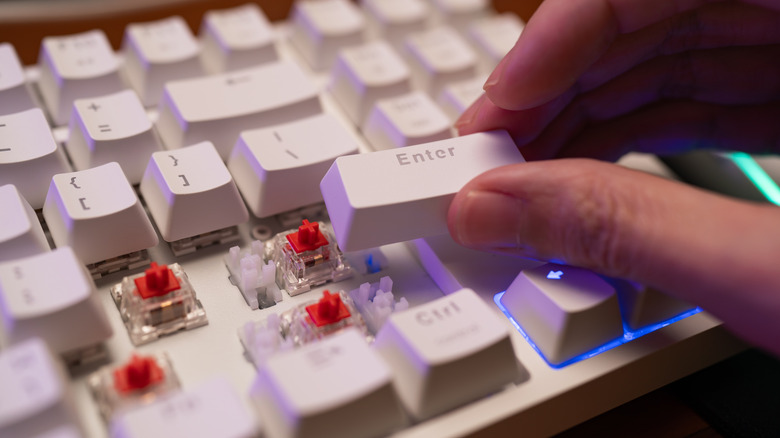
There are people out there with no interest in the sea of options when it comes to selecting a mechanical keyboard. Every mechanical keyboard is a unique beast, with many tailored to specific needs and even personalities. It's easy get lost in the weeds when trying to build the perfect mechanical keyboard.
What type of key caps are you interested in picking up, and do you want different key caps for specific keys? Then, what type of switches are you going select? Many keyboard switch types are differentiated by their color. Are you going for a more clicky mechanical switch, do you prefer a smoother linear switch, maybe more accurate switches, or even a mix off all the above.
You also have to consider the makers of each switch type, as several companies make switches and may have their own specific color preferences assigned to them. You have options like the GLORIOUS Kailh Box White Mechanical Keyboard Switches or the EPOMAKER Creamy Jade 45gf Gaming Keyboard Switches. And that's not even getting into lubrication and o-ring options, all of which can be a headache for the average computer user.
They can be bulky
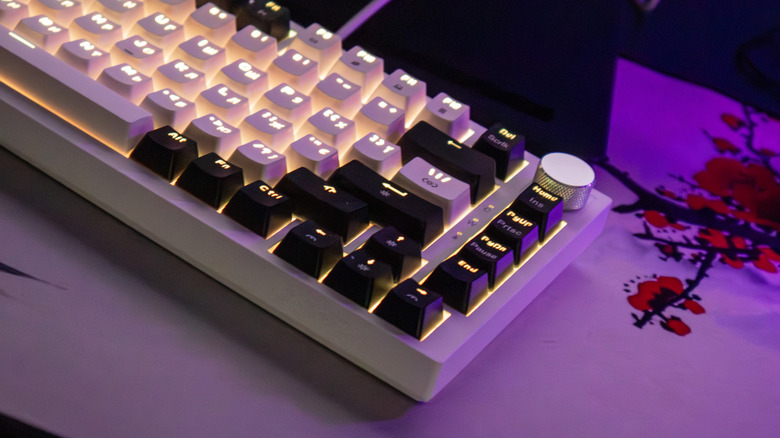
The mechanical keyboard that I'm using is very nice, but also quite heavy. It's made of a metal shell and weighs in at nearly two pounds. It's as much a tool for typing and gaming as much as it is a self-defense weapon if someone breaks into my home. Heaven forbid if you accidentally drop it on your foot while cleaning.
The reality is that mechanical keyboards can be pretty bulky, heavy, and a bit unruly. It's not unheard of to see people showing off their key mechanical keyboards online that weigh in at upwards of 15 pounds. Even the switches that you choose for your mechanical keyboard come in various weights, and when you have nearly 100 switches, your keyboard's weight can quickly balloon.
Software developers and serious typists often complain about the height of mechanical keyboards when compared to those that use a shallow key depth. The Macally Small Wired Keyboard is a great example of a non-mechanical slim, compact, and low-profile keyboard that gives you a more laptop typing experience while still featuring a solid metal frame.