

Android Auto Can Still Be Useful Without Cell Service — Here's How
When out on the road, many of us rely on Android Auto to make driving easier. From getting around town to planning trips — and even for work in the current gig-based economy — Android Auto brings the tools you need straight to your dashboard. But the platform relies on data in order to work efficiently, and if you lose internet access, many think that Android Auto becomes useless.
But this actually isn't the case, as you can use Android Auto without mobile data, and you don't even need to access Android Auto's secret menu to do so. I know this from experience, as there are a number of routes that I take at least a few times a month where cell service is extremely limited, even at the best of times. Yet, without service, I still have full access to Android Auto for my maps and all my favorite podcasts.
With a little planning, you can easily download your route through Google Maps, something that can also help prevent excess battery drain when using Android Auto. Because I know service is limited, I download the portion of my route where service would normally cut out and save a few playlists for offline use before I hit the road. This helps keep me on track, and allows Android Auto to never skip a beat.
Using offline maps and other downloads to keep Android Auto going without a connection
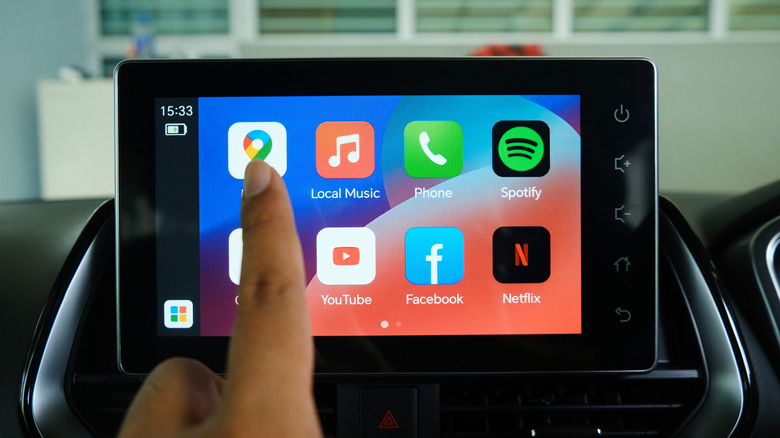
For those who want to take advantage of offline maps within Google Maps, simply open the Google Maps app on your phone before you head out, making sure you are connected to the internet. Tap your profile icon in the top-right corner, then choose Offline maps from the menu. Next, tap Select your own map at the bottom of the screen, then pinch to zoom and pan around until the area you'd like to save for offline use is highlighted within the rectangle shown on the screen. Lastly, tap the Download button.
And for those looking for an entirely offline experience that comes from a company with a focus on privacy, an app that I often turn to is Organic Maps, a great alternative that can handle turn-by-turn directions on Android Auto. It also offers more, with maps for hiking, cycling, and more outdoor activities. For those who enjoy music and podcasts on Android Auto, you have a few offline options.
Chances are, your favorite podcast app offers free downloads, with my current favorite being the iHeartRadio app that lets me download my podcasts so I never miss a moment. For music, the Musicolet app supports local playback of all your owned music, while both Spotify and YouTube Music each offer playlist downloads while connected to Wi-Fi, making them great for trip planning.