

Android Auto's Wavy Audio Line Is Leaving Users Conflicted
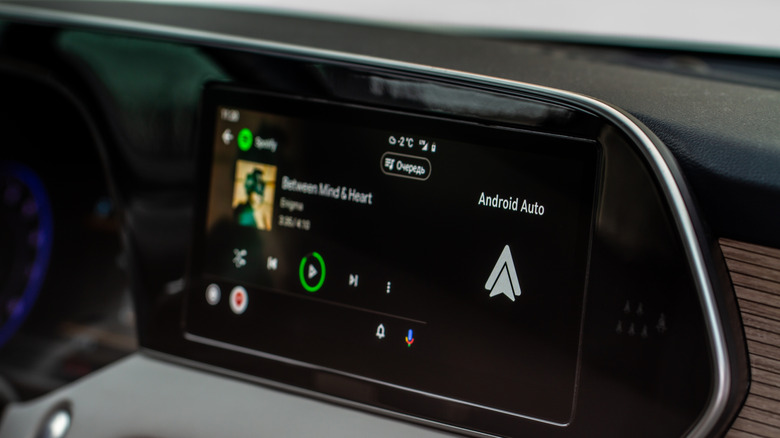
Android Auto users can't catch a break. Not only are they dealing with an annoying Google Maps bug that kills traffic info, but Google is also changing how a pivotal part of the Android Auto experience looks. Earlier this year, Google began slowly rolling out a new media player design on Android Auto. The redesign features a new look based on Material 3, which gives the audio playback progress line typically seen on Spotify and other media apps a more squiggly appearance. Now, it looks like Google is starting to roll the feature out more widely, and it has drawn mixed opinions from Android Auto users. (via 9to5Google)
Over the past few days, more and more users have taken to Reddit to discuss the design. While some are happy with it, saying it makes it easier to see what's playing on Android Auto, others have lamented the layout changes and even asked if they could turn off the squiggly line themselves. Unfortunately, there doesn't appear to be any way to go back to the old design once the new one arrives on your devices, though some recommend downgrading from the latest Android Auto update to see if it removes it. There's no guarantee this will work, though, and you might not have much of a choice but to try and learn to love it, so to speak.
Rollout is slow
One of the biggest cons for Android Auto users is that Google tends to roll out big changes slowly. The company took its time rolling out Gemini to its in-car system, and it appears that is the case here, too. Some commenters on Reddit have noted that they only see the new UI and squiggly progress bar on certain phones. For example, one comment notes that their Vivo V70 doesn't have the updated progress bar, while their older Samsung A30 does. Other users noted that they had it on their old phone, but after buying a new one, they no longer have the squiggly bar. As such, there's no surefire way to say when you will get the change.
In addition to the updated squiggly bar design, users have also discussed the expanded album art appearance and the changes Google made to the location of Android Auto's media playback buttons. Some users have praised the changes overall, noting they make it easier to change tracks while driving, and that the new squiggly line makes it much easier to see when something is playing than the old style, where it was always flat and only changed color and enlarged slightly. Not only does the design fit Google's Material 3 language, but it also adds an accessibility benefit for drivers who want to more easily tell when something is playing.