

Steam Deck Vs. Tablet: Which Is Better For Travel?

While you're planning a trip, take into account some downtime you might have at an airport or during those long stretches of a drive. A handy tablet that keeps you entertained becomes a must, especially one built for casual gaming. A Steam Deck is also an excellent choice for a better gaming experience, but which is better depends on what else you wish to do in your downtime outside of gaming and what types of games you like to play.
Tablets can be a mixed bag on the hardware front, but high-end models like the Samsung Galaxy Tab S11 Ultra and Apple iPad Pro can handle all types of gaming, including demanding titles like "Wuthering Waves," "Genshin Impact," and "Resident Evil 4." Tablets make excellent travel companions because they are generally simple to pack (they fit in a small sleeve), usually light, and sometimes come with nice accessories like a stylus.
On the other hand, a premium tablet in 2026 might be overkill, especially since it can cost over $1200 depending on the storage configuration — much higher than a Steam Deck. The higher price point can make people worry about losing or stealing it, especially given how much personal data you might store on it. A Steam Deck is still pricey, but if it were ever lost, you can remotely log out of your account through a web browser or another Steam client, which might give an antsy traveler some peace of mind. If you want gaming flexibility on your trip, though, the Steam Deck is the superior option.
Steam Deck is the more versatile choice for gaming
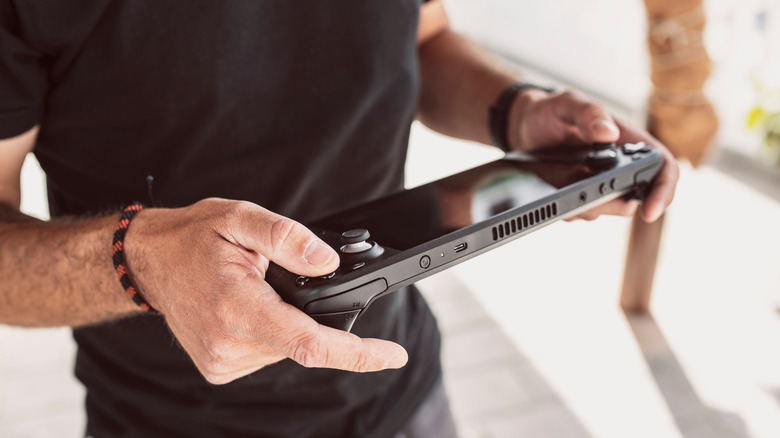
While high-end tablets are excellent, the Steam Deck is also perfect for moving around. Plus, if you go with a tablet, you're likely running Android or iOS, so you're locked into the library you own based on that storefront — cloud gaming services, like xCloud and GeForce Now, can give you more options, but that ultimately depends on your internet connection.
Steam Deck runs on SteamOS, a Linux distribution that is flexible; you can technically run multiple non-Steam libraries through different SteamOS apps, like the Heroic Games Launcher. Sadly, you can't run iOS apps on SteamOS, but you can run Android apps with a Waydroid Container. Keep in mind that some free titles can also be cross-played in your Steam library, typically those that come from live services with compatible anti-cheat software (Zenless Zone Zero, Marvel Rivals). When it comes to offline and controller support, the Steam Deck truly shines.
Be aware that with offline support, some games require an initial internet connection to start if you use third-party launchers to access them; for most non-live-service titles, you can play offline after setup. Once you do, you should be able to launch any Steam game and then use cloud backups once you've re-established a network connection. As for controllers, the Steam Deck already has one built in on the sides. Android tablets or iPads usually require external accessories or add-ons, and that's an extra piece of luggage to carry around. Plus, you obtain a free ready-made case when you buy a Steam Deck, so you're already all set for travel.