

Your Older Apple TV Was Left Behind By Apple — Here's What That Means
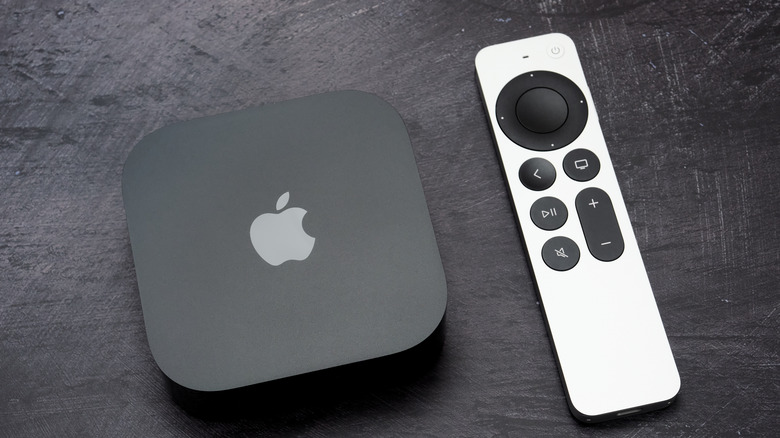
Apple's latest software update for the living room, tvOS 27, just dropped, and it brings cool features like a refreshed Podcasts app, more text options for accessibility, and better Apple Music integration. But this time around, the massive software rollout comes with a catch. For the first time, Apple is officially dropping support for older streaming hardware. This means that the original Apple TV HD from 2015 and the first-generation Apple TV 4K from 2017 are entirely cut off. Only the second- and third-generation Apple TV 4K models are getting the shiny new update.
If you happen to own an older Apple TV, you might be wondering why this is happening now. It all boils down to hardware limitations, as in processing power and memory. Modern streaming interfaces, high-res audio features, and advanced smart home controls demand much faster silicon. Those older set-top boxes running on aging chips now lack the power required to handle the latest operating system without stuttering or lagging, which can pile onto other common problems with Apple TV. Apple is clearly choosing to sunset the aging tech rather than deliver those users a frustrating, subpar viewing experience. But while that logic makes sense from a purely technological standpoint, this sudden shift still is likely leaving many users wondering about the fate of their current Apple TV setup.
Missing out on the latest living room features
It's worth noting that being dropped from the update cycle doesn't mean your streaming box will magically stop working overnight. The only thing to note right now is a lack of new features. Going forward, whenever Apple introduces major interface tweaks, improved screensavers, new apps, or convenient new tools, those additions will simply skip your hardware. Your on-screen interface will generally stay frozen in time, functioning just like it did before the latest major update rollout.
However, the long-term reality of losing software support paints a bleaker picture. Third-party app developers often prioritize hardware that runs the absolute latest operating systems. Over the next year or two, heavy hitters like Netflix, Max, Hulu, and more will start optimizing their platforms only for the newer Apple TV 4K models. Eventually, popular apps running on older, unsupported hardware will inevitably start experiencing issues like crashes, bugs, or incredibly sluggish load times, which makes it difficult to get your money's worth from Apple TV.
You'll also miss out on crucial security patches, and your aging Apple hardware may start experiencing its own share of issues, like audio syncing or your wireless controllers refusing to pair correctly. Eventually, the once-snappy hardware goes from feeling familiar to feeling straight-up obsolete as apps and services move forward without it.
What to do with your outdated streaming hardware

Now that the official software pipeline has permanently dried up, it's up to you to figure out exactly what to do with your unsupported hardware. The most obvious path forward is to just upgrade to the third-generation Apple TV 4K. Snagging the newest model guarantees instant access to the latest software features from Apple along with years of support updates. The current flagship boasts a solid processor, support for high-frame-rate HDR and Dolby Atmos content, and acts as a hub for your smart home devices.
But, understandably, dropping full retail price for brand-new gear isn't an option for everyone (especially since Apple TV just upped its subscription price again). In this case, look into electronics trade-in programs as an alternative. Tech retailers and online buyers still offer decent rates for older streaming boxes, assuming they're still in good working condition. Plus, trading in that obsolete model for some cash can help take the sting out of buying a newer, still-supported Apple TV model, letting you hop back on the current update cycle without busting your budget.
Finally, you can simply choose to do nothing. If your current setup still lets you stream without buffering or crashing, there's no need to scrap it just yet for an upgrade. Make sure it's as updated as it can be, and just comfortably ride it out until app compatibility issues become too frustrating to ignore. Just be prepared for the inevitable day when your favorite streaming platform drops support entirely, leaving you to head out to the store.