

How To Get Your Money's Worth From Apple TV
Apple TV, formerly referred to as Apple TV+, is arguably one of the best streaming services. While the streamer doesn't have the same show quantity as others like Netflix and Disney+, it seems like virtually every original movie and TV show hits it out of the park. From longtime favorites like Ted Lasso and Silo, both of which are still going strong, to hot new shows like Widow's Bay and Cape Fear, Apple TV is a worthwhile investment if you love watching TV shows and movies.
But it's another added cost when we're already experiencing tech and entertainment subscription fatigue, so it's important to get the most out of the money you spend. There are some tips and tricks to follow to ensure that you're getting maximum value out of your Apple TV subscription. First, make sure you have a great TV, since many titles in the Apple TV content library are offered in 4K quality, with Dolby Atmos audio as well. But also, time your subscription right, take advantage of the many promotions available with the purchase of new Apple products, and keep yourself informed about the many other ways to save.
Sign up strategically
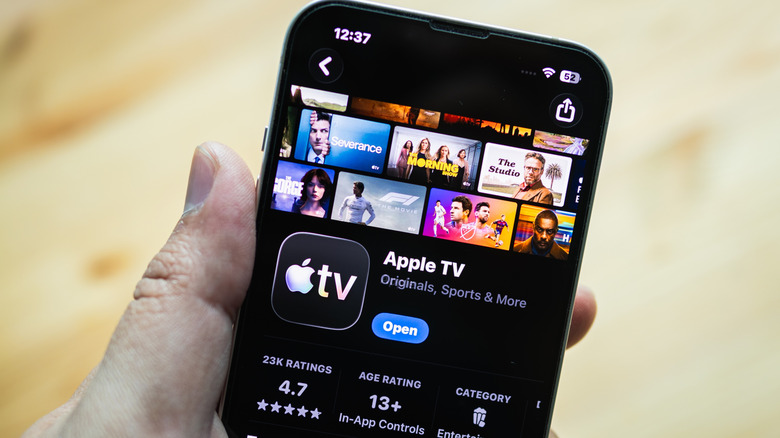
If you time it correctly, you can maximize the subscription by signing up when there's the most available new content and you're available to watch. Unlike other streamers that focus on quantity, Apple TV has a smaller selection of original shows, like "Severance," "For All Mankind," "Sugar," and "The Morning Show." Look for the release schedule of Apple's annual lineup ahead of time, then be strategic. For example, in 2026, April, May, and June saw the premiere of tons of new shows and movies, including "Your Friends & Neighbors" Season 2, "Outcome," "Margo's Got Money Troubles," "Criminal Record" Season 2, "Widow's Bay," "Maximum Pleasure Guaranteed," "Cape Fear," and "Sugar" Season 2. There's not much in July, nothing in August, and only one movie in September. "Ted Lasso" Season 4 is scheduled for summer.
Based on this, signing up in June would give you access to full seasons of all those new shows plus some that previously launched, like "For All Mankind" Season 5 and "Imperfect Women." Since the full seasons are already out for those shows, you can binge to your heart's content instead of waiting week to week. If you finish by August, cancel and wait a few months until there's more content that makes it worthwhile to sign up again. Plus, don't be afraid to re-watch the best shows. The content keeps getting better and better, and so many shows, especially the most complex ones like "Severance," are worth binging a second time around.
Take advantage of product promotions

Virtually every new Apple device comes with trial subscriptions that are worth taking advantage of. You just need to remember to cancel before the trial ends if you don't want to be charged. When you buy a new Apple Watch, Apple usually offers a three-month trial to Apple Fitness+. So, how can you get Apple TV? You might be surprised to know that it comes with the purchase of virtually any new Apple product, including an eligible iPhone, iPad, Apple TV (device), Mac, and yes, even Apple Watch.
There is a catch: It's only valid for new Apple TV subscribers. So, if you already have it, you can't use this as a three-month extension. And if you've subscribed before and canceled, you can't renew each time you buy something new from Apple. You also only have three months after the date of purchase to claim the promotion. If you're thinking you can share the trial with family members, that won't work either, as only one trial is permitted per family sharing group. Still, being able to use that three months for your first signup shaves a quarter off the price for your first year, and every bit counts.
Get Apple One if you use other services
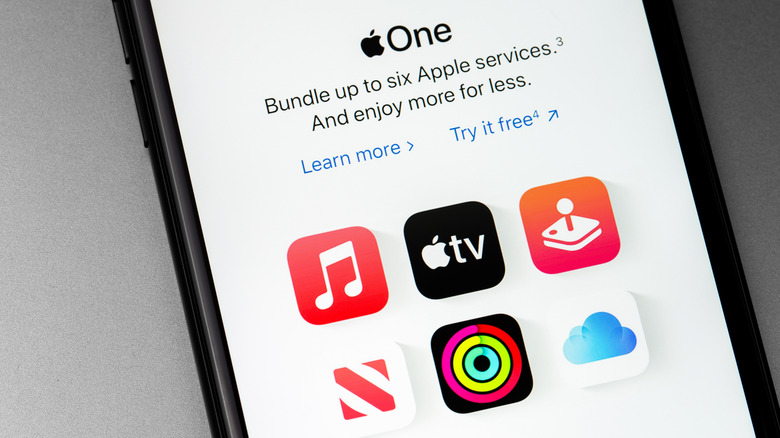
Apple One is Apple's bundle subscription option, which includes multiple services as well as extra cloud storage for a single, discounted monthly price. If you use or plan to use any of these other services alongside Apple TV, you can save money by signing up. Pricing starts at $19.95 per month for 50GB iCloud storage, Apple Music, Apple Arcade, and Apple TV, with a total savings of $12 per month compared to the price of subscribing to all of these services individually. For $25.95 per month, you can get the same services and 200GB shareable iCloud storage for up to five people in your household. This saves you $14 per month.
Sign up for the Premier tier for $37.95 per month, and it saves you $32 per month on all six of Apple's main services, including iCloud, Fitness+, News+, Music, Arcade, and TV. Storage, meanwhile, is increased to 2TB, and everything is still shareable with up to five people in your family. Keep in mind that Apple One is only worth it if you plan to subscribe to most of the other services included in the plan. But since Apple TV is included with each one and is already $12.99 per month on its own, you're getting it at good value. You can switch to Apple One at any time and change back if you find you aren't getting the most out of it.
Leverage Family Sharing

You don't need Apple One to enjoy Family Sharing. Set up a Family Sharing account for yourself and up to five others to share services like cloud storage, Apple Music, and yes, even Apple TV. One person becomes the organizer and invites others. Once set up, everyone gets automatic access to any subscriptions and content that is eligible for sharing. Each person still uses their own account, so their experiences remain private and personalized. When it comes to Apple TV, everyone can set their own profile and start watching. They also see their own recommendations, watch history, and settings preferences.
Family Sharing is meant for family members in the same household, or maybe a child who is away at college or university or grandparents. No matter who you choose to share with, the risk is that one person is responsible for managing everything and paying the singular bill for the entire group. Everyone will have access to all eligible content as well, so you can't just single out Apple TV to share. There's also automatic location sharing, though you can turn this off. However, if you have a group that you trust implicitly and you don't mind sharing everything with, one person can handle the account and other members can contribute monthly or annually. You'd have to factor in other content that's shared, too, which can complicate things. But for the sake of Apple TV, if you divided this monthly fee in six, each person is paying just over $2 a month.
Do your research

Apple doesn't promote its shows as heavily as some other streaming services, so sometimes you might pass right by a series that is worth watching without realizing how good it is. Widow's Bay, for example, released in mid-2026, is arguably one of the best new shows of the year. Yet so many people haven't even heard of it and don't know what it's about. Do your research by reading articles and reviews and keeping on top of lists that highlight what's new and coming soon.
In doing so, you will be able to find not only the most high-profile shows that do get a lot of fanfare, like "The Studio," "Pluribus," and "Shrinking," but also quality hidden gems, like "Stick," "Murderbot," and "Criminal Record." You can also unearth older shows from Apple's now-archived library, like "Dickinson," "Servant," and "Swagger." Being informed about what's coming, what you might have missed, and adding titles that look like they might be intriguing to your watch list will help you get the most out of your subscription.