

5 Galaxy Watch Apps That Can Work With Your TV
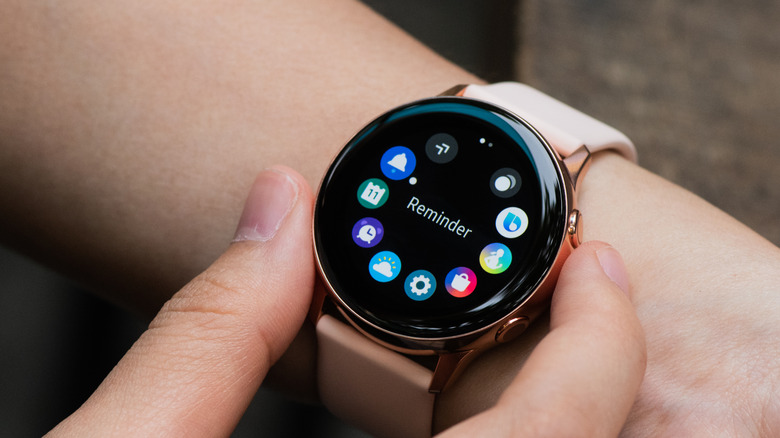
The Galaxy Watch 9 is Samsung's latest flagship smartwatch release. It comes with some powerful hardware, including a Snapdragon Wear Elite processor. But if your wrist sports the previous generation flagship Galaxy Watch 8 or Galaxy Watch Ultra, or even models that go back further than that, there's still plenty of functionality to tap into.
The Galaxy Watch lineup is meant to be a cornerstone piece of hardware for fitness enthusiasts and those simply trying to make healthier decisions each day. But it doesn't necessarily have to be forgotten about when the workout is over, as there are a number of apps that make it useful even beyond its health and wellness features. Since most smart TVs connect to a home's Wi-Fi connection and support some form of app-based control, a Galaxy Watch resting idly on a wrist is actually a peripheral device waiting to be used right there at home.
What a smartwatch and a TV can do together is tied directly to the apps installed on each. The Wear OS platform has no shortage of apps that can make a Galaxy Watch more useful, but Galaxy Watch apps that can work with your TV are a little more difficult to find. We've done all of that heavy lifting on that front and have singled out several that make a Galaxy Watch and a smart TV a solid pairing.
SmartThings
The SmartThings app allows users to pair a Galaxy Watch with Samsung TVs, and it does so without any need for a smartphone intermediary. The app is made by Samsung specifically to link Samsung mobile devices and smart appliances throughout the home. With the SmartThings Wear OS app installed, Galaxy Watch users can control compatible lighting setups, smart refrigerators, air conditioners, and other household electronics. When it comes to kicking back, the app can also control compatible Samsung smart TVs and speaker arrangements.
Once a TV and Galaxy Watch are linked to the same SmartThings account, the watch can handle a lot of the functions viewers would typically use their TV remote for. The Wear OS app allows users to change the channel, adjust volume, mute the television, and flash back to the previous channel. You can also add a Device Control tile to a Galaxy Watch's face display, allowing for quick access to power, volume, and channel controls without any need to open the SmartThings app.
SmartThings is specific to Samsung's product ecosystem. It will work with some other smart TVs, but it won't necessarily provide the same amount of functionality, nor the same ease of use. Galaxy Watch owners who use smart TV platforms outside of Samsung's offerings have other options for controlling the TV, such as the Remote for Roku app, and for integrating the watch into their smart home setup, such as Google Home.
Google Home
Galaxy Watch owners who are entrenched in the Google software and device ecosystem may find more utility in an all-in-one smart home app like Google Home. The Wear OS version of the app gives Galaxy Watch users control over any smart home device that's already been set up through a smartphone or tablet in the mobile version of the app. It has a dedicated entertainment section designed specifically for connected TVs, and it lets users turn a TV on or off, navigate menus, and adjust volume.
The app essentially turns a Galaxy Watch into a secondary remote control for any TV tied into a user's Google Home setup. The controls are more capable than what you'll often find among more generic Wear OS remote control apps, with Google Home able to perform tasks like switching between TV inputs through the Galaxy Watch's screen. The interface can control other connected devices and switch between the TV and smart lights, smart speakers, and other smart home devices.
In the same way the SmartThings app will be most beneficial to Galaxy Watch owners using other Samsung electronics, the Google Home app is going to provide the most features and functionality to users of the Google software ecosystem. Some may find the Wear OS app limited and prefer a smartphone for full control, but the Wear OS app can work as a convenient extension of the ecosystem, if nothing else.
Remote & Mouse
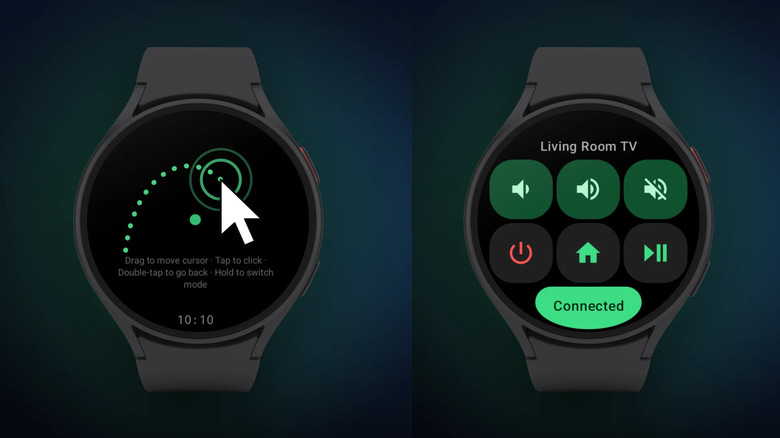
There are a lot of Wear OS apps that can be installed on a Galaxy Watch to provide users with remote control functionality for their smart TV. Remote & Mouse is a little different than most of them in that it not only provides the touchscreen, button-like controls of a TV remote, but also swiping functionalities that act like a touchpad with a mouse cursor available to control on the TV screen. The app is compatible with Android TV, Google TV, and Fire TV platforms, among several others.
Once paired, a Galaxy Watch connects directly to the user's TV over a home Wi-Fi connection. The Remote & Mouse app reconnects paired devices automatically every time from that point forward, without the need for a smartphone or tablet to bridge the connection. The app's user interface closely resembles the design of a standard TV remote and provides haptic feedback when pressing buttons on the touchscreen. The touchpad mode turns a Galaxy Watch's screen into a trackpad-like interface.
One unfortunate thing about Remote & Mouse is that the touchpad and mouse cursor functions require upgrading to Remote & Mouse Pro. This may be worth considering, particularly for users who often tap into streaming platforms on their TV. The cursor feature makes it easy to navigate into search bars and input letters through on-screen keyboards. Galaxy Watch users simply looking for standard remote control functionality can still consider Remote & Mouse, though there is no shortage of remote control apps available in the Google Play Store.
Spotify
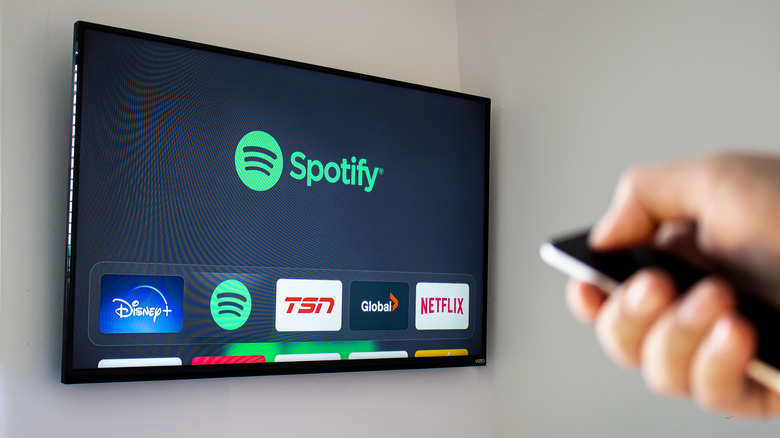
Spotify is one of the essential TV apps every audiophile needs, and it's one Galaxy Watch users should look into as well. The Spotify Connect feature bridges the connection between a Galaxy Watch and a smart TV, giving users a variety of features they can tap into when using the Spotify app. Core functionalities are similar to that of a remote control, with the Galaxy Watch able to skip songs, pause, or get a visual on what song is currently playing through both the watch's display and the TV screen.
But those who use Spotify as one of their primary listening libraries can dive more deeply into what the streaming service has to offer through the pairing. Basic remote control functions are commonplace among Wear OS apps, but Galaxy Watch users can also browse their Spotify music library right on their wrist. Through Spotify Connect, they can control what music plays on any connected device, which in this case, is a smart TV. Also available to browse on the watch screen is the Spotify Home page.
Spotify has a deep library of music and podcasts, which amounts to a lot of content to sort through. That may be more complex than the screen of a smartwatch is meant to be used for, even when paired with a TV. But Spotify is almost always among the best major music streaming options, and Galaxy Watch users who regularly tap into the service can likely find a way to make it useful when paired with their smart TV.
Samsung Health
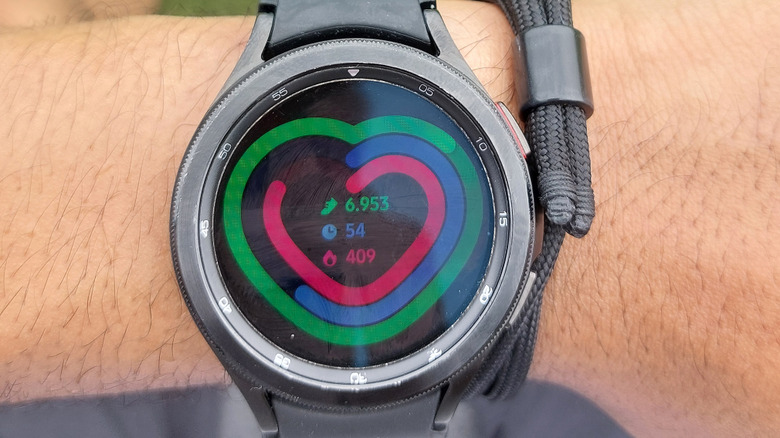
Samsung Health is a full fitness and wellness platform available across a range of Samsung devices, and health tracking is among the new features available on Samsung Galaxy Watches. Samsung Health is capable of tracking steps, sleep patterns, and heart rate, among other things. When it comes to workouts, it's able to track a wide range of activities directly through a dedicated Wear OS app. Samsung Health is also available on most Samsung smart TVs released after 2020.
Having the app installed on both a TV and a Galaxy Watch allows users to tap into their stats and data with far more screen real estate than a smartwatch can provide. Users can track progress on their watch while out and about, and the data will sync across devices, making it available on their TV when they get home. The TV and Galaxy Watch can also act in tandem during indoor workouts. This simply requires bringing a Galaxy phone into the equation in order to select workouts and mirror them on the television.
Samsung leans heavily into limiting who can tap into this Galaxy Watch and TV setup. Samsung Health is only compatible with more recently released Samsung TVs, as well as some Samsung smart monitors. But Galaxy Watch owners who own the right smart TV can make Samsung Health a cornerstone of their health and fitness world, with the watch tracking data throughout the day and the TV acting as a way to kick back and review it when the day is done.
How we chose these Galaxy Watch apps
While the Google Play Store is full of worthwhile apps that can be installed on a smart TV, and while there are many more worth installing on a Galaxy Watch, here we focused solely on those that work with both. The options are much more limited in that regard. Our primary goal was to find Galaxy Watch apps that interact directly with a smart TV rather than requiring a smartphone or tablet as a go-between device. From there, we selected apps that provide a real feature set to those sitting in front of a smart TV with a Galaxy Watch in tow rather than simply being another remote control app for Wear OS.