

If One Of Your Anker Earbuds Sounds Quiet, Try This
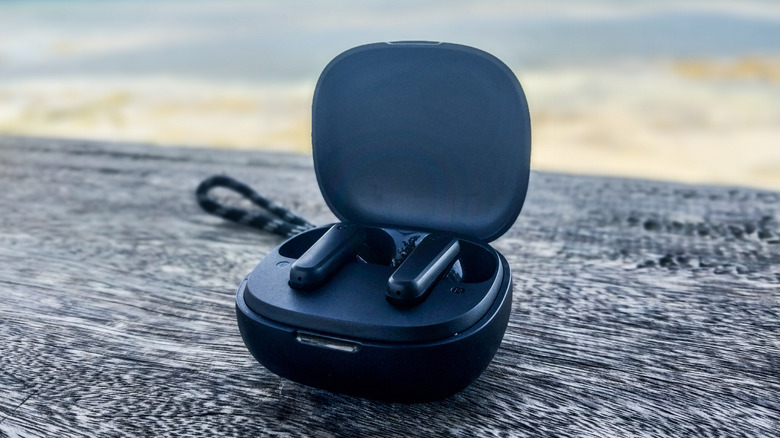
It goes without saying that headphones and earbuds are a staple for modern media consumption. Countless consumers have turned to Bluetooth earbuds for their entertainment needs, whether it's rocking out to their favorite tunes, absorbing info from podcasts and audiobooks, or enjoying funny YouTube skits and video essays. As such, it can be an aggravating, if not devastating, issue if one earbud suddenly sounds quieter than the other. Anker earbuds contain solutions that can put this problem to rest and allow you to peacefully return to your listening material.
Anker has produced products some owners say are the best earbuds for phone calls, while others claim products like Soundcore Liberty 4 Pro earbuds are among the brand's essential accessories. However, even they are susceptible to sound problems. Remedies to these issues can be as simple as cleaning your device. Per Anker's Blog Center, Soundcore devices' uneven audio issues could be fixed by simply cleaning dust and debris from the charging case, earbud mesh, and headphone jack. It's also important to ensure your earbuds fit snugly in your ear canal to get the best sound from your Anker Soundcore earbuds. Measures like twisting your earbuds and finding appropriately sized foam or silicone tips may help prevent your devices from slipping out of your ears, thus avoiding sound leaks.
In addition to Anker's proposed solutions, one Reddit user suggested sucking on the outer part of the earbud: "Put the earbud to your lips, like a straw," they said. "Suck in until you hear actual air coming in. You are done." If none of these remedies pan out, they may also require settings or connection adjustments.
Your Anker earbuds may require connection or settings adjustments
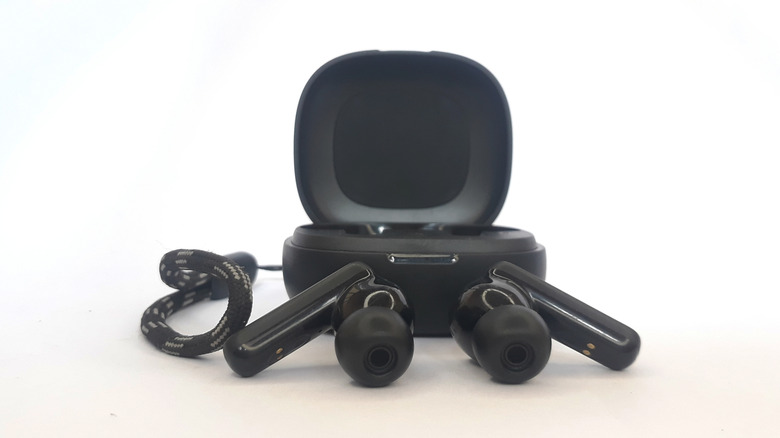
Anker Soundcore products like the noise-canceling Soundcore P30i are among the best-reviewed earbuds on Amazon. However, they can also suffer from audio issues and uneven sound distribution. If initial fixes don't work, you may need to adjust your settings and ensure a stable connection to address sound problems as they arise. Anker first recommends keeping your device near your earbuds, removing any obstacles between them, shutting off other Bluetooth connections, and potentially restarting and repairing the earbuds. You may also need to go into your IOS, Windows, or Android device's settings and ensure its audio channels are balanced. If you have asymmetric hearing, adjust the balance accordingly to accommodate your listening needs.
The Soundcore Support YouTube channel also advises ensuring your Anker earbuds are adequately charged, or resetting them in the charging case by holding the side button until the white LED indicator flashes three times. If nothing else works, try pairing them to another device to see whether the problem persists. If so, Anker recommends contacting its support email or the appropriate regional customer service phone number if you have a warranty claim.