

5 Things To Ask Gemini For Better Google Maps Results
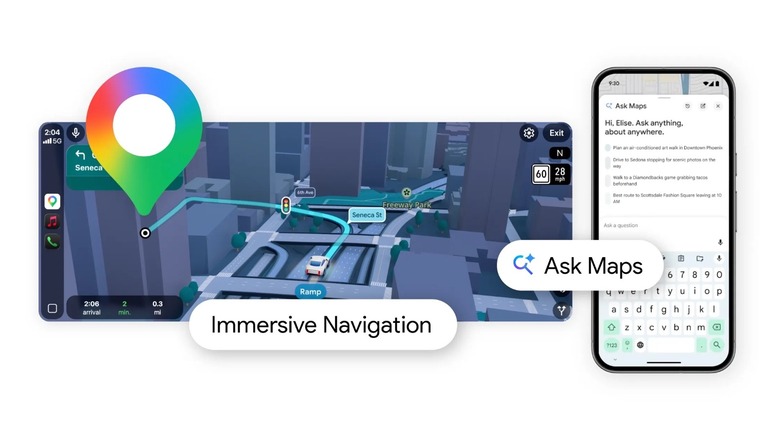
In March, Google announced its biggest update to Google Maps in years. Among the changes, the Maps experience got a lot more similar to Apple Maps, making it easier to see highway exits, understand which lane you should be in, and more. However, what actually set Google Maps apart was a deeper integration with Google Gemini through the new Ask Maps feature that allows users to prompt the AI for a bunch of different tasks.
Since you can use natural language with all those prompts, you don't need to do things a specific way, as Google can tailor the answers just for you, whether you're with friends, in a new city, or trying to go through hundreds of restaurants that look too similar. I've been using Ask Maps with Google Gemini for the past few months, and even though AI still has its flaws, it has proven quite helpful. Barring the occasional hiccups, the Ask Maps feature can actually make your map results better by leveraging the recommendations, reviews, photos, and other information that users have added on the platform over the years. From asking Google Maps to create a list of recommendations to making it plan your trip itinerary with minimal efforts, here's everything you can do with the new Ask Maps feature.
Find a desired spot without much tinkering
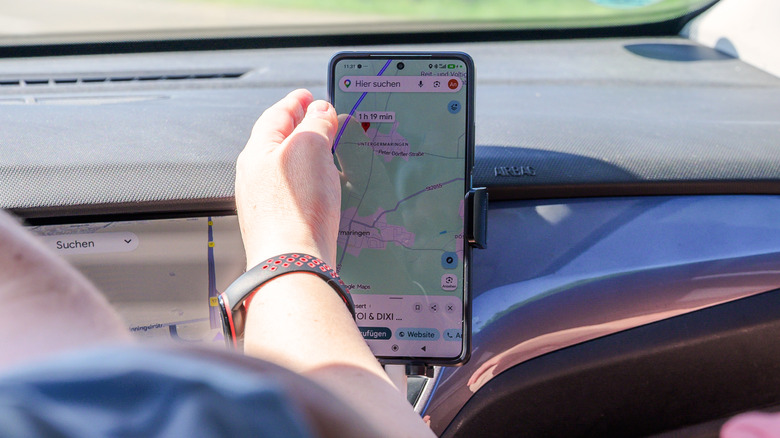
Sometimes, all you want is a cozy Japanese curry, a late-night pizza that's going to change your life, or a nice brunch place for your next Sunday morning with friends. If you're organized enough, you already have a list full of pins in your favorite cities and areas, but if you're like me and you're sure you'll remember everything even years later, then you know how stressful it can be to find a great spot to go on a date, eat something extra good, or just chill with friends.
Let's say you want to find a vegetarian spot to have dinner with three of your friends at 7 p.m. between your workplace and midtown. Conventionally, you'd have to first look for vegetarian restaurants in your desired location. That involves looking at reviews, pricing, and photos, and everything else. After circling a few options, you'd need to check if they have an empty table around 7 p.m. However, with the Ask Maps option on Google Maps, you can cut this process short. You can simply describe your requirements in natural language and Gemini will scour Google Maps to find the places that fit those exact filters. When you finally have the list, you can take matters into your hands and finalize the dinner spot or ask subsequent questions to narrow down the recommendations even further.
Pin locations and create a list of recommendations
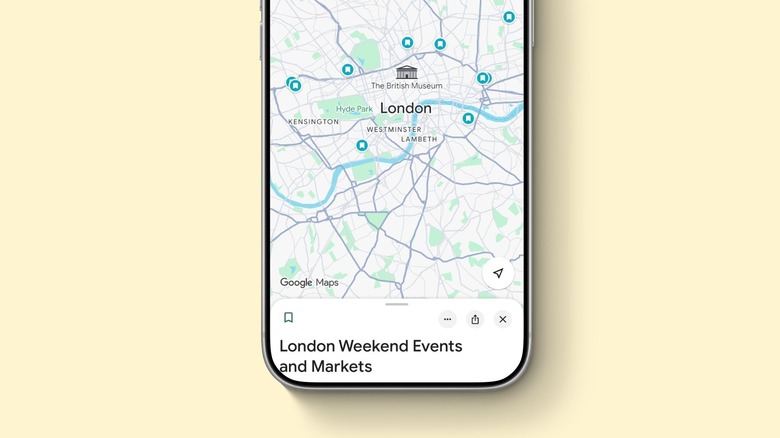
This is one of my favorite Google Maps features that I use with the Google Gemini app all the time. For example, if I want to go thrift shopping, I can ask Gemini to create a list of vintage shops in a specific area, such as Hackney, in London, pinpoint them, and add them to my Google Maps as a list. I can ask for specific stores, like those that are open on Sundays, that have specific kinds of vintage clothes, and so on.
While people can just do it the old way and Google vintage shops, search a specific area, read reviews, and then manually open them, AI can make this process a lot more straightforward. You can simply ask AI about the best-reviewed options, the ones people consider hidden gems, and, if you're willing to go through them, you can filter out the best ones and use the label feature on Google Maps to save them for the future.
When asking Gemini to pin locations, you can even ask it to explain its choices, take user reviews into consideration, or go beyond the usual recommendations to find places that other people have enjoyed in the past. Whenever I want to find a new coffee shop, furniture stores, antique shops, and so on, I use Gemini combined with Maps to get a better understanding of where to start.
Plan a trip with perfect places to stop
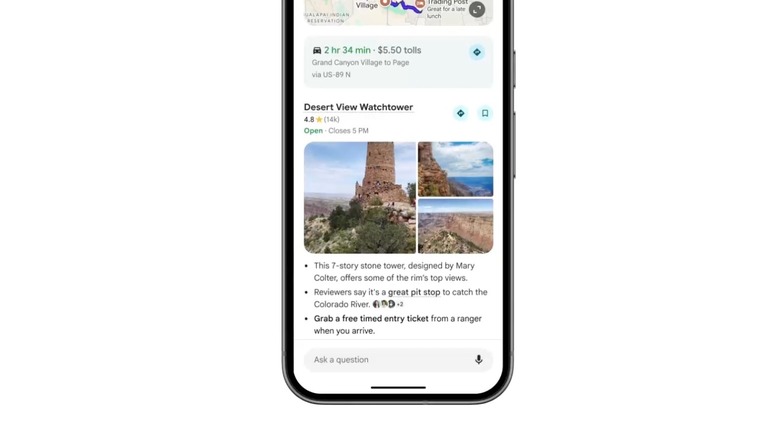
While you can choose between using the Google Gemini app or the Google Maps app, the new Maps platform can really help you plan a full trip. For example, if you're going for a long road trip, the AI can find you a few hidden gems that meet your specific requirements, such as pet-friendly policies or outdoor seating.
Additionally, if you add something like "Find a high-rated local coffee spot along my route that has a drive-thru, opens before 7 a.m., and won't add more than 10 minutes total travel time," the AI can also cross-reference your route with real-time traffic to ensure you'll get to your destination on time. On multi-stop road trips, the AI can also take a look at scenic viewpoints, EV charging hubs, lunch stops, and even change plans in case you need a playground for a restless kid or an indoor option when the bad weather hits. Just like with the other prompts, Gemini gathers and analyzes all the data available on the platform and from other Google apps and services to ensure you have a trip itinerary according to your preferences.
Summarize reviews
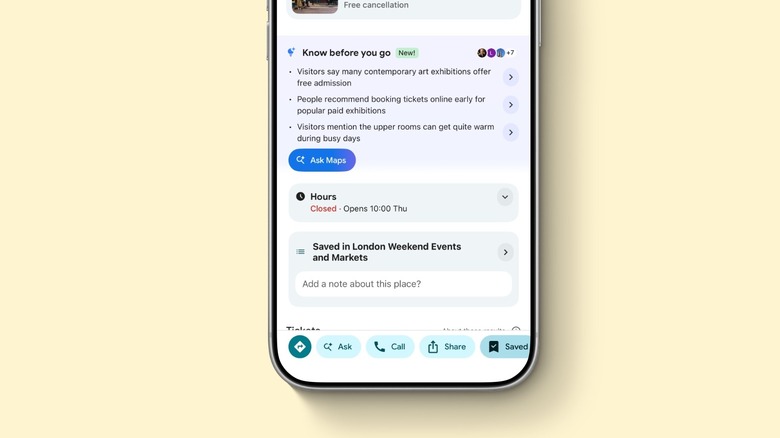
If you open Google Maps, hot spots usually offer a few bullets with "Know Before You Go" information. These details can range all the way from popular choices to what's best to avoid, what time to arrive, or even something you wouldn't normally know — such as a hidden bar, a secret menu, or the perfect cocktail to order. Still, the "Know Before You Go" bullets are not the only thing you can use AI for to get honest opinions about a business, a tourist attraction, and more.
Users can also use the Ask Maps feature or Google Gemini to select a few spots and summarize their most important reviews so you can understand what spots are better for visiting at night, spending your day, or scheduling a special celebration. Even though users have access to reviews, ratings, photos, and specific information from the place, Gemini can offer a more comprehensive look at the spot you want to go. A similar feature is also available in other platforms, like Amazon, which now summarizes the most important reviews made by users so new buyers can ensure that what they're getting is exactly what they're looking for.
Micro-location and logistic checks
Another useful thing that you can ask Google Gemini is to get precise information about a place. For example, instead of guessing if "street parking" means ample spots or a localized nightmare, you can ask Gemini to see recent visitor reports to better understand the place. You can check the lot size, valet requirements, garage height limits, or if it's accessible for strollers and wheelchairs.
If you're navigating large complexes, multi-story centers, or historic districts, you may ask Gemini to pinpoint the exact entry point or best places to get dropped off to get to a location as fast as possible, and without fuss. The AI can also let you know queue conditions, counter service speed, reservation policies, and standing-room limits for popular places that are always busy. The regular information card doesn't take into account how fast the queue moves, or if there's a way to get inside faster. With Google Gemini, the AI can try to get this information from recent reviews on that spot.
Finally, if you like to work from coffee shops, you might want to know about outlet availability, noise levels during specific windows, and other minute details. You can ask Gemini to find a laptop-friendly cafe near you, but with specific information about outlet accessibility, large enough seating for a working meeting, and so on.