

5 Anker Accessories That Have A Smart Display
We may receive a commission on purchases made from links.
Everything has screens these days — from kitchen gadgets like your fridge and coffee maker to security items like your door lock. Sure, these devices would work just as well without them, but the built-in display actually has some practical purpose. It shows you useful information, alerts you to some errors, and makes the gadgets more convenient to use overall.
The same logic applies to screens on power adapters, power banks, and docks. Yes, believe it or not, these modern charging accessories now come with displays too. You might think you won't need one since most chargers are reliable and just work quietly in the background. But you'd be surprised at how handy a screen on a charging accessory actually is.
Instead of having to guess the actual status of the device you're charging, you can simply glance at the display. It can also tell you how much power the device draws and how high the charger's temperature gets. If you're looking to upgrade your kit with accessories that come with a screen, Anker offers a wide selection to choose from. Here are five to consider.
Prime 3-in-1 Wireless Charging Station
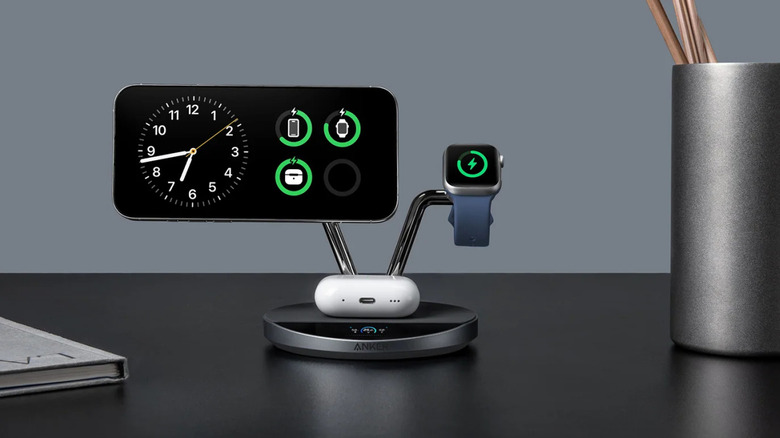
Wireless chargers might not be as capable as their wired counterparts, but they have their place, specifically at your bedside table, office desk, or anywhere else you want a phone stand and a charging station in place. If you need one, Anker offers a wireless charger with a smart display built in: the $230 Prime 3-in-1 Wireless Charging Station.
This Qi2 charging station is designed for 3-in-1 charging, meaning it can charge your iPhone, Apple Watch, and AirPods at the same time. It comes complete with a 65W adapter in the box, which allows it to deliver up to 25W. Anker claims the charging station can charge an iPhone 17 Pro up to 50% in 22 minutes and an Apple Watch Series 10 to the same battery level in 19 minutes.
As a bonus perk, the wireless charger is built with a real-time 1.65" HD display. It's on the startup screen by default, which shows you five things at once. The top-left icon indicates the charging mode, while the top-right icon tells you whether the device is connected to Bluetooth. The three other elements indicate the powers drawn by the earbuds, phone, and smartwatch. When you switch to the next screen, you'll see the phone charging module's temperature, displayed as Ultra-Cool, Cold, or Moderate. When idle, the charger features a clock screensaver, handy for checking the time while in bed. Other than this basic information, the charger's smart display is used for safety alerts too. For instance, it notifies you when the earphones are misaligned, the input is too low, or there's a fan error, among other things. The screen can even show you when the charger is updating the software.
Nano Charger 45W
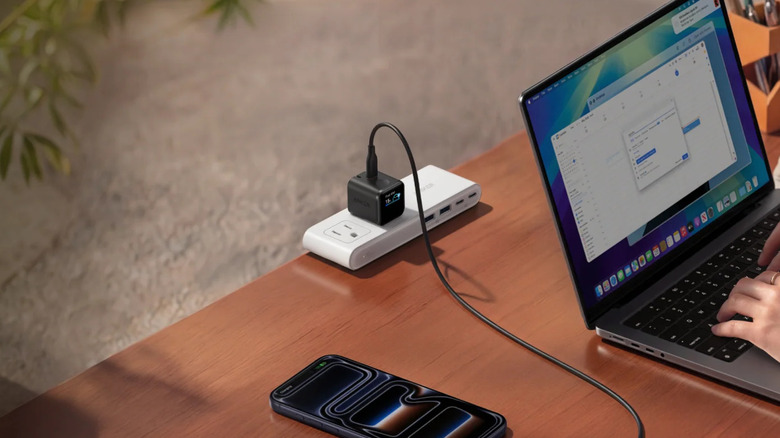
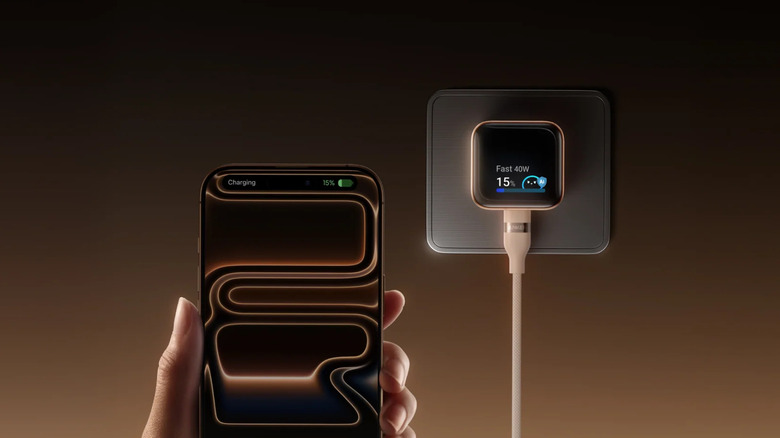
The $45 Nano Charger 45W is among the mini gadgets from Anker you'd want to keep in your kit for when you're traveling or when you just want a minimalist bedside table setup. It's a 1.34 by 1.40 by 1.57-inch power adapter that offers 45W fast charging, just enough to top up an iPhone 17 Pro from empty to 50% in 20 minutes.
Besides its cute size, what makes the Anker Nano 45W a solid choice for a charger is its built-in smart display. As soon as you plug your phone in, the display wakes up and shows a "Charging" message, with the iPhone model it's connected to (for select models). Then, it automatically switches to the charging status screen, where you can see the battery level of the phone, the output power it draws, and the charging stage it's on (fast charging, steady charging, or trickle charging) based on the battery level. When you're close to 100%, the display gives an estimate of how many minutes until your device is fully charged.
You can check the charger temperature on the screen by pressing once on the touch area. It will tell you whether it's Breezing, Floating, or Cooling. Breezing means it's charging normally and its temperature is less than 113 degrees Fahrenheit, Floating means the temperature is somewhere between 113 and 140 degrees Fahrenheit, and finally, Cooling means the temperature is over 140 degrees Fahrenheit. Another press on the button, and you'll be redirected to the mode switching screen, where you can change the mode from Auto to Care. Care is designed for charging overnight and essentially makes the charger cooler while charging. When the Anker Nano 45W isn't connected to any device, you can still tap the touch area to display fun animations. Just do a triple press.
140W 4-Port Charger
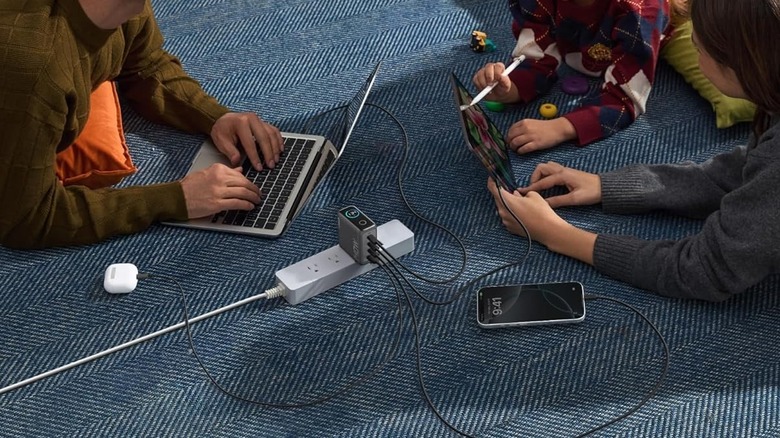
Like a lot of people, you probably own multiple electronics. The problem is, you only have so many chargers on hand. If you're constantly running out of chargers to use, check out the $90 Anker 140W 4-Port Charger. It's built with three USB-C ports and one USB-A port, letting you charge four devices, including your laptop, at once. This PD 3.1 charger has a total output of 140W. If you're only using two of the ports, you'll get 70W each from the first and second USB-C ports. This can fast charge a 16" MacBook Pro M3 to 50% in just 25 minutes. The first and second USB-C ports also support up to 140W output each when used for single-port charging.
Another noteworthy feature of the Anker 140W 4-Port Charger is the smart display. At startup, this display shows you the current total power drawn by the connected devices. To view more details about their charging status, press once on the button. You'll then see a list of the power draw per port, along with the total output power.
From here, press the button once again to display the temperature monitoring screen. It will either say Excellent, High Performance, or Cooling Mode, along with an indicator of how close the current temperature is to the international standard temperature limit. Do another press to show the total operating time of the charger. When no device is connected, the charger shows a smiley face on the screen. Conveniently, the display also gives you a pop-up reminder to use the fast charging ports (USB-C1 and USB-C2) if you connect to the USB-A or USB-C3 when nothing is plugged into the fast charging ports.
Prime DL7400 Docking Station
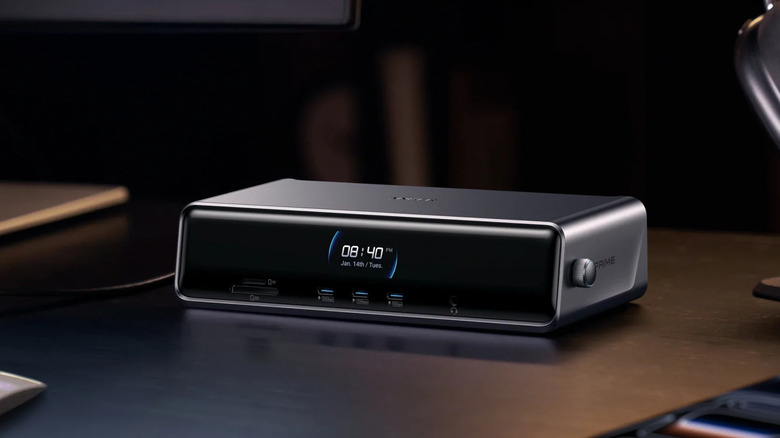
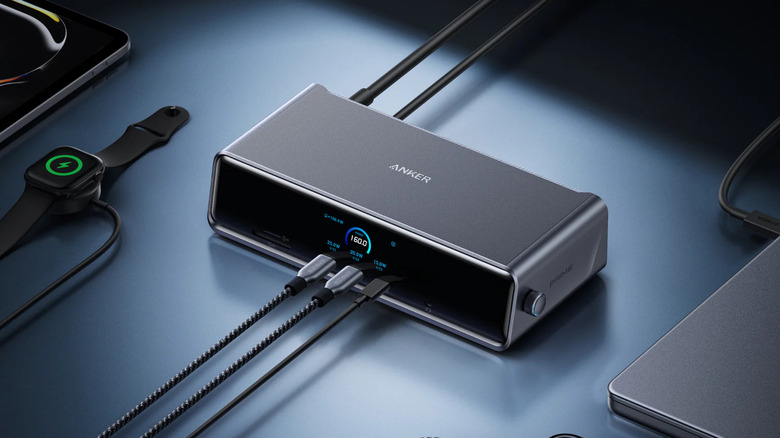
One of the best gadgets to help you declutter your desk is a docking station, and Anker offers one complete with a smart display — the $300 Prime DL7400 Docking Station. It's a 14-in-1 station designed for charging multiple USB-C devices at the same time, expanding your desktop setup with three screens, and connecting your computer to an Ethernet connection.
Its smart display is located at the front of the device. Just like on other Anker accessories, it features multiple screens to show different information. Right on the home screen is the charging status, which includes the total output power and the individual output for the USB-C ports. If you press the knob on the side of the docking station, a more detailed screen will appear with the current and voltage information and the supported max charging power and data transfer speed for each port. Other than the charging status, the smart display tells you the status of the connected monitors as well. It first gives you the resolution and refresh rate of each of the HDMI and DP ports. Then, if you go to the detailed screen (press the knob once), you'll see the brand and size of the monitor, along with the resolution and refresh rate it currently uses.
Conveniently, the Prime DL7400 Docking Station's smart display comes in handy when you need to adjust the settings or see what operating mode it's on. When the station is idle, the screen even doubles as a digital clock with the current date and day of the week. If the docking station runs into any issue like a malfunctioning fan or outdated software driver, alerts will appear in the smart display too.
MagGo Power Bank 2 Pro
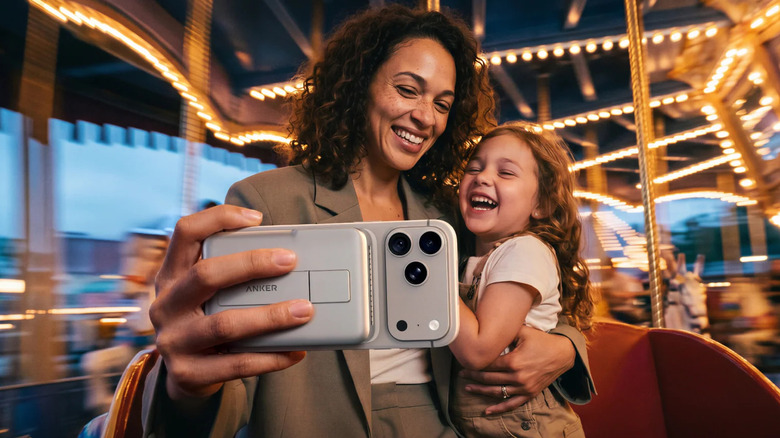
If you hate dealing with wires but want to keep your phone topped up when out and about, a wireless power bank like the $110 MagGo Power Bank 2 Pro is the perfect accessory to add to your kit. This 10,000mAh power bank supports fast 25W wireless charging with Qi2 technology.
With the MagGo 2 Pro, it only takes 25 minutes to charge an iPhone 17 Pro to 50%. For even faster speeds, you can use a cable plugged into the USB-C port, which delivers 45W. Runtime-wise, the power bank lasts quite a good while. It can charge an iPhone 18 Pro Max 1.2 times and an iPhone 18 Pro 1.6 times. When it's time for the power bank itself to charge, you only have to wait 52 minutes for it to reach 80%.
Beyond the charging performance, the MagGo Power Bank 2 Pro gives you valuable information while in use via the built-in smart display on the side. The first screen you'll see is the current battery level. Tap the side button once, and the charging power for either the wireless connection, wired connection, or both (if both are in use) will be shown. The smart display is also used to inform you about the temperature of the power bank, the power bank's battery health, its active charging mode, and whether wireless charging is on or off. After you disconnect the power bank from your phone, the screen will display the total charging time.
How we came up with this list
In choosing these recommendations, we selected from different Anker categories to show how each device makes use of the built-in screen. We also considered the practicality of the devices, picking those that are handy for everyday use. We primarily focused on devices where the smart display actually adds to the functionality of the product and not just ends up being a gimmick.