

5 Gadgets That Can Help You Declutter Your Desk
We may receive a commission on purchases made from links.
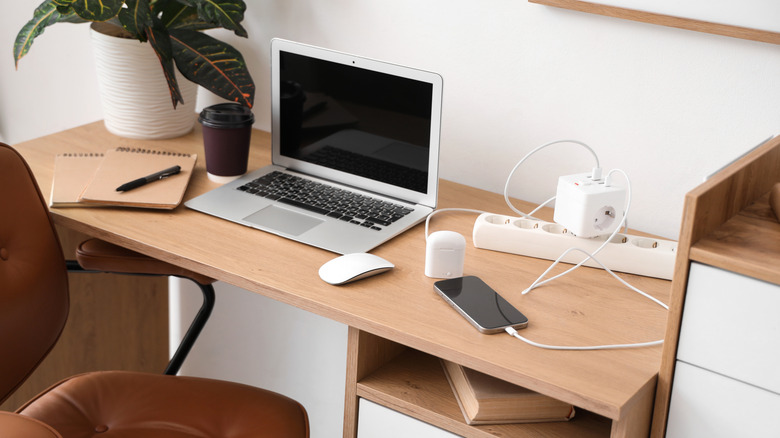
Depending on how much you store on your desk and how you organize it, things can get cluttered quickly. While some might argue that a messy desk is a sign of high intelligence, possibly genius, there's also a valid point that it can hinder productivity. Cluttered environments or "visual crowding," can have many negative effects on the brain, making it harder to focus, reason, solve challenges and more. Naturally, it's always a great idea to reduce clutter whenever possible, which in turn means better organizing your desktop and workspace.
Given that goal, it might also be wise to consider some more efficient ways to lay out those items on your desk, and believe it or not, some gadgets can make it all happen. Bear in mind, these aren't necessarily gadgets with a screen or high-end tech embedded, but more so gadgets in the mechanical sense. Think monitor arms to get the bulky display off your desk, shelves to organize papers and books, and charging docks to declutter cables and other wires; there are a ton of cheap gadgets that can help cut cable clutter. It's also a good idea to look for multi-functional gadgets that combine several useful items into one convenient solution, cutting down on the total amount of gear you have strewn about.
At any rate, here are some practical gadgets that can help you declutter your desk space, whether that's tucked in a room at home or a work office.
Under desk cable management tray and desktop charging station
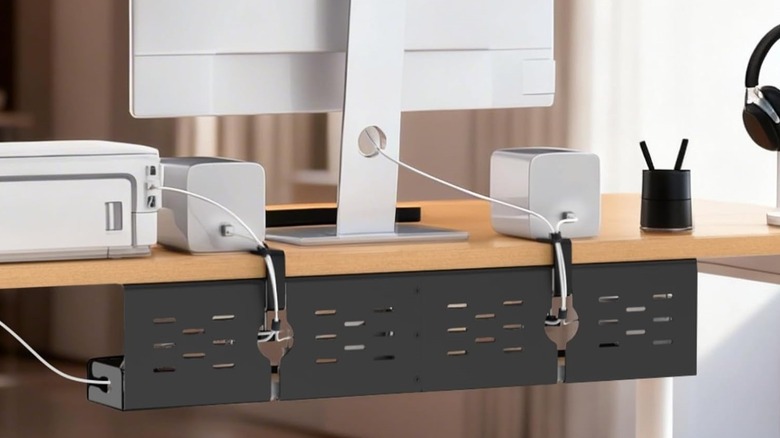
From all your electronics, you probably have a lot of cables all over and under your workspace. Unfortunately, in most cases, it will take a couple of gadgets, maybe more, to wrangle all that mess. A solid cable management kit with zip ties and clips is a good start. You'll also need something to secure cables and charging cords coming up from underneath the desk, like desktop cable holders. But two primary gadgets will really help you remove cable clutter once and for all. The first is an under-desk cable management tray, which conveniently clamps to the back underside of your desk to hide power strips, cords, and other wires. A good example is the Univivi 32-inch Under Desk Cable Management Tray for $43.
But once you set up that tray and hide away all your wires, you'll need an accessible place to plug in any devices you want to charge, such as your phone or a handheld gaming console like the Steam Deck. A viable complement to the under-desk tray is a desktop charging station, like Anker's Prime 200 watt 6-port GaN station for $80. If that's a little pricey for your tastes, another option would be something like the UGREEN 100-watt USB-C 6-port charging station for $50. If you want to eliminate wires entirely and don't have many devices to charge, you could opt for a wireless desktop charger instead. The $112 Baseus Nomos adds wireless on top of wired charging for the best of both worlds.
The under-desk tray allows you to hide wires, power strips, and unsightly power components. Meanwhile, the desktop charger gives you quick, easy access to fast charging for your most-used electronics.
A monitor arm
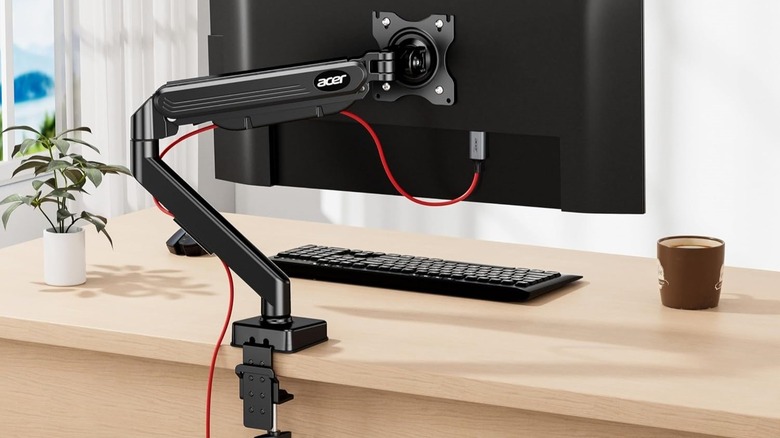
Most people either mount their monitor to the wall, if there's enough space, or set it right on top of their desk as close to the rear edge as possible. If you have multiple monitors, that setup can take up a lot of space. Monitor arms are another space-saving option because they're fully adjustable and often clamp to the edge of a desk. Like a mount or stand, you secure the monitor to the arm, and it stays off the desktop, elevated, leaving you more workspace or a clutter-free area.
Something like the Acer single monitor mount accommodates displays from 17 inches to 34 inches for $46 at full price. There are cheaper options, too, depending on how tight your budget is. But if you have multiple monitors, you could either get multiple single-monitor arms, or opt for dual setups like VIVO's dual mechanical mount for displays 17 inches up to 32 inches. That's $70 for a dual mount system at full price, which is about $35 per mount if you work out the per-arm cost.
You'll probably want to pair the arms with a cable management kit to keep the display and power cables out of the way. But once your monitor is mounted, you can reclaim that extra space for more organizers, shelves, or even leave it clear. If you want to reclaim some of that space but don't like the idea of a mount, another option is to use monitor stands or risers with drawers and extra cubby space underneath. Simple Trending has a full set of dual-monitor stands for about $27 at full price.
A desk pad for spills, debris, and mess prevention
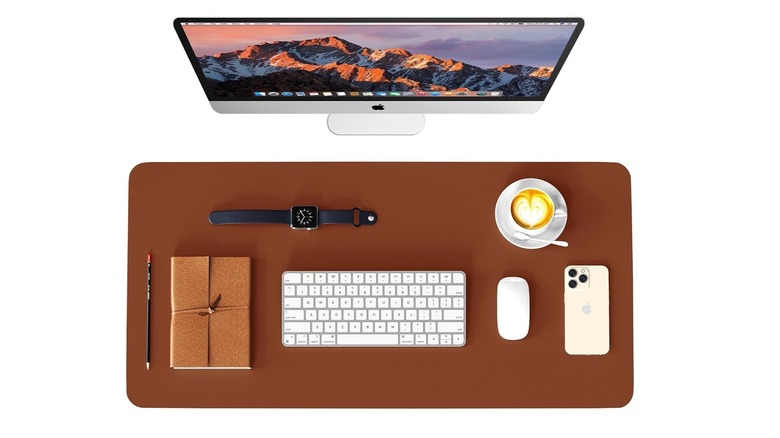
If you eat lunch at your desk, snack, or drink, enlarged mouse pads and mats are an excellent way to protect your desktop. Just the condensation ring from a cold glass of water could damage wood and other materials over time. To prevent that, and prevent any spills from staining your desk, a mat is a protective stand-in. Not to mention, crumbs, dirt, dust, and other debris can collect on a desk's surface, adding to the clutter. This is where a portable hand vacuum might come in handy, but the option to clean up your mat quickly with a damp cloth cannot be overstated.
There are plenty of desktop pads and mouse pads out there, and a quick Amazon search will show you a huge variety to consider. The WAYBER leather desk pad protector is affordable and stylish for around $5 to $10, depending on your preferred size. If you don't want leather, the KNODEL large felt desk pad is a unique alternative for $7 to $10. Most pads let you choose the size, so it's a good idea to measure your space before ordering.
Pads like these aren't just for giving your computer mouse a workable space; they also add professional style to your office and give you a dedicated area for drinks, stationery, or simply a clean space to work.
Add some extra storage to organize everything else
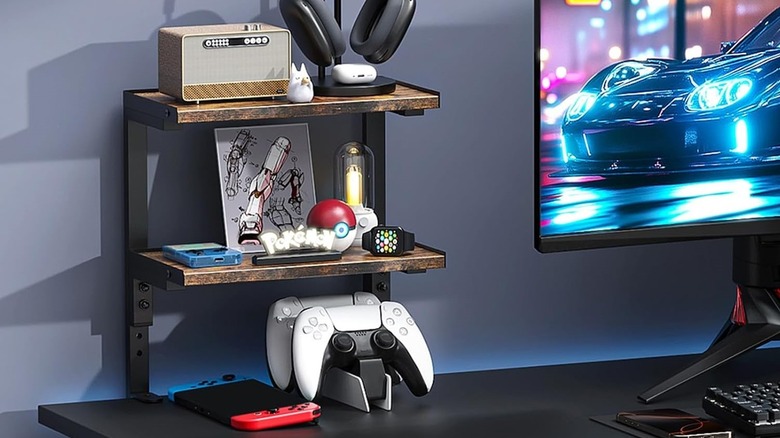
By itself, a desktop is just a flat surface or tabletop, and if you have all your gear, papers, folders, and cables strewn about, it can be hard to organize without added storage options. If your desk has under-surface storage like a drawer, that's great, but if your desk has nothing like that, you're probably hurting for some extra cubbies. Better yet, even with a drawer, you may still be running out of space. Enter modular desk shelving and organizers.
This 2-tier desk shelf from OUTIOE for $28 is a definite boon. It clamps to the side of your desk, keeping it secure if your desk is a little wobbly, but gives you two elevated shelves to store gadgets, decor, and other fixtures. The $20 Furinno HERMITE organizer can hold books, folders, and paperwork. More practically, you can grab a $40 bamboo organizer with built-in drawers to keep knick-knacks out of sight and out of mind. Using desktop storage as a jumping-off point, you could also go with a cute Dollar Tree DIY storage box, or any number of self-appointed storage options; you don't have to buy shelves or organizers, specifically. I have repurposed a bunch of wooden cigar boxes I've collected to better organize my own desk.
You can also use under-desk drawers and storage options if you don't want to take up desk surface space. You can also slide small file cabinets or modular storage underneath the desk if you don't already have an executive-style desk.
How we chose these products?

As you can see, the product range is incredibly diverse, spanning desktop chargers, storage cubbies, clip-on monitor arms, and more. Every product mentioned has numerous user reviews with at least four stars out of five; some even have thousands of positive reviews. Whenever possible, I selected products from reputable brands such as Acer, UGREEN, Anker, or Baseus. Most importantly, and this is the defining qualification, every single one of these items, functionally, will help you reduce clutter on your desktop or workspace to not only recover the usable area, but also to bring you some peace of mind. Renowned publications like ZDNET, Wirecutter, and Wired have also recommended or reviewed some of these products.
Now's a great time to mention that these are ideas and could serve as solid starting points. You can easily come up with your own solutions using the aforementioned gadgets for inspiration. There are so many more desk gadgets that just work and, ultimately, improve the usability of your workspace and general office.