

10 Desk Gadgets That Just Work

We may receive a commission on purchases made from links.
A desk job can be draining for anyone, regardless of whether they work from home or the office. Turning an unremarkable rectangular surface into a productivity hub can be a challenge, but there are only so many times you'll sit down on your laptop and desktop every day before the monotony gets to you. This makes it important to set up your work desk in a manner that helps you power through an intense 9-to-5 workday without getting too stressed out.
If you predominantly work from home, then getting a good monitor that supports state-of-the-art visuals and an external keyboard that makes the simple act of typing extremely cathartic are great ways to improve your speed and efficiency. However, even if you work in the office, there's no reason why you can't carry some mini gadgets that are perfect for a small office desk. Clocks, cup warmers, charging stations, mice — the possibilities are endless, and it's entirely possible that a few of the many products mentioned here might just become a critical part of your workflow.
Amazon Echo Dot
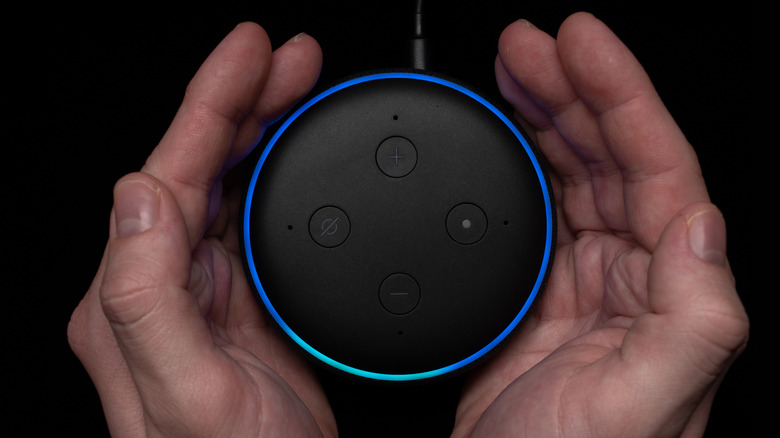
Sure, a Google Home Speaker or an Apple HomePod can also get the job done, but Alexa's dominance in the market is the biggest reason why we're recommending the Amazon Echo Dot. Studies reveal that almost half of all surveyed home assistant users consider Alexa to be the smartest of the lot. This perception is perhaps why Alexa has a dominant market share in the U.S., with nearly 70 percent of users considering the Amazon Echo to be their device of choice. You can join this trend with a small, space-efficient Amazon Echo Dot for just $49.99, which you can place on your desk for a bunch of hands-free tasks.
You can ask it to do some quick research or fact-check any statements you're reading with a simple voice command. If you have smart lights installed in the office and the sun is setting, just tell the Echo Dot to illuminate the room instead of breaking your flow state. It can even work as an alarm clock or remind you of any meetings or deadlines if you configure it accordingly.
If you have multiple Amazon Echo speakers strewn about the house, then communicating with the rest of the family also becomes easier. You can turn these speakers into an intercom network, checking in on your kids and communicating with your parents or spouse whenever required without having to reach for your phone. The possibilities of a smart speaker on your desk are endless, and the Echo Dot will become a critical part of your setup because of how useful its multi-purpose functionality is.
Ember Mug 2
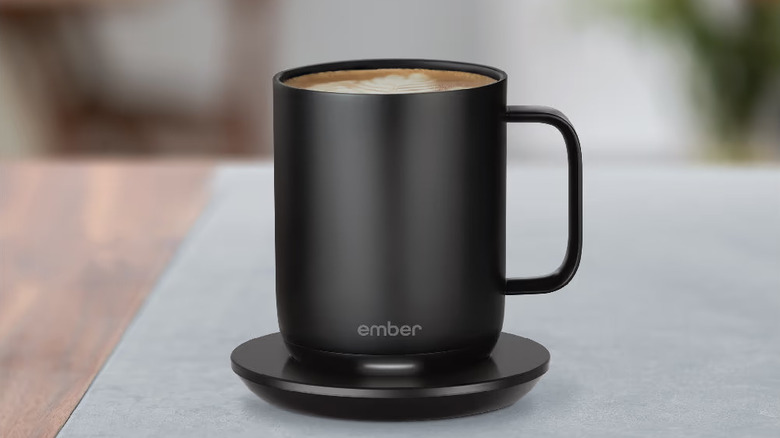
Everyone knows the irritation of trying to finish a warm cup of tea or coffee before it gets cold, only for a sudden meeting or a deadline to rear its ugly head and make you completely forget about your beverage. A simple mug warmer can make a world of difference here and let you enjoy greater comfort from your desk. However, don't just settle for any appliance — why not go all out with a proper smart mug and coaster instead? Reviews have made it clear that the $119.96 Ember Mug 2 is the most advanced product in this regard and will become the coolest new gadget you'll want on your desk in no time.
This gadget boasts a battery life of one-and-a-half hours for the 10-ounce mug, while the 14-ounce variant falls slightly short by ten minutes. It also comes with an app that lets you choose the kind of beverage you're drinking. Based on your choice, the heating is adjusted accordingly to ensure that your drink is perfectly warm. The minimalist design also adds to the aesthetics of your desk, and the LED light on the smart coaster will indicate when the battery is charged or low, while also letting you know when your cup is warm and ready to take a sip.
The Ohom Ui 3 Self-Heating Mug Set works in a similar manner, but user reviews on Amazon are a bit lacking — both quality and quantity-wise — as compared to the Ember Mug 2. It lacks the additional app functionality of the latter, although its wireless coaster does double as a charging pad for your phone. Still, our vote goes to the Ember Mug 2 for its reliable design and feature-rich app.
SIIG 90W 10-Port USB Station
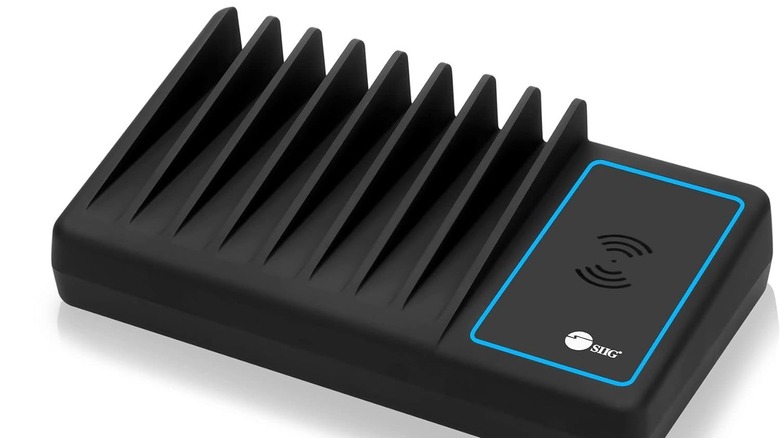
If your desk is full of electronics that need to be charged from time to time, then it's important to get a charging station that can collectively power all your devices at once. Look no further than the SIIG 90W 10-Port USB Station, which — as the name suggests — lets you charge up to ten devices at once. Spending $95.80 on this may seem like overkill, but you'll sing a different tune once your tablet, headphones, wireless mouse, smart watch, speaker, earbuds, e-reader, and phone — or phones, if you prefer to keep your work and personal devices separate — all beg to be plugged in when they're low on battery around the same time.
Keeping all these devices charged at once with SIIG's charging station is very easy, as long as you don't mind a bit of wire clutter. It also comes with a Qi wireless charging dock to accommodate another device, meaning that it can power a total of eleven devices if used to its fullest limit! Just keep in mind that charging speeds are slower when all slots are active — while each port is capable of emitting 2.4 amps, overall power output is limited to 18 amps.
Still, the space to accommodate ten devices might be too much for people who don't want to accommodate this bulky charging station on their desk. For more space-economical charging stations, we recommend the Belkin BoostCharge Pro 3-in-1 or the Iseyyox Magnetic Wireless 3-in-1 Foldable Charger.
Logitech Brio 500

Some people either need a separate webcam for their desktop or aren't too fond of the middling stock webcam that comes with their laptop. In both cases, it's important to do your research and invest in a good webcam that will be a huge help during work calls and virtual conference meetings. The Logitech Brio 500 is a great choice here, more than justifying the $129.96 investment with a litany of quality features that make it a great Amazon desk gadget you'll use every day.
It supports both 1080p at 30 FPS and 720p at 60 FPS, letting you choose between a higher resolution and a smoother video. Aside from the clip-on installation, it can also be mounted on a tripod if you don't want to be distracted by this device on top of your monitor. It also comes with a mic that is competent enough to get the job done for any working professional. The camera quality is good enough to operate in low-light conditions, with automatic adjustments for exposure and white balance ensuring top-notch picture quality optimized to a T.
As useful as these technical specifications are, one particularly useful feature of the Logitech Brio 500 that makes it worth acquiring for anyone paranoid about their privacy is a shutter that can be manually opened or closed using a knob on the right-hand side of the device. This way, you won't have to worry about your webcam being accidentally active when you don't want it to be. Some users are also worried about being hacked and recorded via their webcams, which isn't a problem once this privacy shutter is closed.
Sony WH-1000XM6
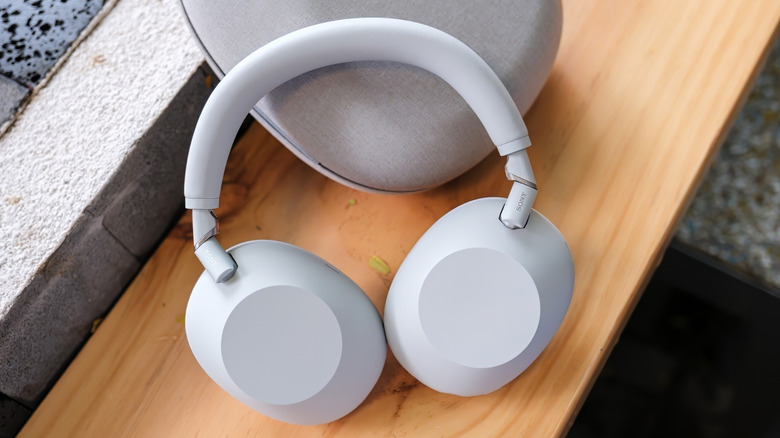
Most audiophiles are more than familiar with the Sony WH-1000XM6, a pair of flagship headphones renowned for their incredible Active Noise-Cancelling (ANC). This has been further improved in the latest model with an HD Noise Canceling QN3 processor, which is perfect for working professionals who want to mute out any noisy distractions when trying to focus on the task at hand.
It helps that these headphones are very light and fit snugly on your head, thanks to an immaculate design that prioritizes comfort. The headband looks smoother and more premium, with a widened design to help it fit more snugly on the top of your head. The earcups are also large and padded, making them feel like a cloud around your ear. It also has a bunch of quick-access buttons neatly placed to let you control every aspect of these headphones without doing any desk gymnastics.
The audio quality of these headphones is also in a class of its own, justifying its $398 price tag. The aforementioned QN3 processor and a 30-millimeter driver do their part in emanating a detailed, well-rounded audio that does justice to a track's treble and low-frequency bass output. No one wants too many wires to clutter their desk, which is why you'll be glad to see that Sony has gone out of its way to make wireless audio output more high-quality than ever. This is achieved courtesy of DSEE (Digital Sound Enhancement Engine) Extreme and LDAC (Lossless Digital Audio Coding) support, both of which help you enjoy high-resolution audio that's as rich and full as can be.
CyberPower LE1000DG
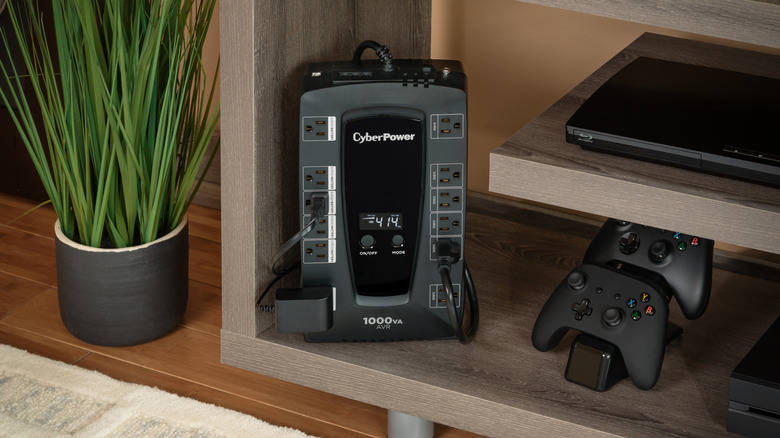
Even in an age of constant online connections and cloud backups, it's not safe to use your PC without a UPS. Your system could shut off because of an unexpected power cut, leading to the loss of precious data and the inability to meet your deadlines. Do not put yourself in a position where you're at the mercy of your power supply to deliver good work — a UPS can eliminate this constant source of stress and let you chug on, even if the power to your house has shut off.
The $139.99 CyberPower LE1000DG is an easy recommendation here. This UPS can run for more than ten minutes with your home computer attached, giving you enough time to either power through short electricity outages or quickly save your work and shut down your PC if this power cut is going to last a while. It also has space to accommodate twelve outlets, although only six of them have battery backup. Either use a multi-plug to make up for this limitation or choose which appliances on your desk need an uninterrupted power supply over others.
Keep in mind that a UPS isn't just useful for letting you enjoy a steady stream of power. It also serves as a surge protector, meaning that you don't have to worry about your PC being fried during a brownout or something similar. Voltage is regulated at all times, protecting your sensitive electrical components from any damage.
Dell Pro 27 Plus 4K
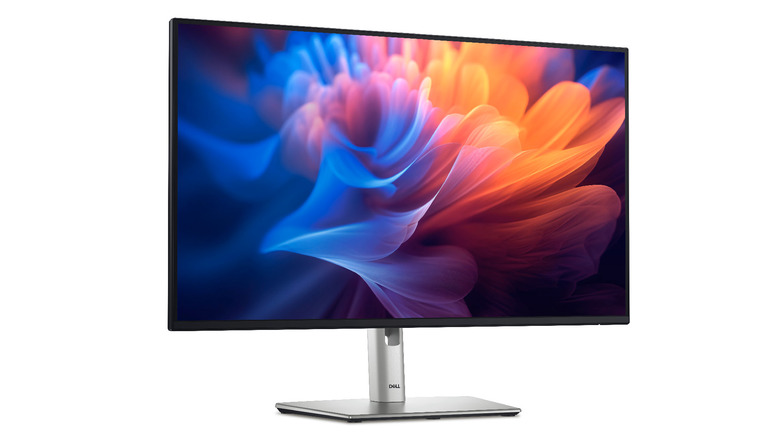
Getting a full monitor to your office desk isn't feasible, but people who work from home frequently should definitely get a good display to improve their workflow. The Dell Pro 27 Plus 4K monitor is more than capable here, and it can be yours for $509.27. The beautiful 4K UHD IPS display is easily its biggest plus point — no pun intended — enabling a brightness rating of 350 nits and an exemplary contrast ratio of 1500:1. Suffice it to say, this bright, colorful display will grab your attention when you're working with ease.
The 100Hz refresh is perfect for smooth pointer movement and navigation while working without going overboard. Along with this, the Pro 27 Plus monitor is equipped with a range of ports, letting it connect to your system via a regular HDMI cable, a DisplayPort connection if you're into gaming, or even a USB-C cable. Finally, the adjustable stand makes this 27-inch monitor perfect for your desk, letting you tweak its height and angle to perfectly align with your viewing requirements. This helps it function as both a single monitor and a part of a dual-screen setup, which is much appreciated by multitasking veterans.
Logitech MX Master 3S
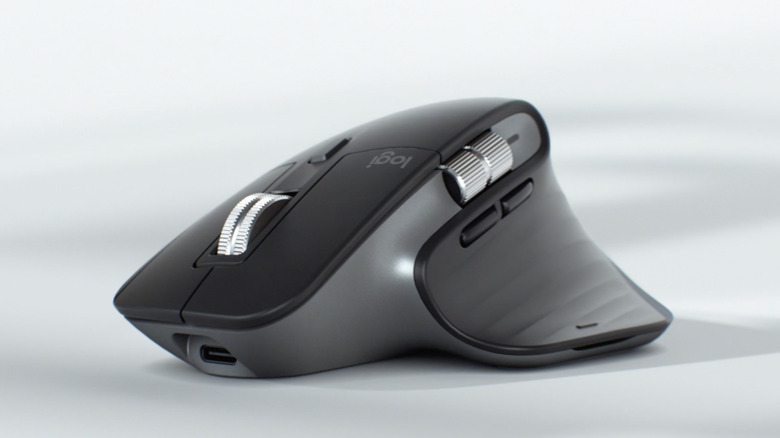
A good wireless mouse is an integral part of any desk setup. Look no further than the Logitech MX Master 3S for a wireless gadget your home office needs.
It may cost a pretty penny at $102.14 and doesn't let you store the USB dongle it comes with innately, but the sheer number of perks it brings to the table more than make up for these minor faults. The first thing you'll notice is this mouse's design — the matte rubber coating on its body improves your grip, while the thumb rest is a much-welcome addition that improves the comfort factor of this device. The electromagnetic scroll wheel is made with premium metal and supports both smooth and ratcheted scrolling.
It also has extra buttons and a horizontal scroll wheel, although their placement can be a bit too awkward for some. Thankfully, people who want to optimize their productivity can use the Logi Options+ application to remap this mouse. The best part is that these remappings can be changed based on the program you're using, which adds an extra level of convenience. However, one major dealbreaker is that this mouse is only made for right-handed users. Lefties should stick to other options, like the Evoluent VerticalMouse 4 or the Perixx Perimice-719L.
Satechi SM3 Slim Mechanical Backlit Bluetooth Keyboard
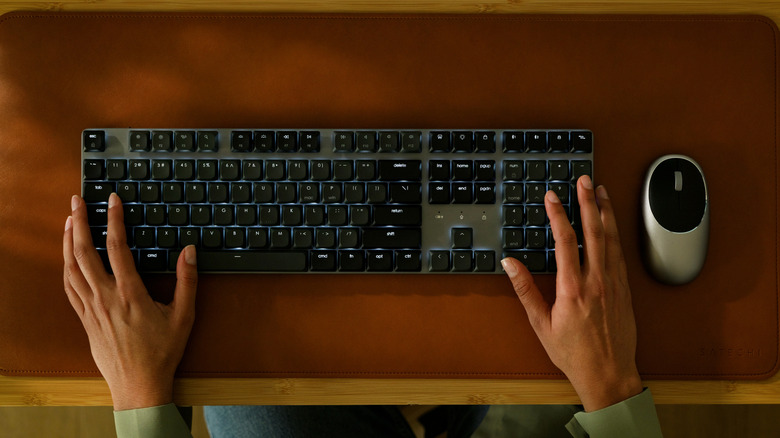
Any enthusiast seeking out a mechanical keyboard that types silently and supports all possible devices will find the Satechi SM3 to be right up their alley. The minimal design is stylish without being too jarring, and the backlight ensures typing in low-light conditions won't be a hassle. It also comes with 14 patterns for people who want to change this keyboard's look, although don't expect the same level of customization for the keys themselves. This is easily the biggest drawback of the SM3, although people who are used to the functionality of a regular keyboard won't find it too much of a bother.
A wired connection is facilitated with a USB-C cable, while people who prefer to use this device wirelessly can do so with either good ol' Bluetooth or a 2.4 GHz wireless connection. Either way, this connection is reliable and lag-free, ensuring that typing away on this quiet, form-fitting keyboard will be very satisfying. The battery life is also nothing to slouch at — the 2,500 mAh battery is more than capable of letting this keyboard run for 20 days, which drops to 15 if you keep the backlight on. It helps that the SM3 can connect to four devices at once, compatible with Windows PCs and all Apple devices.
Ticktime TK3 Pomodoro Timer Cube
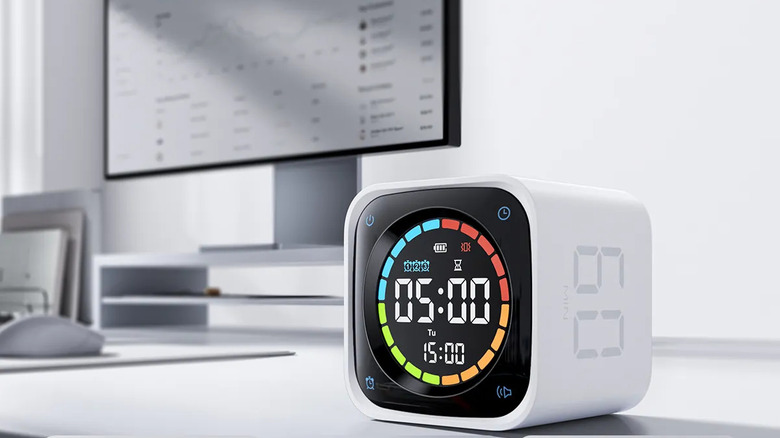
In 1987, Francesco Cirillo used a pomodoro-shaped kitchen timer (a tomato, for non-Italians) to try and see how he could maximize his productivity by breaking his work into set intervals. Eventually, he settled on 25-minute timers for work, followed by a 5-minute break — and a longer 15 to 30-minute break after four pomodoro intervals — as the most optimal way to achieve his goal. Most working professionals can achieve the same with a simple timer or app on their phone to map these intervals. However, constantly checking your phone between intervals isn't ideal, especially if a notification pulls you into social media.
Instead, we suggest you get the Ticktime TK3 Pomodoro Timer Cube for $51.29 instead. This beautifully designed gadget works with either the 25-5 minute intervals we've discussed before or custom time intervals that can be set at your request. Either choose a preset time from one of four possible options — 5, 10, 30, or 60-minute intervals — or set a time of your own, choosing a value between 1 and 99. The cube design isn't just there to make this gadget look appealing — it works in tandem with the built-in gravity sensor, letting you flip the device to activate the timer. This cube can also be used as a regular timer or stopwatch, and Ticktime states that the 1,400 mAh battery lasts for ten days on a full charge.
Methodology
A diverse range of products has been chosen to cover multiple aspects of a desk setup. They have great ratings — such as 4 out of 5 or 8 out of 10 or higher — across major publications, user reviews, or both. These review outlets include CNET, TechGearLab, Tom's Hardware, Popular Science, PCMag, TechRadar, SoundGuys, AVForums, The New York Times, IT Pro, Tom's Guide, How-To Geek, and Macworld. Meanwhile, both Amazon and Best Buy are used to gauge user reviews and their average rating.