

5 Essential Mac Mini Accessories New Owners Should Check Out
We may receive a commission on purchases made from links.
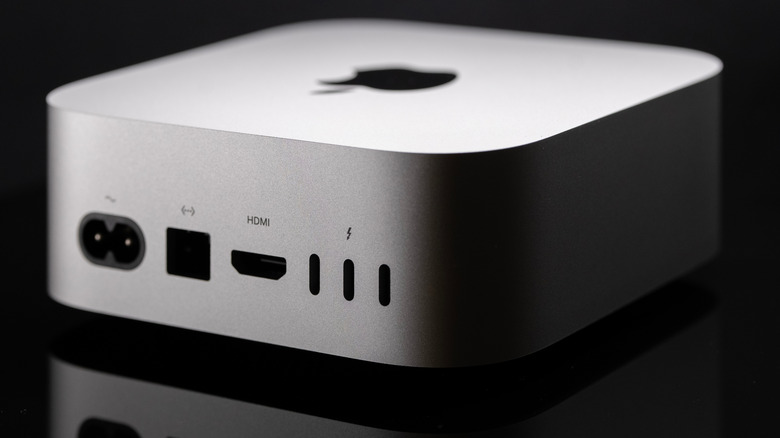
The Mac mini has existed for over two decades, but it has never been hotter than since its redesign with the M4 model a couple of years ago. Resembling a mini Mac Studio, Apple built a true powerhouse that sold so well the company struggled to keep it in stock for months. Now, even with an ongoing memory crisis, the company updated its cheapest desktop Mac with M6 and M5 Pro chips, giving it a new boom in success, though availability remains constrained. That said, whether you can secure a new Mac mini or the previous generation, here are several essential accessories to check out now, including the iconic Satechi hub and stand dock, the new HomePod mini 2, and the Insta360 Link 2C Pro webcam.
We selected these products based on customer reviews, BGR's experience with them, and how recent they are. After all, customers want not only the most essential gadgets, but also what's trending right now. As a previous owner of an Apple Studio Display and a Mac Studio, I'd love to say that one essential accessory for the Mac mini is an Apple Studio Display. However, we'll leave the decision of which monitor should power your Mac mini to you, and you can check some suggestions for the best displays for your Mac here. BGR also has a proper review of the Mac mini with its latest M6 chip, in case you're on the verge of updating from your previous Mac, as there are a few things you should know about the Mac mini before buying a new model.
Satechi's Hub and Stand dock
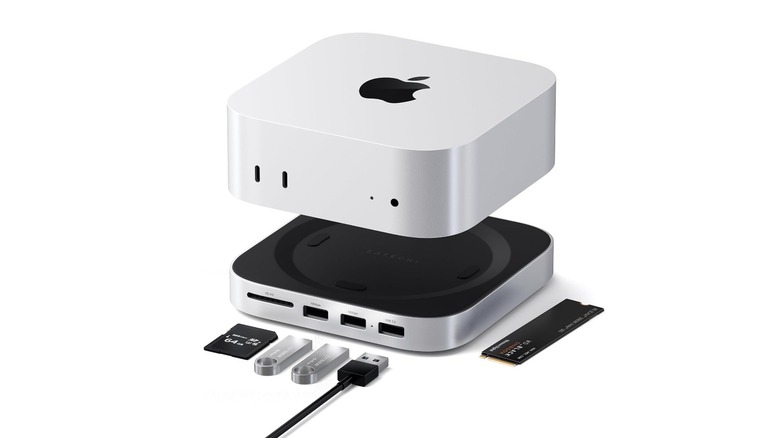
Satechi is one of the most interesting brands for iPhone, iPad, and Mac accessories. When Apple released the Mac mini with the M4 chip, the accessory maker unveiled its Hub and Stand Dock, which blends seamlessly with the Mac by sitting underneath it and matching its aluminum finish. Basically, this accessory expands storage, adds legacy port compatibility, and more front-facing connectivity for Mac mini users.
With up to 4TB NVMe storage and up to 10GBps transfer speeds, the Satechi Hub and Stand dock features USB-C and USB-A ports, an SD 4.0 slot, and heat-dissipating vents to optimize airflow and maintain wireless signal strength, as the thermal pad can absorb and dissipate heat, while the bottom vents can make the airflow seamless. While Apple oddly put the Mac mini's power button underneath, Satechi's accessory makes it easy to press whenever you want to power off the Mac.
That said, anyone wanting to add more capabilities to their Mac mini, including later storage expansion, can find this accessory the perfect gadget to supercharge the computer. For $99, the catch is that users decide whether to upgrade the accessory (and the Mac) with additional storage, since it features an NVMe enclosure on the back, letting users choose how much extra storage to add to the Mac mini.
Apple's Magic Mouse
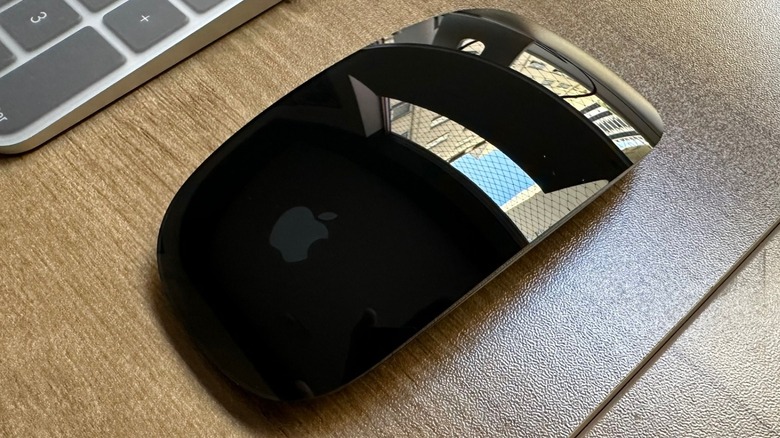
Apple's Magic Mouse might not be the best mouse available on the market, but once you get over the fact that it's impossible to use it while charging the accessory, you can be surprised by how reliable it actually is. I've been using a USB-C version of the Magic Mouse, and even though I tried several other fancy options, none has stuck with me as Apple's first-party option. What I like most about it, and what might be perfect for you too, is its simple, straightforward design. You just need to pair the Magic Mouse with the Mac mini once, and it stays paired forever.
The gadget glides smoothly across my desk, and the multi-touch surface lets me perform the gestures I'm already used to, like swiping between pages or scrolling through documents. Apple promises about a month of battery life, but I consistently got almost two months in the first year. For the second year, it dropped to 45 days, which is still pretty impressive.
While some customers might prefer more premium options, like Logitech's mice with several extra buttons, a more ergonomic design, and easy-pair with different devices, I think the Magic Mouse at $79 gets the job done, and users can choose between a white and black version, depending on what matches their keyboard.
Satechi SM3 Slim Mechanical Keyboard
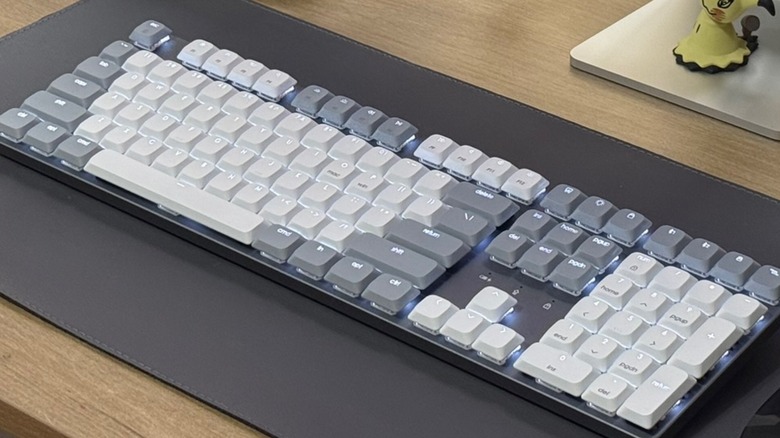
While the Magic Mouse is my favorite mouse, I had a great surprise in 2025 when I first used Satechi's SM3 Slim Mechanical Keyboard. This full-sized mechanical keyboard comes in Light and Dark options and works well for any Mac mini setup. Designed to work with Mac, Windows, iOS, iPadOS, and ChromeOS devices. It features a full 108-key layout with a numeric pad, a slim, ergonomic design, a sleek aluminum enclosure, removable keycaps, and adjustable feet for optimal efficiency and comfort. The keys have three brightness levels, four LED speeds, and 14 movement options.
Even though I also used Apple's Magic Keyboard, making a mechanical keyboard my daily driver was transformative, and it can work for you, too. With low-profile brown switches, the keyboard has shorter travel, which reduces finger fatigue while still providing a comfortable typing experience. That said, if you type a lot as a writer, student, or developer, a proper keyboard is a great investment. The only downside, depending on where you place the Mac mini, is that the "tap, tap, tap" can annoy coworkers. Still, if you keep your Mac mini safely at home, it might deliver the comfort and productivity you expect. BGR has a full review of Satechi's SM3 Slim Mechanical Keyboard. Available on Satechi's website, it costs $119,99.
Pair of HomePod mini 2

Apple recently introduced the all-new generation of HomePod mini 2. With a more modern chip, the company says it uses a new audio algorithm to improve the sound quality. With newer specs, including Wi-Fi 6E and Bluetooth 6 support, the company says the HomePod mini can, for the first time, be used as a speaker for the Mac. While the Mac mini has an internal speaker, dedicated accessories can make the sound shine if you edit a lot of videos, watch content online, or just enjoy listening to songs while you use the Mac. With a pair of HomePod mini 2, you can get surround sound, as the Mac can identify which is left and which is right, for a fuller experience on your computer.
In the U.S., the new HomePod mini costs $149 and comes in five colors, including new pink and green options that might match your desktop setup. Among the new features, Apple will bring Siri AI to these speakers, meaning that you can get world knowledge or, with an Apple Intelligence-capable iPhone nearby, tap your personal information to remind you of a podcast a friend sent, check your calendar appointments, or even reply to a message in a more personalized way. While you shouldn't use a soundbar with your PC, the new HomePod mini 2 could be a great pair for your setup.
Insta360 Link 2C Pro
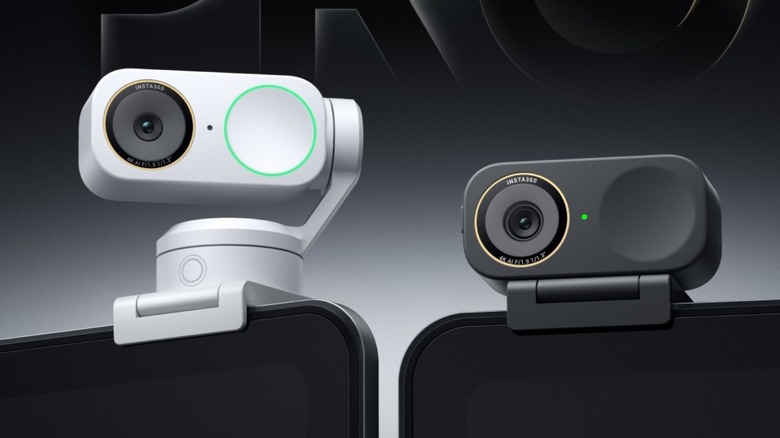
Last but not least, a proper webcam can greatly improve your experience with the Mac mini. While many monitors lack a built-in camera, the Insta360 Link 2C Pro is one of the best webcams on the market, according to Wired. With a 1/1.3" sensor, it features Dual Native ISO, next-gen HDR, and improvements in low-light, as Insta360 promises a better video experience for any video call, meeting, and more. With support up to 4K30fps, True Focus can lock onto a subject and keep it centered, even if the person is moving or presenting. Another key feature is support for Natural Bokeh, which realistically blurs the background to keep the focus on you.
In a compact, slim design, Insta360 says the Link 2C Pro is built for conference calls and streaming, with an improved Magnetic Mount so Mac mini customers can mount it on monitors or other metal surfaces. A new dual-microphone design improves noise-canceling technology while keeping the voice clear and crisp. Users can also choose from four voice modes, depending on whether there are more people around or they want others to focus on them.
The company also highlights gesture controls, scene presets, and other perks that make this webcam a must-buy, including DeskView Mode, Green Screen Mode, and virtual backgrounds. The Insta360 Link 2C Pro is available on Amazon for $ 169.99.
How we chose these accessories
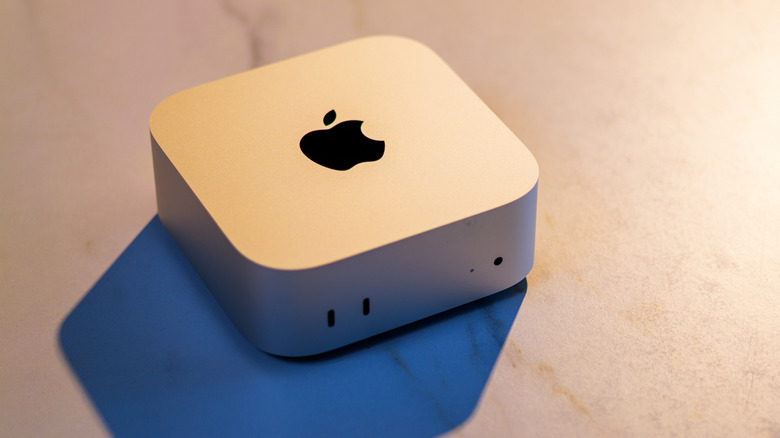
The Mac mini accessories market is huge, but we picked these as some of the most essential gadgets a Mac user should buy. While this computer is more affordable than a MacBook Air or a MacBook Pro, it lacks a display, keyboard, mouse, and other features, so Mac mini users will need to set up their own peripherals or buy new accessories. In this case, we focused on options that can greatly improve many customers' lives, whether they're using the Mac mini to create, work, or browse the web.
Media outlets have praised these accessories, and BGR staff have experience with them, such as Apple's Magic Mouse and Satechi's mechanical keyboard, and real customers have reviewed others. The only exception is the HomePod mini 2, which was recently announced but could be a good option, especially from a design standpoint, as it's a pleasant smart speaker to look at and could pair well with certain customers' setups.
These essential accessories for Mac mini cover productivity and creativity, improving the Mac desktop's capabilities so you can type better, navigate more easily, expand ports, or take your meetings to the next level.