

What Size Radiator Does Your Liquid-Cooled PC Actually Need?
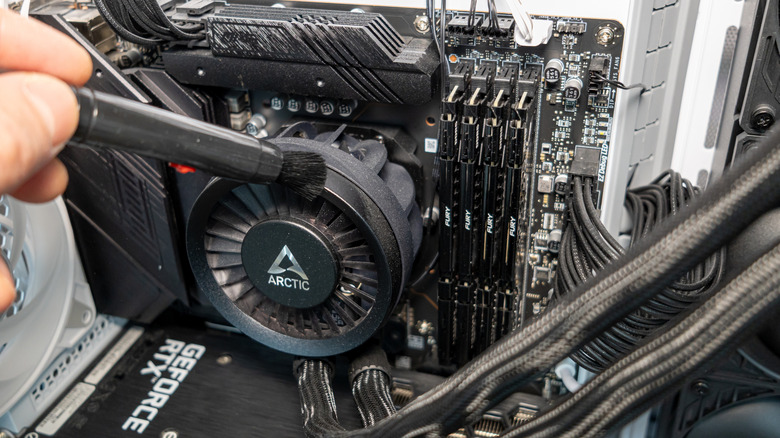
Assembling a PC is more than just bringing together components that do the computing. The CPU, GPU, and even your memory generate heat from the work they do. When it gets hot enough, their performance begins to degrade. Graphics cards have their own cooling built in, and you can get dedicated heatsinks and even fans for your solid-state drive (SSD). For everything else, you can either pick up some fans or go the extra mile with a liquid-cooled solution.
An all-in-one (AIO) cooler transmits your CPU's thermal output through a metal heatsink to a loop of water that is pumped through the fins of a radiator and is ultimately carried away by an array of fans circulating air out of your PC case. How large of a radiator you'll want will depend on the constraints that your case and overall build impose. You'll have to mount the water block to the motherboard, attach the radiator to a convenient fan bay (often with two or three slots), and make sure the hoses aren't touching other hot surfaces to ensure maximum cooling efficiency. It is possible to get coolers that work with mini-ITX cases, but that will obviously be trickier without the space afforded by a micro-ATX- or ATX-size case.
All that said, if you know you want an AIO cooler and are wondering whether size matters, the short answer is yes. For starters, refer to your PC case specifications as to which size fans it supports as well as how many fans can slot into its bays. The most commonly supported fan sizes are 120 millimeters and 140 millimeters, so you're likely going to be looking at three-fan coolers about 360 millimeters or 420 millimeters across. A longer answer depends on several factors.
A bigger AIO cooler is better, but it's not the whole story
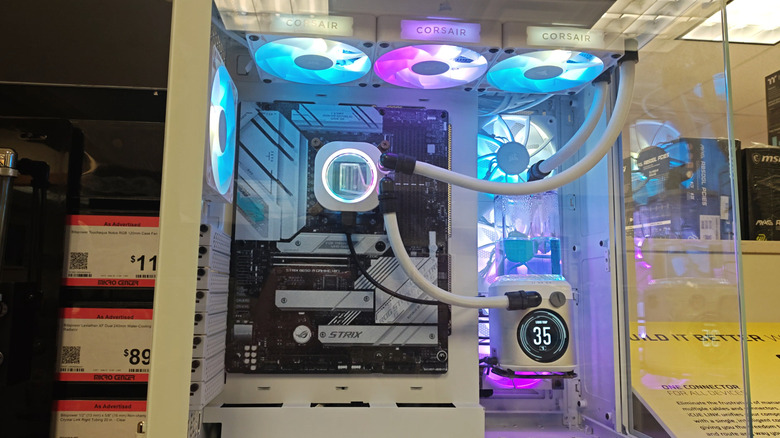
Objectively, a radiator with greater surface area will dissipate more heat than one with less surface area if all other parts of the AIO cooler are the same. Testing performed by Gamers Nexus across a variety of coolers indicates that larger units perform better on the whole than smaller ones, though with considerable variation among the popular 360-millimeter size class.
Product-to-product differences aren't the only reason why it's nearly impossible to put up usable comparisons, as there are so many variables that change between any two setups. These factors include a desired ceiling for fan noise, case size, airflow efficiency, the ambient environment around the PC, overall system power load, CPU-specific thermal behavior, and the original sin of all of them, budget. Most AIOs are strictly closed-loop systems, while a spare few allow users to maintain and exchange coolant or even attach additional parts.
The general consensus seems to be that if you're using a PC build meant for office-type work, you should be okay with a smaller two-fan cooler. If you've got more capable hardware, such as overclockable processors and a more intensive workload like gaming or video editing, or you want a lower noise floor, you should consider a three-fan cooler. After that, make sure you know how to take care of your AIO system.