

The Big Problem With Gaming Routers That Promise Lower Ping
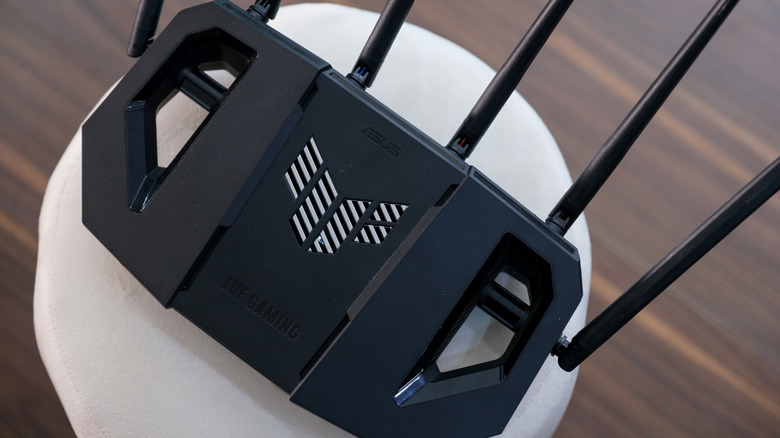
While gaming online, you might hear "why didn't my shot go through?" or "That blow should have finished it." Someone else might reply, "Maybe check your ping?" That means they might have experienced a delay that prevented their big, clever play from happening. Essentially, their quick reflexes were just a few milliseconds off. In some cases, where no other network destabilization/human errors have happened, the natural network delay is at fault.
As such, numerically, the ping can either prove or disprove it. In this context, ping refers to the round-trip delay in communication between your location and the game server. Every input has a delay; whether you notice it depends on distance. That's why gaming routers that promise lower ping are often a hoax. Even if a gaming router improves your local connection, it cannot change where you are relative to a game's virtual servers. In simple terms, gaming routers can't shorten the physical distance, but they can provide better transport to get there.
A gaming router improves your connection by managing local network congestion through the tools it provides. For example, it can prioritize your traffic, so your activities experience less delay by reserving bandwidth for your game packets over other traffic. Second, it can help mitigate bufferbloat. Basically, it smooths out how data packets flow within the connection by removing artificial bottlenecks caused by data jumping between different speeds (speed mismatch) or hardware processing. Lastly, gaming routers also offer helpful features like improved matchmaking control, either through geo-filtering or geo-ranging, and the ability to configure OpenNAT or port forwarding to avoid strict NAT types.
How do you test ping, and what does it mean?
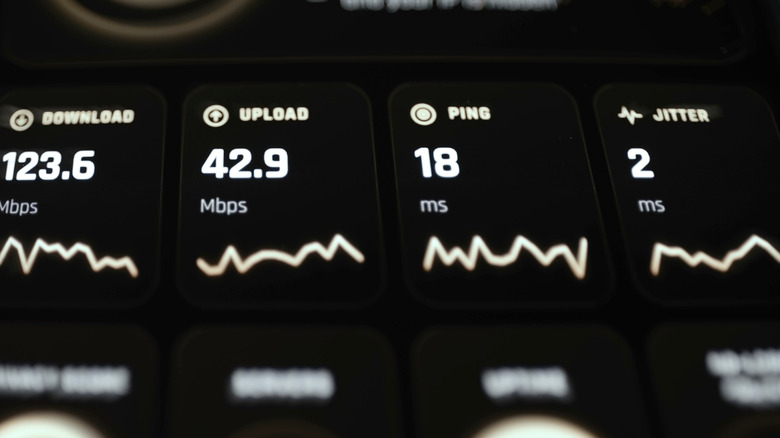
Gaming routers are not a hoax for improving your local connection. They offer quality-of-life upgrades that prevent issues like sudden lag spikes and poor matchmaking, and smooth out your local connection for better consistency while you're online. As long as there are no issues on your end, your actual ping shouldn't change — it would only change if local queuing delay and spikes were affecting it directly. Theoretically, you can test this yourself across different games, but that requires a standard router and a gaming router, and comparing the results. That's not realistic for most people.
The best you can do is check your relative ping in different titles. Some live services include this right under your network bar, and a few others require you to enable it in-game, usually under display or network options. Generally, the numbers indicate whether you're truly on low ping; 0 to 30 ms is the best realistic low, and it's what you ideally want to attain if you're playing games that require fast responses. Though, 30 to 50 ms is a decent range for everything else, and the delay shouldn't be noticeable. When you start climbing toward 100 ms and go over 150 ms, you know your connection is poor; your data is taking too long to travel from your device to the server, and returning.