

Google Can Now Use Your Photos And Drive Data To Show You Ads
For months, Google has been promoting its Gemini AI model and all of the ways it can make life easier, such as giving you more specific answers to questions, providing research, or streamlining processes. The company also recently rolled out Gemini to its newer smartphones and smart home devices, phasing out its long-time Google Assistant. But despite these conveniences, Google's latest privacy policy update, first noticed by Android Authority, suggests it can now send you increasingly targeted ads based on data gathered from some of its connected apps and services.
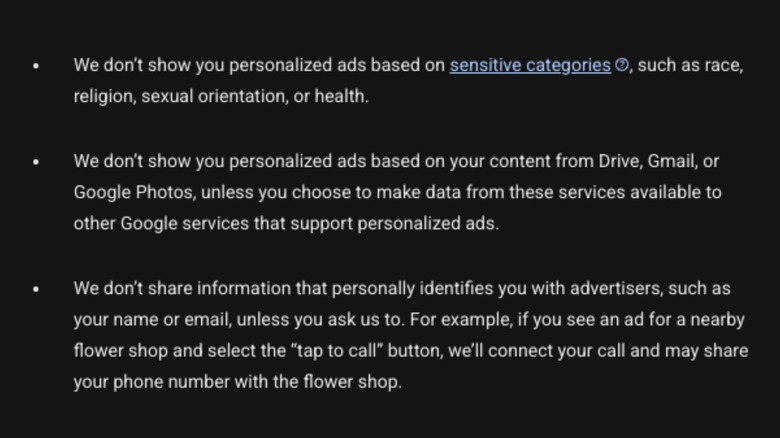
Despite this quietly-added policy caveat, Google still says it won't pull data from Drive or Photos for ads automatically. However (and this is a big however), should you choose to grant Google's AI tools and search features access to files in apps like Gmail, Photos, or Drive, that data is fair game. So if you have Gemini search a spreadsheet to answer a question, or if you search Google for guitars one night, that information can potentially be fed into Google's broader ad-targeting algorithm. The Gemini chat won't be shared, but the data in the document can be.
What that means is specific details of your personal life (such as your financial documents or vacation selfies) could indirectly influence the banners and pop-ups that you see whenever you're online. Although your actual files aren't being handed directly to ad firms, metadata and context are still being harvested to build a more profitable ad profile on you. More relevant ads may sound convenient, but they come at a pretty high cost. It might be enough to make you want to disable Gemini on your phone.
This policy shows that privacy gets traded for convenience
Tech companies often bury lengthy data-sharing agreements behind a promise of convenience. Google frames this integration as a feature that's entirely optional, but one that will make its ecosystem smarter and more useful to you, via Gemini using premium and free features alike. The catch is that users are regularly pushed to enable the integration, but might not realize the trade-off; this is especially problematic for folks buying new hardware, like a Pixel phone, where Gemini is baked into the operating system by default. Accepting a quick prompt to let Gemini find you a flight or summarize a work document sounds useful, but if you don't know you're feeding your data into an ad-targeting machine when you click Agree, it can be a privacy nightmare. Generative AI requires quality context that's focused to work properly, making tools like Gemini the perfect trojan horse for data collection.
However, you can disable these invasive features going forward, if you want. To protect your personal cloud files, head over to your Google Account online and click on the Data & Privacy tab, then select Personalization settings. From there, you can click the Turn off button in the Personalized Recommendations under Search Services section, or go to the Connected content apps section under Personal Intelligence to manually disconnect apps that way. There are other settings you can change in Google Chrome for more privacy, and for your Google Account at large, too, for more privacy and peace of mind.