

16 Big New Improvements Your Windows 11 PC Is Getting In October 2026
Microsoft's latest Windows update that launched in mid-October 2026, called KB5127648, brings a suite of improvements to the table with some much-needed cleanup. Windows 11 is seeing a few fixes under the hood, so they might go unnoticed. That's not to say Microsoft isn't shipping something a little more forward-facing. One major improvement coming in this update is the ability for users with Copilot laptops to remap the Copilot key to a context key or right control.
Accessibility focused users will now be able to maximize apps as soon as they open. As the Product Manager, Zack Summers, explains (via YouTube), this will be handy for those with screen readers. As the program opens in full focus, it should direct the screen reader to focus only on that program. File Explorer is also getting an update, letting you preview HTML and PDF files directly in the file browser. You can also now scroll on the edge of a touchpad with a single finger.
Primarily, the video announcement for the Windows 11 release notes is about the taskbar. When Windows 11 launched with its new taskbar, the OS locked it from being moved by default. Additional software was required to do a basic function that had existed on the OS since it was introduced in Windows 95. Now, Microsoft has graciously allowed for more control over the taskbar, including positioning to the top, left, and right, as well as the bottom. Setting it left or right does disable the search bar embedded into it.
Microsoft beefs up security with KB5127648
Under the hood, the KB5127648 update brings a ton of security fixes that crush over 1,400 different vulnerabilities. However, it has been noted that one has been exploited, so make sure to keep your PC up to date. Microsoft says that exploit uses an instant message or email to send a link or file, and then uses Windows Shell to "bypass a security feature over a network." On top of that, Secure Boot, required by Windows 11 to even get installed officially, is getting new certificates, and this update allows eligible machines to receive them.
Windows Hello, the recommended security system for fingerprints and facial recognition to unlock devices, is fixing its fingerprint scanning issue, where sometimes it just wouldn't work on a cold boot. Authentication is also being beefed up; its protocol, NTLMv1, which is still used in some network stacks, allows authentication of users across the network. Microsoft has changed a 0 to a 1, forcing on "Enforce Mode," which prevents single-sign-on certificates from being generated with it. This part of the update appears to have had a knock-on effect and broken some enterprise router connections, as Microsoft warns in the notes.
Tiny Windows 11 fixes that you might notice
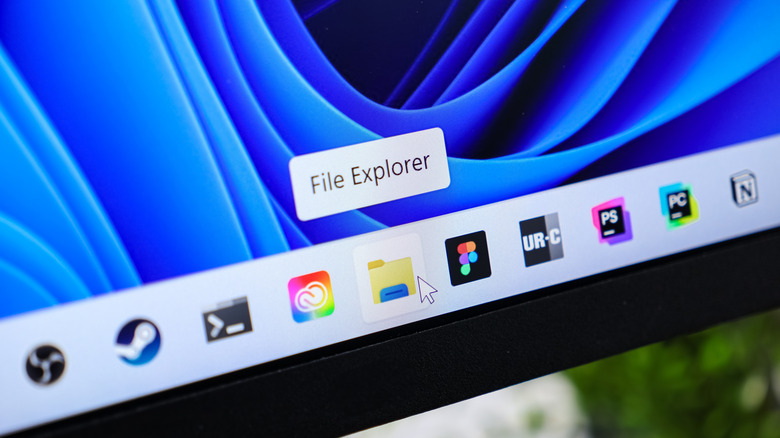
Printers using RAW or Generic Text Only printer drivers should now see print jobs not fail after an August 2026 update broke them. Date and Time is adding the Manitoba time zone for the switchover coming in November (UTC -05:00), ReFS volumes on devices can now be audited and controlled further with further policy options. Gaming also sees a fix, with mouse stutter apparently being resolved in certain titles.
Elsewhere, with Storage Spaces Direct virtual disks failing to come back online after a security update, Microsoft has issued a patch to solve this, as it could break critical functionality in projects. Finally, AC-3 audio playback should now be fixed, and the memory-hogging Windows File Explorer will now actually work in "multi-user environments." Microsoft uses Azure Virtual Desktop as an example. In this scenario, Explorer would simply crash and cause the screen to go black.
Remember, Microsoft is a multi-trillion-dollar company, so if you ever feel bad about yourself, remember someone managed to break core functionality of Windows when more than one user existed in it. Hyperbole, but you get the gist.