

Sleep Mode Or Shutdown: What Should You Use On Steam Deck?
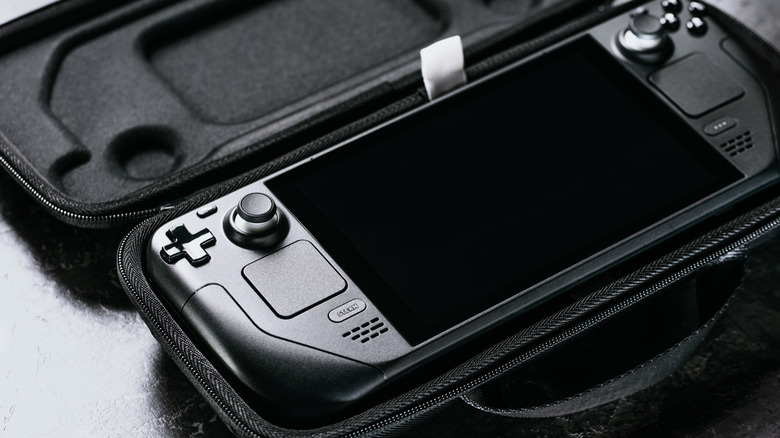
Handheld consoles allow you to play video games anywhere. A device such as the Steam Deck even comes with a carrying case to keep it better protected while you travel. When it's time to pack it up, you can either choose to shut it down or put it into sleep mode, but what's the difference?
Instead of being confined to a PC, you can play your entire library on the go. When you're through playing, you can put the Steam Deck into shutdown mode to turn it off. This means you'll have to turn it back on and select a game from the menu to play it. Sleep mode suspends your game on the Steam Deck, and when it wakes back up you can continue where you left off. If you plan on periodically resuming your game throughout the day, sleep mode is recommended. If you only play a few times a week, then shutting it down is best.
After shutdown, processing stops except RAM, which is still given power. When putting the Steam Deck in sleep mode, you don't have to log out of the game or shut it down, and you can pick right back up once you wake the device up again. Since the Steam Deck is basically a PC, both have options when it comes to choosing shutdown or sleep mode.
The pros and cons of sleep mode

The Steam Deck is one of the best handheld gaming consoles, and there are many benefits to putting the device into sleep mode. As it's a handheld console, players are more often going to be taking it around with them as they go about their day. Having it in sleep mode means you can bring it with you and not have to worry about wasting time turning it off and back on again, then waiting for it to boot up, as sleep mode boots up faster.
Valve built sleep mode into the Steam Deck as a way for the machine to quickly suspend and resume games through the SteamOS. Sleep mode is designed for quick play when you want to get back to your game without having to go through the Steam library and game menu. If you're playing a game and need to step away for whatever reason, you can put the Deck into sleep mode, do your task, then return to continue faster.
Instead of holding down the power button to shut down the Steam Deck, you can press it to enter sleep mode. To wake up the Steam Deck, press the power button again and you'll be able to continue playing at the exact spot you entered sleep mode. However, while in sleep mode, the handheld will still use battery and online games may disconnect.
The pros and cons of shutdown

Sleep mode effectively saves the state of your game — it doesn't actually save the game, you'll need to do that yourself and should before powering off the Steam Deck. Shutdown means the Deck will shut down the entire game and system so you have to turn it back on and choose the game from the library. From there you'll have to load the last save to pick up where you left off.
Another drawback to shutting down the Steam Deck is you'll have to go through several screens and information instead of just playing nearly instantly from sleep mode. This will ultimately end up taking more time to get back to playing a game, but does conserve battery, as the system isn't on in shutdown mode as pointed out by online users.
Valve even recommends shutting down the Steam Deck periodically to help preserve its battery life. The official Steam Deck forum suggests turning it off and also restarting the system to help prevent any software issues. It can also help with software updates, as the handheld needs to restart in order for them to take effect. The Steam Deck is actually among one of a number of gadgets you should restart more often.