

5 Daily Gadgets You Should Restart More Often

Everyone is familiar with the necessary system restart after a software update, but how often do you actually restart something outside of those events or when you experience notable performance issues? For most people, probably not often. With Phones, laptops, and game consoles, it's easier to put them into sleep mode, avoiding a full shutdown. It's almost a challenge to see how long you can go.
Realistically, you should restart your devices more often. Daily is a good habit, regardless of the gadget, but you may not be able to restart everything that often. Luckily, some devices, like modern routers, allow you to configure an auto-restart schedule, which is helpful, but do you restart or shut down? What's the difference between a true power off versus a restart on an Android phone? What's the better choice? What about other platforms? Do you shut down or restart your Windows 11 PC? Shutting down is obviously when you completely turn off a device. A restart, reboot, or soft reset is when the system turns off and right back on.
Before rebooting, the system wipes temporary data, closes background processes, and clears RAM to free it for next use. That's why restarting seems to fix a lot of problems. A shutdown, especially on a PC, may leave cached data and processes available, hibernating versus killed, so a reset is best for a clean slate. A restart can recalibrate most electronics from TVs to laptops. That's why support teams usually ask, "have you tried restarting?"
You should restart your phone at least weekly

Restarting your phone, a device that stays on for long periods at a time, can do wonders for performance, especially when there are software bugs and related hangups. If you're wondering what exactly would happen if you left your Android phone on all the time, it would eventually slow down, experiencing memory leaks, or bugs, and other minor software issues. But there's another super important reason to restart your phone, and it has to do with security and safety. The NSA, according to the Associated Press, recommends restarting your phone at least weekly because it can stave off some simpler forms of cyberattacks.
On both Android and iOS devices, you can schedule restarts to happen at night when you're sleeping, so they occur automatically and at times when you're not even using the device. On iPhone this can be done from Shortcuts > Automation > Create Personal Automation , choosing a time of day as the trigger, adding restart as the command and saving the automation. On certain Android devices, like Samsung Galaxy devices, navigate to Settings > Device Care > Auto Optimization and tap Auto Restart. From there, you can set the time of day, the scheduled days, and even let the phone system automatically select when to restart.
Reboot your computer (PC), laptop, or tablet weekly
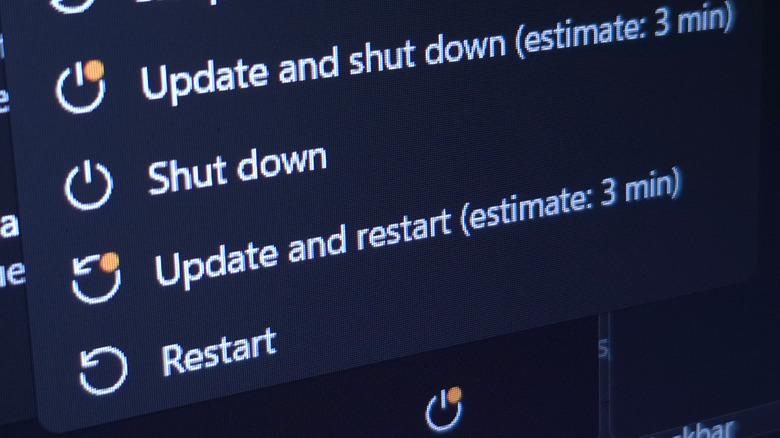
Like a phone, you should really reboot your computing devices daily. Hopefully, you power them off when you're not using them if they're plugged into an outlet, or let them hibernate. If that's not the case, at the very least, you want to restart them once a week. Laptops, desktop PCs, HTPCs, and tablets all need a refresh. Again, it has everything to do with how these systems handle a restart, flushing the open apps and processes and starting everything from scratch after the boot.
Most power users share the same timeline for how often you should restart your PC, which is about weekly. Modern devices are designed to stay on longer, perpetually in some cases, with automated updates, multi-tasking handled by the system itself, and a host of additional automations. Newer operating systems like Windows 11 even incorporate AI for better or worse. Yet, no matter how advanced electronics get, it's probably always going to be a useful and reliable measure to soft reset them occasionally. Think of it as giving your system a chance to rest and recover.
Reboot your modem and router monthly
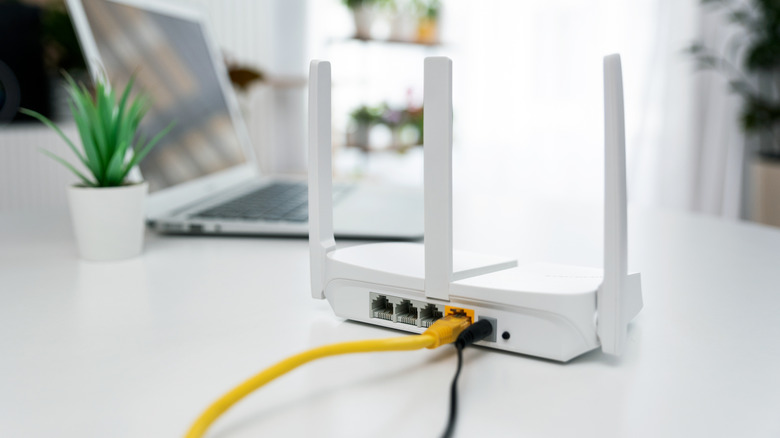
You should know that things are defined differently with modems and routers. A "reset" with these devices typically refers to a factory reset where all the system settings are returned to factory defaults, as if you just took it out of its box. A reboot, on the other hand, is a conventional device reboot where it's power cycled. You only want to do a factory reset when something software-related is unequivocally broken. Most people will fall into the habit of rebooting their networking equipment anytime there's a problem, such as when the modem won't connect to the service or the router seems to be slowing performance. If your router and modem have outstanding uptimes, you might not reboot them at all.
However, you should be making sure you reboot this equipment once a month. I actually have my router automatically scheduled to reboot every night at about 3 a.m. You can do this with many Wi-Fi 6 routers and custom offerings, including Netgear, TP-Link, Linksys, and some others. Even if not, you can simply unplug the device for a few minutes and plug it back in manually. Or, put them on a smart switch that allows you to turn them on and off remotely.
Steam Deck or handheld game console

Because of the sheer variety of handheld gaming consoles out there, from the Steam Deck or ROG Ally to retro handhelds from Retroid, Anbernic, and other brands, there's no way to reasonably detail every single possibility out there. Just know that most of these electronics could benefit from regular reboots. The Steam Deck is a great example, because every time there's a system update through Steam, the device restarts anyway. This update cycle can be somewhat sporadic, sometimes happening more often, with lulls between, so if that's the only restart they get, it could be weeks at a time.
A common troubleshooting tactic shared by the official Steam support team is to restart your device. In fact, that's one of the first things they recommend doing anytime you encounter a software issue. So, it's not a stretch to say rebooting your device on a regular schedule might cut down on those problems altogether. Following the same recommendations as a computer, you should reboot once a week, at minimum. Quick Tip: you can actually restart your Steam Deck without ever using the physical power button on top. It's quick, it works, and it's a good trick to know to restart your Steam Deck every week.
Restart your smart TV and media players weekly or monthly

The average TV is no longer just a simple TV. They include Wi-Fi capabilities, smart app ecosystems, and sometimes even full streaming platforms like Roku, Fire TV, or Google TV. In other words, they're much closer to a modern computer or mobile device, which means they probably need to be restarted every now and then. The problem is that most smart TV manufacturers don't really tell you how often you should be doing this.
The same is true for separate media players or streaming sticks, including Roku devices, Fire TV Sticks, Apple TV, and others — hello Onn Google TV. Media players stay powered on in a low-power state as long as they're plugged in, regardless of whether the connected TV or display is on. They need to be restarted every so often.
As a general rule, restarting smart TVs — if they're kept on for long periods — or media players weekly is a good habit to have. You'll want to restart them at a bare minimum of monthly. Like computers, phones, and other devices, this gives the TV, or player, a chance to clean out the system memory, active processes, and restart the operating kernel. Some of the most common smart TV problems can be fixed simply by restarting the device, and for good reason.