

Your Fitbit Air Charger Has A Hidden Button — Here's What It Does

We may receive a commission on purchases made from links.
The Fitbit Air is sleek and simple. No screen, no buttons. The simplicity is one of the device's major selling points, and also makes the Fitbit Air an affordable alternative to other fitness trackers like the Whoop. However, you may have noticed a small button on your Fitbit Air charger that serves no obvious purpose at first glance. This button is there for troubleshooting purposes. It allows you to reset your Fitbit Air if it becomes non-responsive.
The button is a small circle on the portion of the charging cable that links directly to your Fitbit Air. If your Fitbit Air stops syncing, you can use it to reset the device. First, make sure the charger is plugged in. Then connect your Fitbit Air to the charger. Hold down the button for about 10 seconds, until the status light on your Fitbit Air flashes white. This indicates that the device has restarted.
When to use the button on your Fitbit Air's charger
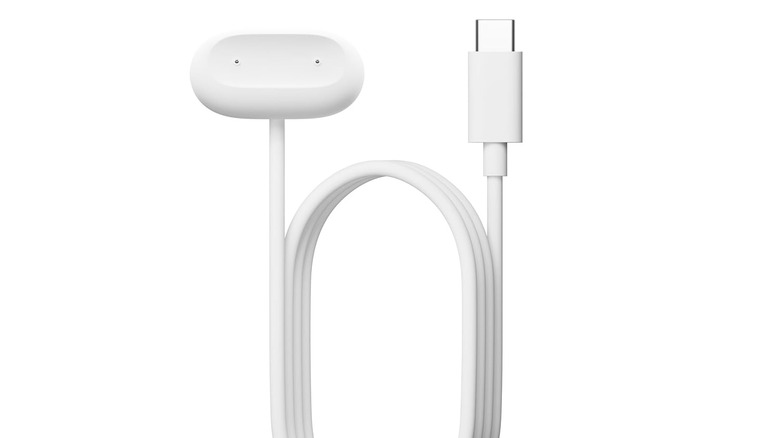
You should only need your Fitbit Air charger's button when your Fitbit Air isn't functioning. If you notice it doesn't seem to be tracking correctly or it's not syncing to the Google Health app, first make sure the device is charged and that your phone has Bluetooth enabled. If the device still doesn't seem to be working, a reset using the button on the charger may be necessary.
Based on our research, people rarely need to use this button. In fact, most of the posts we found about it on forums like Reddit were people asking what it was or saying that they had only noticed it for the first time after owning their Fitbit Air for a while. Still, it's a handy way to troubleshoot errors with your Fitbit Air and to restart the device when it's frozen or experiencing sync issues.