

Your Cheap Home Server Could Be Costing You In Energy Bills — Here's How To Fix It

Running a cheap home server to cut down on subscriptions isn't something that requires a beefy PC to power all the self-hosted applications you plan on having. Something as small as a mini PC can assist with bringing the dream to life, and in the past, devices as cheap as a Raspberry Pi were great recommendations. However, despite how cheap the hardware itself can be, you might be incurring more costs than the subscriptions you've cut by running your homelab with zero tweaks — after all, leaving your system on 24/7 and powering various storage devices can all potentially drive your bill up.
If you're looking to cut electricity costs, there are plenty of options out there, including some you can implement on the software side before even looking at hardware. If your situation doesn't absolutely require your home server to be on at all times, or if the additional PCs you've added to the setup to kickstart the homelab aren't all essential, it might be worth looking into "wake-on-LAN" functionality. Once your PC goes to sleep, the moment you send what's called a "magic packet" through your network to it, it'll kick back into life. There are also C-States, which need to be activated in the BIOS, allowing the processor to be managed in terms of how much power it's outputting. Still on the software side, you could also stop processes that aren't required that might be causing the server's power usage to spike.
Solar panels and power supplies might also shave a few bucks off your home server costs
When it comes to hardware, other than telling you to replace the bulky second-hand server-grade system with something more appropriate for the home, there are some more extreme options you can take. Some users have set up uninterruptible power supplies, which will idle at 10 watts when not in use, but will obviously spike up when charging is needed. Introducing one of these into your setup means you'll protect your data and servers in the event of power loss or a surge, though a UPS charged from a wall outlet should also be factored into any electricity-use calculations.
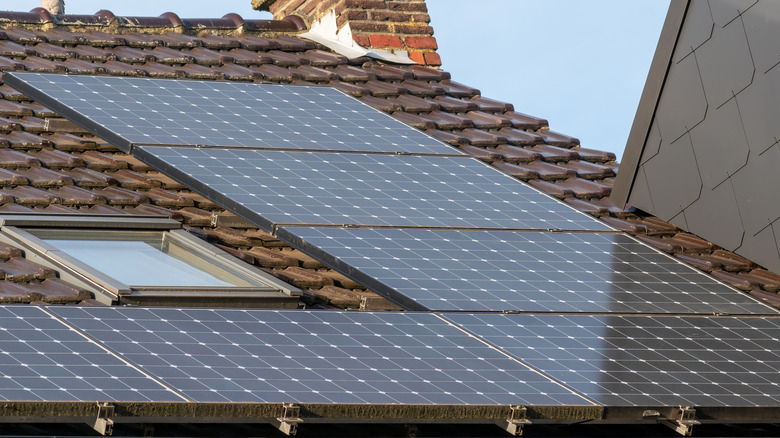
Another method that is mentioned by server aficionados is to start looking into solar panels. You'll have to ensure that you have permission to set them up on your home if not opting for a portable option. Anker's Solix brand offers bundles with portable solar panels, so you might not need planning permission in that case. Bringing that energy into your homelab will require the use of an inverter — one that'll take the full brunt of the power output — that will then allow you to plug your server into it.