

Hackers Jailbreak iPhone In Lockdown Mode - Here's Why This Matters
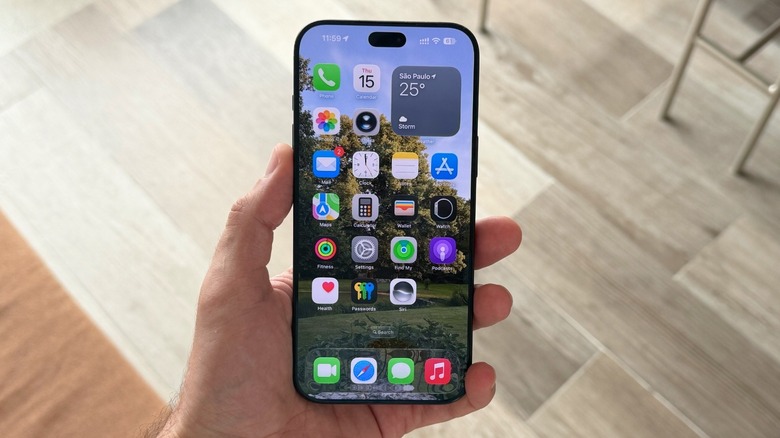
A few years ago, Apple released a Lockdown Mode for iPhone users, which basically cuts access to several parts of the device. It's described as an "extreme, optional protection that should only be used if you believe you may be personally targeted by a highly sophisticated cyberattack." With it switched on, users can't access message link previews, and it limits apps, websites, and other features. Focused on politicians, journalists, activists, and more, Apple has shared that its Lockdown Mode hasn't been fallen victim to mercenary spyware attacks since its introduction — or at least until early in November. Hacker team Calif posted a video on X of an iPhone in Lockdown Mode that was hacked, showing for the first time that there might be an exploited vulnerability.
In the video, Calif shows a jailbroken iPhone 18 Pro with Lockdown Mode on and iOS 27.2 already downloaded but not installed. After accepting from AirDrop a malicious PDF sent to target the iPhone, they update the phone to iOS 27.2. At this moment, it's unclear the steps for this exact jailbreak, as the team hasn't shared any additional information. In addition, the team highlighted in the past that it wouldn't offer a jailbreak tool for end users, and it has been disclosing these vulnerabilities to Apple, meaning they'd rather help Apple to fix those security breaches rather than offering them to other firms or users. While most users shouldn't worry about that, this attack matters because it's the first confirmation that Lockdown Mode can be fooled. Still, here's what you need to know about Apple's ultra-protection and whether or not you should use it.
Understanding Apple's Lockdown Mode
Apple's Lockdown Mode protects devices against highly sophisticated cyberattacks, which is different from anti-theft protection tools available on the iPhone. In the video shared by Calif, it requires someone to accept an AirDrop file for the attack to happen, meaning it's not a zero-click attack, which is something the mode can protect users from. On iOS 16 devices or later, all you have to do is go to the Settings app > Privacy & Security > Lockdown Mode > Turn On > Turn On Lockdown Mode > Turn On & Restart. However, this mode is only intended for someone that could be facing a highly sophisticated cyberattack threat, such as someone in politics, a leader in a sensitive company, an investigative journalist, or a celebrity that has suffered from similar attacks in the past. If that's not you, then there's probably no reason to use this feature.
After all, once Lockdown Mode is on, Apple blocks most message attachment types; some web technologies get blocked so you can't properly use Safari; incoming FaceTime calls get blocked, unless you called that person within the past 30 days; incoming invitations for Apple services are blocked; and when you share photos, the location information is not revealed to the other person. Besides that, you need to unlock your phone to connect to a computer; your device won't automatically join non-secure Wi-Fi networks, you can't install profiles on your phone, and it completely disables 2G and 3G cellular support. That said, Apple makes the phone almost completely unusable so users can be protected against sophisticated threats. While Apple hasn't addressed this discovered breach, the company most recently released iOS 27.2.1, which could be responsible for fixing that flaw, or at least other security breaches and bugs on users' iPhones.