

The New Alexa Tablet Cut This Useful Feature That Budget Android Tablets Still Have
We may receive a commission on purchases made from links.
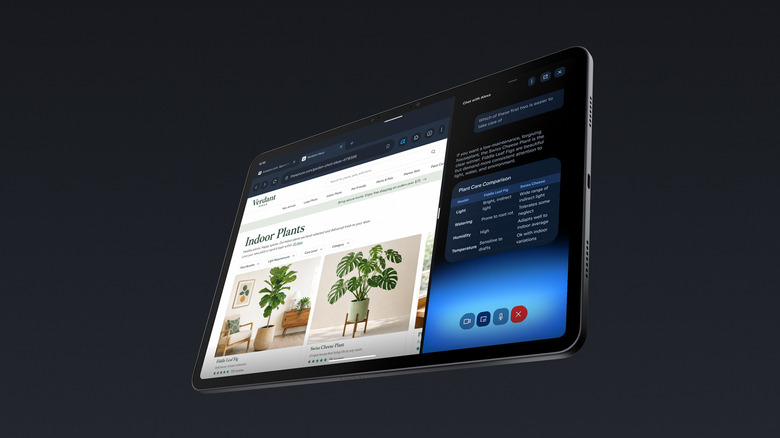
Amazon revamped its tablet lineup with the new Alexa Tablet models in October 2026. These tablets feature several crucial upgrades, including a switch to the Google Play Store from the company's own app store and a unibody aluminum chassis. However, not everything has changed for good. Amazon has ditched one useful feature while developing the Alexa Tablet that was part of the Fire Tablet lineup over the last several years and is still found in many budget Android tablets. Alexa Tablets don't have a microSD card slot, which limits you to the onboard storage for all your apps and games.
While the top-of-the-line Alexa Tablet 12 Pro gets a reasonable 128 GB of storage (with an optional 256 GB variant with the Nanomatte display), the Alexa Tablet 8 and the Tablet 11 start at only 64 GB of storage, with optional 128 GB models. However, 64 GB isn't a lot of storage in 2026, particularly when the Android OS and the pre-installed apps already use around 24 GB of storage, leaving you with only around 40 GB.
If you're concerned about the storage limitation, one easy way to fix it somewhat is to opt for the higher storage variant when you're buying. This will not only give you 100 GB of additional free storage, but also double the RAM in the case of the Alexa Tablet 8. The extra RAM will certainly come in handy and will drastically improve the lifespan of the tablet and make multitasking much smoother. Besides the higher variant, there are some options you can consider.
You can use external SSDs, USB flash drives, or cloud storage to expand storage
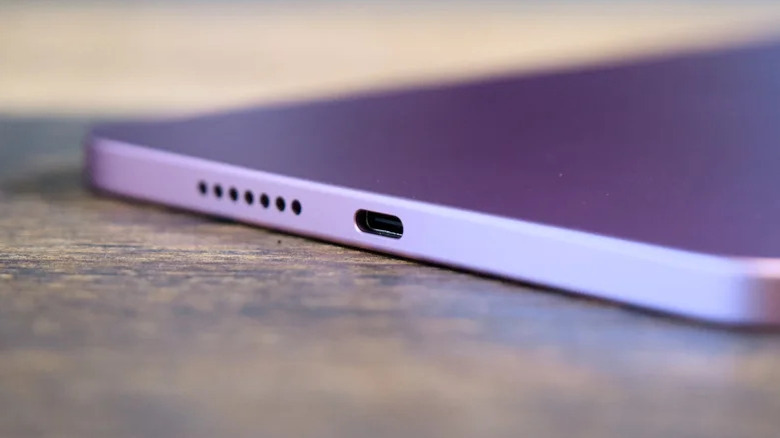
Fortunately, there are multiple reasonably easy ways to add more storage to your Alexa Tablet, given the absence of a microSD card slot. Keep in mind, in most cases, you won't be able to install apps and games outside the onboard storage. External SSDs and USB flash drives are two common gadgets that you can plug into your Alexa Tablet's USB-C port to add more space. These would be perfect for storing any data that you don't need readily, such as offline videos, photos, and documents.
Thanks to the presence of a USB 5Gbps Type-C port on the Alexa Tablet 12 Pro, you'll get fast data transfers with compatible USB drives and external SSDs. The Tablet 11 and the Tablet 8 are sadly limited to USB 2.0 speeds of 480 Mbps, which is decent but not particularly fast. It's worth noting that this USB-C port is also used to charge and connect to any other USB gadgets. Hence, it would be best to rely on a simpler USB-C hub, such as the UGREEN Revodok 5-in-1 USB-C Hub. This will let you charge the tablet and use other devices simultaneously.
If you don't want to add physical devices, using cloud storage is certainly another option. Google Drive is an easy recommendation as it integrates well with Android and is pre-installed on the Alexa Tablet models, but you can also consider OneDrive and other cloud services that have good Android apps.