

5 Types Of Traffic Cameras Waze Can Warn You About
Drivers who prefer Waze over Google Maps value its crowdsourced traffic information the most. The real-time incident reports can improve the navigation experience and save time, as Waze can offer alternative routes to get you to your destination faster. Waze users can report police presence to warn other people. The application can also show warnings for multiple types of static traffic cameras, in addition to mobile police speed traps.
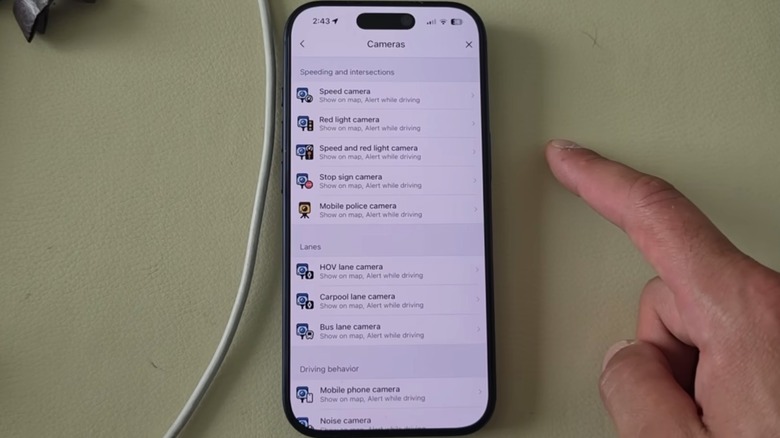
For example, Waze can warn users about fixed speed cameras, red light cameras, combined speed and red light cameras, safe distance cameras, and stop sign cameras. The application also supports warnings about traffic cameras that monitor the use of seat belts or smartphones while driving. Other camera warnings concern specific lane use on roads, such as HOV, carpool, and bus lanes. Finally, noise camera warnings are also available in the app.
Waze users may not need to enable every warning, as not all of them might be necessary, but it's still important to know where the settings are in the app and adjust the parameters to suit their driving needs. Managing camera warnings is relatively easy no matter the platform, as both the iPhone and Android versions of Waze offer similar settings.
Mobile police cameras
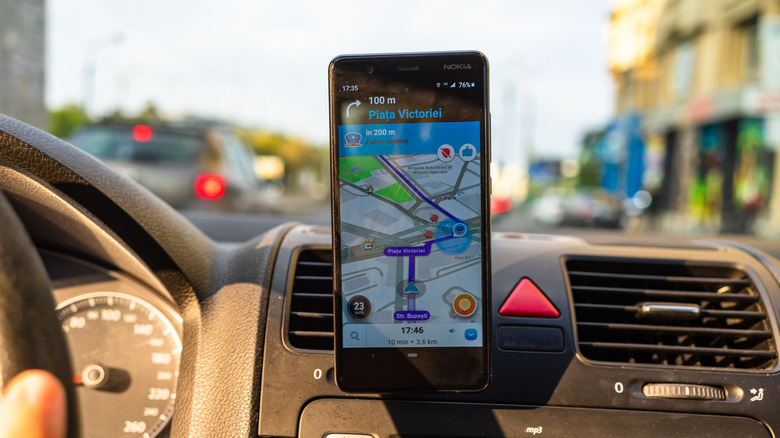
Reports of roadside police activity may be one of the most useful Waze warnings, as they are some of the earliest forms of live police reporting in Waze. The current version of Waze continues to support both police sightings and mobile police cameras. These warnings can be customized in the Settings > Alerts and Reports > Reports menu.
The standalone Police warning has two toggles that you can enable: Show On Map and Alert While Driving. These toggles are also available for other Waze warnings, letting drivers decide how they want to be notified while driving. You can reduce distractions by only enabling the visual and audible warnings that concern critical road events, rather than turning on every possible warning. That said, Waze's police reports may not be available in every country.
Some Waze users reporting the presence of police may use this incident report type when seeing patrol cars on the road, but this won't necessarily mean that the police vehicle is enforcing speed limits in the area. If they think they've spotted a police speed-trap camera, they have a separate incident they can report: Mobile Camera. The warning can be managed in the Cameras menu, which is where you can customize all other camera warnings that Waze supports. Select Mobile Police Camera and then enable or disable the same two toggles.
Mapped speed cameras
Waze can also display speed cameras placed at known locations. Combined with the mobile speed warnings above, this feature can encourage compliance with speed limits by alerting drivers to enforcement cameras. The World Health Organization (WHO) reported in July 2026 that "every 1% increase in mean speed produces a 4% increase in the fatal crash risk and a 3% increase in the serious crash risk." The report also examined how increasing speed affects the risk of accidents and fatalities. Pedestrians involved in frontal car impacts are 4.5 times more likely to die if the speed increases from 50 km/h (31 mph) to 65 km/h (40 mph).
Waze drivers who are aware of mapped speed cameras may drive more carefully both in areas they know and in new cities. Support for fixed speed cameras has been a popular feature of the app. In 2024, Google added support for another type of fixed camera, which monitors speed and red-light violations at intersections. Both the Speed Camera and Speed and Red Light Camera menus are available in the Camera section of the Waze app, and they offer visual and audio alerts that can be enabled or disabled.
Importantly, the mapped cameras are not reported by other Waze users. Instead, map editors and Waze partners may provide the data for the warnings. You should also be aware of a separate speed warning that may display in Waze. It concerns average-speed systems that measure your speed over a road section to determine whether you were speeding. The warning will appear if the Speed Camera reports are enabled.
Intersection traffic control cameras
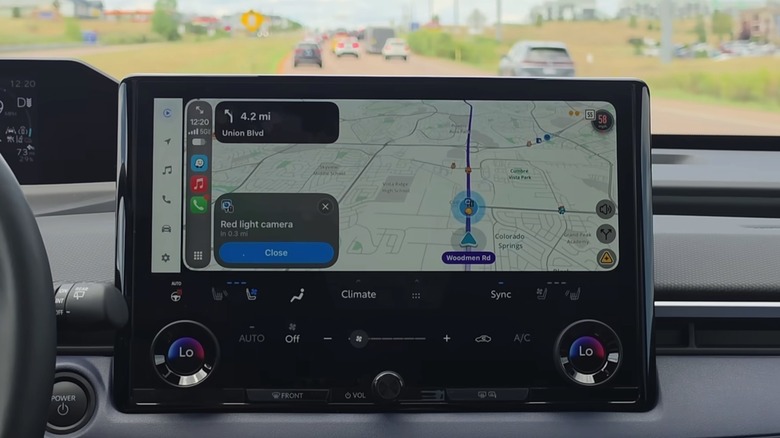
Other traffic violations, including running red lights and stop signs, can contribute to crashes. Waze supports camera warnings related to traffic violations at intersections. One of them is the Speed and Red Light Camera warning mentioned before, but there are others that you can enable in the app. The Red Light Camera and Stop Sign Camera are Waze warnings related to fixed camera locations. You may find such traffic cameras at various busy crossroads, as they can help with monitoring and enforcement. Both support visual and audible warnings that can come in handy, especially when driving through new cities. They can help ensure you don't miss a stop sign and warn you about an upcoming traffic light before you get to the intersection.
A red-light camera can capture cars that run red lights. Drivers risk receiving tickets, in addition to potentially colliding with other traffic participants. The Insurance Institute for Highway Safety (IIHS) found that 1,119 people died in 2024 in accidents caused by drivers who ran red lights. About half of the victims were hit by cars running red lights, including pedestrians and people in other vehicles. More than 141,000 people were injured, according to the same report. The IIHS also concluded that red-light cameras have helped reduce fatal crashes involving red-light running by 21% in large cities. Similarly, the installed cameras reduced the risk of all fatal crashes at intersections managed with traffic lights by 14%.
Cameras for lane restrictions
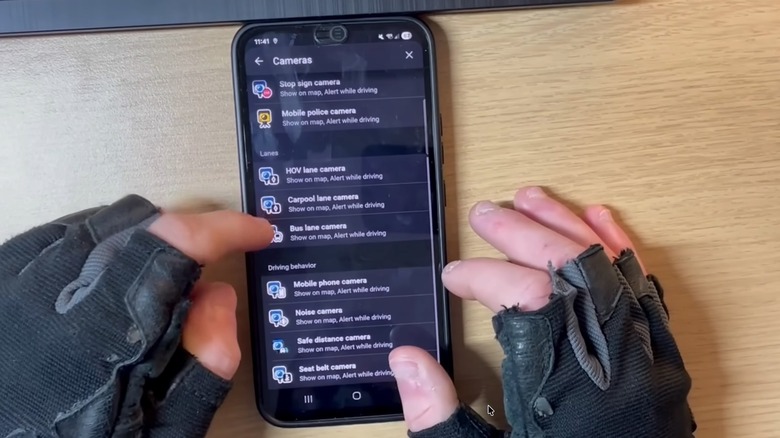
In 2024, Google added several Waze warnings for lane restrictions that might be monitored with mapped cameras. These are called HOV Lane Camera, Carpool Lane Camera, and Bus Lane Camera. They're found in the Lanes category under Settings > Alerts and Reports > Reports > Cameras. Each of them offers the same two toggles, Show On Map and Alert While Driving, which enable visual and audio alerts.
Unlike the previous cameras, these Waze camera warnings might not be necessary to enable, especially for drivers that obey traffic rules. This includes using HOV and carpool lanes only when you qualify for access and avoiding bus lanes (unless authorized) so public transport can function more efficiently. The Bus Lane Camera feature may be useful when driving in a different place, like a new city or foreign country, to ensure you're not mistakenly driving in a bus lane after failing to see or interpret a specific road sign.
That said, some Waze users could potentially abuse these camera warnings to drive on lanes that would be otherwise inaccessible to them. Google explained in 2024 that it had added the new camera warning types in Waze "to help you be more aware during your drive and comply with local laws," signaling that the feature was added to increase driver awareness and compliance. "These alerts serve as a helpful reminder about an area's traffic rules, so you can make any necessary adjustments," Google said.
Driver behavior cameras
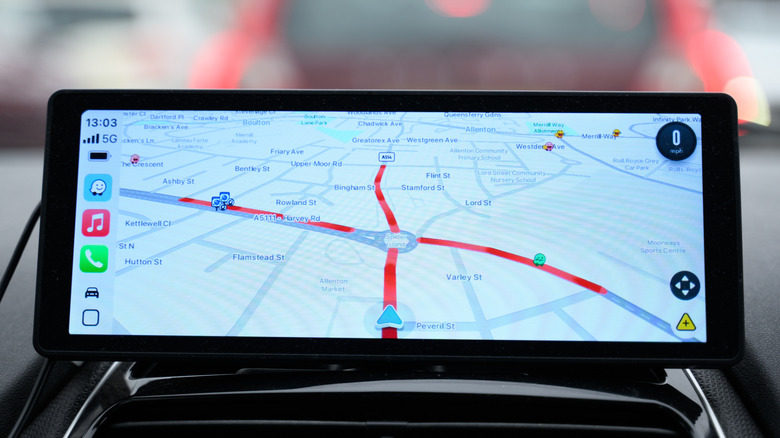
Google also added four camera warnings in Waze in 2024 that concern Driving Behavior. That's the settings category in the Camera section, where you'll find the Mobile Phone Camera, Noise Camera, Safe Distance Camera, and Seat Belt Camera options. Each of them offers the same two visual and audible warnings as the other camera warnings in the menu. Like the cameras in the previous section, these concern static cameras rather than user-reported ones.
Not all of these camera warnings need to be enabled, especially if you obey traffic rules. Drivers who always wear their seat belts and who do not use smartphones when they're behind the wheel can disable warnings for these cameras. If you usually keep a safe distance between your vehicle and the car in front, you can disable the safe distance camera warning. Finally, the noise camera warning may be less relevant to drivers of quieter vehicles.
But these Waze camera warnings can help even those drivers who do not obey traffic rules. They'll warn you about cameras that detect mobile phone use or the lack of seat belts for the driver and passenger. By doing so, they can encourage compliance, as Waze users may stop using phones and wear seat belts for that specific section of road. In turn, this can lead to a safer driving environment for everyone on the road. The WHO found that using a seat belt reduces the risk of death by up to 50%. The organization said that drivers who use handsets when driving are four times more likely to be involved in an accident than drivers who don't.