

The 5 Biggest Issues With Waze's Police Sighting Feature
Created in 2009, driving app Waze made waves for not only being acquired by Google in 2013, but also for its ability to alert users about certain road conditions thanks to reports provided by its community. Waze can give users information about hazards like bad weather or vehicle crashes in real time, but it also offers the ability to report when there's a police presence on the road. Those with a heavy foot may find it good for avoiding speeding tickets, but the reality is that Waze's police sighting feature has its own issues.
Along with users needing to ensure that police notifications are actually set up properly in the app, the community-driven information on Waze may be dubious or inappropriately timed. This is due to how the app verifies certain reports, along with the fact that (theoretically) anyone registered can submit information. Bugs and glitches can also be a source of frustration for users, but reckless drivers using the police sighting feature can also pose potential safety hazards for other drivers.
Don't get us wrong, there can be a variety of reasons why Waze may be better (or worse) than Google Maps, and for what it's worth, both Apple Maps and Google Maps have adopted police or speed check reporting features. However, before one assumes that Waze will protect them like a "Grand Theft Auto" cheat code, users should most certainly consider all the facts. If you're planning to switch to Waze, knowing what issues Waze's police reporting feature has may just sway your decision.
It relies on user-generated data
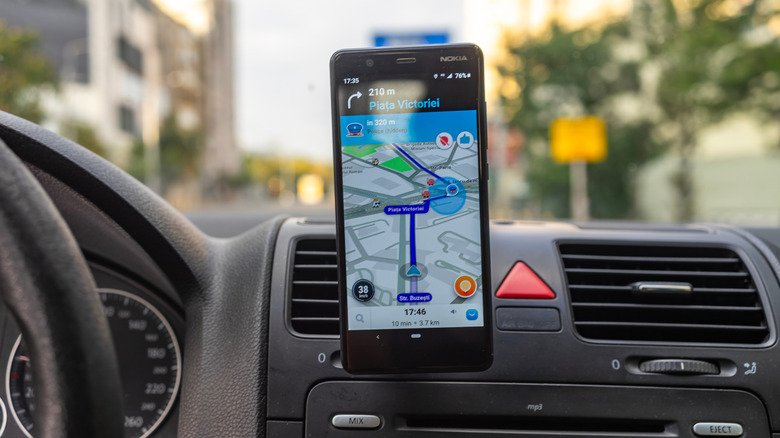
When on the road, Waze can be useful for receiving real-time information about a variety of traffic conditions, including things like congestion, construction, and, naturally, if police are present on a particular road. Back in 2024, the company even introduced Conversational Reporting to make it easier for users to submit reports with the help of Google Gemini. Crowdsourcing information can be great for providing live updates, but it's also one of the reasons some users dislike Waze in the first place.
For starters, one issue with crowdsourced information is that it requires active users willing to submit reports. Should you go to an area with little user involvement, this can potentially skew the information. This means regions with smaller markets may not always have the most reliable intel. When it comes to something like construction being falsely reported, this can cause traffic to be even more aggravating. Concerning the police, this can create its own set of issues.
Given that Waze is community-driven, this also means it's possible for authorities to make their own reports. In March 2026, reports began circulating of a police department adding its own police markers to a stretch of road. However, Waze does have safeguards in place to prevent spam reports, and Google does implement a verification system to confirm data. However, these confirmations do require other verification from other drivers, which may also create additional roadblocks. Potential misinformation can be a source of mistrust in a system, potentially having users second-guess the information Waze provides them.
Some reports may be hidden
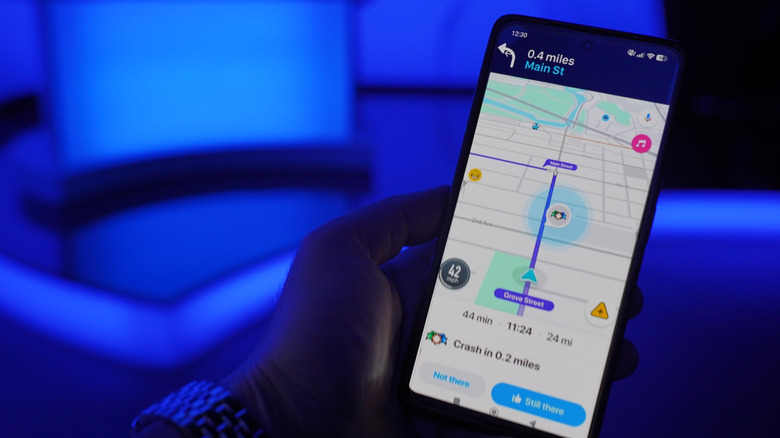
Along with there being safeguards in place to potentially thwart those looking to spread misinformation, Waze also has additional systems that attempt to verify accurate information. As one example, a video of a police officer marking themselves as "not there" when they received a notification about their own presence in Waze began circulating the internet in February 2026, drawing the ire of a number of users. Fortunately, this isn't necessarily how Waze works.
In theory, police are able to potentially eliminate themselves from a Waze report, but it would take a number of "not there" confirmations for Waze to eliminate the report. Just like authorities can potentially be stopped from adding fake reports, the same holds true for them attempting to get rid of certain reports. Waze also has systems in place to prevent spamming, including blocking users who may be overly reporting information. If something is downvoted excessively, the rest of the community won't be able to see it. It's one of the reasons users can collect Waze Points, as it helps bolster the community.
Of course, users are always able to report a police sighting by opening Waze, tapping the yellow plus sign in the bottom-right corner, and tapping Police. The app will automatically select Police for you, but users can also provide details such as whether the police are hidden, using mobile cameras, or on the other side of the road. Hit Report to submit the claim. However, just remember that information may not always be as accurate as you want it to be.
Bad settings can ruin a drive
Waze has notifications enabled by default, but disabling them for whatever reason can prevent you from accessing the information you may need, including police reports. If you feel you're not receiving the alerts you need, you can always double check via Waze's settings.
Here are the steps:
-
Open Waze.
-
Select the three horizontal lines.
-
Choose Settings.
-
Tap Alerts and reports.
-
You'll see a list of different alerts. Select Police.
-
On the next screen, choose your preferences. Make sure Show on map and Alert while driving are enabled.
The cool thing about Waze is that you can customize alerts to meet your needs. Show on map ensures you're getting alerts directly on your map, whereas Alert while driving promises to provide a voice alert alongside an on-screen pop-up. This means you can set Police alerts how you like, but you can make Blocked lane alerts disappear, for example.
Something important to remember about alerts is that Waze can intentionally limit the number of notifications you see to mitigate distractions. Users may not always get certain alerts, and Google tries to base notifications on a number of factors, including relevance and how often you may drive that route.
Bugs can sometimes hide or delay police sighting reports
Crowdsourcing information can have its own share of headaches, but there's also the fact that modern apps can still have their own bugs and defects. Like anything that relies on the internet, it's possible for Waze's servers to go down, but other issues can also arise that may require users to do some additional research if they want the app to perform as it should.
In August 2026, information began circulating that Waze's police reporting system was experiencing issues. Along with some users not receiving notifications about police activity, there was also an incident with the reporting system itself. Users were submitting data and receiving confirmations only to discover that their actual reports weren't appearing in the app. The problem was addressed and resolved by Waze, but issues such as these have the potential to disrupt a user's drive.
Even if the app is behaving well, problems can still arise. While users are supposed to receive notifications in real-time, the reality is that actual reports can often experience a delay. This means that notifications can often take several minutes to move through the system. This in itself can create problems for users who need immediate information.
It potentially creates danger on the road
In the U.S., Waze's police reporting feature is protected by the First Amendment, which protects freedom of speech. So while users don't have to worry about being fined or imprisoned for making reports, the fact still remains that Waze is potentially preventing authorities from catching speedsters. Without being too much of a sourpuss, exceeding a posted speed limit is a traffic violation that can pose a risk to others on the road.
We're not going to break out the projector and play you old videos like you may have seen in a driver's education class, but the National Highway Traffic Safety Administration (NHTSA) does highlight the fact that speeding was responsible for 11,288 fatalities in 2024. Some may not like to hear it, but routine traffic enforcement can help reduce dangerous driving. According to officers, Waze may also allow some serious infractions to go unnoticed. For example, the New York City Police Department (NYPD) asked Google in 2019 to remove any information pertaining to DWI (Driving While Intoxicated) checkpoints. Google responded that police alerts can allow drivers to be more careful on the road.
Waze isn't necessarily inherently dangerous. After all, the app comes with various safety features, but the argument concerning police alerts in Waze is obviously two-sided. The app can be there to help you avoid a speeding ticket, but being mindful of your driving habits can potentially help prevent being pulled over in the first place. Also, remember your seatbelt. It can save lives, you know.