

Onyx Boox Note Air6 C Review: A Brilliant Notepad That Compromises For Color
We may receive a commission on purchases made from links.
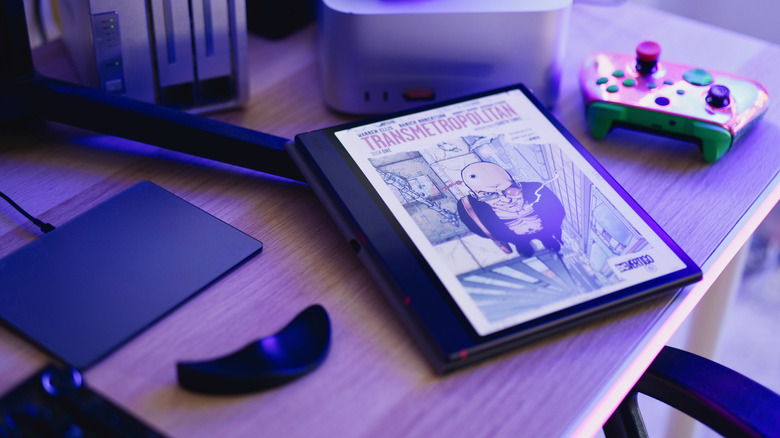
The Onyx Boox Note Air6 C is a 10.3-inch color E Ink tablet with outstanding note-taking capabilities, free of the shackled ecosystems that confine other eBook readers. The writing experience is superb, with a responsive stylus and plenty of screen space to comfortably sketch your ideas. Running a full Android OS, you can install nearly any app you want and get DRM-free content onto the device trivially with a local file transfer web app.
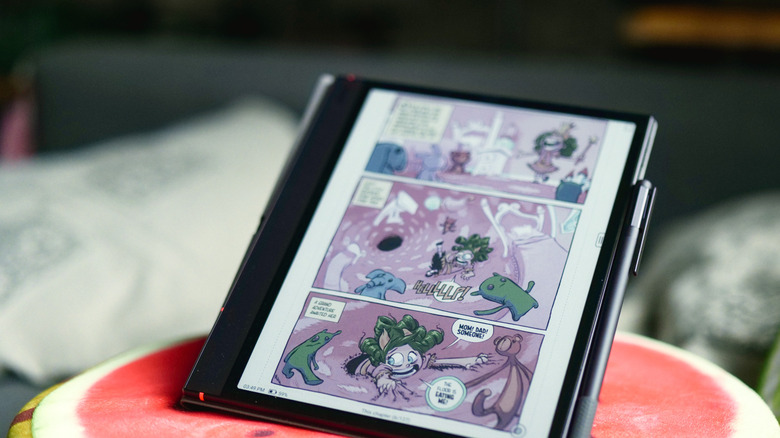
It's a versatile device for work, study, or simply reading, and the color screen is a useful addition for reading comics or textbooks and drawing diagrams. However, colors are muted compared to a conventional tablet, so don't expect anything too vibrant — and the color display's inclusion means compromises have to be made elsewhere in the contrast, screen brightness, and battery life. And if you already own the previous generation, there's very little reason to upgrade. The standard bundle, which includes a case and stylus, is available from $579.99 on Amazon or $549.99 direct (shipping from China).
Technical specs
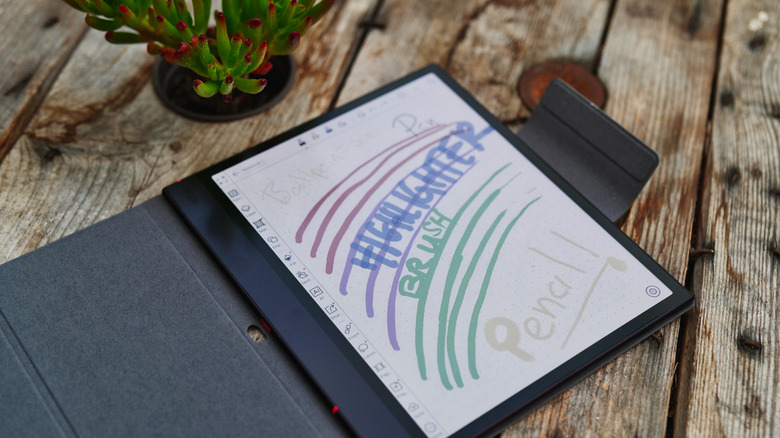
The Boox Note Air6 C is lightweight at only 15.5 ounces (440g) and measures a mere 5.8mm thick, though you'll want to keep the cover on when not in use. With 64GB of internal storage (expandable up to 2TB via a microSD slot), 6GB of RAM, and an eight-core Qualcomm Q6690 SoC, only the CPU is upgraded from the previous generation Note Air5 C. Onyx claims the new model is 40% faster.
The beefier chip also means better performance when it comes to managing large documents, like lengthy or colorful PDFs. The largest file I tried to move was just over 1GB; it transferred over local Wi-Fi using BooxDrop in less than a minute, and scrolling the 482-page comic was smooth. I also tried a 750MB PDF with significantly fewer pages, meaning each page took up more storage space; loading each page when scrolling took a fraction of a second longer, but the 4-up preview screen still worked responsively for navigating to specific pages.
The 10.3-inch screen is a Kaleido 3 panel with a black and white resolution of 2480 x 1860, while color is half that at 1240 x 930 — more on that discrepancy later. The Note Air6 C features dual-tone front lighting, which it calls "Comfort Gaze," because it supposedly reduces blue light output and makes it look as close to ambient light as possible. This makes it suitable for reading at all times of the day without having to worry about actual light levels being insufficient, and it's fully customizable from the control panel. On top of that, you've got a USB-C OTG charging port (albeit in a rather quirky position in the middle of the left edge), and a somewhat superfluous microphone and speakers.
All the colors of the rainbow (but in watercolor)
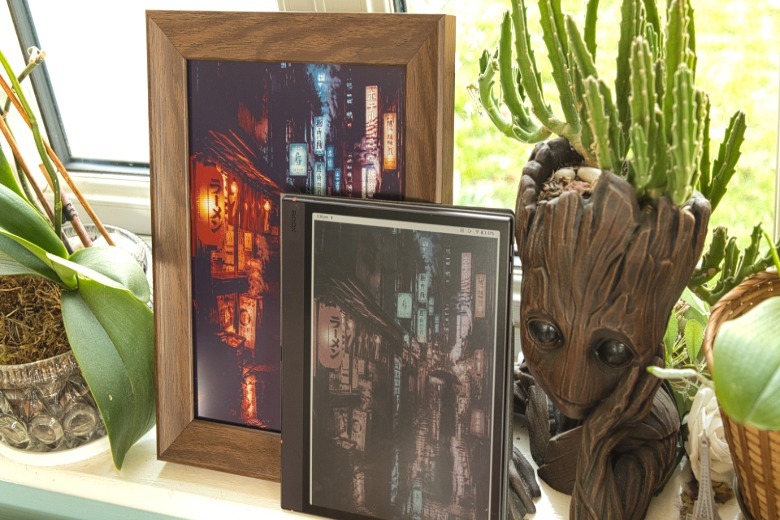
There's a whole world of E Ink gadgets that aren't an Amazon Kindle, but you might not have known about color E Ink. It's one of the standout features of the Note Air6 C, but not all color E Ink is the same. Unlike the slow-refresh of the SwitchBot AI Art Frame 2 with it's Spectra 6 color E Ink panel, the Boox Note Air6 C uses a Kaleido 3 panel.
The Spectra 6 has four primary pigments and is distinctly lacking in pink and cyan; it's designed for further viewing distances, with limited but rich colors and muted blacks. The Kaleido 3, meanwhile, features a standard black and white base panel with a Color Filter Array (CFA) on top, producing up to 4,096 "soft" colors. Black and white text is rendered in a crisp 300 DPI, while color filtered content drops to 150 DPI.
 James Bruce/BGR
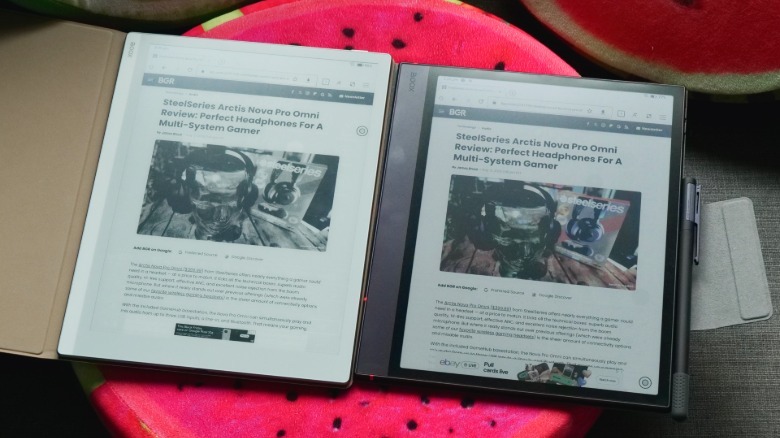
The colors are still muted, but well represented. It's not quite pastel; watercolor would be more apt. There's no vibrancy or contrast with color content, but there's enough utility there to enhance your content and make notetaking easier when it comes to highlighting text or drawing. Black remains crisp and contrasted.
 James Bruce/BGR
However, the color comes with a major drawback: it reduces overall contrast compared to purely black and white E Ink displays. It's also the first thing I noticed when I compared directly to the older Boox Go 10.3. Although it's black and white only and has no front illumination, it almost doesn't need it because of the paper white screen. I found it necessary to enable some level of backlight on the Boox Note Air6 C in anything other than bright daylight.
Writing on the Boox Note Air6 C
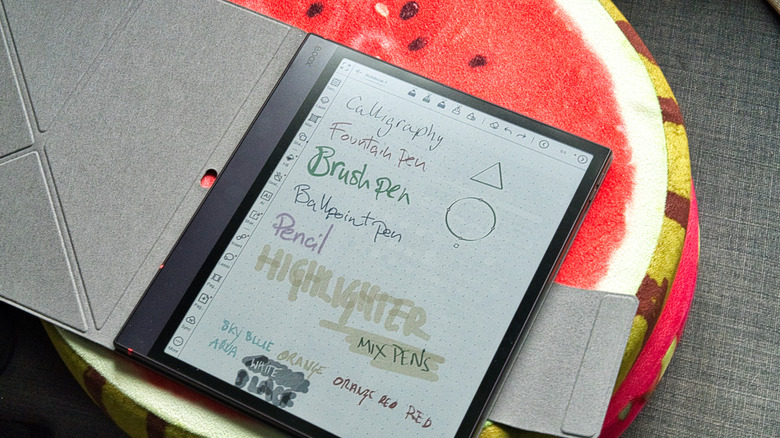
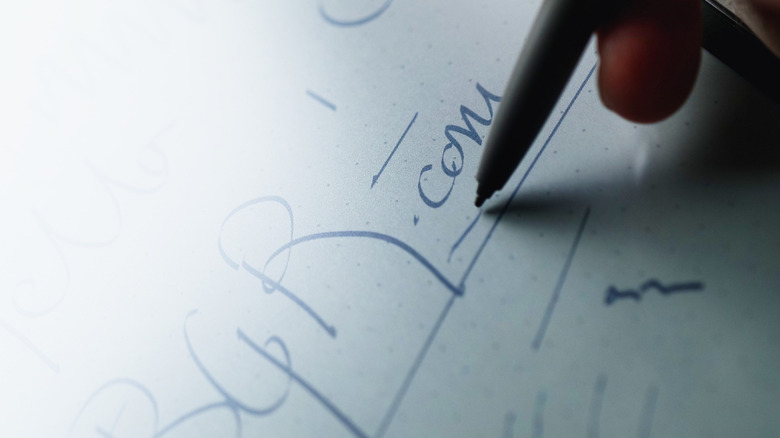
With 4,096 levels of pressure sensitivity and a paper-like textured screen coating, writing on the Boox Note Air6 C is refreshingly pleasant, with a Wacom EMR stylus included in the box. EMR doesn't require additional power, so the only thing you need to replace are the nibs when they get worn down.
Whether for sketching, journaling, or note-taking, you won't notice a line lagging behind you, and the friction of the screen surface feels natural. But while the line can keep up with your writing, there's a slight gap between the screen and the stylus, likely due to the front lighting layer. I tested it alongside the Boox Go, which has similar writing performance overall but no such gap. You likely won't notice it in normal use unless you go looking for it, however.
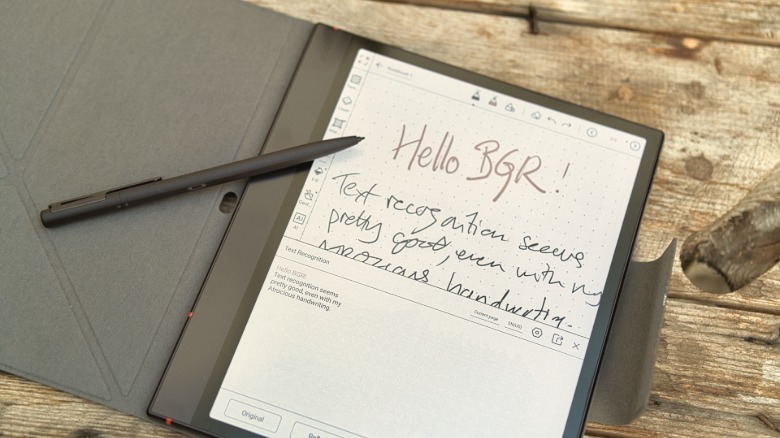
The auto-shape feature, which simplifies any shapes into their correct form, was the only time I felt any frustration about having to wait. It requires you to draw the shape and leave the pen on the end point for a second or two to trigger the transformation. Text recognition also works well; even on my unreadable chicken-scratch handwriting, it was nearly 100% accurate. You can either recognize the whole page or lasso a particular section to transform it into text.
 James Bruce/BGR
Handwriting recognition also works outside of the notepad, if you'd rather just write directly into text forms or a document, though the smaller input area makes it clunkier. There's also an optional keyboard case that we didn't test. The stylus attaches magnetically to the right hand side, but it's not a particularly strong link, and I had to hunt around for it on more than one occasion when it had fallen away.
Install anything with Android

Crucially, the device runs Android 16 and features full access to the Google Play store; no hacks or rooting needed. It runs a custom launcher, but underneath, you still have a stock Android, which is compatible with nearly any app. That doesn't mean everything will work perfectly, or at all — some rely on particular features that aren't offered on this device (even if it's not obvious why the apps would need them), but most are compatible. It also doesn't mean you should expect good performance or a usable interface, but it's really a case of trial and error. If there's a specific app you want to run, search for compatibility first, because someone's probably already tried using it.
You can even install YouTube if you want to speed run draining your battery with high amounts of data usage and screen refreshing. I'm not saying you should — and despite the addition of colors and high refresh rates, it's really not a satisfying experience — but you can. Videos are watchable, but the audio is an afterthought. Certain types of games will also work well on this screen; nothing high intensity, but casual puzzle or word games are ideal.
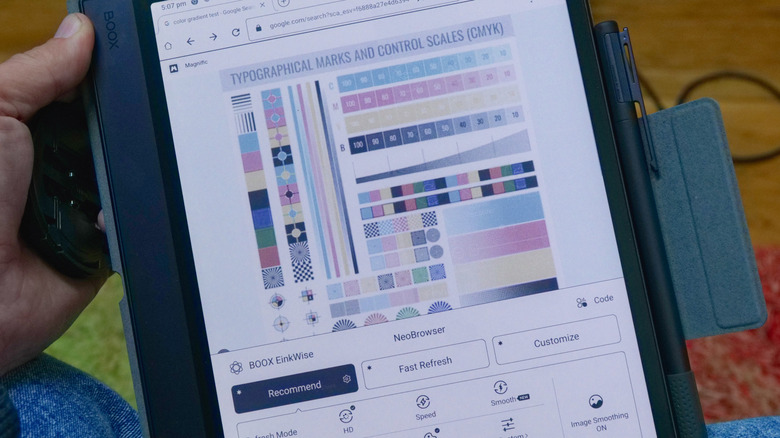
That said, I'll stress that at no point did I actually feel the need to install more apps. The default library and reader app handled every file format I threw at it, NeoBrowser was fine for web access, the notebook is all I need for stylus entry, and BooxDrop worked flawlessly for getting files on to the device. It's compatible with more apps only if they're essential to your workflow or you have a favorite you want to make your default; most people won't actually need anything that isn't already installed.
Battery life isn't amazing
The Air6 C features a 3,700mAh battery, but battery life will vary greatly depending on backlight usage, Wi-Fi, and how fast you're refreshing the screen. For reading, you should expect to lose up to 5% per hour; note-taking increases that to around 10% because of the higher refresh rate required to keep the stylus responsive. You can expect 10 hours minimum of screen time, but more likely two to three days of heavy use, or up to a week of light use. Disable Wi-Fi when it's not needed, reduce the screen brightness, and avoid high refresh rates if you're just reading to conserve battery.
That's obviously not ideal if you're buying an E Ink device solely because you want multiple weeks of battery before needing to charge, but it's still impressive given the functionality is closer to a full-on tablet than an eReader that can't handle much else. Its battery life, much like its functionality, falls somewhere in between the two.
Conclusions
The Onyx Boox Note Air6 C is a strong hybrid tablet with color E Ink that serves well as both as note-taking device and eReader. But if your needs don't match precisely, it's difficult to recommend over other devices.
For mostly text eBooks with some notetaking, a paperwhite device will ultimately serve you better with a clearer screen that requires less additional lighting; the Boox Go 10.3 is the same size and comes in about $150 cheaper than the Note Air, though it doesn't feature a front light. For manga and comics, the Note Air6 C is passable and the color certainly enhances the experience over grayscale only, but it doesn't truly do justice to the images. It can't be compared to the color vibrancy of a full tablet experience. Also don't buy the Note Air6 C if you need weeks-long battery life; expect a few days of heavy use at best.
For note-taking or sketching, the Boox Note Air6 C is a powerhouse (the Note Air5 C was already one of our picks for best note-taking tablets), with great handwriting recognition, a good pen feel, and fast response times. Don't underestimate the value that a bit of even muted color can bring to your notes and ideas or the ability to install any app you want and easily transfer your files over Wi-Fi. Both are fantastic additions to an eReader. But it only makes sense if you truly need most of those features rather than just wanting the novelty of a color E Ink screen. The color layer makes the screen dimmer to the point that some level of front lighting is essential in nearly all situations outside of a clear day. And if you already own the previous generation, the only compelling reason to upgrade is if you're struggling with larger PDF files.