

4 Of The Best Tablets For Note-Taking

We may receive a commission on purchases made from links.
Taking notes by hand has always been one of the best ways to retain information while you study or work, and for those who do not want a notebook, tablets offer a good option. Without giving up the pen, these devices let you write down everything important during your studies or a meeting. In fact, the market offers a wide variety of devices like this, but finding the right one is a bit more complex.
The iPad is, without a doubt, the best-known choice and a favorite among many users, but it is also not the only one. There are several strong options for those who do not want to invest in this Apple device or prefer Android. So, whether you want a lighter device or a screen that feels more like writing on paper itself, the best e-ink tablets have you covered.
That's why we selected the best note-taking tablets while considering different user profiles and budgets. The main goal is to choose devices that deliver a good user experience and versatility for anyone who needs one device for everything. In addition to performance and pen quality, we considered value for money, battery life, and the real experience of people who use them every day.
iPad Air M4
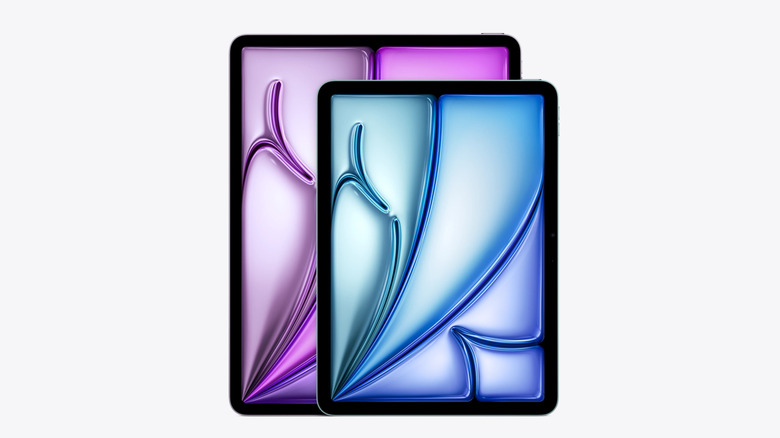
Apple products often serve as the safe choice for many users, and the iPad Air M4 is ideal for anyone who wants a tablet focused on notes. It's not the most affordable device in the company's lineup at $559, but it provides what really matters for extensive note-taking. You get a good quality screen, strong performance, Apple Pencil Pro support, and a number of essential iPad apps such as GoodNotes, Notability, and more.
The other strength of the iPad Air M4 is that it is good for more things than just reading and note-taking. The M4 chip allows productivity and multitasking apps to run smoothly, so you can take notes while several apps are open at the same time. If you prefer a larger screen, the 13-inch version of this model is a great choice, but it costs $749, while the 11-inch is more portable to carry in a backpack. Furthermore, you can enjoy seamless integration with your iPhone or Mac with Apple's refined ecosystem.
However, the iPad Air M4 does not have the 120 Hz ProMotion display, which is an exclusive iPad Pro feature and can make writing feel slightly laggy for those used to higher-refresh-rate screens. If you choose to buy the Apple Pencil, you'll also have to pay a significant premium. Even so, this model is one of the best options for anyone who wants good performance and a premium experience.
Samsung Galaxy Tab S9 FE
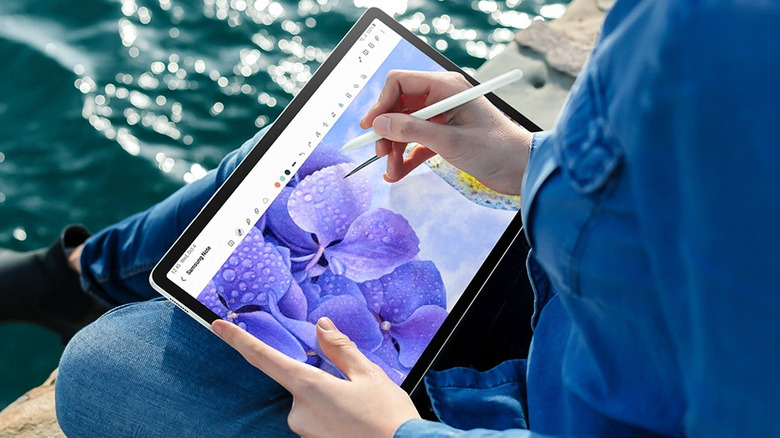
If you're looking for a beefy tablet for note-taking, prefer to use the Android ecosystem, or simply don't want to pay the Apple tax for an iPad, then the $420 Samsung Galaxy Tab S9 FE is the right choice. The great thing is that you don't need to spend extra money on a stylus as this model already packs a S Pen in the box.
For everyday use, the Tab S9 FE works well. It comes with Samsung Notes for free and integrates with the brand's ecosystem, while also offering good features for anyone who wants to study. You can take handwritten notes, mark up PDFs, organize notebooks, or even combine text with images. In addition, the screen is 10.9 inches, which gives you good space to write, and the 90 Hz refresh rate makes navigation smoother.
However, although it does not hurt the main use for notes, the Samsung Tab S9 FE comes with a few limitations in the box. It has an LCD screen and an Exynos 1380 that places it below premium models in performance and visual quality. Still, if your focus is only writing notes and reading, this is an older tablet that's still worth buying.
Amazon Kindle Scribe
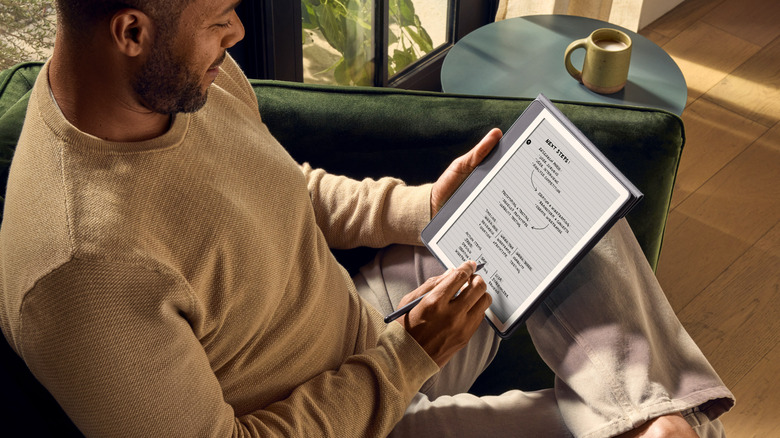
For those interested in having a device only for notes and reading, the Amazon Kindle Scribe is a tool focused precisely on that. It also has one of the best screens for this purpose, since e-ink technology works well for anyone who wants to read documents or books. Additionally, it has an anti-glare coating that reduces eye strain during long sessions. So, it delivers an experience closer to using paper than other options.
In addition, it already comes with a pen included in the box, so you do not need to pay extra to get this product, which is uncommon with many tablets. The battery of a Kindle Scribe also stands out, with enough power to last days without recharging. So, if you already buy books through Amazon's ecosystem, the Scribe available for $500 becomes a well-integrated extension of what you already own digitally.
One problem, however, is that when you buy a Kindle Scribe, you do not get the same versatility as a tablet. These devices made by Amazon focus on reading and notes, so you will not have functions beyond that. You cannot download other apps that you would normally find on an iPad or Galaxy Tab, for example. That's why, when you want something beyond reading, the Scribe isn't the best option.
Onyx BOOX Note Air5 C
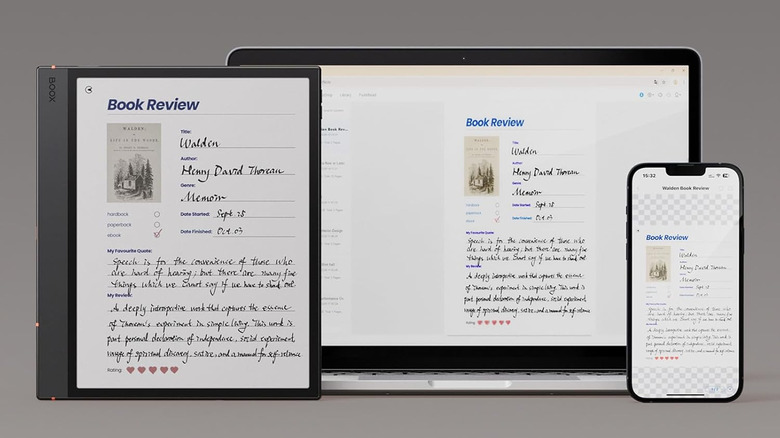
The Onyx Boox Note Air5 C doesn't just try to be a simple e-reader or a good Android tablet, but rather a mix of both. As such, it has a color e-ink display and full Android compatibility, so you can download apps like OneNote, Obsidian, and Google Drive straight off the Play Store. If you have a set workflow on other platforms, you don't need to change your routine like you do when buying a Kindle Scribe.
The 10.3-inch screen also helps with complicated tasks. Reviewing PDFs, highlighting excerpts in different colors, and writing with the pen feel more comfortable than on smaller e-readers. Students and researchers who spend hours reading long documents will feel this difference in everyday use.
However, Android apps rarely come optimized for e-ink screens, so some slowdowns and inconsistencies form part of the experience. The screen colors also fall well below what an LCD or OLED would deliver, and they help more with visual organization than with real images. And the $530 price targets users who need that versatility of app access and a decent screen for reading.
How we selected these best tablets for note-taking

When selecting the best tablets for this list, we paid particular attention to each model's display quality, pen support, and battery life, as those are all important factors for taking notes over long stretches. We also considered the user experience, especially reviews and tests in everyday use. Price was also an important factor since the Galaxy Tab S10 is a newer model, but it is also more expensive than the Galaxy Tab S9 FE, which still works well for note-taking and is therefore a better value option.
We have also chosen models for different user profiles, as the needs are very different. So, for those who want to read and take notes, there are simpler devices like the Kindle Scribe that give users a paper-like experience, but not the versatility of a regular tablet. If you want to multitask and have access to apps, iPads and Android tablets are more complete solutions, even at a higher cost.