

SwitchBot AI Art Frame 2: The Future Of Art? Not Quite
We may receive a commission on purchases made from links.
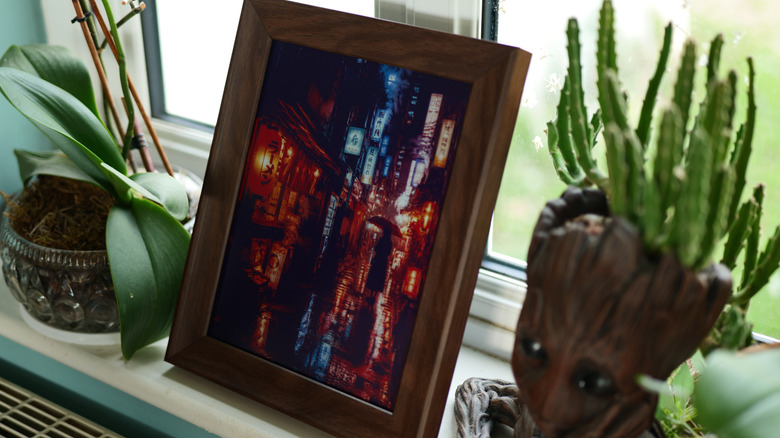
Picture this: You walk down the hallway at home, but that art print you were so fond of yesterday just doesn't feel right today. So, you tap the corner of the frame, and speak: "A rainy Japanese street at night, with glowing neon signs reflected in the puddles, and a mysterious woman holding an umbrella." You brush your teeth, and by the time you're done, your artwork has been replaced by an entirely new creation, matching exactly what you asked for. No searching through galleries, no buying another print, and you didn't even need to take the frame off the wall.
It sounds like sci-fi, but that's precisely what the SwitchBot AI Art Frame 2 offers, combining generative AI models with an E Ink display and voice control. Smart photo and art frames are nothing new — many double up as a smart calendar, too — but one with a battery that can last two years and the ability to generate custom artwork with nothing than your voice? That's pretty cool.
Hardware and technical specs
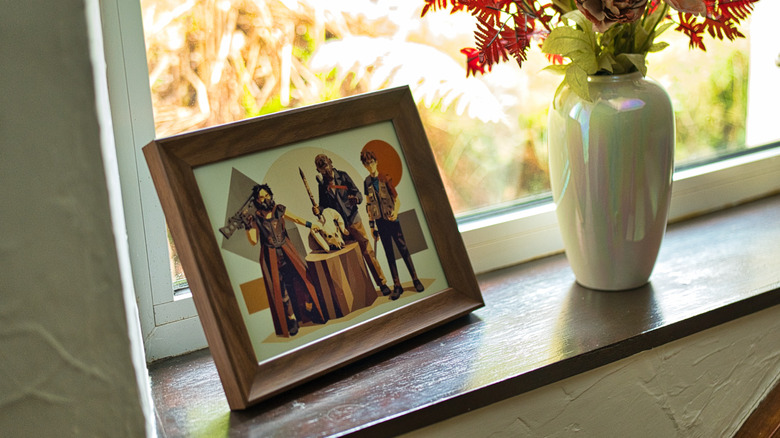
The SwitchBot AI Art Frame 2 comes in three sizes: 7.1-inch, 13.3-inch, or 31.5-inch, ranging from $169.99 to $1,399.99. We tested the medium size, pictured throughout this review. Each model features a gorgeous natural oak surround, though there are no color options; just a warm, dark oak frame. Naturally, the frame can be used either in a portrait or landscape mode, but you'll need to resync a fresh image, as it won't automatically crop or resize.
There's a fixed metal kickstand included in the box which screws into one of two mounting holes. As well, there are some permanent wall hooks that need to be hammered in, or some sticker hooks for those who don't want to damage their walls or might be renting. Spares are included, and in my testing, I found them all to be reliable options. Compared to the original, the SwitchBot AI Art Frame 2 removes the ugly white surround and lets your artwork take up the entire canvas, with a paper-like E Ink Spectra 6 panel providing a "full color" display while only sipping power when you want to change the image.
It's worth noting the screen has no built-in illumination of any kind — unlike many eBook readers that feature front lighting for night use. That means you're entirely at the behest of ambient lighting conditions. The SwitchBot AI Art Frame 2 can often appear darker than a simple art print on white paper would; it needs a good amount of natural light to look best, and particularly dark images can be unsatisfying.
Not exactly a rainbow
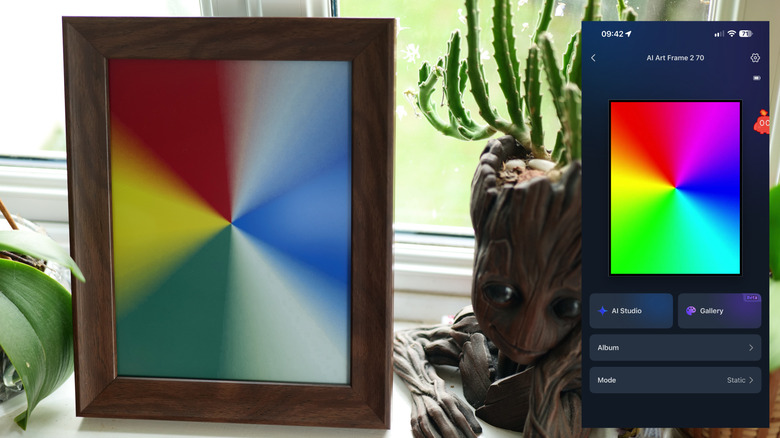
The E Ink Spectra 6 panel is the latest generation of color E Ink displays, but it still leaves a lot to be desired. From a regular viewing distance, it looks like a decent-enough art print, though perhaps a little faded. Some colors are muted, with blacks especially appearing as a dull grey. If you used a projector 20 years ago to watch a movie, it feels a bit like that. On the other end of the spectrum, whites also appear as a lighter shade of grey.
Of course, it would be unfair to compare this to a modern OLED or even an LCD panel that requires active power consumption just to stay on. An E Ink panel only needs power when refreshing, and SwitchBot states that with one refresh per day, the battery should last approximately two years.
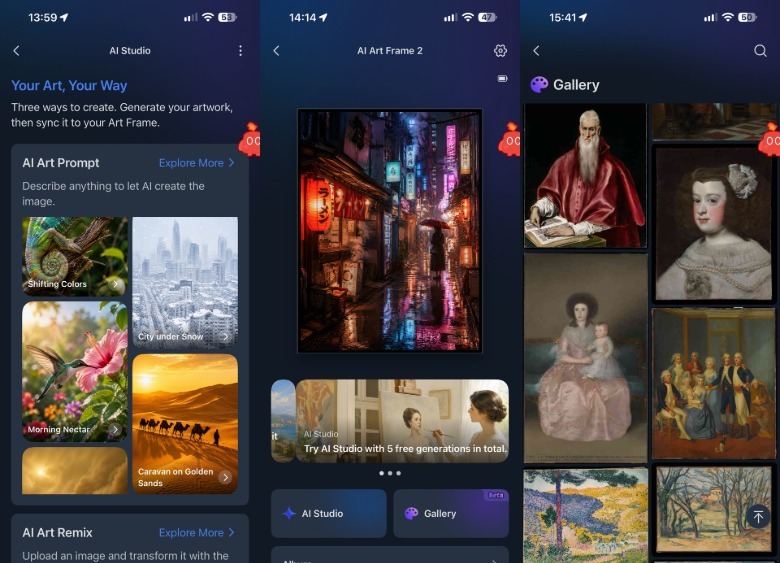
A full refresh takes a good 30 seconds or so, and involves a lot of flashing blue and yellow to first reset all the existing pixels, then activate the new ones. Eventually, your chosen image merges into view, but if you were thinking you would stand there swiping through pictures to find one you like, it would get very tedious, very quickly. You'll need to use the app to browse the built-in albums and galleries, then press sync.
 James Bruce/BGR
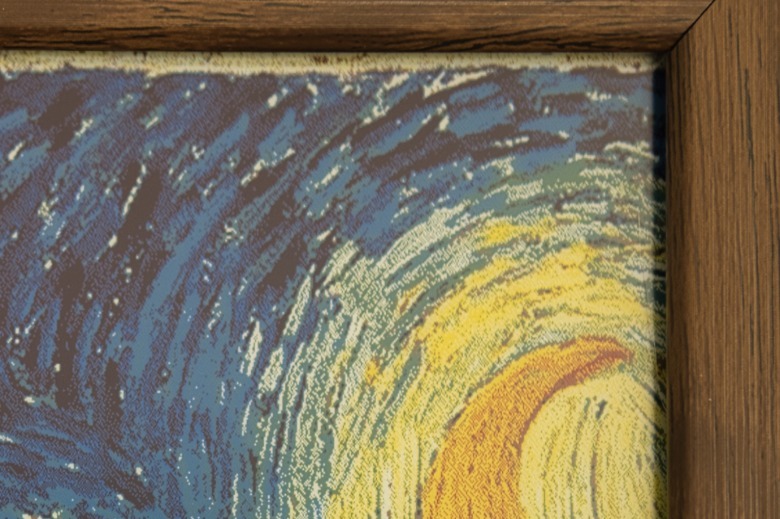
Up close, the more inherent limitations of E Ink displays come into view, with an obvious dithering everywhere that isn't a primary color. In terms of color reproduction, you should also temper your expectations. The Spectra 6 panel has four different types of pigment: white, red, blue, and yellow.
Anything else comes from mixing those, and while dark green is fine, others parts of the spectrum can be distinctly lacking. That's most obvious is with a rainbow test card. In theory, other colors can be dithered together to produce one that there isn't the pigment for. In practice, cyan and pink is impossible.
I tested this to the extreme by generating a cyberpunk scene, with lots of neon blues and pinks. The orange and red came through nicely, but neon pink and magenta were entirely absent, while purple shadows became a muddy brown. The electric blue highlights are muted, and details in the shadows lost. While the overall composition is preserved remarkably well, the feeling of the image has changed considerably.
Customizing the artwork
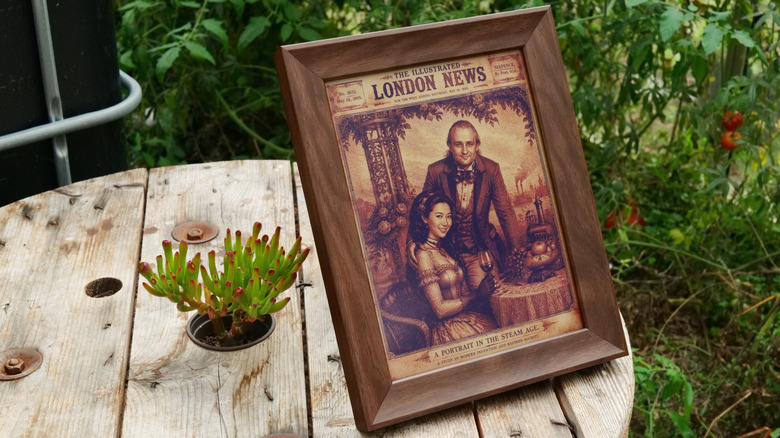
There are a few ways to get AI generated art on to the SwitchBot AI Art Frame 2: Text, photo transformation, talking to the frame, or ... the weather. Text-to-image is probably familiar to all; just type in your request through the SwitchBot app, include style notes and subject matter, and hit generate. Photo transformation allows you to upload your own image and portrait, and apply a style transformation to it — think, a portrait in the style of Monet, or a vintage Victorian newspaper page.
The most interesting option is to talk to the frame, which is essentially the same as text-to-image, but with a more natural interface. Enable this in the settings, then you can tap three times on the frame. Since each generation uses a credit from your limited number, it's best to plan ahead and not fumble your words.
 James Bruce/BGR
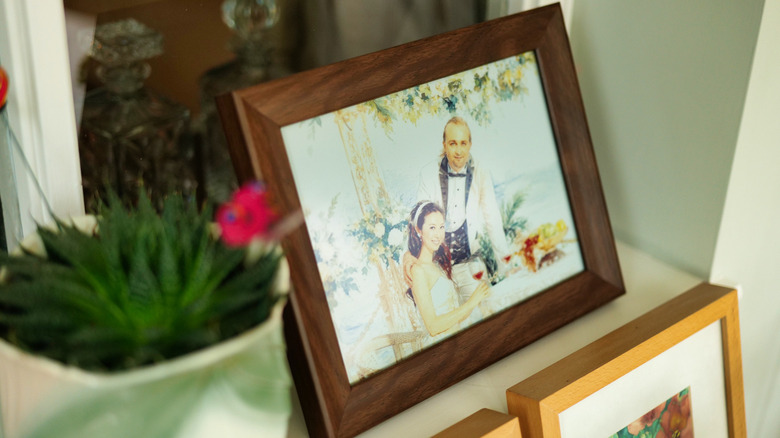
I had reasonable success with all the methods; talking to it was as awkward as expected, while transforming our own family photos into various styles was the most fun. The last method is more of an experimental feature, where it automatically generates a new piece of artwork that reflects the weather. Since we're officially in the always-overcast season in the U.K., this one is less exciting.
You wouldn't AI-generate a car, would you?
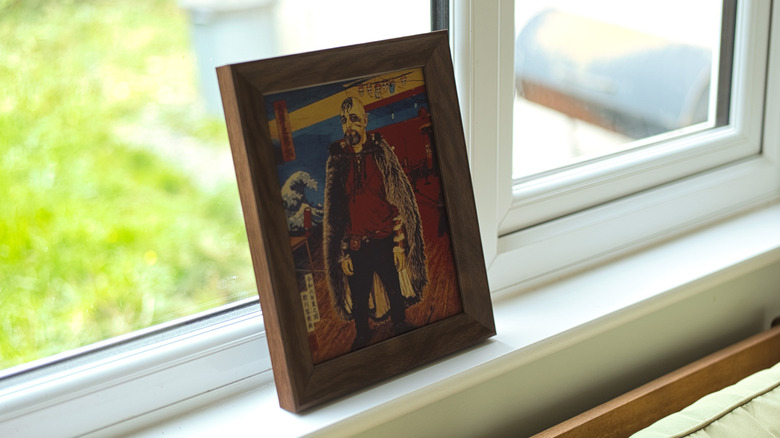
Does the fact that something is AI-generated cheapen the whole concept of "art"? Maybe, but I don't want generic art in my home. I don't particularly care to look at a hundred-year-old painting by a famous artist whose work has no personal connection to me, depicting subject matter I have no interest in. I can appreciate the talent involved, but that doesn't mean I want it hanging on my wall. I'd rather have something that speaks to my own interests or imagination, regardless of who (or what) created it.
If you can afford to commission an artist to paint a personalized acrylic portrait of your dog, that's fantastic. You should absolutely do that, and nothing about AI-generated art prevents you from doing so. Spend your money on the things that make you happy, and support a local artist that you like. But for me, one of the most exciting things about the AI revolution is how it's democratized that creative output by removing the financial barriers that kept it out of reach for many.
That doesn't diminish the skill of a professional artist, but it does mean that having a creative vision no longer requires having to pay someone else to realize it. Though it makes my next point a little ironic.
AI Art Studio requires a subscription
My biggest criticism of the AI art features is that there is no free plan for occasional use. Five generations are included with your purchase. Once you've burned through those, you'll have to pay $4.99 a month for 400 credits. You can activate a one-month trial if this is your first frame.
If you have more than one of these art frames, a subscription makes more sense; I can't see myself wanting to generate 400 images a month, though. For a single centerpiece, I would advise you use Google's Gemini on a free plan, even ChatGPT can make pictures, and generate a bunch of art there to display. The results are identical, as long as you know the right words for the style you want — there's just a little more friction to getting it onto the frame.
To be clear, you can always upload your own art and store it locally, or in the cloud, no matter where you sourced it from. And you always have access to the built-in library of classic art pieces. But it's fair to say the headline features of the AI Art Frame 2 are locked behind a paywall, and that's a little disappointing.
Should you buy the SwitchBot AI Art Frame 2?
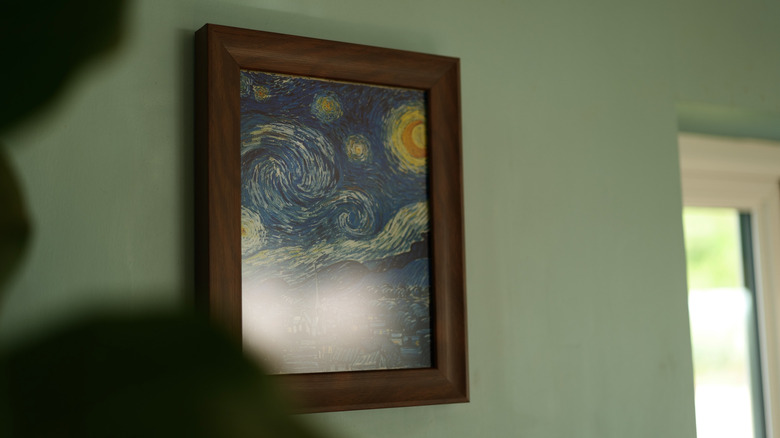
There are certain art styles or photos that will match well with the E Ink display inside the AI Art Frame 2, and others that just won't. It's never going to match the image quality of an IPS or LCD photo frame. The SwitchBot AI Art Frame 2 is technically impressive by any measure in that it can change the artwork once a day for two years and not need to charge the battery; either by pulling from a built-in library of 500 classic art pieces, or from your own creations.
If you value color reproduction and image accuracy over power consumption or built-in AI features, there are much better options on the market for you to consider. Samsung's "The Frame" TV offers a matte display and art mode, mounting flush against the wall, and that's a 65-inch TV for the same price as the 31.5-inch SwitchBot AI Art Frame 2. The Canvia Digital Art Canvas is similarly priced to the SwitchBot, though reviewers note the terrible software. Heck, you can even turn an old Android tablet into a digital photo frame if you just want to email photos to granny. All of those will use constant power, however.
That's not to say the SwitchBot AI Art Frame 2 is a bad product. It matches a lot of classic art styles well, and the AI generation features are compelling enough to keep the family interested in that silly portrait that's now a watercolor masterpiece, or to explore classic art styles applied to subject matter that appeals to you. But don't buy it thinking that the E Ink offers a perfect paper-like reproduction of every color, because it absolutely doesn't (not yet, anyway, but next year's Kaleido 4 may make significant improvements to the color gamut). On top of that, know that getting the best out of the device means a monthly subscription on top of the initial purchase as well.