

10 Of The Best Alternatives To The Skylight Calendar
We may receive a commission on purchases made from links.
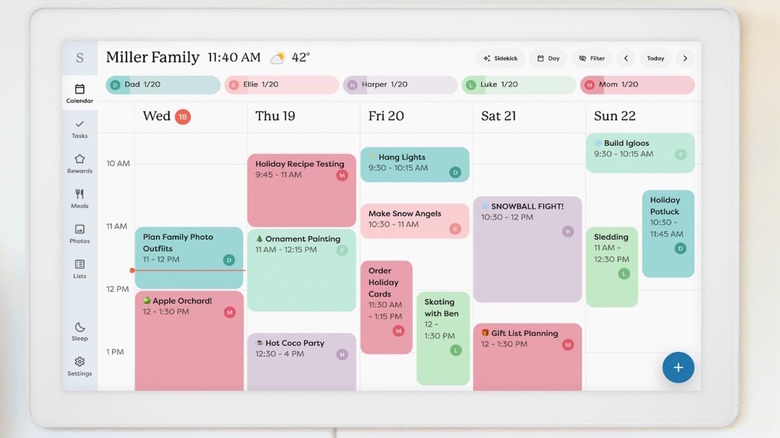
Calendars are a great way to keep track of everything, and going digital is a natural progression for anyone in the modern age. For many, when they think of a digital calendar, they might think of the Skylight Digital Calendar. If you don't know about the Skylight, it's a go-to option for families, a great gadget for remote workers, and a lifesaver for busy individuals who want to make it easier to keep track of their hectic lives, while having a physical device to display a digital schedule for everyone to see. However, there are other options available on the market.
We searched for 10 alternatives to the Skylight Digital Calendar. These options are similar to the Skylight, though there are a handful of differences, giving you more options for anyone looking for a smart calendar that fits their household. All items on this list have a minimum average rating of 4.0 stars on Amazon. Here are the 10 best digital calendar alternatives to the Skylight Calendar.
Akimart Digital Calendar and Wall Planner
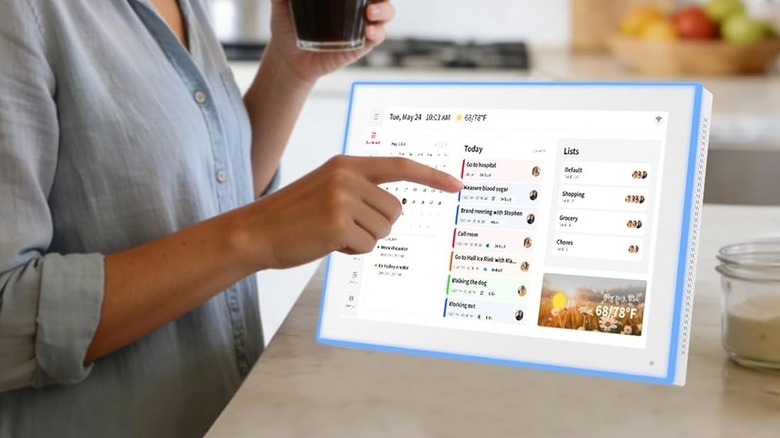
When you're looking for a digital calendar that does more than keep track of your daily tasks, the Akimart Digital Calendar and Wall Planner can be a worthwhile consideration. It features a touchscreen display that can display a chore chart, a daily, weekly, or monthly calendar for an entire family, grocery lists, and it can even help you come up with daily meal plans. The main menu is straightforward to use and syncs across multiple phones, allowing users to update their schedule while away from it.
This calendar syncs with your existing Google Calendar, iCloud Calendar, Outlook Calendar, Cozi, and Yahoo Calendar, depending on what you use. Those who regularly use Google Calendar as a free productivity app will be able to bring these features with them to Akimart. It also displays family photos or videos while it sits idle. You can get it for $85.49 on Amazon, where it has earned 4.6 stars across hundreds of reviews.
Families who have picked it up enjoy its overall size, picture quality, ease of setup, and ease of posting and sharing videos and photographs through it. It does require a steady, reliable Wi-Fi connection to remain operational, though. Some users note that it must be plugged into an outlet, so it has minimal functionality as a portable device.
Dragon Touch Digital Calendar
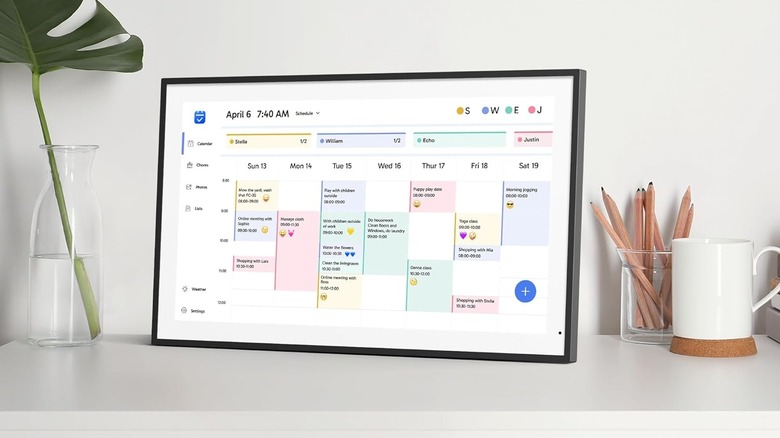
The Dragon Touch Digital Calendar is another alternative to the Skylight. The digital frame allows you to quickly organize and navigate menus to manage the schedule of a large, hectic household. Each family member can receive a different color on the daily schedule, making it easy to distinguish every member at a glance. For those who already use other digital calendars, it syncs with iOS and Google personal calendars, as well as other applications on a smartphone. It works the other way, too, allowing you to modify the Dragon calendar entirely from your phone. It also comes with menus for chore charts, meal planning, grocery lists, alarms, and several other customizable options. You can currently get the 21.5-inch option for $269.99, but there is also a 15.6-inch option that costs less. Although the Dragon Touch offers a subscription option, it does not require one to use basic functions.
Users who pick it up recommend the Dragon Calendar for how many features it comes with, the size of the digital screen, how easy it is to set up and download, and how much storage it has for photos. Experts who have used it before appreciate how easy it is to use and how intuitive the controls are, making it accessible to all members of a family. The Dragon Touch Digital Calendar has earned a 4.2-star average rating on Amazon.
Apolosign Digital Calendar
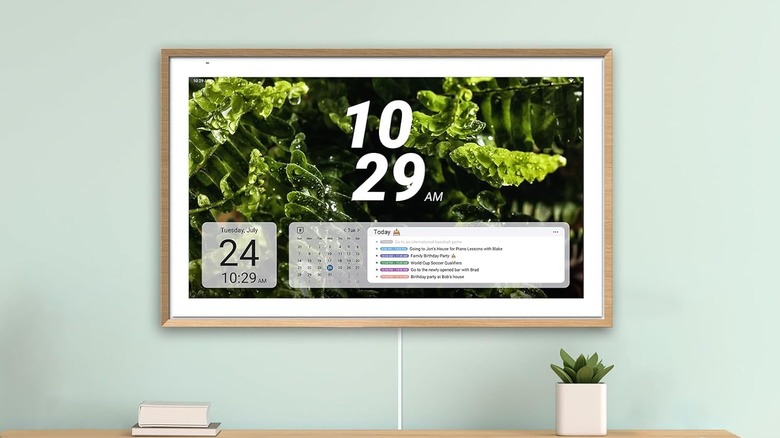
For those seeking functionality and customization, there's the Apologsign Digital Calendar. There's a reason Amazon customers called this calendar a game-changer. As expected, it acts as a digital calendar that lets you manage multiple schedules for people, syncing with their smartphones and preferred calendar app. These options include Outlook, Google, iCloud, Yahoo, and more.
The 4.7-star-rated Apologsign also features a dual mode. When switched to Smart Dashboard and not in Calendar mode, it can download multiple other applications from the Google Play Store, such as local weather, email, YouTube, Spotify, and more. You'll be able to use the Google Gemini AI voice assistant for a hands-free experience if you want to add tasks or items to a list verbally. You can manage a chore list with points, a to-do list, a meal planner, and several other widgets on a customizable dashboard. It's available for $399.99 and requires no additional subscription to function fully.
Customers appreciate it for its clean layout, intuitive operation, numerous customization options, and the brightness of the screen while they're using it. One reviewer compared it to having a wall-mounted phone in their home. The Gadgeteer's review found it to be a welcome addition to a home, with plenty of customization options.
Hearth Display Digital Calendar
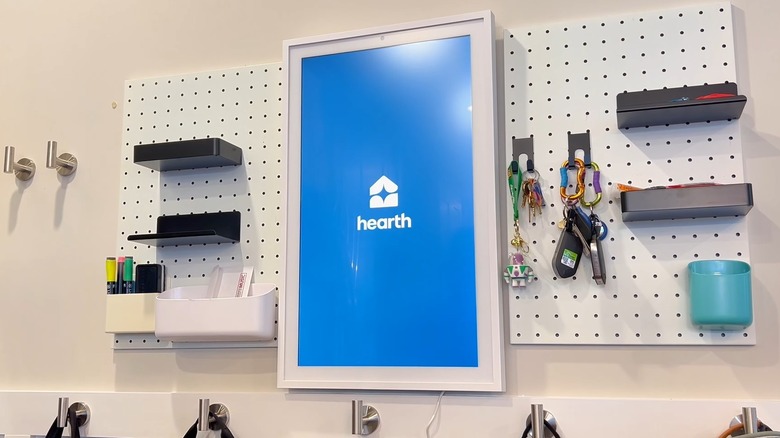
If you're looking for a more digital component to add to your home, and you have a flexible budget, there's the Hearth Display Digital Calendar. You'll be able to craft distinct profiles for anyone who uses the devices, with icons that display unique information, create distinct routines, and even gamify tasks to help families develop consistent habits within their households. You can display a single calendar of a profile or have a side-by-side display for everyone. It can scan a premade schedule and immediately display it on a profile.
It operates along a companion application that makes sharing the calendar with everyone much easier, and it works across iOS and Google devices. It also syncs with Google, Apple, or Outlook calendars, if you're already using those. There's also a section with a meal prep plan for anyone who wants to add that to the consistent schedule. You can get the Hearth Display, which has a 4.1-star rating on Amazon, for $699.99.
Customers who have picked it up recommend it to busy parents and kids who have to keep to a consistent, hectic schedule. Many appreciate being able to scan a sheet of paper and having it added to their profile, recommending it for those with full calendars. It might not be for everyone. Reviews also echo how it can help a family stay organized.
Cozyla Mate Calendar+ 2
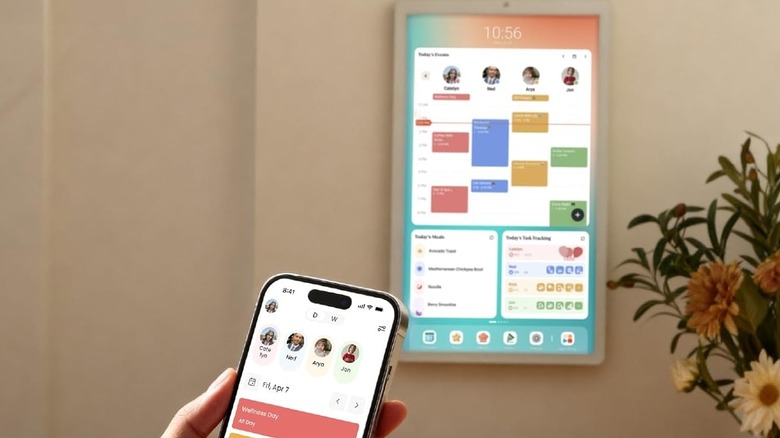
Easily one of the more expensive and advanced digital calendars you could pick up is the Calendar+ 2 from Cozyla. You can keep track of everything you want to with the Cozyla digital calendar, which syncs with your smartphone and lets you update it on the go, or take a picture of a new or upcoming event and add it to the calendar. It comes with a personalized application that you can use to manage everything when you're not at home, earning it a 4.6-star rating on Amazon.
There are also sections for you to add in chore charts with customizable rewards, a meal planner complete with pictures and built-in recipes, and you can modify the dashboard to have everything important on the front display. You can connect to Google Play to add more widgets, based on your needs. If you're a remote worker, you'll be able to add a handful of the essential apps you need to keep track of your daily routine. You can get it for $809.99, with no additional subscription to access everything you want to use, though an AI implementation is hidden behind a paywall.
Customers recommend it for how easy it is to keep track of their hectic schedule, how it improves their family's efficiency, and how well it works in landscape or portrait mode, depending on how you hang it. Reviewers who have tried it praised its support for streaming applications and its ability to gamify chores and tasks for every family member.
Amazon Echo Show 15
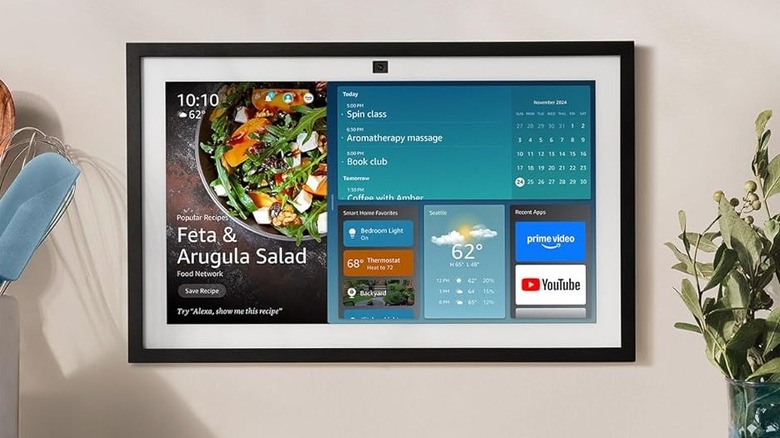
For anyone who regularly uses Amazon products and has other Echo items throughout their home, the Amazon Echo Show 15 might be a worthwhile addition. The Amazon Echo Show 15 is primarily a kitchen television screen, but it also includes a Family Organization Hub that displays a family's calendar, to-do lists, local weather, and other smart-home information. It's why we listed the Echo Show 11 as one of the best gadgets to have to make a retiree's life easier.
It allows users to use their voice to turn on various devices throughout the home, provided they're connected to an existing smart device network. You can use it to take video calls with friends, or have it in idle mode to display family photographs while it's not in use. Available for $299.99 for the 15-inch screen or $399.99 for the 21-inch screen, the Echo Show 15 earned a 4.4-star average rating over 5,300 reviews.
Customers enjoy the Amazon Echo Show 15 because of its large display and ability to link calendars directly to existing accounts. Reviewers praise its capabilities beyond just being a calendar because of how easy it is to use the Fire TV interface and the bright screen, though they warn about middling audio quality.
Canupdog Digital Calendar
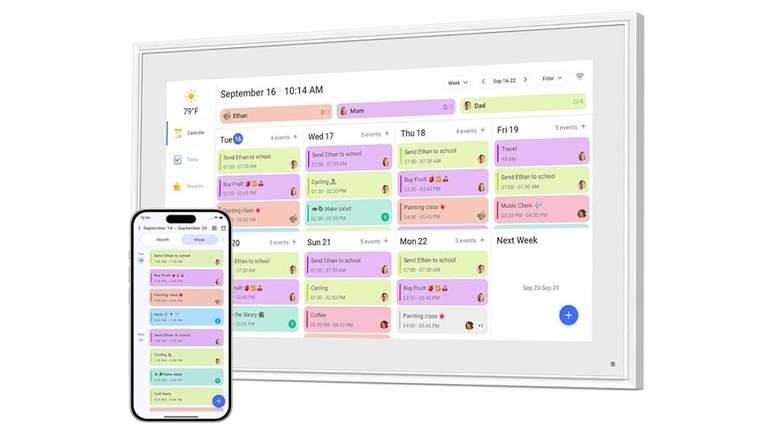
When you're looking for a large, family-based calendar, the Canupdog Digital Calendar is a viable option. The Canupdog syncs with your Wi-Fi and smartphone, displaying your family's full schedule in an easy-to-read format. Everything is automatically synced to your devices when changes are made on a smartphone, and it also includes task tracking and a smart photo display. It features full automatic syncing with Google Calendar, Microsoft Outlook, and Apple iCloud, depending on what other applications you use.
It's a 27-inch display with a wooden frame outline, and has a 1080p resolution screen for any photos or videos you put on when it's not normally in use. If you don't want to hang it up, you can use it on a table. It's available for $351.89 and comes in a range of sizes. You do not need a subscription to use it, but if you subscribe to Prime, Amazon Music, or streaming services, you can access them via the calendar.
Those who have purchased the Canupdog Calendar say the screen is clear and responsive, the photo function is great, and they enjoy how it replaces physical papers and lists to aid organization. It's easy to use, and the display quality is a significant highlight, as testified by its 4.2-star average rating.
FlyEVFish Digital Calendar
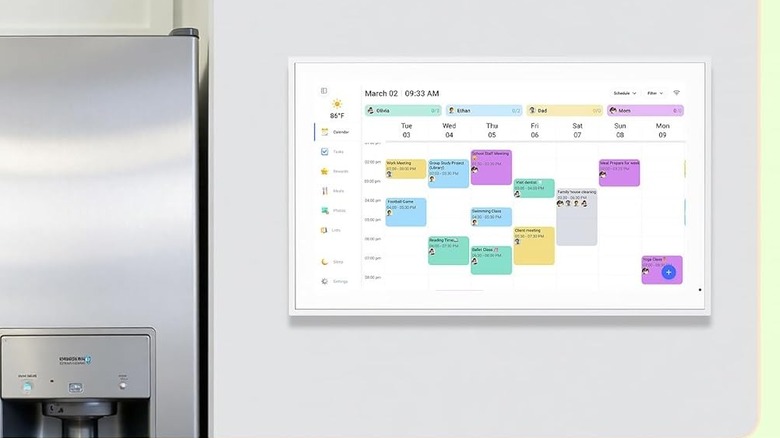
The FlyEVFish Digital Calendar allows families to create customized profiles with unique colors, making it easy to see color-coded schedules in a weekly format. It syncs with Wi-Fi and other smartphone devices to automatically provide updates to all connected members. It also offers full automatic syncing with Google, Outlook, Cozi, Yahoo Calendar, and iCloud through a smartphone's connected eCalendar application.
You can use the interactive task and meal plan chart for daily routines and to-dos, and create customized rewards to encourage everyone in the family to get involved. Alongside all of these applications, when you're not using the calendar, it automatically displays photos or the weather for you to check at a glance. Available at the regular list price of $249.99, with no additional subscription required for the item you use alongside this device, the FlyEVFish garnered 4.3 stars from reviewers.
Customers enjoy having purchased the FlyEVFish Calendar because of its large touchscreen, how easy it was to set up, its sleek and modern design, and how it helps motivate kids to get their chores done. Reviewers who have had a chance to use it say it's user-friendly for all ages and makes communicating easy in a hectic and busy family environment.
LOOFII Digital Calendar
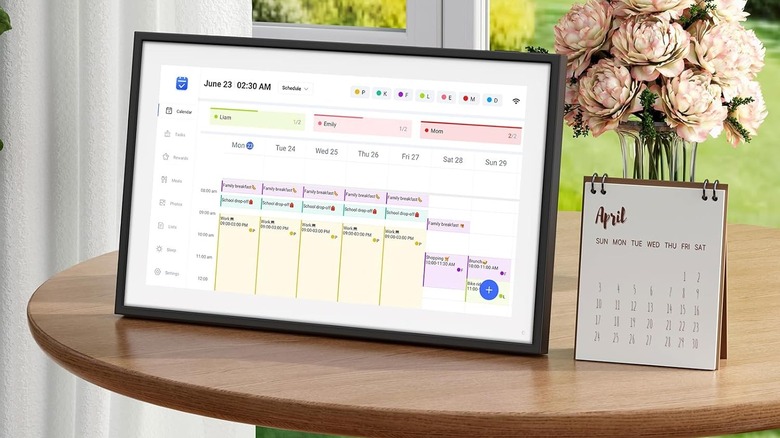
The Loofii's Digital Calendar provides a simple calendar format with everyone's schedules on display. The schedule is broken down into multiple days, with several profiles capable of hooking up to it. It connects to the home's Wi-Fi network, allowing it to operate with a profile on a smartphone, Google, iCloud, Outlook, or eCalendar application, along with an interactive chore-and-reward chart, meal planner, and local weather.
When you're not using it, it becomes a photo display for any pictures you want to download to it. It can hook up to a wall or be displayed elsewhere in a home, such as a table or countertop, where everyone can easily access it. Available for $89.99 in the smaller 10.1-inch size, $169.99 for the 15.6-inch size, or $232.29 for the 21.5-inch display. All sizes include the same features, and none require a subscription to access everything. The smaller version can make for a great gift for a remote worker you know. It has a 4.3-star average rating.
Customers who have picked up a Loofii Calendar enjoy it because it is easy to set up on their computer and phone to keep everything together, and it has a bright, easy-to-read display with a responsive touchscreen. Reviewers who have used it find that its seamless Wi-Fi connection and updates make it easy to keep up, and robust customer support is great for customers who need assistance.
Bsimb Digital Calendar
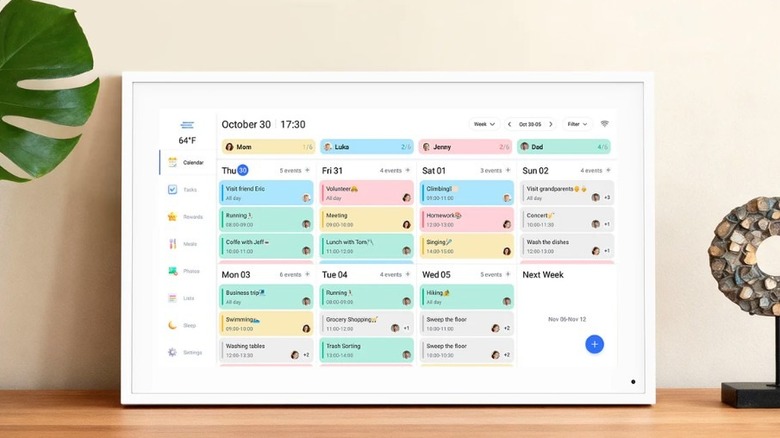
The Bsimb Digital Calendar features a weekly calendar with multiple profiles for family or multi-person households. It connects to Wi-Fi to make it easier to sync across smartphones, with an all-in-one home assistant that can help personalize chore charts if a family wants to use it, and a meal planner. You can send photos or videos directly to the calendar, which displays them for everyone to see when you're not using it. Users connected with the device can view it from their smartphone and make adjustments remotely. It is available in multiple sizes, from 10.1 to 32 inches, with the smallest at a current sale price of $79.99 and the largest at $433.49. All sizes include the same features, and none require a subscription to access everything available.
Others who have left reviews for this device recommend it for anyone in a family who has to keep track of a hectic schedule. The large screen makes it easy to read and run through everything happening in a day. Some reviews highlight that they can display pictures on the screen while playing music, which is a fun plus for them. The Bsimb has earned an average 4.4-star rating on Amazon.
Methodology
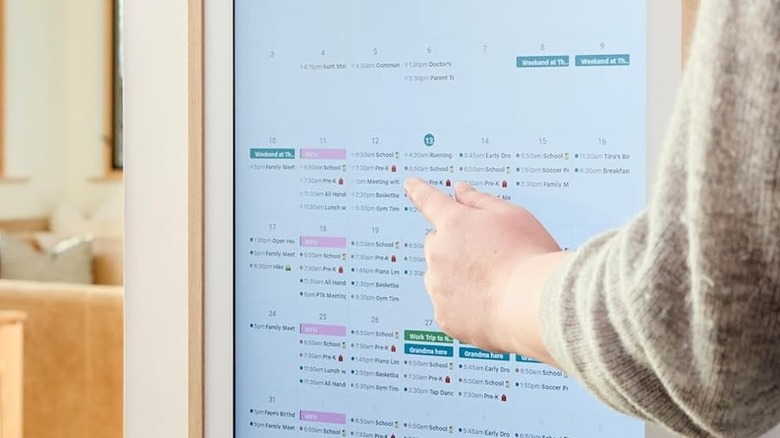
For the best alternatives to the Skylight, we wanted to ensure the recommended calendar was a fully digital device that could sync with smartphones. These had to be options that worked seamlessly together, making it easy for families at home or away to keep track of everyone's schedule on the device itself or on their smartphones.
When considering which products to add to this list, we wanted ones with a clean, user-friendly interface and multiple options, such as chore charts and meal planning for a household. It was not required, but was a bonus if any of these displays also worked alongside other smart home devices, such as the Amazon Echo Show, which worked directly with Alexa and other smart devices via voice commands. All listed items have a 4.0-star rating or higher based on customer reviews.