

4 Major Disadvantages Of E Ink Displays
E Ink displays have earned their place among our most commonly used gadgets, especially when it comes to e-readers, and that's mainly because of their low power consumption and good visibility under strong sunlight. There are also advantages related to eyesight and long reading sessions, since E Ink screens can reduce eye strain in some situations. Even with these qualities, they still have some important limitations, especially when used in other applications.
Much of this disadvantage comes from how these panels create an image. That is because, instead of refreshing pixels continuously like an LCD or OLED, E Ink moves particles into clusters to form what you see on the screen. This process consumes much less power, but also makes transitions slower, which makes more complex animations harder. With videos or games, for example, the difference becomes clear as soon as you start using it.
Newer color models have expanded the potential for E Ink screens, but they also come with new compromises in quality. For that reason, we've separated some disadvantages of E Ink that explain why these screens remain limited to e-readers and niche devices and did not become as popular as OLED or LCD in smartphones or other displays.
E Ink displays have much slower refresh rates
One of the biggest disadvantages of E Ink probably lies in its refresh rate. While LCD and OLED screens can refresh the image at a frequency of 60 or even more times per second, E Ink needs to reorganize physical particles to form each new frame. Even with newer panels that promise 60 Hz refresh rates, like the accessory that adds an E Ink display to your phone, there can be noticeable tearing or ghosting (more on that later), so it still doesn't behave like a traditional LCD or OLED.
In practice, for anyone used to smartphones or modern monitors, this low refresh rate makes animations or screen scrolling feel less smooth. Videos and games usually suffer the most from this, because they depend on that high refresh rate to show movement in a natural way. On the flip side of that, when reading books or performing tasks where you leave a static image on the screen for an extended time, this E Ink problem does not have much impact.
Colors still can't compete with LCD and OLED displays
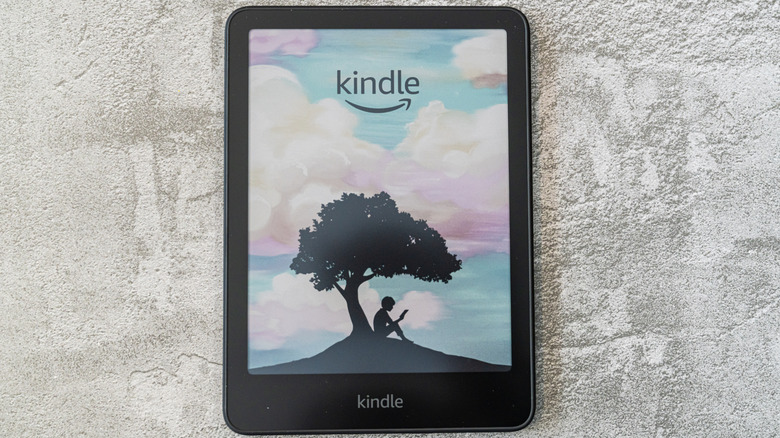
One of the biggest new advancements in recent years has been color E Ink screens, and although these new panels have greatly expanded what they can display, they still fall behind LCD and OLED screens. E Ink's Kaleido technology can reproduce thousands of colors, but traditional screens operate with millions, making everything more vivid, with a wider range of tones and good contrast.
Including colors in an E Ink screen can also reduce image sharpness. On some panels, the resolution available for color content is lower than the one used for black and white text, which creates a clear difference in small details. Even in normal text, you may notice some differences in quality, and this is also one of the biggest disadvantages of the Kindle Colorsoft for many users.
For anyone who likes reading comics or needs to analyze documents with more graphic detail, this difference in screen quality can become more evident. In addition, because it needs to generate more colors, a Kindle Colorsoft battery doesn't usually last as long as traditional models, which can be a problem for anyone expecting the legendary battery life of traditional E Ink devices.
E Ink devices can be more expensive
Another disadvantage of an E Ink screen is its high cost, and the price can deter many people looking for devices with this type of display. The Kindle Paperwhite, for example, costs around $160 for a version with ads built-in, and more advanced models can raise that amount by a lot. In fact, the high initial investment is one of the main disadvantages of buying a Kindle, especially since these devices focus primarily on reading, which can lower their perceived value when comparing them to all-purpose devices.
If we consider one of the more advanced versions of E Ink, such as the Kindle Colorsoft, the comparison becomes even clearer. The 16 GB model costs $250, which puts it in the same price range as Samsung's Galaxy A17 5G smartphone. At that price, the phone delivers a Super AMOLED screen, cameras, 5G connectivity, and access to millions of apps for streaming, communication, and other activities. The Kindle, on the other hand, concentrates much of its value on the E Ink screen optimized for reading.
Ghosting and screen flashing can be distracting
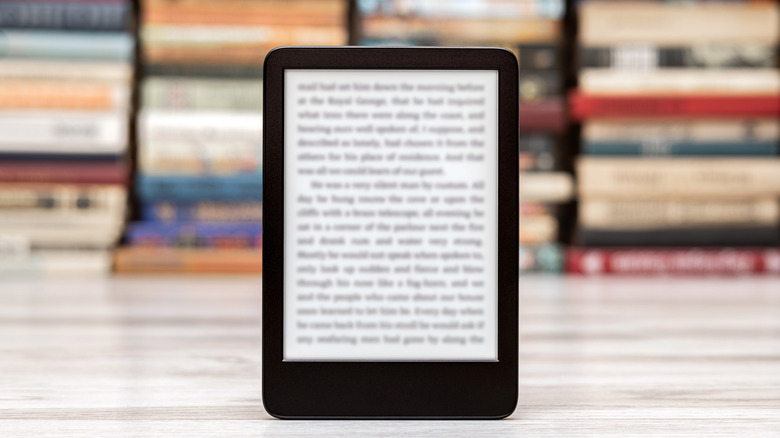
Ghosting is one of the most noticeable limitations on an E Ink screen, especially during fast navigation. After changing pages, parts of the previous content can continue appearing very faintly in the background. Instead of delivering a completely clean transition like LCD or OLED, the panel can carry small temporary artifacts, something that draws attention when there is a lot of text or high contrast elements.
To reduce this effect, many e-readers perform full screen updates at regular intervals. Amazon's e-reader, for example, offers a Page Refresh option among its reading setting. It's certainly one of those Kindle settings worth changing, because it forces a full update at every page turn and helps remove residual text that could remain visible after the refresh.
Temperature can exacerbate this behavior. Since E Ink depends on the movement of particles suspended in fluid, cold environments can make updates slower and increase the chances that residual images remain visible. Most E Ink panels are designed to work within a relatively limited temperature range, and if they are outside of this band, the visual stability you get can be greatly affected.