

Here's Why You Might Be Hearing AI Voice-Overs On YouTube Without Realizing It
Whether you want it or not, artificial intelligence (AI) is becoming more pervasive and unavoidable. For several years now, companies have been adding AI features to existing products and platforms, often opting users in by default and not allowing them to opt out. That's how it is with Google's AI search, which you can avoid but not fully turn off. YouTube also has annoying AI features like automatic dubbing, which you may have already heard without realizing it.
YouTube's automatic dubbing, which rolled out for all users in early 2026, uses AI to translate and voice audio tracks. It's meant to remove the language barrier and expand access to content, supporting over 25 languages so far. In practice, the feature seems to mainly exist to frustrate users in non-English-speaking countries, especially those who are proficient or fluent in English and would prefer to stick with the original language.
Many international users have reported that the translations are generally low quality and poorly voiced. To help combat that impression, YouTube offers Expressive Speech in eight languages (English, French, German, Hindi, Indonesian, Italian, Portuguese, and Spanish) that's intended to better mimic the original speaker's tone and can help the voices sound a little more lifelike. Even if it sometimes sounds realistic, though, AI dubbing runs into the same issues as human-made translations and dubs, such as context and syntactical differences. Translation is difficult, even for professionals, and it really needs a human touch to account for things like proper grammar, intonation, and subtext.
How to avoid YouTube's automatic AI dubbing
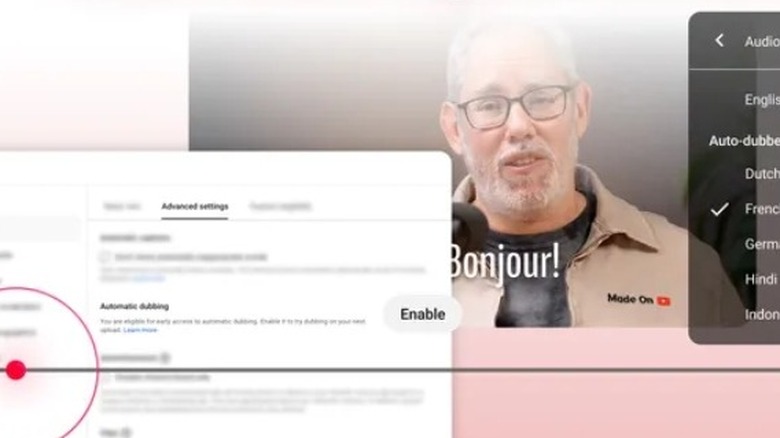
YouTube doesn't allow users to fully opt out of seeing automatically dubbed videos, but there are some ways to avoid the feature. It's the same approach the company takes with AI-generated content on the platform, which can be limited but not altogether blocked. If the video you're watching is being dubbed, you can simply click on the settings icon at the bottom of the video player and change the audio track to the original language, which is labeled as such. If you don't set your preferences, YouTube will select a default based on your watch history.
The best way to avoid AI translations on YouTube is to set your preferred languages. To do that, open your settings and go to Playback and performance, then Add or edit languages. With that set, any video that's in one of your selected languages will automatically play the original audio track. However, YouTube will still default to auto dubbing for any videos in languages not on your list.
If you're a content creator, YouTube gives you more control. While auto dubbing is enabled by default, you can turn it off for your channel or individual videos. There are also options to preview a dub, review a transcript, upload your own dub, and turn experimental features off or on. That last one is especially important since YouTube is testing a Lip Sync feature that uses AI to adjust a speaker's lip movements to match a dub, which might cross a line for some creators and the people in their videos. Given how terrifying AI voice cloning technology and similar software are, it's at least good that YouTube creators have a say in how their videos look and sound.