

5 Useful Gadgets For Your Home's Entryway
We may receive a commission on purchases made from links.
So you've decided to upgrade your living space and introduce some new tech for your home. Usually, the bedroom, living room, and kitchen get all the fun and cool stuff first. These are, after all, the places where you spend most of your time. But there's actually another part of your home that you use very often and one that's also easy to overlook: the entryway. You might not linger there for long, but the portal to your home does see a lot of activity during the day — this is where you greet guests, drop off your keys, and receive packages. That's why it only makes sense to add some gadgets to your entryway too.
There are actually several useful tech pieces you can use here. Some are designed for enhancing your home's security, while others simply help keep your everyday home life more manageable. If you're looking to make your entryway more functional, here are five useful smart devices to check out.
Tapo C260 security camera
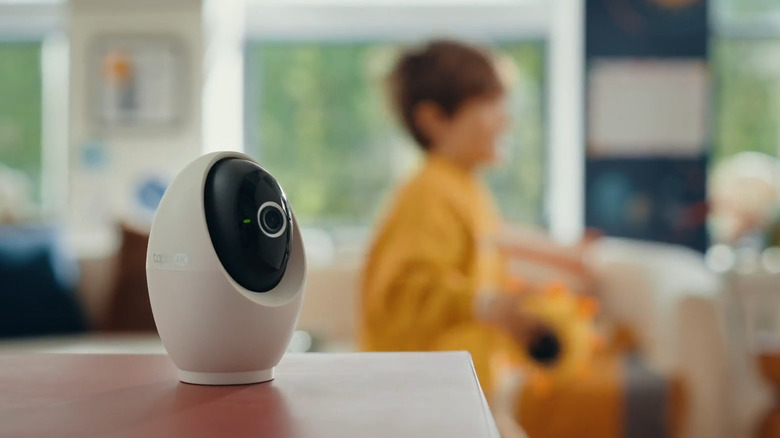
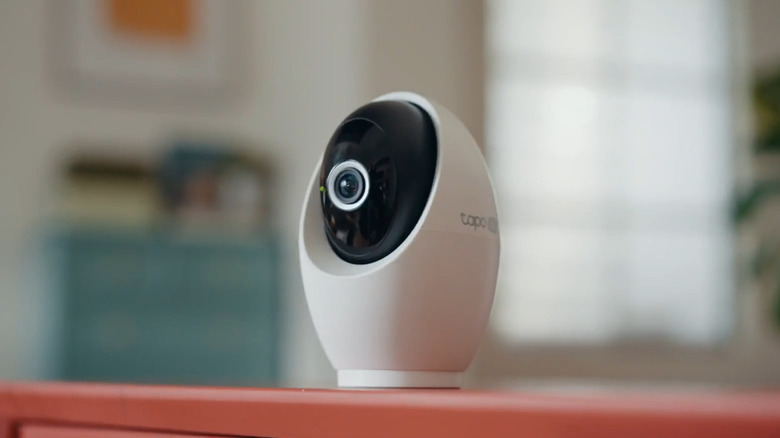
Your entryway needs protection at all times, whether you're at home or in the office. To keep an eye on the activity near your door, you'll need an indoor security camera like the $60 Tapo C260. It's built with 4K video resolution support, as well as a spotlight and a starlight sensor, letting you capture crystal-clear footage in full color both day and night. The camera can also rotate 360 degrees horizontally and 116 degrees vertically, so it can monitor and track motion even beyond your entryway.
Other than recording the activity, the Tapo C260 informs you of what's happening, too. Its smart artificial intelligence (AI) detection and notification features send you an alert whenever a person or pet is detected in the zone. The device can even recognize faces. Then, from the companion mobile app, you can quickly find the specific times when these recognized faces or unknown strangers show up. Unlike many other security cameras, you can access and use these AI features for free — no subscription required. Plus, the AI processing happens locally.
There are other convenient features the Tapo C260 offers, too. For one, it includes two-way audio for remote communication and microSD card support up to 512 gigabytes (GB). It can also be integrated into your existing smart home system, particularly Amazon Alexa, Google Home, and Samsung SmartThings. In terms of placement, you can simply leave the camera on your entryway cabinet or mount it on the wall.
ThirdReality door and window sensor
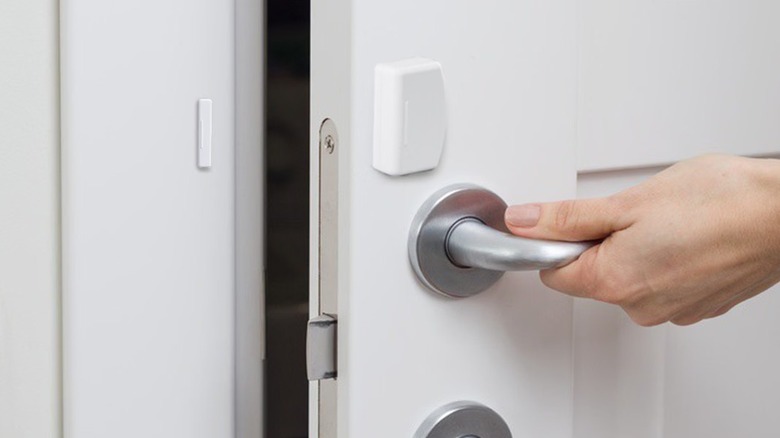
The last thing you want is to accidentally leave your entryway open, especially at night or when you leave the house. That's why it's a good idea to install a door sensor right in your entryway. One solid option worth checking out is the ThirdReality door and window sensor.
Available for $20, this Zigbee contact sensor is one of the most affordable home security gadgets you can buy. Every time it's triggered, it sends voice alarms to your compatible smart speaker and a notification to your phone to keep you aware of anyone accessing your entryway. You can also monitor the sensor's state remotely anytime or view its history log to see when the door was opened or closed.
The ThirdReality Door and Window Sensor is compatible with a wide range of systems, including Alexa, Homey, Home Assistant, SmartThings, and Hubitat. You do need a Zigbee hub or smart speakers with a built-in Zigbee hub to use it, though. If you'd like to add the sensor to other popular systems like Google Home and Apple Home, you need to pair it with the Smart Bridge MZ1 instead. This turns the sensor into a Matter-compatible device. Conveniently, the ThirdReality Door and Window Sensor runs wirelessly on replaceable AAA batteries that can last for as long as two years. Installation is quick and easy, as well, using the included double-sided tape.
Aqara Cube T1 Pro smart switch
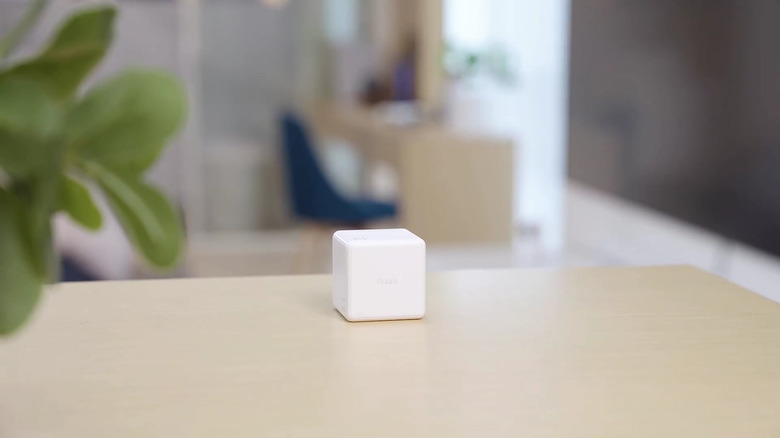
Having multiple smart devices at home makes everyday life much more convenient. The thing is, though, it can be a hassle to turn all of them on and off whenever you leave or come home. Sure, you can set up scenes or routines to control multiple devices at once, but that usually means pulling out your phone when you get to your door or calling out to your smart speaker, which is often in the next room. As an alternative, you can set up a physical smart switch near your entryway instead. The Aqara Cube T1 Pro is one of the most versatile choices on the market.
This device is a cube where all six faces can represent a specific scene. For instance, Face 1 can be your Away Mode, where all lights, fan, and smart plugs are turned off, the curtains are closed, and the door is locked. Face 2 can be your Home Mode, which switches on the lights, sets the thermostat to a comfortable temperature, and activates privacy mode on the security cameras. Before you leave the house, all you need to do is turn the cube with Face 1 on top, and Away Mode will automatically take effect. Then, when you get home, just flip the cube to Face 2.
You can assign the remaining sides of the cube to individual devices, too. Say, Face 3 turns on the robot vacuum and Face 4 switches the coffee maker smart plug. Some gestures, such as push, shake, tap twice, flip 180 degrees, flip 90 degrees, and rotate, are also supported via the Aqara Home app. Other than the Aqara system, you can add the Cube T1 Pro to HomeKit, Alexa, and IFTTT, as long as you have a Zigbee hub.
BSIMB 24-inch digital family calendar
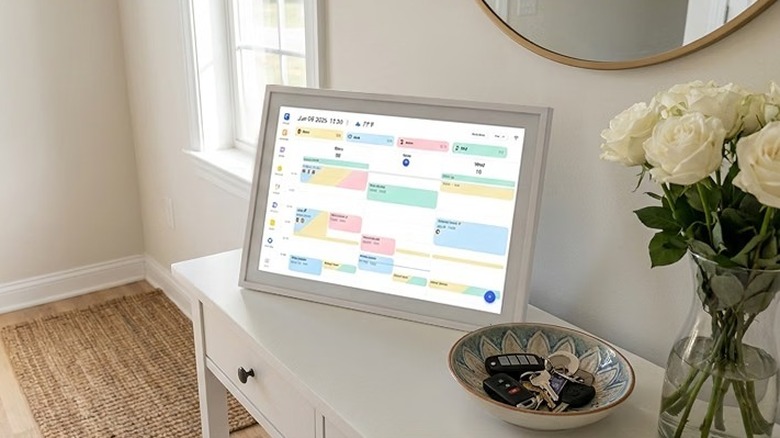
A digital wall calendar is one of the best smart tools to help you stay organized at home. But aside from the kitchen and living room, it actually comes in handy in your entryway, too, since the dedicated screen makes it quicker to view your events and to-dos before you step out of the house. If you're looking for one to install in your entryway, check out the BSIMB 24-inch digital family calendar.
This gadget features a home dashboard, where you can see your calendar, tasks, and important events all on one screen. You can sync it with Google Calendar, iCloud Calendar, Outlook Calendar, Yahoo Calendar, and Cozi Calendar, and pair it to your mobile device, so you can easily input new events, to-dos, and grocery items and have them appear on the screen. The best part is that BSIMB has no subscription fees required. All core features are accessible for free.
Like most other digital family calendars, BSIMB comes complete with more tools for your household. There are separate sections for creating your meal plan, jotting down your to-dos, and assigning tasks to individual family members. It also includes a whiteboard for leaving notes. You're free to add multiple users to the calendar, all with different levels of permissions. You also get access to settings to tweak the digital calendar to your liking. For instance, you can schedule its sleep hours, which turns the screen off, and adjust the text size as needed.
eufy FamiLock S3 Max smart lock
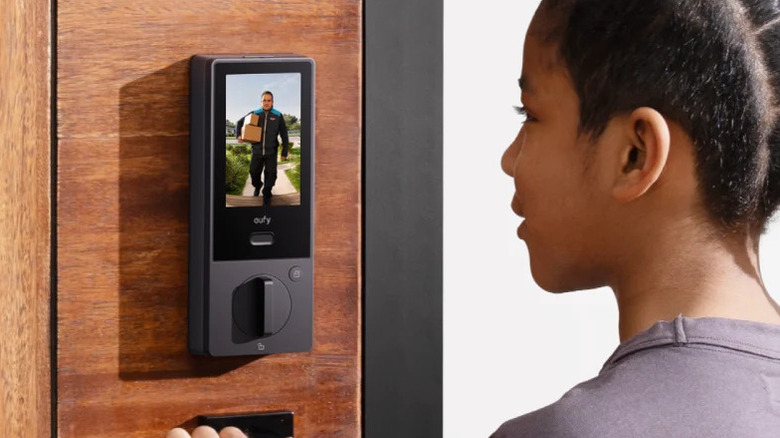
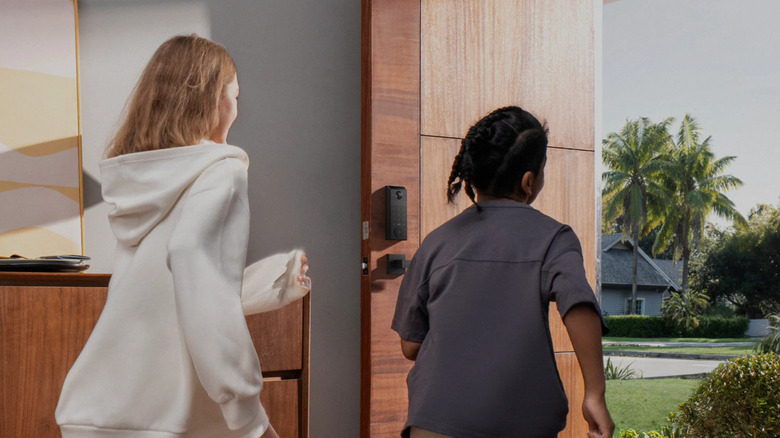
If you like the convenience of accessing your home without a key, then one of the best gadgets to install in your entryway is a smart lock like the eufy FamiLock S3 Max. It uses palm vein recognition technology, which scans the vein patterns on your palm to tell you apart from other people. This provides nearly 100% accuracy compared to fingerprint scanners, while also offering significantly faster reading. In fact, it can recognize your palm in as fast as 0.1 seconds. In case of emergencies, though, this smart lock still works with a physical key backup.
Apart from being a smart lock, the eufy FamiLock S3 Max doubles as a camera and doorbell, too. Its camera can record in 2K and is wide enough to capture visitors from head to toe. You can use it at night, as well, thanks to its night vision. As for the doorbell functionality, every time someone rings it, you'll get a video call from the eufy app. This allows you to see and talk to the visitor from your phone. If you have family members who don't have access to the app, they can still check who's outside via the four-inch internal video screen next to the door.
The eufy FamiLock S3 Max is conveniently Matter-compatible, so it should work with Google Home, Alexa, SmartThings, and Apple Home. Runtime-wise, this smart lock is powered by a rechargeable battery with a 15,000-milliampere-hour capacity. So, it only needs charging just once every five months or so. For backup power, the S3 Max uses four AAA batteries.
How we picked these useful gadgets for your entryway
All of the products on this list are available for purchase on Amazon, helping to ensure wide accessibility and opening up the potential for future price discounts. Each of these gadgets has received feedback from at least 600 Amazon customers, with the majority of them leaving a positive rating of their experience with the items.
Beyond the Amazon connection, each of these recommendations was selected based on how useful it will be for a home's entryway. Each item either solves a common problem or makes some entryway tasks more convenient to do. We also focused on products that won't require professional installation, so you should be able to set them up quickly on your own.