

How Much Would It Cost To Replace A Battery In A 10-Year-Old MacBook?
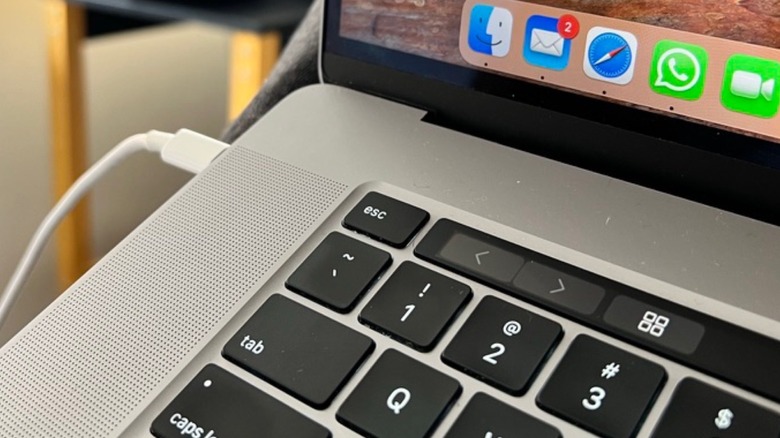
Officially, Apple has its own service to replace the battery in its MacBook laptops. However, it says it can offer this repair for the oldest Macs: the 2017 MacBook and the 2017 MacBook Air, both costing $249. If we're talking specifically about the 2016 MacBook, MacBook Air, and MacBook Pro, the easiest way to check an estimated price is through iFixit, which offers tools and manuals for users to replace their own Mac batteries. Prices for these models range from around $68 for the battery alone on an 11-inch MacBook Air to up to $138 for the 12-inch MacBook. The price can go up if you need all the parts and tools to complete the guide.
Still, while replacing the battery yourself wouldn't cost users more than $150, there's always a catch: can you open your MacBook and replace its battery? As a tech journalist myself, I wouldn't dare open my MacBook, even with all the proper tools and parts. If I replaced the battery in a 10-year-old MacBook, it would cost at least $200 at a third-party shop, since I'd have to factor in the technician's labor. That said, while replacing the battery in a decade-old MacBook wouldn't cost much, the real question is whether it's worth it for users, or whether it's time to upgrade to a newer model.
Is it worth it to replace the battery of a 10-year-old MacBook?
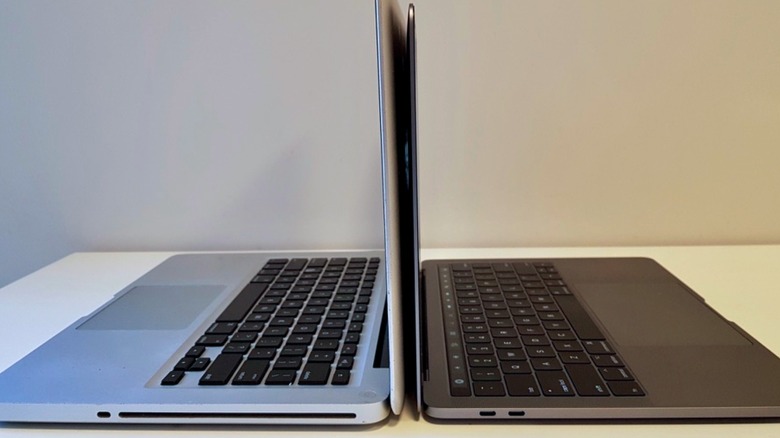
If your 2016 MacBook lasted for the past decade, I'm impressed. That said, we're talking about at least a 12-inch MacBook, an 11- or 13-inch MacBook Air, and possibly the first-gen MacBook Pro with Touch Bar, or the MacBook Pro without it. Whatever your Mac laptop is, there are a few assumptions that are easy to make about them: They haven't been updated for a few years, they might only have outdated USB-C ports (except for the MacBook Air, which, at that time, still had other [outdated] ports), and they're possibly extremely slow, because nothing can properly run on them anymore.
Most importantly, if you were able to take care of a MacBook with a butterfly keyboard, which was so prone to breaking, then it's really impressive that it made it this far. With that in mind, the best thing you can do with this Mac is back up all your information to an external portable SSD or put it all in iCloud, and get ready for a new machine. After all, Apple has been shutting down support for Intel Macs, and even the 2019 and 2020 models can't be upgraded to macOS 27; in about a year, Apple will completely remove support for legacy apps, meaning developers might deprecate those versions soon as well. In addition, legacy software eventually becomes unsupported for even basic tasks, including web browsing, because of new privacy and security standards, meaning that while you can replace your Mac's battery, you should probably get a new one.