

This App Lets You Control The Glowing Apple Logo On Your MacBook
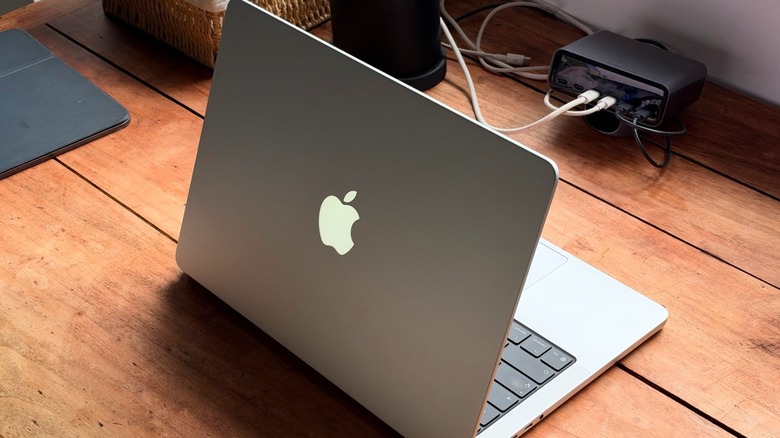
In October, Apple announced the all-new MacBook Pro with PROLED XDR display. The company's most expensive MacBook features a new Tandem OLED screen with a Dynamic Island replacing the previous notch, more impressive speakers, a lighter design, and, most importantly, the return of Apple's glowing logo. A decade after the company ditched the feature, it's now bringing it back. What's interesting about the new glowing Apple logo is that it can either be switched off to look like previous MacBooks or adjust automatically with your display brightness. Still, since Apple doesn't allow users to customize the glowing logo, an indie developer Juan Buis created his own app to do that.
The Backglow app is free to download and offers everything you might need to control the new MacBook Pro's glowing Apple logo. On the free tier, you can have four different settings: Off; Steady, which keeps the logo on at a brightness you choose; Breathe, which makes the Apple logo fade in and out like the old MacBook sleep light; and Battery, which dims the logo as the battery level drops. Most importantly, the app runs locally, meaning you don't need to create an account and the developer doesn't track your usage. Once you get it, it's all yours, and you can use its menu bar icon to select between modes and the amount of brightness.
A pro version gives you extra perks, but you can survive without it
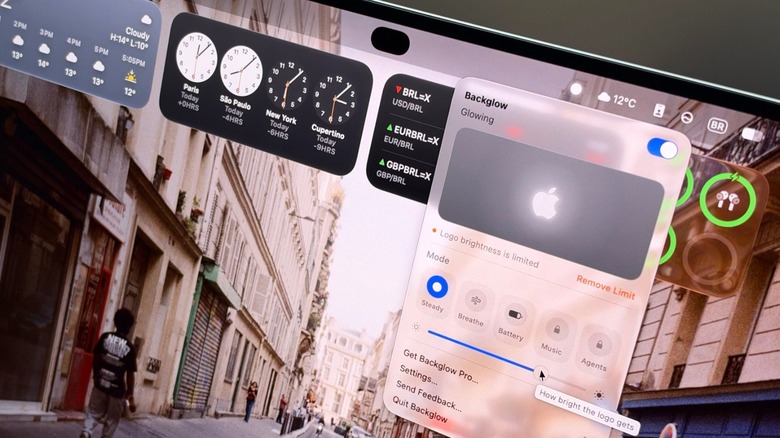
Backglow also offers a Pro version, which is currently at a launch price of $9, and after a period it will be $15. In addition to everything available in the free version, you get two extra modes: Music and Agents. The Music mode makes the Apple logo light up on the beat of whatever your Mac is playing. The developer says the function listens to what the Mac plays, but it doesn't use the Mac's microphone, meaning nothing is recorded, saved, or sent anywhere.
The Agents mode works with Claude, the most comprehensive AI toolset available, and it shows what Claude Code is doing. For example, if you have a soft glow, it means Claude is waiting, a steady pulse shows it's working, and a quick double blink means the agent needs you. To connect everything, you need to get the Pro version of Backglow, choose Agents, and then Connect with Claude.
That being said, while the app is pretty straightforward and does exactly what you might expect, it's important to note that you're never facing the Apple logo while you work, as it's behind the lid. However, Backglow can keep the logo glowing even with the lid closed, which is handy for Agents mode when you step away. Otherwise, how useful it is depends on how dark the room you're working in is, or whether you'd just like to show other people that you own the all-new MacBook Pro with PROLED XDR display and a glowing Apple logo. Whatever your reason might be, the Backglow app works as intended, and it's currently the most interesting option for the latest MacBook Pro users. If you just got the new Mac, there are also a few essential apps you should install on your new laptop.