

Alexa Photo Frame Review: Picture Imperfect
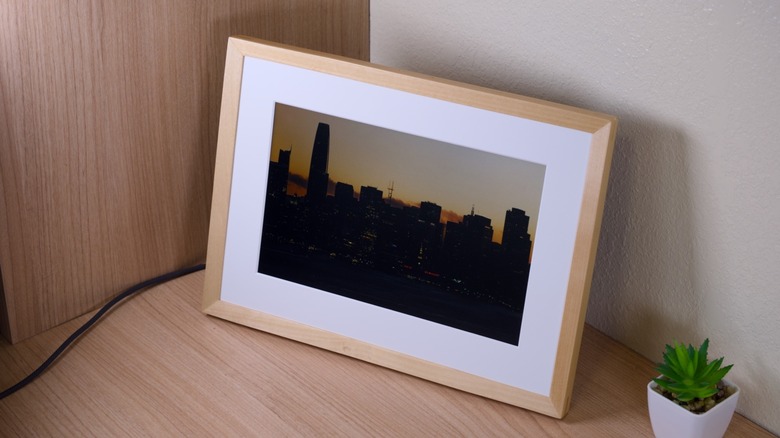
Amazon has given users the ability to display their photos on Echo Show devices for years, but the $200 Alexa Photo Frame is its first purpose-built digital photo frame. The device leaves out the Echo Show home screen, camera, and video playback. Apparently, Amazon also won't show ads on it. What remains is a landscape-only photo display with Alexa built in.
Though the hardware is fairly simple, it's not especially cheap — it starts at $200 for the black plastic model and goes up to $230 for the models with real wood frames. Perhaps the software, however, is what's most important. Alexa+, the company's more advanced voice assistant, can select photos based on faces, smiles, lighting, and season, respond to voice searches, pair related images, and play voice notes attached to pictures.
So, is Amazon's Alexa Photo Frame worth considering despite its arguably lower resolution display, limited app integration, and lack of smart home features? We've been spending some time with it to find out.
Design
Much of the Alexa Photo Frame's front is given over to a soft-white mat, which helps it look like a framed print rather than a tablet propped up on a stand. The Aura Carver Mat — a competitor that retails for $179 — uses the same basic landscape format. It measures 10.5 x 7.3 x 2.1 inches and weighs 1.61 pounds.
The wood finish on my review unit looks really good, and Amazon notes that the grain will vary from frame to frame. The detachable magnetic stand feels secure, and I like the magnetic approach, which holds the frame firmly without making assembly fussy. In the box, you'll find the frame, the stand, a power adapter, and a quick-start guide.
Orientation is more restrictive than I'd like. Since there's no portrait mode or automatic rotation, you're stuck with landscape, and Amazon says the frame isn't suitable for wall mounting. To be fair, the Aura Carver Mat frame is also landscape-only, but the $230 Aura Aspen supports portrait and landscape orientations. The $180 Lexar Pexar 11-inch digital frame also rotates between the two.
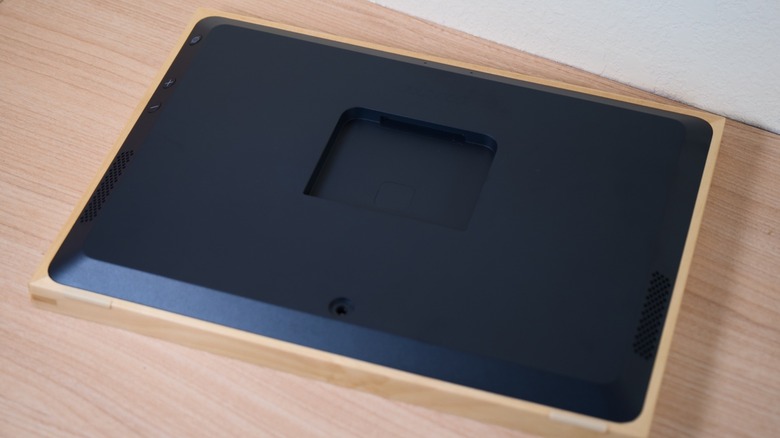
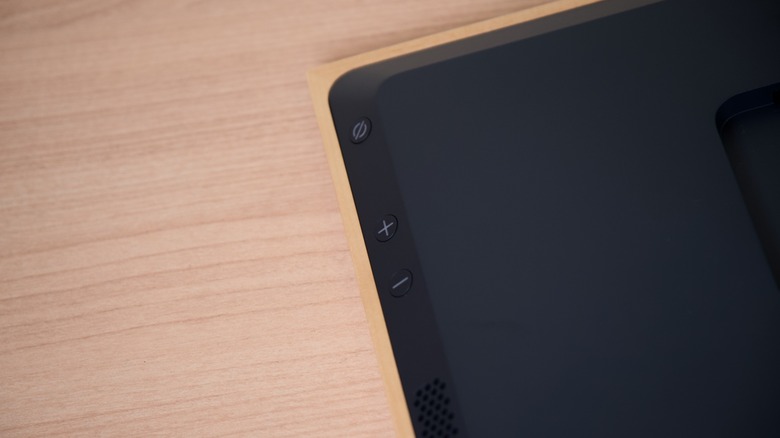
A physical microphone enable/disable switch sits on the back, and the volume controls are hidden behind one edge. Once you know where they are, they're easy enough to find, though you might not spot the volume buttons right away. Because there's no camera, the frame feels right for something designed to sit in a shared room.
The only cable is power, and you won't find an SD card slot, USB port, or any other wired input. Amazon doesn't publish a storage figure for keeping a local photo library. In contrast, the Lexar Pexar includes 32GB of internal storage plus SD card and USB inputs, while the Skylight Frame 2 has 16GB built in. Amazon's frame depends on Wi-Fi and Amazon Photos instead. That means a network outage can affect what it's able to show.
Features
Alexa+ curation is the frame's biggest differentiator, and Amazon says it looks at faces, smiles, lighting, and the current season when deciding what to display. It also filters out screenshots and receipts, then automatically adds new photos from featured people or albums. In theory, that should make the frame feel less like a slideshow you constantly have to manage. It also raises the stakes when something goes wrong. One unflattering or misidentified photo in front of guests can undo more trust than a month of good selections builds, so avoiding bad picks matters just as much as finding great ones.
Voice search makes the library much easier to navigate. You can ask to "show me photos from the trip to the beach with mom," rather than manually building an album for every occasion. The frame can also pair related photos side by side for then-and-now comparisons, which works best when there's an obvious visual connection between the images. When there isn't one, the pairing logic can look fairly arbitrary.
Voice notes are another good idea, and the workflow is fairly straightforward. You record one in Amazon Photos, attach it to a photo and then tap that photo on the frame to play it. Amazon says recording directly on the frame is coming later, which is a strange limitation for a device that already has microphones. The gift flow is better thought out, because a buyer can preload photos, albums, and voice notes before the frame ships to the recipient. That means it can arrive with something personal already on it.
Photos are the only supported media — there's no video playback. The Aura Carver Mat can play clips up to 30 seconds and iOS Live Photos. The Nixplay Classic supports video clips as well.
Amazon also lets only one service feed the frame. Amazon Photos offers Android and iOS backup along with iCloud import, but there's no Google Photos support. That's a meaningful limitation on a device meant to be shared by relatives, particularly when Aura supports both Google Photos and iCloud. Households with pictures spread across several services may have to change their workflow before the frame becomes useful.
Compared with the Echo Show 16, the narrower feature set is largely the point. There's no distracting home screen, no camera, and no advertising. But Alexa+ curation is software, so rivals could copy the broad idea through updates while Amazon's hardware omissions would remain. Amazon's best feature is also the easiest one for competitors to chase.
Display and audio quality
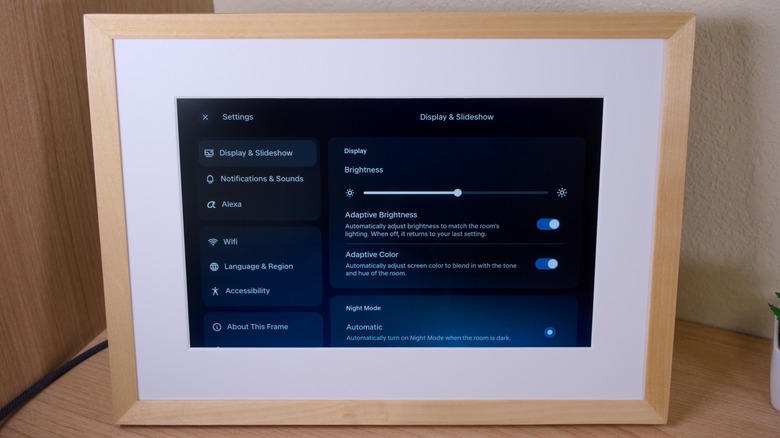
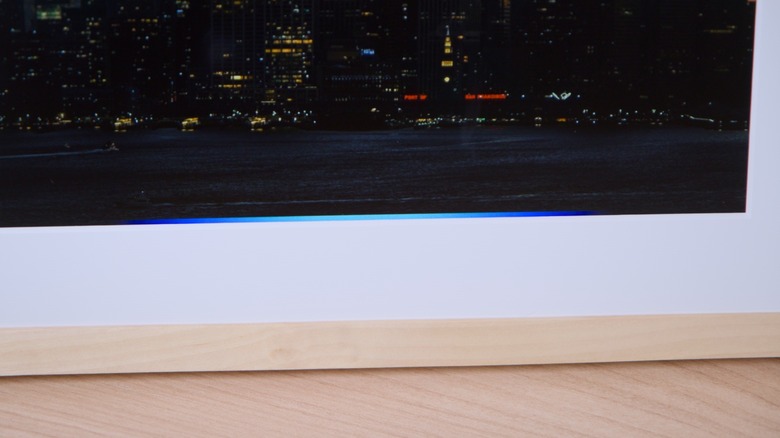
Amazon describes the 10.1-inch touchscreen as "high definition," which isn't actually a resolution. In reality, it's a 1280 x 800 resolution display with a 16:10 aspect ratio, which works out to about 149ppi. Pixels per inch measures how densely packed a screen's pixels are, and 149 is fairly low for something built around displaying photos. The semi-matte anti-glare finish and soft-white paper mat at least suit the framed-print look.
In normal use, the screen looks fine, despite its lower resolution. Photos aren't especially crisp, but at the distance you'd usually view a frame, the resolution didn't matter all that much. The similarly-priced Skylight Frame 2 offers 1920 x 1200 resolution on a 10-inch panel, while the Aura Aspen has a 12-inch (11.8-inch diagonal) 1600 x 1200 screen at the same price as Amazon's wood finishes.
The display is reasonably good at self-adjusting, which can help make photos look a little more natural. It has an ambient light sensor, which measures the light in the room and adjusts brightness automatically. In my use, it worked fine, though I found that it tended to display images a little brighter than I would have liked. The anti-glare finish is designed to soften reflections, and it does a good job at this — which means that you don't need to turn the brightness up as high.
The built-in speaker is better used for Alexa than for music. It's fine for alarms, voice notes, and spoken responses, and it can handle background music if your expectations are low. Audio is thin and distorts easily, so I wouldn't plan to use it as any room's primary music speaker. If you think of this as a photo frame with voice controls, that won't matter much. It's still another reason not to treat it as a cheaper Echo Show replacement.
App and subscription
Setup requires a smartphone, the Amazon Photos app, the Alexa app, and an Amazon account. Amazon Photos handles backups, albums, featured people, and voice notes. The Alexa app covers the assistant and device setup. Neither app is especially difficult to use, but splitting a single-purpose frame across two apps is a bit more hassle than I would have liked.
Displaying photos doesn't require a paid subscription, thankfully. But, if you want to get the most out of the device, you'll still need to pay a monthly fee. Curation, voice search, and photo pairing rely on Alexa+, which is included for 90 days. After that, it's free with Prime or costs $19.99 per month as a standalone subscription (which, as you might have noticed, is more expensive than a $14.99 Prime subscription).
Prime also includes unlimited full-resolution photo storage and 5GB for video. Non-members get 5GB free, with paid Amazon Photos storage starting at 100GB for $1.99 per month. The video allowance doesn't help the frame itself, of course, since it can't play video.
Standalone Alexa+ is hard to justify if this frame is your main reason for paying. Prime costs $14.99 per month and includes photo storage along with free shipping, access to Prime Video, and a host of other perks. Of course, if you have $19.99 per month for an AI subscription, Alexa+ may not be the one to go for — the likes of ChatGPT, Claude, and Gemini offer better quality and more features, though they don't have quite the same hardware ecosystem.
Rival frames also ask for less, and the Aura Carver Mat includes unlimited cloud storage with no required subscription. Basic display on the Skylight Frame 2 needs no subscription either, with Frame Plus optional at $39 per year. Amazon's approach makes the most sense in a household committed to Prime, Alexa, and Amazon Photos already.
Conclusions
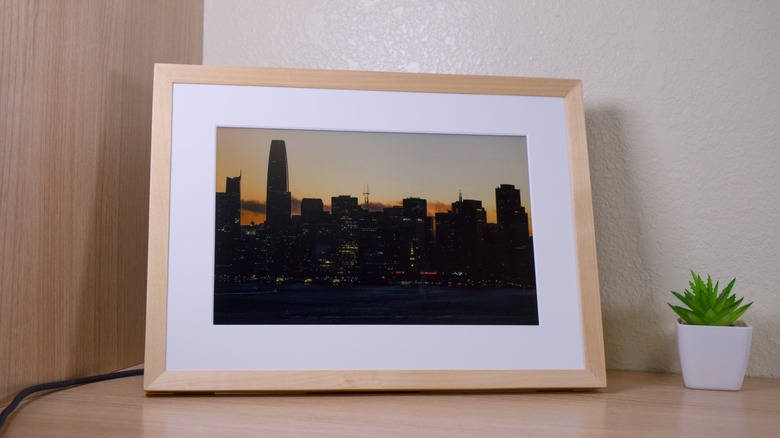
At its best, the Alexa Photo Frame fades into a room and reliably surfaces photos you want to see. The real wood finishes, lack of a camera, physical microphone switch, and lack of ads all support that purpose. Alexa+ curation is the strongest pitch for families already using Amazon Photos, while voice notes and preloaded photos add a genuinely personal touch.
The problem is value, and at $200 or $230, you're getting a low-resolution, photo-only screen with no useful local storage, no wired inputs, and a feature ceiling tied to Alexa+. The Aura Carver Mat is the value benchmark at $180, with free unlimited cloud storage and broader photo-service support. The Skylight Frame 2 is the smarter hardware option starting at $170, thanks to its sharper screen and 16GB of storage. At $230, the Aura Aspen offers a larger, sharper display for the same price as Amazon's wood models.
Like Amazon's Echo Time bedside clock, this is a narrowly targeted device at a high price. Because it's limited on features, the reason to buy it is more related to the integration with a subscription you probably already have, and other devices you might have around your home rather than it actually outperforming any of its closest rivals.
If your household is already deep in Prime and Alexa, you want a dedicated photo display without a camera or Echo Show home screen, and you're comfortable letting Alexa manage the selections, the Alexa Photo Frame is worth considering. Skip it if you need portrait orientation, wall mounting, higher resolution, Google Photos, video playback, local storage or wired input.