

5 Essential Apps You Need To Install On Your Pixel 11 In 2026
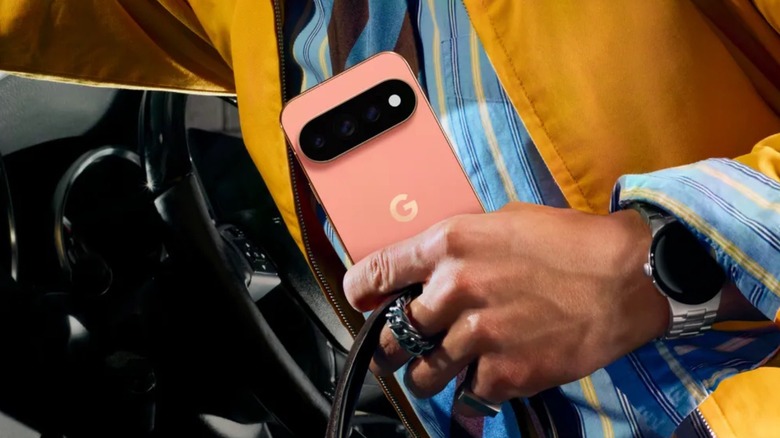
Released in August, Google has unveiled the 11th generation of Pixel phones, improving the hardware, upgrading the cameras, and focusing more on Gemini support thanks to its Tensor G6 chip. The lineup includes the Google Pixel 11, Pixel 11 Pro, and Pixel 11 Pro XL, focusing on durability, Gemini Intelligence, and the best-in-class Android experience. To match that, it's only natural to download a few essential apps to make the smartphone even more interesting. Among the options, Google Pixel 11 owners should try HiLight Studio, Material Capsule, and VWFNDR.
The apps selected by BGR have been widely praised by specialized media and customers. While some of my favorite everyday iPhone apps aren't available on Android, like Gentler Streak, Photomator, and Portal, the Google Play Store has an endless selection of apps, so we decided to focus on some apps that can customize how you enjoy the Pixel 11, its elevated AI features, and a pro camera app that can take the photo experience a step further.
In our Google Pixel 11 review, we highlighted how Google went for the easiest path, as the company decided to play it safe with the 11th generation of its phones, which, truth be told, is something that most smartphone manufacturers did in 2026, like Samsung with the Galaxy S26 lineup and Apple with the iPhone 18 Pro models. Still, these are among the best smartphones on the market, and these are some of the most essential apps for your new Pixel 11.
HiLight Studio
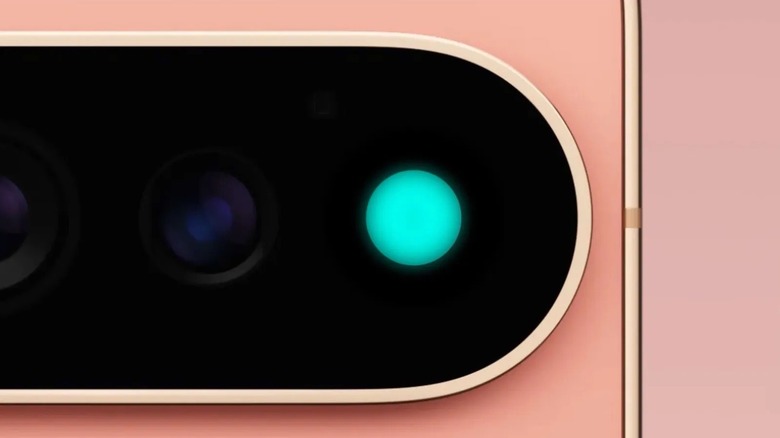
With the Google Pixel 11 Pro, Pixel 11 Pro XL, and Pixel 11 Pro Fold, the company introduced an eight-LED HiLight array for system alerts and favorite contacts. However, this cool gimmick is limited to just a few tasks, which can make it feel like an underwhelming experience, even if Google is finally supporting WhatsApp on its HiLight array. That said, the HighLight Studio app is an open-source utility that breaks those hardware limits by giving granular control over every LED in the module. With that, users can assign custom colors, fine-tune brightness and saturation, and choose from nine distinct animated patterns for any app on their phone. The app lets users choose between patterns like Pulse, Comet, Heartbeat, and Wave, and it also integrates a Quick Settings tile for instant toggling.
For Pixel 11 Pro owners, this app turns an underutilized hardware gimmick into something more useful by interacting directly with Android 17's light service via Shizuku or root, without requiring invasive workarounds. On a daily basis, it can help you make more conscious decisions about when to look at your phone's display and when you can ignore it, depending on the pattern pulsing on the HiLight, or whether you need to look at it immediately. HiLight Studio is free to download and available on the Google Play Store.
Pixel Screenshots
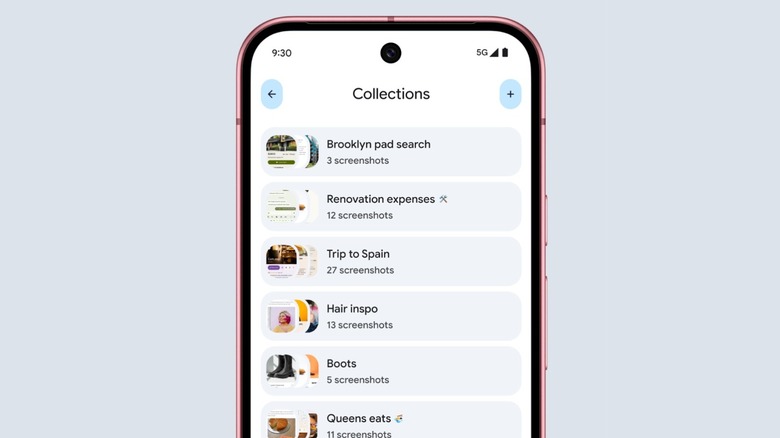
One of the worst things about any smartphone photo library is the number of screenshots. From gossip to things we meant to send later, it's easy to get lost in the digital trash we leave among our everyday pictures. Apple, for example, added a clever toggle that completely removes the screenshots from the main library, which is especially useful in a time when you can use Visual Intelligence for every image. Still, Google went over the top with an exclusive Pixel Screenshots app that turns these screen captures into a searchable personal memory bank. By using on-device AI processing, the app automatically analyzes every screenshot you capture and generates descriptive titles, concise summaries, and context-aware suggested actions. From there, you can organize images into dedicated collections, set scheduled reminders for specific captures, and use natural language search to pull up an image based on text or visual objects buried inside it.
The app shines for Pixel 11 owners thanks to the Tensor G6 chip, which rapidly and privately handles image indexing without anything leaving your device. More importantly, thanks to the deep system integration, the Gboard keyboard brings relevant suggestions from your saved screenshots directly inside the autofill bar when you open apps like Google Maps or YouTube Music, eliminating frantic scrolling when you're standing in line at an airport gate looking for a boarding pass, trying to remember the name of a restaurant recommendation, and so on. Pixel Screenshots is available for free on the Google Play Store.
Material Capsule
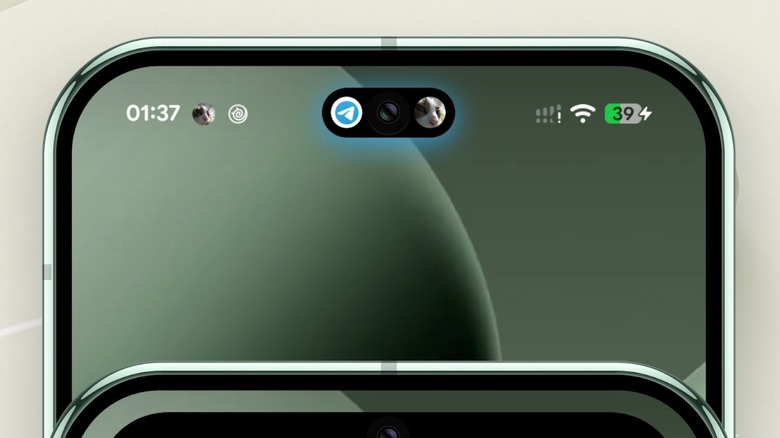
Material Capsule is the perfect app for anyone who wants to turn the hole-punch camera space into something more useful, like an iPhone Dynamic Island. Basically, this app transforms the static space into an interactive, pill-shaped hub inspired by Google's Material 3 Expressive design language. Still, it's important to note that the Material Capsule app is not a Dynamic Island copycat, as it takes the idea further by bringing pull colors from wallpaper, real-time download progress bars for apps, media playback controls, custom barcodes, and quick-adjust sliders for screen brightness, volume, and flashlight intensity — all with single taps, double taps, long presses, and swipes.
This app can be essential for Pixel 11 users as it honors Google's native visual identity while solving an ergonomic challenge on taller displays, as instead of stretching your thumb all the way down to the bottom navigation bar or pulling down the full notification shade multiple times, you can control all the basic information about what's going on with your phone with a single tap at the top of the screen. The Material Capsule app is free to download on the Google Play Store, and the free version offers no ads while still providing basic media controls, charging animations, standard notifications, and more. The Pro tier, which comes via a one-time in-app purchase, unlocks over 50 fluid capsule animations, advanced gesture mappings, and the ability to reply directly to incoming messages from this dynamic island. Other great apps also replicate the Dynamic Island on Android.
VWFNDR + MBL
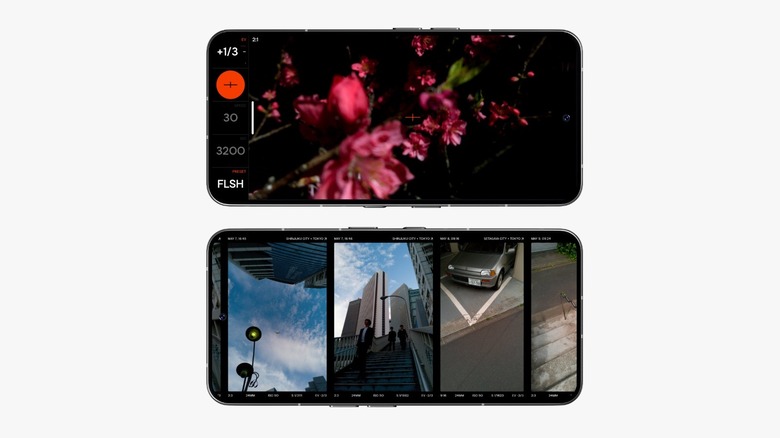
The Google Pixel phone has always been synonymous with great pictures. If you want to take your Google Pixel 11 to the next level, one of the newest and top camera apps is VWFNDR + MBL. This AI-free camera app was designed to make your smartphone behave like a dedicated compact rangefinder by removing computational photography work like sharpening textures, flattening shadows, and stacking HDR frames. This app bypasses the Pixel's heavy processing pipeline to capture unaltered 16-bit Bayer RAW digital negatives alongside ready-to-share JPEGs. Available in a single-screen interface that puts manual shutter speed, ISO, priority modes, and six traditional framing ratios right under your thumb, it's easy to swipe across the viewfinder to swap aspect ratios or remap your Pixel's physical volume buttons to act as a mechanical shutter release and function dial.
For Pixel 11 users, VWFNDR can be the go-to camera app, letting you enjoy the raw optical quality of the Pixel's sensor hardware without the unmistakable "smartphone look." The app comes with three film-inspired JPEG profiles: Natural, Nihon, and B+W and built-in C2PA Content Credentials that cryptographically sign every photo to prove it was captured by a real lens rather than generated by AI. While this is not as secure as Apple's Reference image, it is a great way to briefly slow you down when taking street photography, travel snapshots, and portraits. VWFNDR + MBL app is available for free to explore the viewfinder interface, and a single $4.99 one-time purchase permanently unlocks full photo capture and export with no additional subscriptions.
Opera Browser
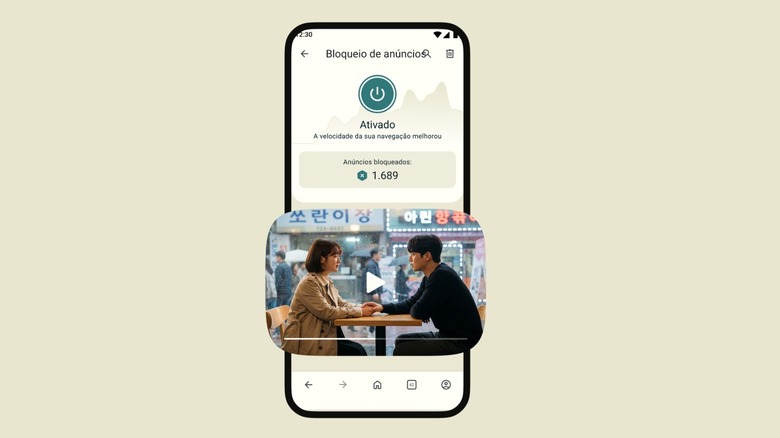
Last but not least, it might be time to ditch the Chrome browser for Opera on your Pixel 11. On iOS, it doesn't really matter which browser you choose, since they all run the same engine, but Android offers more flexibility. Opera Browser on Android centers its design on one-handed ergonomics, privacy, and travel readiness. Users can anchor the address bar at the bottom of the screen and collapse search into a floating corner button as you scroll, keeping navigation comfortable within thumb's reach. Beyond the clean UI, Opera also offers a native ad and tracker blocker, Data Saver compression, offline page saving, an integrated media player with a download manager, and Flow. This encrypted space lets you beam links, notes, and files between your phone and desktop.
On a device like the Pixel 11, Opera is a huge quality-of-life upgrade for daily commuting and international travel, as pages load noticeably faster without heavy ad scripts, and its rebuilt QR scanner previews full URLs before opening to protect against malicious links. Plus, with eSIM-ready Pixel hardware, users can buy and activate international travel data plans directly in the browser without installing extra carrier apps. The free version of Opera includes pretty much everything, including the ad blocker, Flow syncing, Data Saver, and the free built-in browser VPN covering three virtual locations. For users who want system-wide protection, Opera's VPN Pro subscription unlocks full device-wide encryption. You can find the app on the Google Play Store.
How did we choose these apps
The Google Play Store is home to millions of apps, so choosing the best one is virtually impossible. However, when it comes to essential apps that can greatly improve your everyday life, BGR thinks it has found a nice balance of productivity, customization, and fun. After all, Pixel 11 customers are true Android fans who want the purest Android possible, with deep hardware-software integration; that's why, when we selected these apps, we wanted to bring software that adds to the already great experience.
These apps have thousands or millions of reviews from real customers, and they have also been praised by specialized media. While our selection features only five apps, there are several others users should have that might be more obvious, like their favorite social media apps, some productivity apps for work or school, and creativity tools for a more specific segment. It also includes a range of AI chatbots that have become must-have software on almost everyone's phone.
That said, this selection offers a bit of everything while still keeping what makes the Pixel 11 unique. The VWFND app can make shots look more candid, and the Opera Browser can make your internet browsing more secure. In contrast, Material Capsule can make an unused part of your phone a lot more useful with just a few taps.