

5 Clever Uses For Your Old Computer Monitors

Before you toss that old monitor to gather dust in your garage, think of it as a blank canvas and let your creativity work. Repurposing gives your tech a new life and saves it from the landfill. You can turn your old screen into something fun, stylish, or even useful. Instead of just recycling your old monitor, transform it into a retro arcade machine, a futuristic digital tank, or a retro bed for your beloved pet.
While tossing an old monitor into a recycling bin can seem responsible, it's not without certain hazards. Old CRT monitors can still give off a high voltage shock, and some of the older models used toxic leaded glass in their designs. LCD monitors aren't much better either, since their crystals contain mercury. That's where repurposing comes in. Instead of risking injury or exposure to heavy metals, you can safely give your monitor a second life as a home dashboard or a private streaming hub. Repurposing is safe for both you and the environment and it adds a creative twist. Your old monitor is no longer just trash. It's a piece of your home that'll start many conversations when your friends come to visit. So here are some clever uses you can try out.
Arcade game
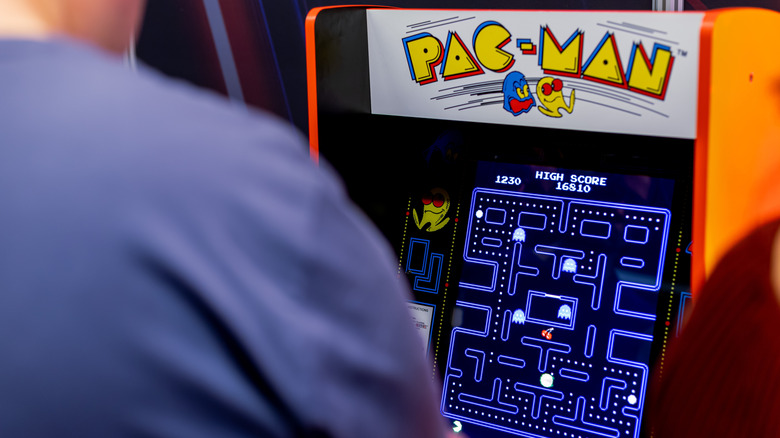
There's a special kind of joy in giving old electronics a new life, and an old CRT monitor is especially good for that, as you can turn it into a real arcade experience (LCDs work too). It's as easy as connecting your old monitor to a compact little computer like Raspberry Pi and installing an emulator front-end. Suddenly, you have an authentic cabinet-style blast from the past. It's not just about tinkering with old electronics; it's also about nostalgia.
Old screens are particularly good for this because they give off that vintage blur the right way. CRT monitors will give you those glorious scanlines, warm glow, and constant flicker that modern flat-panels can't replicate properly for retro gamers. For the true vintage experience, connect your new arcade setup with controllers that have a mechanical feel to them. The emulator you choose should give off the same retro feeling, so stick to something as simple as RetroPi or Batocera.
But this is not where your "build-your-own" arcade journey ends. To give your new system a true retro feel, build a cabinet around it. You can do it as simply as mounting the old monitor on the wall, at your eye level, and building a shelf for the mini computer and the arcade stick. But if you're on the crafty side, you can build a full casing out of wood, paint it with scenes from your favorite games, and display your arcade machine proudly in your home.
Pet bed
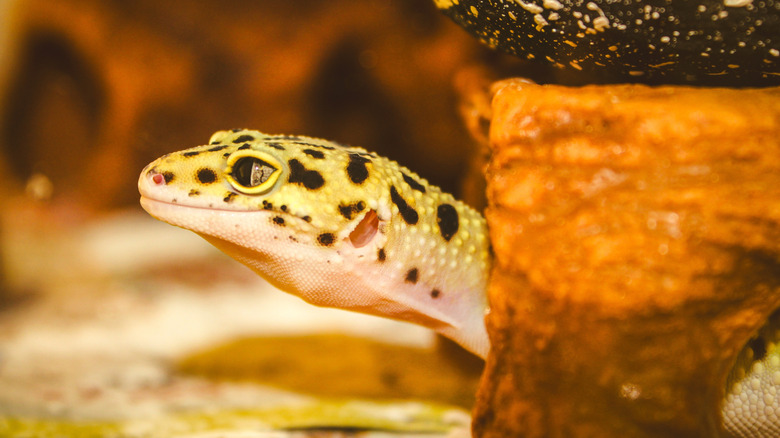
CRT monitors are so old that they're becoming a rare find. But if you still have one lying around, and it doesn't work, you can still use it for a creative project. Why not turn it into something fun, useful, and decorative for your home? How about giving that old piece of electronics a new life as a pet bed? Imagine your cat, hamster, or gecko cozying up inside a retro machine. It'll give your home a little steampunk feeling.
First, you'll need to safely remove all the electronic parts from the inside of the monitor. Safely get rid of the tube, circuitry, and glass. As unplugged old monitors can still hold some residual charge, you'll need to handle it carefully before you're left with just the plastic shell of a monitor. Oh, and don't forget to recycle the electronic parts.
Now comes the fun part. You can clean and paint the exterior of the monitor to give it some flair. Add a soft cushion or a pillow inside for extra coziness. Be careful to measure the interior and make sure your pet has enough room in its new bed. To make this bed even more fun, be creative and stencil a retro-gaming motif that'll resonate with your pet's personality. Or simply write their name on the front part of their new favorite bed. Finally, place the new bed in a cozy, dark, and silent corner of your home and watch your pet move in.
Home dashboard

That forgotten flat-screen LCD monitor you hide in your closet can become something surprisingly modern that'll complement your smart home perfectly. Why not turn it into a sleek, wall-mounted home dashboard? You'll need only a mini-PC like Raspberry Pi to turn this screen into a real-time command center for your household. Use it to display calendars, weather, traffic, smart home data, or to leave notes and to-do lists for your family.
Setting this up feels more like playing with interior design than tech tinkering. Mount the monitor in whatever room you like (kitchen, living room, or a hallway), and use the vertical mount for a sleek, portrait layout. Opt for a horizontal mount for a wide view in a landscape setting. You can hide the Raspberry Pi and the cables behind the frame or run them through the wall. Configure the Pi to boot directly into your chosen dashboard in "kiosk" mode so it's always showing you the latest updates without needing any clicks.
You might want to look into a customizable dashboard platform that'll suit your needs. One of the popular choices is DAKboard, which lets your monitor display Google Calendar, news feed, or photos in full-screen mode. There's a free version that's more than enough to make a very useful home dashboard of your own. But you can also subscribe and make your dashboard even more personal with different customizations.
Turn your old monitor into a TV

If you have a larger monitor just lying around and you have no idea what to do with it, make it a star in your private little corner. Just plug in a tiny streaming device and turn this screen into your private streaming TV that other house members won't have access to. Keep it in your room, workshop, or any part of the house where you like to spend some alone time.
First, you'll have to check if your old monitor has an HDMI input or if you'll need a compatible adapter. You'll need this to plug in a device such as an Amazon Fire Stick, Xiaomi Mi TV Stick, or similar. But once you sort out the input, the hard work is done. Now you'll have to plug in the streaming device of your choice, connect it to Wi-Fi, select the correct HDMI input on the monitor, and you're good to go.
Many old monitors don't include a built-in speaker, or maybe you simply want to add a better quality sound system to your new streaming setup. If this is the case, you'll have to hook up the soundbar or your favorite speakers with the streaming device. Also, avoid fuzzy or blurry images, as well as mismatched aspect ratio, by selecting the proper monitor resolution. And just like that, your old monitor is now a smart-ish TV. You can stream Netflix, Disney+, or YouTube to watch your favorite shows, or stream music whenever you feel like it. The best part? Not only did you save that old monitor and give it a new purpose, but you also saved up money because you don't need a new TV.
Create a digital fishtank
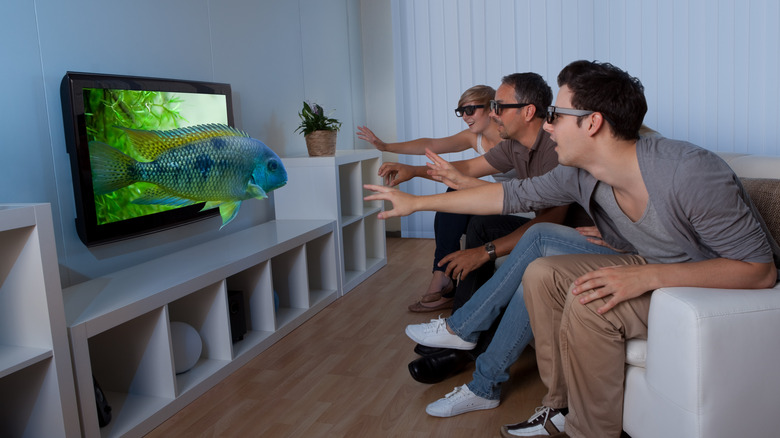
You can also repurpose your old TV or monitor by converting it into a cool virtual fish tank. Imagine it humming quietly and glowing with vibrant, colorful fish and coral reefs or a futuristic "data fish", decorating your living room wall. You can make it suit your interior design style perfectly. If you're feeling extra retro, you can also use a wood-grain stand, 80s arcade lighting, and a pixelated fish swimming quietly across the screen. If you prefer sleek, futuristic, spaceship aesthetics, consider a chrome frame, ambient backlight, and a floating holographic fish.
To turn your old monitor into a digital fishtank, you'll just need an HDMI or a USB-powered media player. Choose to play a looping high-definition video of fish, underwater scenes, or abstract aquatic visuals. There is plenty of "digital aquarium" footage available for download. Load them into your player and let your screen run your preferred visuals 24/7. Some people turn their old CRT monitors into proper fish tanks, but then you'll have to deal with cleaning and waterproofing your new tank. Why bother when you can make it digital so easily?
The style choices are fun, as you can easily toggle between them. Create a retro fish tank with the Twenty Thousand Leagues Under the Sea vibe for the Captain Nemo feel. If you prefer Captain Picard and the starship Enterprise over the Nautilus, go with the sleek sci-fi panels. It's easy to switch with just one click.