

What Is A USB 'Header' (And How Is It Different From A Port)?
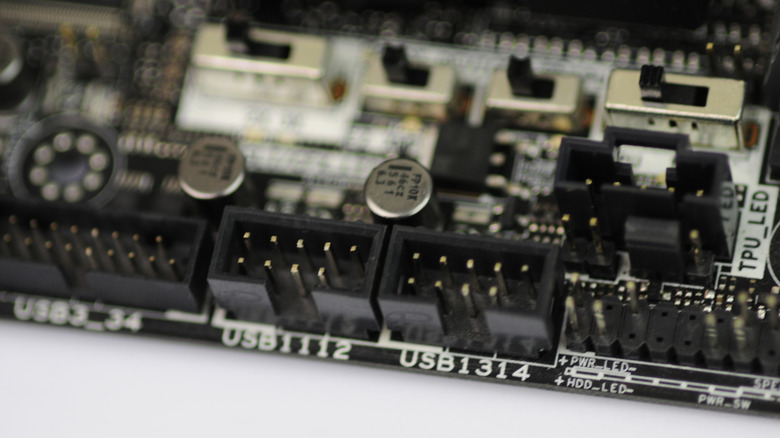
One of the most commonly used data connections in the modern world is USB (which stands for Universal Serial Bus), but there's a difference between a USB header and the actual USB port your device plugs into. A USB header is a multi-pin connector on a motherboard that allows you to connect USB peripherals to a PC or other device with USB ports.
A USB port is the external connector that you plug a USB accessory into. Once your tech is hooked up, the motherboard's USB headers distribute data and power according to your USB component. There are several USB standards on the market (e.g., USB 2.0, USB 3.0, USB 3.1, etc.), which means there's more than one USB header-type to be aware of.
Generally speaking, motherboards are equipped with at least two USB headers, but many PCs contain six or more of these pivotal pin connections. And while some of us may never crack our laptop open to expand its USB header count, those looking to build a PC rig from the ground up can add a header expansion card to the motherboard using an available peripheral component interconnect express (PCIe) slot.
You can't have USB ports without USB headers
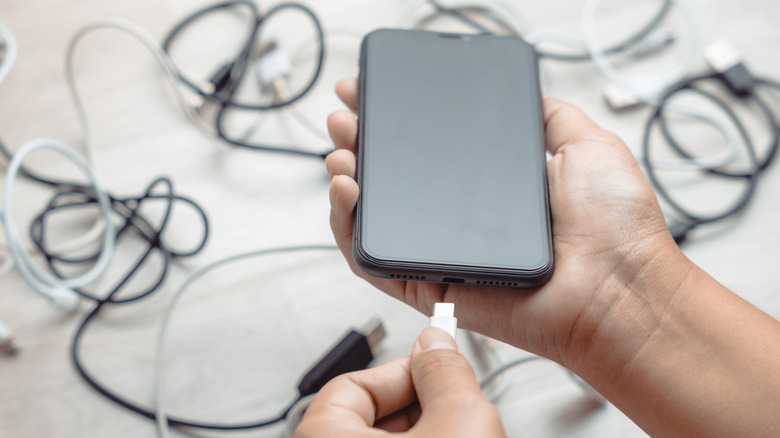
Many modern PCs offer a mix of USB 2.0 and 3.0 connections, and we're starting to see more machines with USB 3.1 and 3.2 headers. The latter is rated for up to 20Gbps, and thanks to USB4 — the latest USB-C standard — some USB ports will even push up to 40Gbps. As far as transferring data goes, it doesn't get much faster for a non-pro-grade PC.
And if you're not sure what type of USB headers your motherboard has, the various colors and shapes of your USB ports can help you determine what versions of USB your PC is using. Fortunately, USB headers are backward-compatible with older USB standards. That means you'll be able to plug a USB 3.0 device into a USB 2.0 port; your device will simply be capped at whatever the header's maximum transfer speed is.