

Your Amazon Fire TV Stick Is Probably Plugged Into The Wrong HDMI Port - Here's Why
We may receive a commission on purchases made from links.
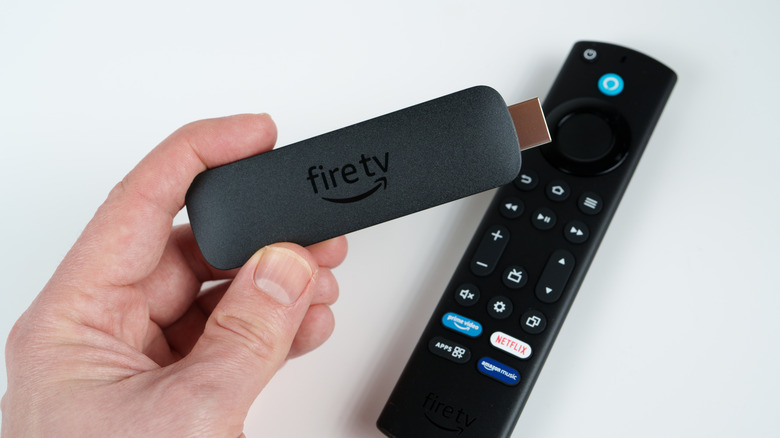
Streaming devices are one of the easiest ways to add entertainment apps like Netflix, Hulu, and HBO Max to a non-smart TV. If you've been thinking about buying an Amazon Fire TV Stick, you should know that there are multiple models and generations to choose from. Designed for plug-and-play connectivity, in years past, it really didn't matter which HDMI port you connected a Fire TV Stick to.
But nowadays, if you want the best picture and sound from your Amazon hardware, your best bet is to make sure it's connected to an HDMI 2.1 port on your TV. The HDMI 2.1 standard was introduced in 2017, and TVs started including 2.1 ports around 2019. HDMI 2.1 delivers up to 48 Gbps for bandwidth, which in turn supports up to 4K resolution at 120Hz. The Amazon Fire TV Stick 4K Plus and Fire TV Cube support the HDMI 2.1 standard.
While no Fire TV device will output native 120Hz video, the 2.1 standard also introduced picture features like Dynamic HDR and Quick Media Switching for reducing the time it takes to switch over to an input or source with a different frame rate. All current Amazon Fire TV Stick devices support HDR, with the 4K Max and Fire TV Cube offering the most comprehensive format support. To put it simply: If you want your movies and shows to be as bright and colorful as possible — and you own a TV with an HDMI 2.1 port — that's the connection to use.
Choosing the best HDMI port
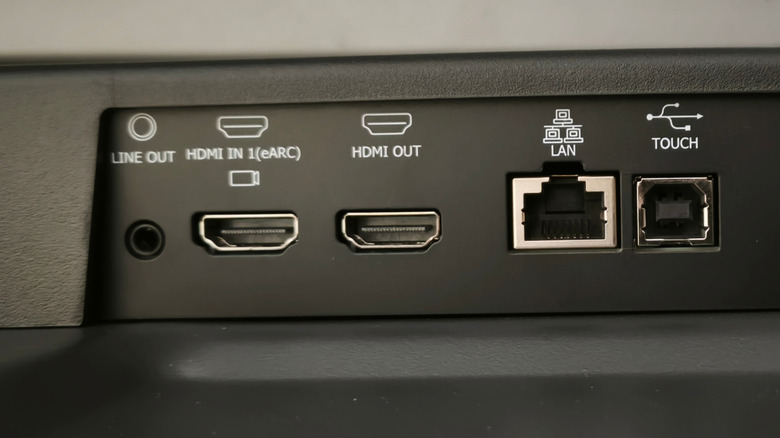
For those of us rocking soundbars and surround sound setups: Should your audio system have Dolby Atmos or 5.1 surround capabilities or greater, you'll be able to experience multi-channel audio when streaming specific movies and shows from a Fire TV device. For everything to work correctly, your Fire TV Stick should either be connected to one of your audio system's HDMI inputs (if it has any) or to one of your TV's HDMI ports — and HDMI 2.1 is still preferred for picture quality.
If 2.1 connections are scarce on your TV, and you can't connect your Fire TV Stick to the soundbar or receiver, make sure you're not plugging it into your TV's ARC or eARC port. The latter is the latest version of a technology called Audio Return Channel (the "e" stands for enhanced), which is essential for sending all TV audio back to your soundbar or speaker system.
If your Fire TV Stick is plugged into HDMI ARC or eARC, it can complicate the audio routing for your other TV-connected devices. Much of the advice we're sharing can also be applied to other streaming devices and smart TVs. For example, if you're the proud owner of a Roku Ultra that won't output Dolby Atmos, your Roku could just be plugged into the wrong HDMI port on your TV or soundbar.