

Say Goodbye To Dusty Charging Ports With This Simple Cleaning Trick
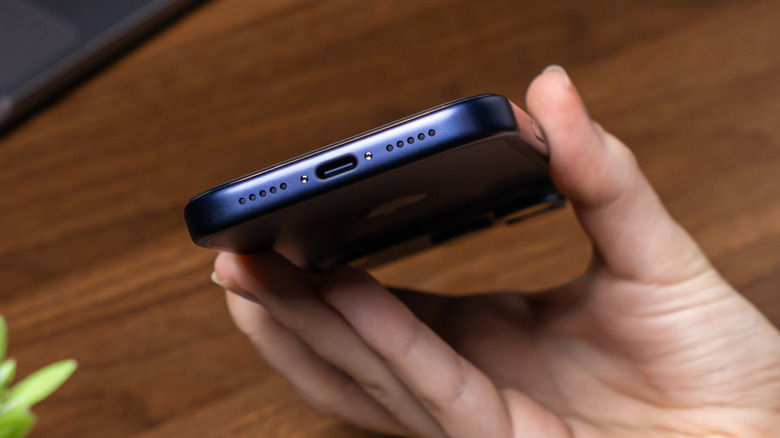
It can be a dirty world, and we're all just living in it. Keeping electronics clean requires the same routine maintenance as anything else in your life, but some components and areas can be harder to clean than others. For example, removing external dust safely from devices can be straightforward, but keeping a dusty charging port clean may take a little more finesse.
Your charging port can collect enough dust inside of it that the charging cable may not even connect properly. It's also possible to push dust further inside when you connect the cable. If you need to clean the inside of a charging port, something small, thin, and ideally not made of metal is going to be your best bet. You'll also want to use compressed air when taking preventative measures. The name of the game here is being careful, as you don't want to disturb the internal components of your electronics.
Though certain charging ports can be relatively small, as long as you have the right tool, saying goodbye to dusty charging ports is fairly easy. Like finding a good TV cleaning routine, keeping the charging ports on your electronics tidy depends on how often they're used and where you store them. So, if your device isn't charging properly or the cable isn't sitting in the port the way it should, check out this simple cleaning trick.
How to clean your phone's charging port
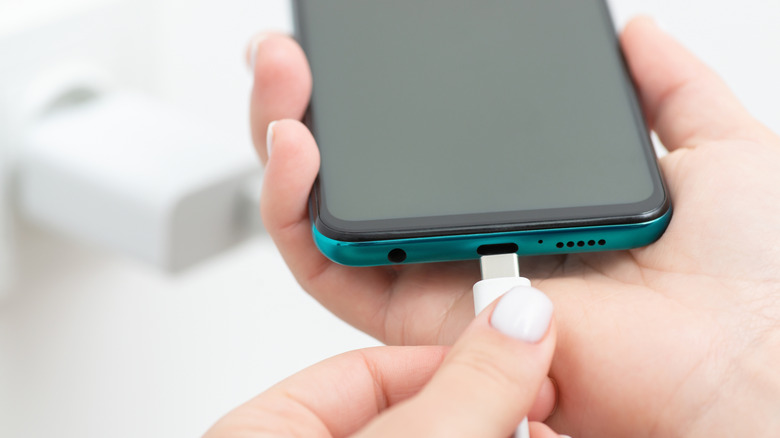
There may come a time when you need to tidy up a charging port, especially with smartphones. While there are other methods for keeping a USB-C port clean, for this cleaning trick, we'll be using a small, thin object to start. It's pretty easy to do, but the type of object and material you use is important for keeping your device operational.
A wooden toothpick is a bad choice, as it can splinter or break, but a plastic dental pick can work wonders. A cocktail stick or coffee stirrer can also be useful, but try to avoid anything metal, as it can potentially harm the device. Use a flashlight to check the cleanliness of the port before starting.
Once you have a solid tool, here are the steps for cleaning your dusty charging port:
-
Shut off whatever device you're about to clean and make sure it's not plugged in.
-
Grab your cleaning tool.
-
Inspect the port and look for visible dust.
-
Gently insert the tool into the port and carefully move it around to loosen and remove dirt.
-
Use compressed air or a soft, clean brush to clear out any remaining dust.
-
Inspect the port and turn on your device. Check the charging connection if necessary.
Although there's no real schedule for keeping charging ports clean, it is a good idea to check the device every so often to make sure it's still looking good and behaving correctly. You might also consider installing cheap USB port covers.