

Your Soundbar Might Be In The Wrong Spot - Here's Why
We may receive a commission on purchases made from links.
You've spent countless hours researching your TV and soundbar setup, and finally decided to pull the trigger on the purchase. You also went out and bought the best HDMI cables to ensure your new home theater tech has all the proper connections. The delivery date for your 65-inch 4K OLED and brand-matching audio system is just a week out, and you already know the TV is going on an existing media stand. That said, the shelves of the unit are jam-packed with game consoles, so you had the space-saving idea to mount your soundbar to the wall, right above the new TV.
On paper, this might seem like a solid plan, but your ingenuity does warrant some concern and planning. Much like your traditional passive or active speaker, a soundbar does its best work when properly aligned with you, the human. Generally speaking, you want a soundbar to be as level with your ears as possible for the most fulfilling audio immersion. If you end up mounting the soundbar too high, the soundstage it delivers may sound completely off (e.g., muffled dialogue, poor stereo imaging, etc.) This can also occur when the bar sits too low, or if it's aimed away from your seating area.
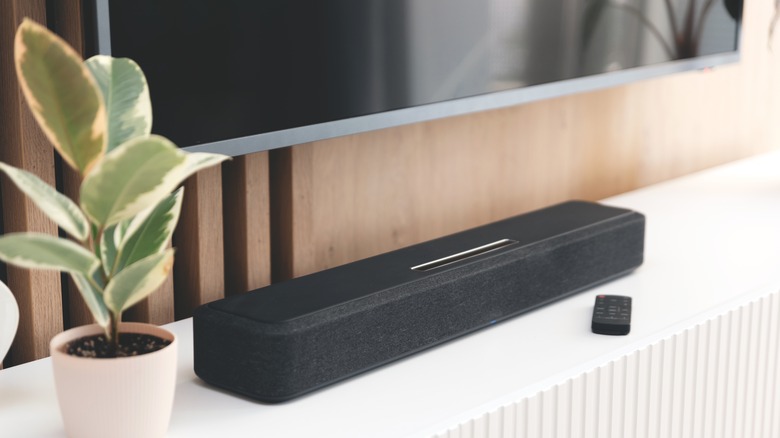
Ideally, the best placement for your soundbar is as close to the bottom or top of your TV as possible. For stand-based setups, that usually means placing your soundbar on the same shelf as your TV. Even if this positioning doesn't line up with your ears perfectly, a number of top-rated soundbars also include an audio calibration tool. This allows you to fine-tune the final sound based on the unique acoustics of your listening space. Think of this more as crossing Ts and dotting Is, though, as you'll still want to place your soundbar in a centered, ear-level position.
TV on a full-motion wall mount? Get one for your soundbar, too
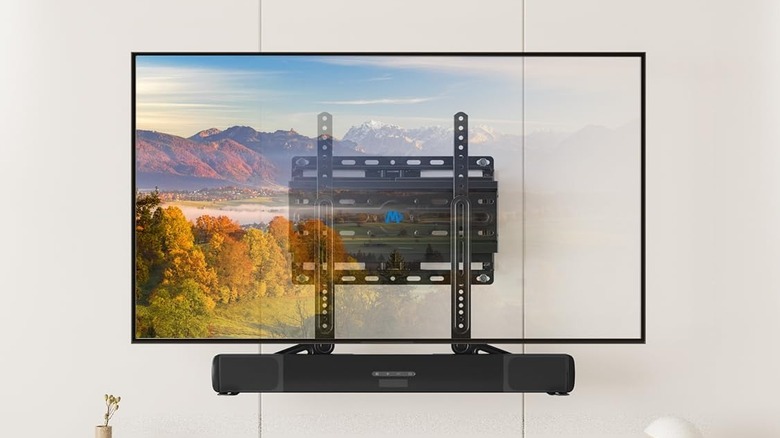
Let's say you're switching tactics and decided to mount your TV to the wall instead of your TV stand. Fortunately, the lion's share of soundbars can be wall-mounted, and many models even come with all the hardware you'll need for mounting to drywall. You'll just want to make sure you're lining up the bar's speakers with your ears, which can get a little tricky if your TV is on a full-motion arm. For those unaware, that's the type of wall mount that extends out, tilts up and down, and turns left and right.
If you're watching TV from the kitchen — and have it rotated to face away from your normal viewing space — you'll want your soundbar to be rotated, too. Fortunately, there are numerous soundbar mounting kits you can purchase that interface with your TV's mounting hardware; that way, when you move your TV, your soundbar stays aligned with the screen. However, there is one scenario in which this setup may not always be practical: If your soundbar uses rear speakers.
Many soundbars are designed to virtualize and output 5.1 surround sound or greater (which is what your TV's HDMI ARC/eARC port is for) — but if you're watching a movie that calls for rear speakers, and you're not sitting in front of them, you won't experience all the audio details that surround formats bring to the table.