

Your iPhone Might Soon Enable An Anti-Theft Feature That Used To Be Optional
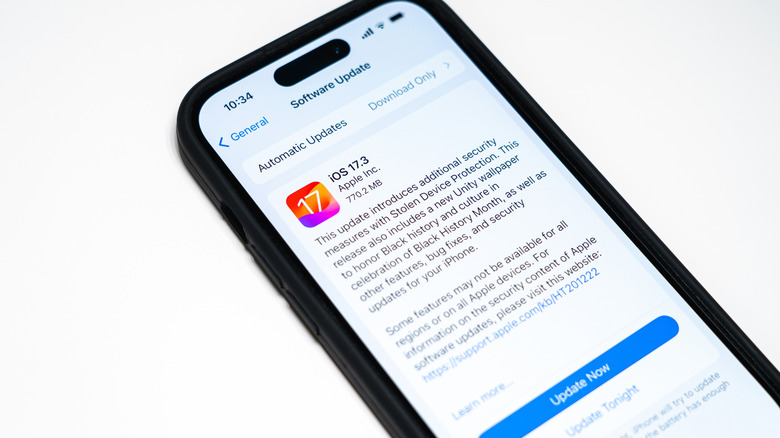
The arrival of iOS 26.4 may not bring the Siri revamp iPhone owners are waiting for, but it will deliver other noteworthy features, including automatically enabling an iPhone anti-theft feature that users currently have to turn on manually. Called Stolen Device Protection, the feature is available on devices running iOS 17 and later. Apple released it in early 2024 in response to a particular iPhone theft technique. Some thieves relied on social engineering techniques to steal the lockscreen passcode of an iPhone owner, obtain brief access to their device, and then steal the handset knowing they could unlock it.
A report from The Wall Street Journal in late October explained the sort of havoc that would follow. A thief would be able to access everything on the iPhone and perform consequential actions, like changing someone's Apple Account password. Apple devised Stolen Device Protection to help protect victims. The feature requires the use of biometrics, like Face ID or Touch ID, to safeguard sensitive actions on the handset. A thief with knowledge of the screen password would not be able to bypass this added security layer. The iPhone locks key settings, ensuring the victim doesn't lose access to critical logins, like their Apple Account.
More than two years later, iPhones are still highly prized commodities, with some thieves preferring the iPhone over the Android. It's unclear why Apple may have now decided to enable Stolen Device Protection by default on all iPhones. If you haven't used Stolen Device Protection before, you should get yourself acquainted with the feature to avoid disruptions.
What does Stolen Device Protection do?
You'll find Stolen Device Protection in the Face ID & Passcode section of the Settings app. To turn it on manually, you need to enable two-factor authentication on your Apple Account, and enable biometrics and the Find My feature. To protect your phone, Stolen Device Protection relies on biometrics as well as location data to determine whether you're trying to make a sensitive change, like setting a new Apple Account password, in an unfamiliar location.
According to Apple, once Stolen Device Protection is enabled, iPhone owners will have to use Face ID or Touch ID to authenticate every time they try to perform certain actions — such as using passwords saved in Keychain, opening a locked app, applying for an Apple Card, or transferring an eSIM – outside of a familiar location.
On top of that, Stolen Device Protection also enables a security delay for settings changes initiated in an unfamiliar location. That means users will have to wait an hour between two successful Face ID/Touch ID authentications to change settings such as signing out of an Apple Account, adding or removing Face ID or Touch ID, changing a passcode, or turning off Stolen Device Protection.
Some questions remain

While MacRumors discovered the change in the first iOS 26.4 developer beta, it's unclear when it will reach the general public. Also, given how Stolen Device Protection works, as of this writing, Apple may make some waves for iPhone users who prefer not to use Face ID or Touch ID, or those who have Find My disabled. If Apple enables Stolen Device Protection on all iPhones that support the iOS 26.4 update, it'll have to nudge users to also enable biometrics and Find My. It's unclear if Apple can force users to use these iPhone features if they don't want to.
Keeping Stolen Device Protection, Face ID or Touch ID, and Find My enabled are good ways to protect your data. If you don't want Stolen Device Protection enabled, you may be able to turn it off again. Another way to avoid the feature is to delay updating the iPhone until you're comfortable with the changes. Interestingly, Google did something similar with its newest Android 16 anti-theft features, but the company is targeting only a single market as of this writing: Theft Detection Lock and Remote Lock are turned on automatically on new Android devices activated in Brazil.