

Neither In A Drawer Nor In A Bin – Here's A Great Place To Safely Store Your Old Hard Drives
We may receive a commission on purchases made from links.
Physical media, particularly optical discs, go through a deterioration process called disc rot, causing them to become unusable. It can happen with CDs, DVDs, Blu-Rays, and even game discs you've collected over the years. Proper storage and care can slow it down, but doesn't necessarily prevent it. It presents a unique conundrum. What other storage media experiences deterioration? If discs can go bad, what happens to hard drives or flash drives over time? How should you be storing your disconnected drives to preserve the data they contain?
While hard drives and drives in general aren't affected in the same way as optical discs, there are other factors at play. If exposed to certain elements, the data can be erased or become corrupted, rendering it unreadable. Drives can be affected by extreme temperatures, excessive moisture, and magnetic fields, some of which can be produced by other electronics like speakers or audio equipment.
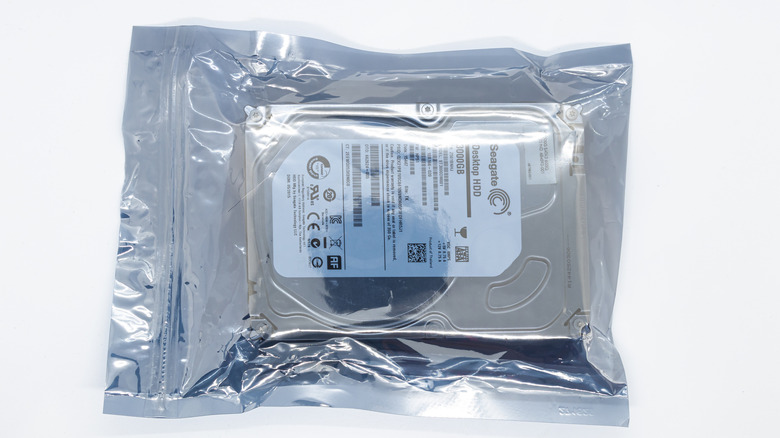
If you store drives in the wrong location or in the wrong environment, the data can go bad. Never place them in a junk drawer, box, or bin, especially at the bottom. Drives must be kept in a cool, dry environment, away from direct sunlight or heat. Also, they should be protected from magnetic interference, stored in a stable, upright position, and regularly checked, while keeping the data they contain backed up. Keep track of where they are, so you don't accidentally expose them to harmful conditions. Moreover, the best way to store drives is inside a static proof bag — an antistatic bag — in a location with easy access, so you can take them out and power them on periodically to "exercise" the drive.
What happens if you store a hard drive outside of a static bag?
Traditional physical HDDs seem sturdy and are usually hefty, more so than modern SSDs. That's because traditional drives use electro-mechanical or magnetic "platters," similar to discs, which rotate while reading and writing data. That's also why they're bulkier and louder during operation. Because data is stored on the physical disc, HDDs can store it reliably for long periods of time without power. That's why old HDDs are excellent backup solutions.
SSDs or solid-state drives, on the other hand, store data on NAND flash memory cells and have no moving parts. NAND cells need power, usually supplied by the host device, and can lose data without it after one to five years, which is why some SSDs come with a built-in battery. SSDs aren't the best for ultra-long-term storage for several reasons.
Ultimately, however, all types of drives can be ruined if neglected or stored improperly. If you store a drive outside of an antistatic bag, it's more likely to be exposed to magnetic interference, heat, moisture, and other harmful conditions. Electrostatic bags, specifically, are meant to prevent from electrostatic discharge a sudden surge or flow of electricity from one object to another. That quick surge, if too much at once, can damage a drive and potentially cause data loss, especially with traditional drives. A drive may survive fine outside of a static bag, or it may not — the risk is up to you. The good news is there are signs a drive is about to fail, but you'll need to be using it regularly to spot them, a good reason why you should power them up occasionally.
How to properly store any hard drive, traditional or otherwise
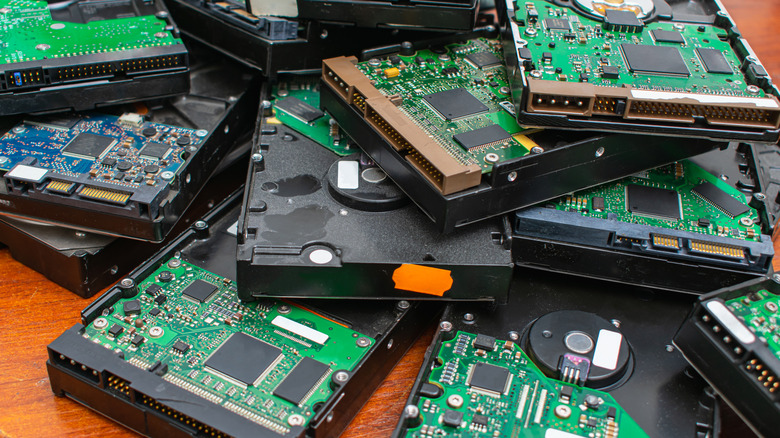
To reiterate, it's about protecting the drive suitably, and its contents, from outside interference and exposure by placing it appropriately somewhere, in an upright position, that's easily accessible. The latter is important so that you can take the drive out occasionally and spin it up — power it on.
Place your drive inside an electrostatic bag, ideally one drive per bag if you're storing multiple drives. Then stack them neatly somewhere that's dry, cool, and won't be exposed to excessive sunlight or moisture. A closet shelf or filing cabinet would be good. You'll want to ensure the drives are stored separately from everything else, so they're not accidentally exposed by anything else nearby. That includes keeping them away from other electronics like speakers and audio equipment, mobile and wireless devices including routers, and above all, magnets.
Other things to keep away from your drives include your pets, like cats which could introduce static electricity — yes, really — and shocks or vibrations. If the data is sensitive, make sure it's encrypted before storage, or use a self-encrypted drive, and think about potentially placing the drives inside a safe.