

5 Cool HDMI Gadgets Most People Didn't Know Existed
We may receive a commission on purchases made from links.
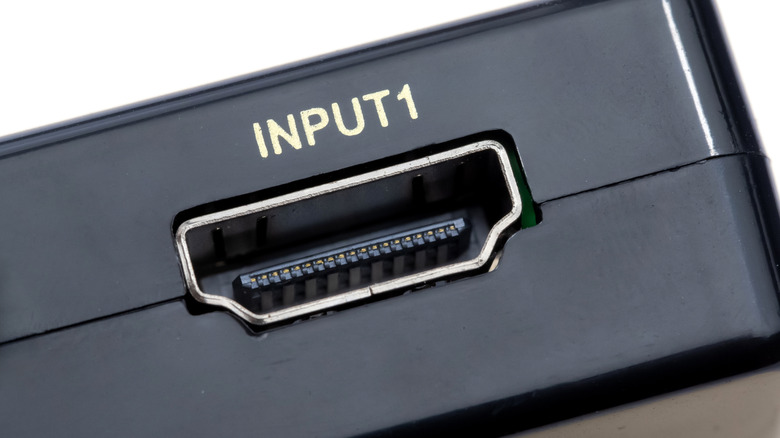
HDMI ports are everywhere. Whether it's on your TV or PC monitor, there are often more ports than you'd ever know what to do with. You can connect your gaming consoles, or maybe attach a soundbar if you're feeling fancy, but how else can you use your extra HDMI ports? Turns out, HDMI ports are useful in a lot of ways, as they are one of manufacturers' preferred port types.
HDMI is one of the most common methods of data transfer, but it has plenty of issues. Limited range is one, for example, and so is incompatibility with certain devices. There are even issues not specific to HDMI ports, such as fitting a cable into a tight spot or managing a bunch of them. Fortunately, here are a number of handy HDMI gadgets that solve all your niche problems or just make things more fun. There are ways to extend your HDMI cable's range, gadgets that solve awkward port positioning, and pieces of tech that make your gaming experience much better.
1. Braidol wireless HDMI display dongle
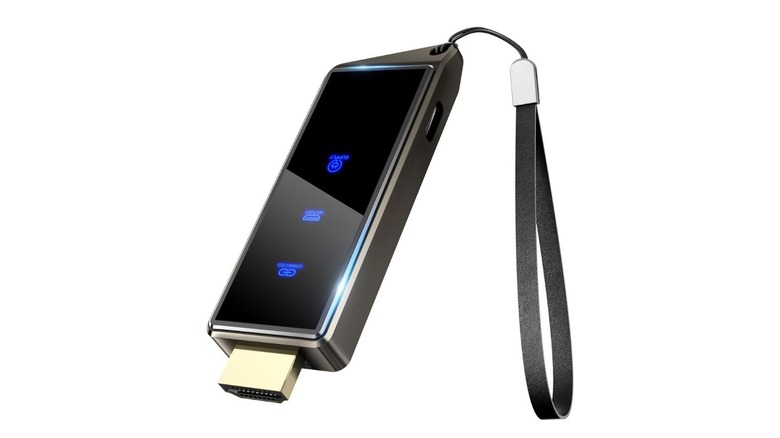
Whether you're using a projector, a monitor, or a TV, you're going to need a good HDMI cable to be able to watch anything on it. Managing a ton of cables can be messy, however, and you can't comfortably use your phone if it's attached to a TV on the other side of the room. Fortunately, HDMI can be transmitted wirelessly now, turning your TV into a wireless monitor. This is as simple as plugging a wireless HDMI dongle — such as the $49.99 HDMI display dongle from Braidol – into your HDMI port and connecting it to whatever device you want to transfer video from.
You can cast your phone, tablet, or laptop screen on a TV or external monitor, or turn your monitor into an external screen for your PC. You can even use the dongle on a hotel room's TV to do work on a larger screen, all without having to pack anything extra. That said, the dongle supports a maximum output of 1080p/60Hz, so using it on a very large screen might not produce the best picture quality.
2. J-Tech Digital 4K HDBaseT HDMI extender
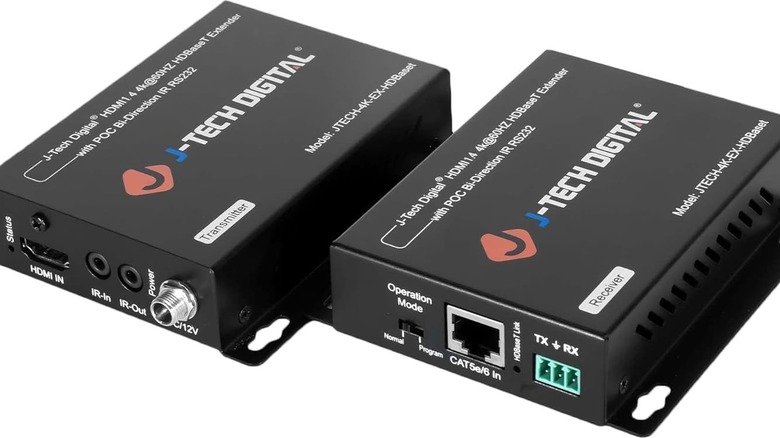
There are many kinds of cables used to transfer data. You use Ethernet for internet, DisplayPort for video signals in gaming monitors, and HDMI for multimedia in TVs. Each one has its own share of benefits, and in most cases, HDMI does a good enough job to not need alternatives. Unfortunately, HDMI is unreliable at long distances. While an expensive HDMI cable might be worth buying to send signals over a 50-foot distance, it still won't be any good for your devices 75, 100, or 150 feet away.
If you have a source device in a different room from your receiver, you can opt for an HDMI extender, such as the J-Tech Digital 4K HDBaseT. It is a $119.99 adapter that sends the HDMI signal over an Ethernet connection. Ethernet signals are much less prone to degradation due to distance, with Cat6 cables supporting transfer speeds of 10Gbps at distances shorter than 164 feet. This means you can connect any source device all the way across your home and still have it work seamlessly on your TV.
3. UGREEN 90 degree HDMI cable
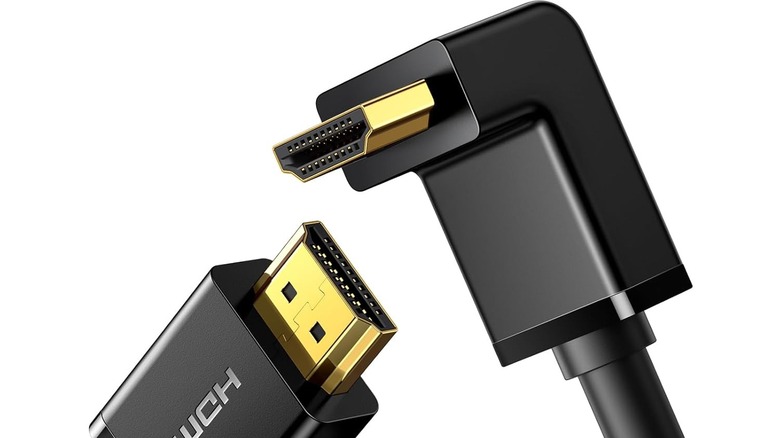
Have you ever tried to plug an HDMI cable into a port positioned weirdly, only to realize that the cable bends weirdly or gets blocked by a wall or a piece of immovable furniture? In such cases, you shouldn't try to shove it in and risk a broken cable. Instead, you can go with a handy piece of tech that exists specifically for such scenarios — the 90 degree HDMI 2.0 cable from UGREEN. The 3.3-foot cable can be bought for $8.99, while you can get the 6.6-foot one for $9.99. If you'd rather not buy a new cable or want HDMI 2.1 support, there are even adapters that do the same job, such as Togconn's 8K 90 degree HDMI 2.1 adapters that you can get for $6 for a pack of two.
These solve a number of problems, the major one being to prevent your cable from snapping due to awkward positioning. Even if your normal HDMI cable stays safe when you first plug it in, an uncomfortable position means it's more likely to give out with time. Longevity aside, having a cable that fits well makes removing and reattaching it much easier when you eventually have to unplug your TV or monitor.
4. Govee HDMI 2.1 Sync Box 2
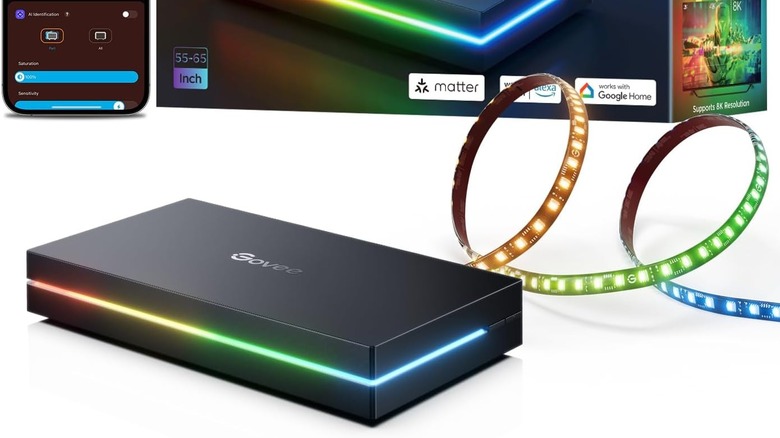
If you are a gamer, you know how RGB lighting elevates your gaming experience and takes your home theater setup to the next level. While accessories like sound bars and lamps that sync with your TV or monitor are fairly common, you can even have a strip of LEDs that provide lighting on the back of your TV in sync with whatever's playing. For this, you can use an HDMI sync box, such as the $259 Govee HDMI 2.1 Sync Box 2.
The way this works is simple: you plug every source device into the HDMI ports on the Govee Sync Box hub and then plug the one output port into your TV. You can then have the lights sync with your games or a movie playing on your TV. If you want to customize the experience further, you can use the dedicated app from Govee to do so. Additionally, you can use voice control on the lights and pair other lights with the LED strips, ensuring the entire room retains consistent lighting.
This, unfortunately, only works if you're using an external source connected through HDMI – such as a gaming console or a TV box — and won't sync to your smart TV playing content natively. If you want the same experience with your smart TV's native content, you can opt for Govee's TV Backlight 3 Pro, which uses a camera to sync its colors.
5. Elgato HD60 X capture card
Whether you're a hardcore gamer who wants to record your best clips on a gaming console like your PlayStation 5 or if you're just a casual handheld enjoyer wanting to record some of your more fun moments, you'll find that the built-in recording programs don't always do a great job. To ensure they get the best screen recordings, most streamers use capture cards — devices that connect via HDMI and act as a bridge between your source and display to record high-quality footage. That said, capture cards can do a lot more than just recording your screen.
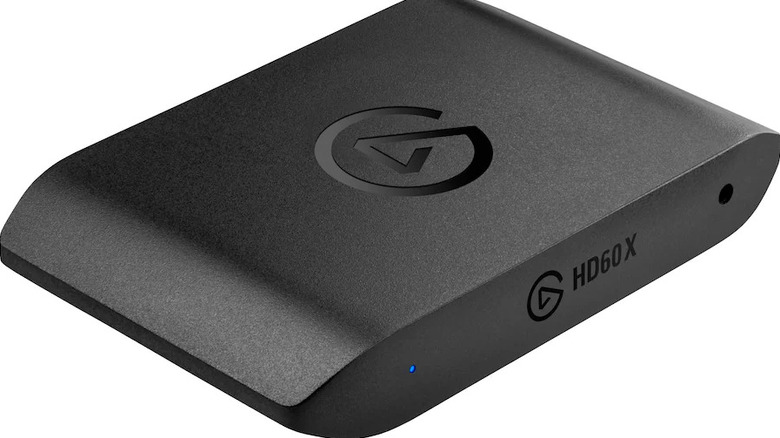
Capture cards come in two forms: there are those that you attach directly to your PC's PCIe slot, and plug-and-play ones that you can use on any device. One example of the latter is the $209 Elgato HD60 X, which supports recording 1080p footage at 60Hz. This is perfect not only for recording videos but also for directly streaming what you're playing on a platform like Twitch or YouTube.
Using a capture card is simple enough. Simply plug the source into the HDMI IN port, plug another HDMI into the HDMI OUT port to connect to your TV, and then use a USB cable to connect it to the PC or laptop that you want to store and edit the footage. Once that's done, open OBS or any other recording software, and you'll be able to select the capture card as a source. This offloads the stress from the device you're running your game on, using the attached PC's processing power for the recording, which makes your game run perfectly and helps you avoid technical issues from overloading the system.
6. How we chose these products
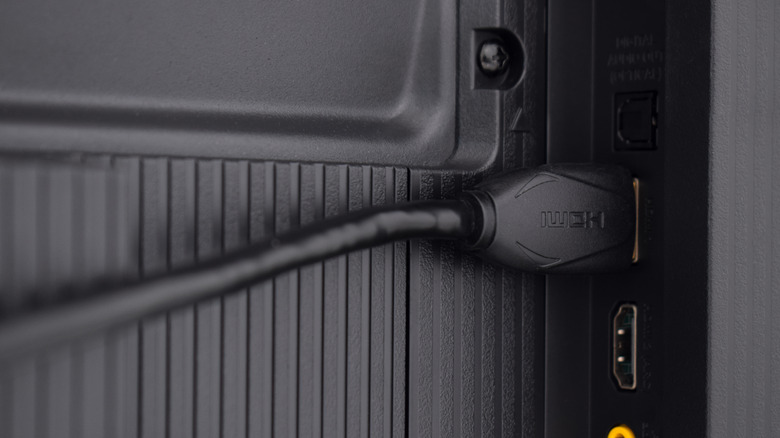
To finalize these products, we looked at emerging technologies that not many people know about, as well as handy HDMI gadgets that solve issues users online have. After choosing the general accessory, we then compared it to similar ones from competitors to see which ones perform the best based on Amazon reviews, user testimonies on social media, as well as independent reviews analyzing these products.