

4 iPad Accessories You'll Use Every Day
We may receive a commission on purchases made from links.
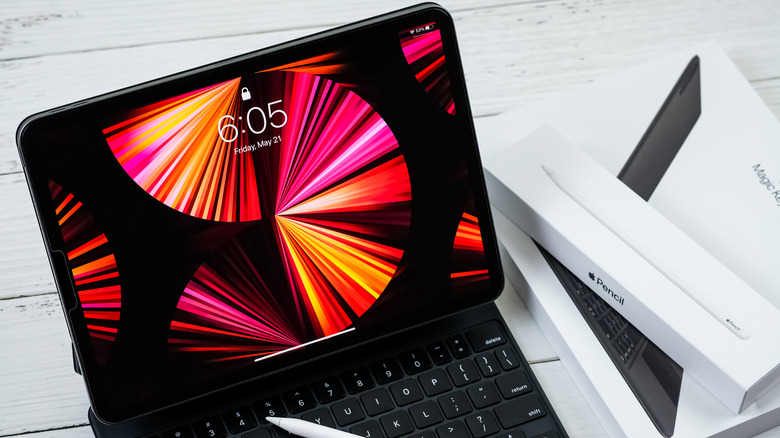
Your iPad is a powerful device in itself — an ultra-portable handheld machine built for both productivity and entertainment. Plus, they've only gotten better every year, with the latest Pro models capable of handling demanding tasks such as video editing and gaming. Combined with capable cameras with advanced features, large displays, and good battery life, a modern-day iPad can be used as a laptop replacement with some compromises.
However, by pairing it with the best iPad accessories, you can improve its usefulness even further. Tools like a detachable keyboard, a magnetic stand, a USB-C hub, and the Apple Pencil are popular iPad accessories. But is that all? Not really. There are plenty of additional accessories out there that can help you crank up your iPad's convenience and eke out even more productivity, enjoyment, and comfort from your device. These include a video capture card, an external monitor, a lap cushion, and a fast-charging power bank. We selected these products keeping in mind not only their value for money but also their genuine usefulness and compatibility with different Apple iPad models.
Lap cushion
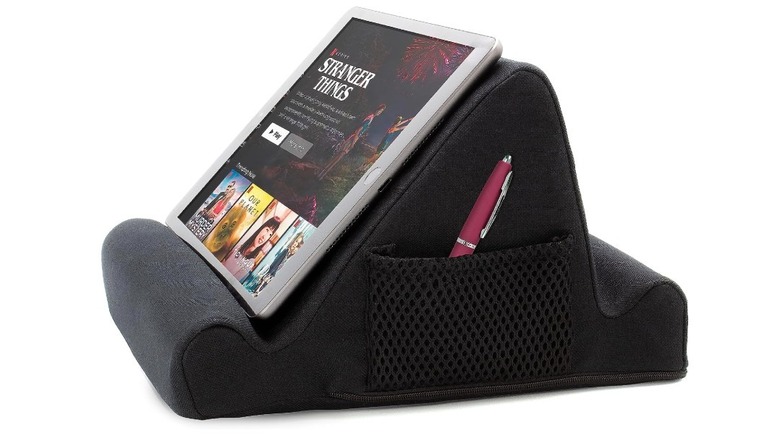
If you're frustrated with your iPad case falling over when you use it on non-flat surfaces such as your couch or lap, or if you no longer want to put up with sore hands or wrist pain from the awkward holding position that comes with using your iPad for long hours, consider getting the Brookstone Tablet Lap Cushion. It helps you maximize your iPad's portability and make sure using it anywhere — whether that's your living room couch, your car, or even a flight — is convenient even for extended periods. Priced at just $23, this iPad accessory boasts an excellent 4.6 rating on Amazon after over 2,000 reviews.
It gives you two angles to choose from: a normal one and another that is a bit steeper, so you can place your iPad in the most comfortable position for your viewing angle. Reviewers have particularly praised its build quality and comfort. It's made entirely of soft memory foam, so it's comfortable enough to place on your lap or belly if you plan on relaxing on the couch and binge-streaming.
As a nice add-on, it also comes with a nifty side pouch that you can use to hold pens, glasses, charging cables, or earbud cases. Other than your iPad, you can also place books or your Kindle on it. However, because it maxes out at 10 x 6 x 10 inches, it may not be suitable for heavier gadgets like laptops. In fact, some users feel that it would be slightly better if it were a bit wider. However, they still conclude by saying that it offers good value for money.
Video capture card
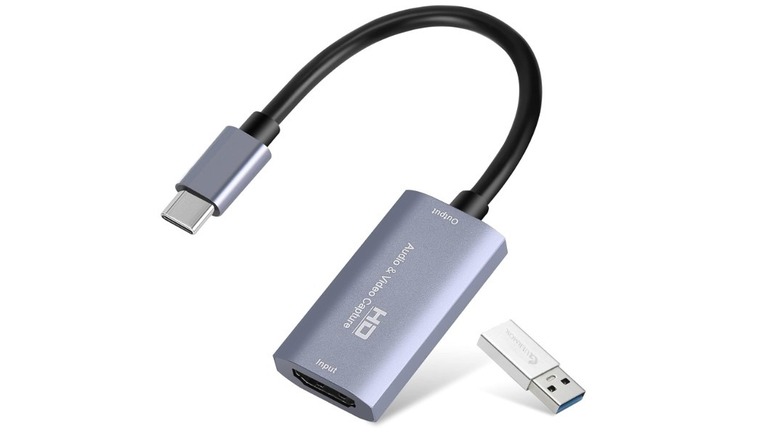
The Guermok Video Capture Card lets you turn your iPad into a native display for your gaming consoles like the Xbox, the PlayStation, or even the Nintendo Switch. And no, this is not a workaround that resorts to cloud gaming, but an actual video-input dongle. Unlike typical HDMI-to-USB-C cables that send data from your iPad to an external display, this works in the opposite direction, letting you send video from an external device to your iPad and easily build a travel-friendly gaming setup for just $21. To further strengthen its case, it has excellent reviews online, with nearly 3,000 reviews on Amazon and an average rating of 4.4.
The only thing you need to make sure of is that you have the Orion app installed on your iPad. It's a free-to-use app that lets your gaming console recognize your iPad as a monitor source. Just know that the free version supports video quality up to 1080p, but you do have the option to get 4K upscaling by purchasing the Orion premium plan, priced at around $10. According to reviewers, the latency is also pretty good, especially for casual gaming, and this capture card works on other devices as well, including MacBook and Windows, as long as they have a USB-C port and the Orion app.
Additionally, you can use the Guermok card to turn your iPad into a display for your mirrorless camera, which can be extremely handy for Twitch or YouTube streamers. In fact, several streamers have praised the capture card's ability to recognize OBS streaming software instantly and deliver sharp video quality with little to no lag. However, if you're after true 4K, you can get the Elgato Cam Link, priced at $80.
External monitor
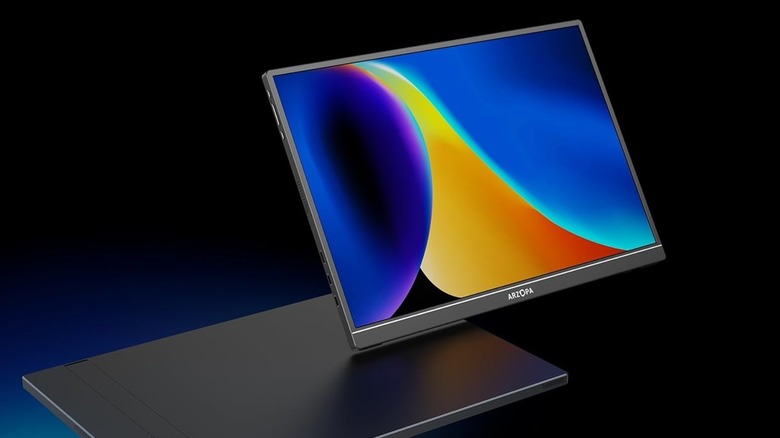
Your iPad can power an external monitor, saving you the hassle and expense of getting a full-fledged laptop or desktop, especially if you don't require one full-time. It gives you more screen real estate for work and productivity, helping you manage multiple tabs or apps, attend a meeting on one screen while running a presentation on the other, or simply creating a more traditional workspace experience even when you're out and about. Even better, it runs via a single cable through your iPad's USB-C port.
The Arzopa Z1RC, priced at just $120, is a great choice. It enjoys an excellent 4.4 rating on Amazon after 4,000+ reviews, with users applauding its crisp 2.5K display and saying that it works well not only for casual office work but also for visual-heavy tasks such as photo or video editing. Reviewers have also shared positive feedback about its ability to sit snugly in a backpack and be carried around easily — it's lightweight at just 1.79 pounds and has a thickness of 9.3 millimeters. Although durability isn't a concern, some users have remarked that it would be more ideal if it came with a protective case out of the box.
Compatibility is another huge advantage. Everything you need to manage the display, from the power button to volume rockers, along with a mini HDMI port and two USB-C ports, is stacked on the left-hand side. Additionally, thanks to the versatility of its built-in stand, you can easily use it in both portrait and landscape modes, with the vertical monitor setup being more suitable for coding or running communication apps with long threads. In addition to your iPad, the Z1RC works just as well with other devices, including phones, laptops, and even gaming consoles.
Power bank
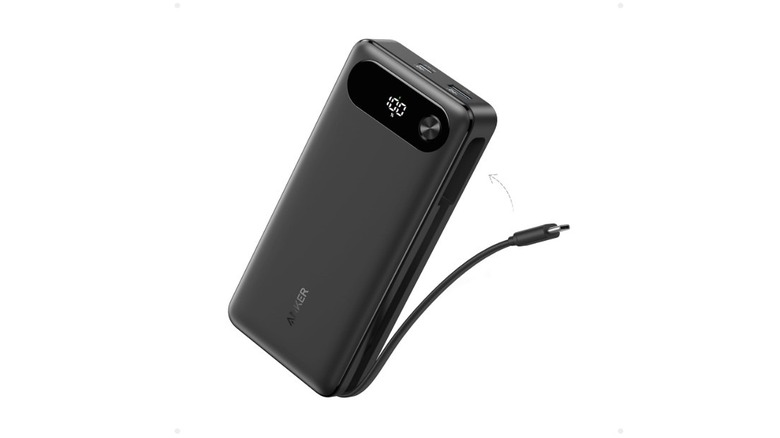
Given that portability is one of the iPad's biggest perks, it only makes sense to get a fast-charging USB-C power bank so your iPad isn't stuck plugged in one place near a wall socket. If you're looking for one, the Anker Power Bank is among the best portable chargers that can even charge laptops. It has a huge battery capacity of 20,000 mAh, so depending on your iPad model, you can charge it more than once on a single charge of the power bank.
Not only do you get the reassurance of an 18-month warranty on this product, but it also holds a near-perfect 4.6 rating on Amazon after 6,000 reviews. Plus, over 10,000 units have been bought in just the past month at the time of writing. It's priced at $69.99, which is very reasonable, especially considering it comes with a built-in USB-C cable that can be tucked into its side. There are three ports on this power bank, and together they can deliver up to 87W of fast charging, with a single port capable of a maximum 65W output. For context, that's enough to charge your iPad Pro (M5) from 0% to 50% in about half an hour.
Several reviewers have also been impressed by its charging speed, even saying it performs "as fast as any high-quality wall charger." Additionally, the power bank itself can be fully recharged in around 1.5 hours, provided you use a 65W charger. One caveat, though, is that the Anker power bank does not come with a wall charger in the box, so you'll need to buy one separately.
How we selected these iPad accessories
Our top priority while selecting these iPad accessories was to pick items that are genuinely useful and will improve your convenience every single day, as opposed to being meant only for occasional use cases. We also steered clear of more commonly known iPad accessories such as keyboards, mice, USB hubs, protective cases, and magnetic stands, trying to uncover under-the-radar, cool gadgets that readers might not realize can be paired with their iPad.
To select specific product models, we turned to the biggest and most trusted online shopping platform, Amazon, sifted through dozens of products, and picked the ones with the best ratings and reviews. Additionally, all our picks offer excellent bang for your buck; none of them require splurging like you would on an Apple original peripheral. Plus, a majority of these accessories work just as well with other tech gadgets you might have in your setup, making them multipurpose and not limited to the iPad alone.