

5 Popular Android Features That Were Killed By Google
Android is turning 18 this year; in September, it'll finally be old enough to vote. Over the last two decades (almost), the mobile operating system has seen many iterations, and many changes from Google, both good and bad, from new themes to deprecated features. Google is well-known for killing many of its products and services, and that includes more than a handful of Android features.
For example, there's the recently shuttered Instant Apps that let users trial apps and games without the need to install (by streaming them instead), and quirky features like Active Edge that could launch Assistant with a squeeze of your Pixel. And thanks to a big AI push, Google Assistant isn't long for this world, soon to be replaced by Gemini. Even innocuous features like Android Beam's easy file sharing or Live Folders, which delivered dynamic information as a prelude to widgets, are long gone.
While there's no argument that Android has grown by leaps and bounds, to the point it's a fairly polished OS these days that no longer requires the heavy-handed community mods and barely fleshed out features of yesteryear, some of the dead features left in its ever-changing wake are missed to this day, sometimes out of nostalgia, or simply because what they've been replaced with doesn't stack up (looking at you, Gemini).
Instant Apps
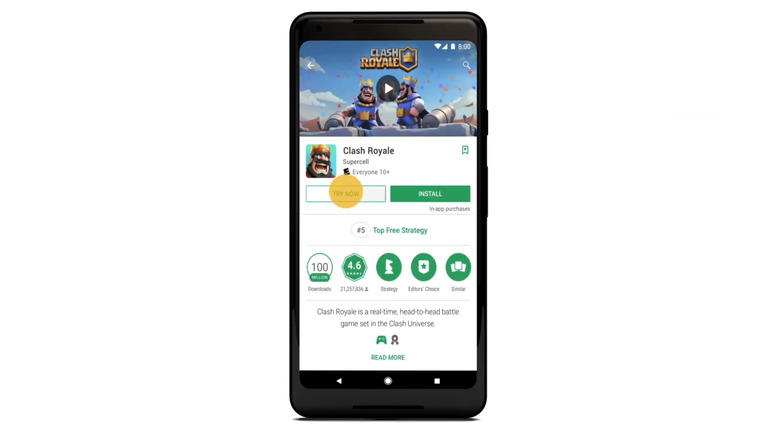
If you never heard of Instant Apps, it wouldn't be surprising. The feature was announced in 2016, launched in 2017, and deprecated in 2025. Instant Apps didn't even make it ten years. But what's Instant Apps, you ask? Well, it was actually a pretty novel idea. As the name suggests, Android devices could instantly access participating apps and games. Rather than installing the app, it would be streamed to your screen in chunks (and deleted when done), allowing you to trial the application without committing to an install.
By lowering the barrier to entry and addressing storage concerns, Instant Apps was designed to improve install numbers. While this proved fruitful for occasionally used apps (like watching a random video through Vimeo), sadly, it would appear that user adoption of the feature was pretty low, explaining its deprecation. At the end of the day, we lost out on a pretty handy feature, especially since games were also supported, allowing users to instantly jump into the action before committing to a large file install.
Worst of all, there's no planned replacement for Instant Apps. While Google is known for killing older apps and functions and replacing them with newer ones that are often missing features (like the mess it made of its messaging apps), that won't be the case here; it would seem Google simply wants to push developers towards bundled apps to improve install times instead. While a fine goal, this doesn't solve the storage problem Instant Apps addressed, so isn't a comparable replacement.
Android Beam
An oldie but goodie that paved the road for a much better feature, Android Beam landed on the scene back in 2011 with the launch of ICS, otherwise known as Android 4.0. The API was deprecated by Google in 2019 with the launch of Android 10, and then fully removed from the code in 2023 with Android 14. It had a good run as the precursor to Nearby Share, which has since been renamed to Quick Share (nobody ever said Google was good at branding).
Basically, where Android Beam would use NFC to perform a local file transfer over Bluetooth, Quick Share uses Bluetooth to initiate a Wi-Fi Direct file transfer, which is much faster than the old method. This is one instance where Google has not only replaced a key feature of Android, but replaced it with something that's actually better than the old option. Talk about a win for Android users.
This means that if anyone actually misses Android Beam, they're likely nostalgic, since Quick Share works similarly, but is simply faster and much more reliable. So what was once a novelty that early Android users played with and then likely forgot about, with Android Beam, has fully developed into a reliable way to share files locally on Android while remaining wireless, with Quick Share, with repeated name changes along the way, in classic Google fashion.
Google Assistant
Google is discontinuing Assistant and replacing it with Gemini. It's been going on for some time, making the process even more torturous, but the final push is here, with Gemini officially taking over for Assistant in March 2026. Over the last two years, Assistant has been prepping for its end by losing features, and as you can imagine, this has angered those invested in Google's smart home products that rely on Assistant, especially when Gemini still doesn't offer 1:1 functionality. Google is notorious for replacing working features, apps, and services with less-feature-rich ones, and this is another case.
Imagine if you purchased a house full of Nest Hubs and Minis for the specific purpose of using automated voice commands over Assistant, only to have Google kill those commands one by one as it forced Gemini onto everyone, which also doesn't offer the missing voice commands from Assistant. That's a lot of wasted money on Google's indecisiveness, likely assuring that customers burned by the company will go to competitors in the future. It's a tale as old as time for Google and its history of non-commitment (how many times has the company announced it was quitting tablets?), but it's still not a fun lesson to learn for consumers, hence why many users absolutely miss what Assistant managed to offer in its heyday.
While Gemini will likely grow into a fine replacement, in its current state, plenty of Assistant's old features are still missing. Ultimately, this is the kind of anti-consumer behavior that will stick to Google, much like its troubles developing a competent messaging app, replacing them one after another with worse versions like a devolving nesting doll. In other words, Google has earned its reputation, and just can't help itself from reinforcing it.
Live Folders
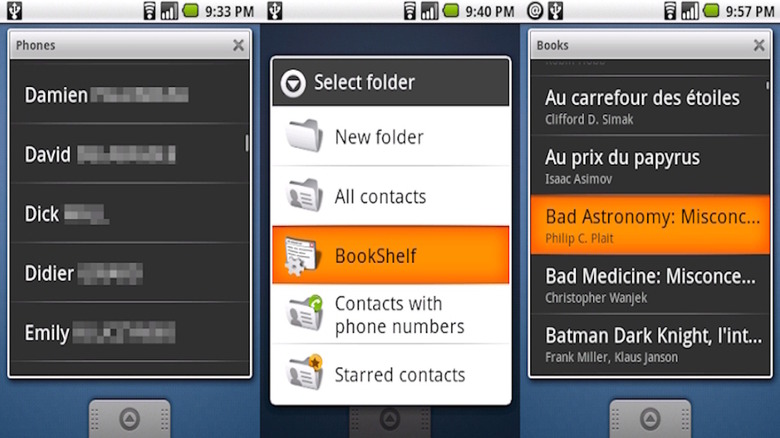
Similar to Android Beam, Android's Live Folders was a feature deprecated with the arrival of Android 4.0 in 2011. Those of you with longer memories will know Live Folders launched with Android 1.5, a feature that allowed folders to function somewhat like widgets (before widgets were a thing), such as a folder displaying bookmarks or contacts. They made navigating early Android more accessible, but perhaps the amount of battery power needed for repeated background refreshes (hey, they are "Live," after all) influenced Live Folders' demise, as they were eventually killed and replaced with widgets, one of the more defining features of modern Android.
Still, for some users, Live Folders are remembered fondly, back when Android was still young and unpolished. They served as a highlight that differentiated the platform from iOS and Windows Mobile, and if you think about it, they helped steer the OS towards app widgets, something that iOS finally copied many years later, but Android manages to do better to this day with superior customization and functionality.
By and large, Live Folders served a meaningful role in the development of Android, and while the feature has been missing for over fifteen years (time flies), its impact on the platform is still easily seen with the proliferation of widgets across the OS. So even though Google killed Live Folders long ago, what they morphed into is still alive and kicking today.
Active Edge
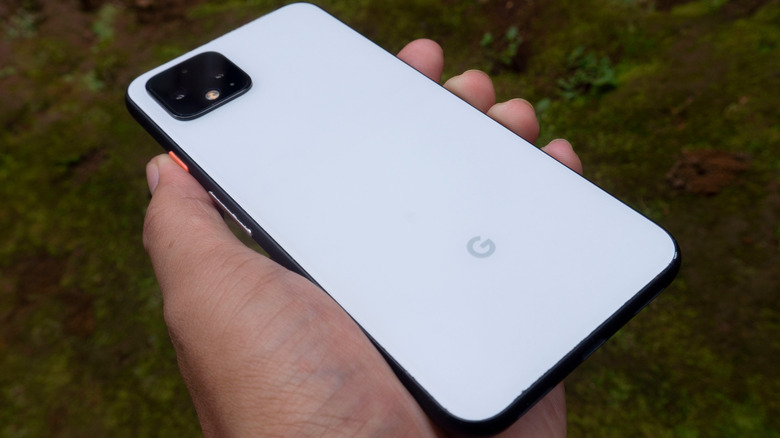
For anyone who owned a Pixel 2 up to a Pixel 4, you may remember a feature called Active Edge. It started as a continuation of HTC's Edge Sense, as the Pixel 2, where Active Edge was introduced, was manufactured by HTC. Google continued the feature on the Pixel 3, which it made in-house with Foxconn manufacturing, along with the Pixel 4, the last device to offer Active Edge. More or less, it was a novelty in which you could squeeze your phone to launch Google Assistant. While Google didn't offer a way to customize what you could launch with the action, third parties certainly did, allowing the squeeze function to be programmable through button mappers.
Ultimately, Active Edge disappeared with the launch of the Pixel 4a in August 2020, and hasn't been seen since. While Google hasn't officially stated why it's no longer supported, it could easily come down to low user interaction, or perhaps the functionality got too expensive to build into a device and design around. Still, many miss the feature, noting its convenience, not to mention the fidget-encouraging functionality of squeezing your phone. Yes, it was a gimmick, but it was pleasingly tactile in a world where most interaction with a phone is done through its flat glass screen.
While Active Edge is gone, Google eventually released Quick Tap, which lets you tap the back of a Pixel to complete actions like taking a screenshot, launching Gemini, or even turning your flashlight on or off. Tapping may not be as fun as squeezing, but at the very least, Google still provides interesting options for one-handed use of its devices.