

5 Clever Ways To Use AirTags
We may receive a commission on purchases made from links.
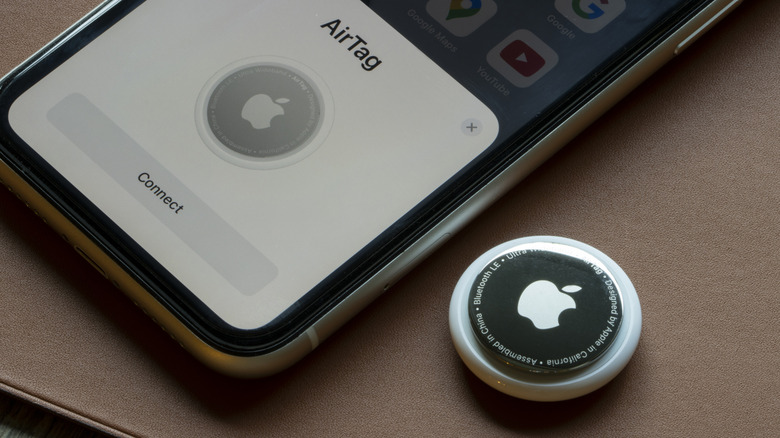
Apple's AirTag is a useful piece of tech, allowing you to track and find anything from keys to bags and more. But that's where most people concentrate its use. There are other clever ways an AirTag can help you, by simplifying your day-to-day life, providing peace of mind, and sometimes even saving you hundreds of dollars.
Before we get to the smart, less-obvious uses of AirTags, it's important to understand how these compact devices work. Knowing that can help you come up with more applications. Unlike traditional GPS trackers, AirTags rely on nearby Apple devices on the Find My network to relay information about their location. When it's close by, your iPhone will do the job. If it's far away, the AirTag will emit a Bluetooth signal to nearby devices. These will then send the location to the cloud, which is reflected on the Find My app on your Apple device. The signals are encrypted, so privacy isn't a concern.
Another important piece of information we must mention is that AirTags can't be tracked in real-time. As stated, they rely on nearby devices. So, if there's no other device around, finding an AirTag can prove to be a challenge, until it gets close enough to transmit to an Apple device. This does eliminate a few uses like tracking pets, but it opens up other clever applications.
Tracing luggage at airports

If you are a frequent flyer, you know how frustrating air travel can sometimes be, especially when there's an issue with your luggage. Even otherwise, waiting for the luggage at baggage claim can be stressful if it's delayed. This is where your AirTag comes into the picture, taking all that anxiety away.
Drop an AirTag into your luggage, and you can track its movements at the airport, from the plane to baggage claim. The best part is that you don't have to stand next to the baggage claim conveyor belt looking at hundreds of bags to find yours. Sit back and relax, track your luggage's movement, and once it comes along, go ahead and pick it up. It's a real relief for frequent flyers.
Additionally, if the luggage is lost during transit, you will know where it is and how long it might take to reach you. For $29 on its own, or roughly $25 a piece if bought in a pack of four, AirTags are a convenient and cost-effective way to track your luggage.
Keeping track of packages

We have all been in situations where a package took longer than expected to arrive, or even worse, got lost in transit. If the package includes something valuable, it may be wise to take smart measures. Simply placing an AirTag inside a package you're sending gives you a way to track it.
You will then be able to track the package from the moment it leaves your hands until it reaches the recipient. While courier companies do provide updates, it only happens when the package is scanned at a hub. An AirTag, on the other hand, lets you more closely monitor the package's movement throughout the entire transit phase. More importantly, if the package is lost or takes longer than expected, you will at least know where it is.
This is especially helpful while sending packages overseas. With over 1.5 billion active iPhones worldwide, your AirTag is likely to come into contact with many during transit, relaying its location. As for the AirTag itself, you could ask the recipient to mail it back.
Finding a lost drone

If you fly drones, whether for photography or simply as a hobby, you know how expensive it is if you lose one. And drones can be displaced, particularly when flown in remote areas or in vast lands with tall grass. While many drones come with built-in tracking, some, especially budget drones, may not feature GPS trackers or they might not be reliable.
Attaching an AirTag to a drone significantly improves your ability to track it, even if the drone's battery is dead. You can either place the AirTag under the drone or use a dedicated drone AirTag bracket or holder. The budget brackets are priced under $10. While finding the drone, you can use the AirTag's Find Nearby or Play Sound feature to narrow down the search.
Keep in mind that an AirTag would be more effective in densely populated areas where there are more Apple devices nearby. In remote locations, or where the AirTag can't relay its location to other devices, it might be more challenging. But if you manage to narrow down the search perimeter, your iPhone will do the trick.
Finding the TV remote

One of the most common items to go missing around the house is your TV's remote control. It could slip between cushions, fall behind the couch, or end up in the wrong room, and finding it can be frustrating. An AirTag will make it much easier for you.
Simply secure the AirTag to the remote, and you will be able to find it much faster. As for attaching the AirTag to the remote, you can come up with DIY ideas or get dedicated AirTag holders for TV remotes. Some holders stick to the remote while others are proper cases that will both protect the remote as well as secure the AirTag.
Once done with the quick setup, every time you lose your remote, use the Find My app to track it. Precision Finding makes the process even easier. To use Precision Finding, you will need an iPhone 11 or newer, which shouldn't be a problem for most users.
Monitoring activity around remote properties

This is one of the most clever applications of the Apple AirTag and one that few actually know about or use. It smartly turns a limitation of AirTag, which is its reliance on nearby devices to relay the location, into something useful. All you have to do is place the AirTag at the entrance of your remote property to detect unexpected activity around it. The idea is that when an iPhone user comes near the AirTag, it would automatically update its location, indicating that someone was nearby, within the AirTag's range.
So, if you own a remote cabin in the woods or the mountains and want to monitor movement around it, this can be a clever use. However, there is one major limitation. AirTags only work with nearby Apple devices and not Android phones. So if someone with an Android smartphone is in the vicinity, your AirTag would be ineffective in this particular case. But in countries like the U.S. where roughly 60% are iPhone users or other parts of the globe where iPhones dominate the smartphone market, this might work.
Keep in mind that this doesn't replace a security camera or full-fledged security systems, but it can be a simple trick to find out whether people are moving around your property when you are away.