

MacBook Neo Review: Unbeatable Value, Reasonable Compromises
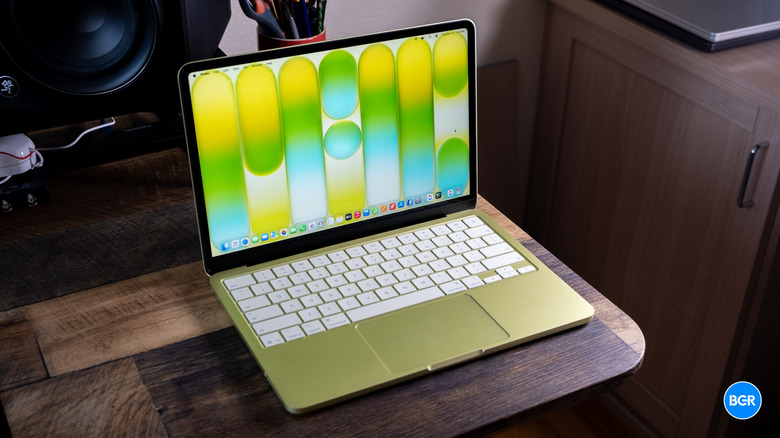
It's not every day that Apple launches an all-new laptop. Sure, we get improvements, sometimes big ones, on the laptops that it already has — and those are often very exciting. But even in the shift to Apple silicon, Apple has so far avoided actually launching new lines of MacBooks. Until now, that is. The MacBook Neo is the long-awaited "cheap" MacBook — the one designed to eat Microsoft's lunch and serve as the go-to option for those who want a well-priced laptop that can actually last.
If it proves as capable as it seems like it could, it won't just be great for buyers at the ~$600 price point either. In a few years, these things could be available used for $300-$400 — and at that point, budget-minded shoppers could truly have the ability to buy a reasonably new MacBook at almost any price point.
But, of course, there's plenty of skepticism surrounding the MacBook Neo. It makes some obvious trade-offs compared to the MacBook Air, and for many, those trade-offs will be worth making. But is the MacBook Neo really that much better than an equivalent Windows machine at this price point? Early signs point to yes.
Design
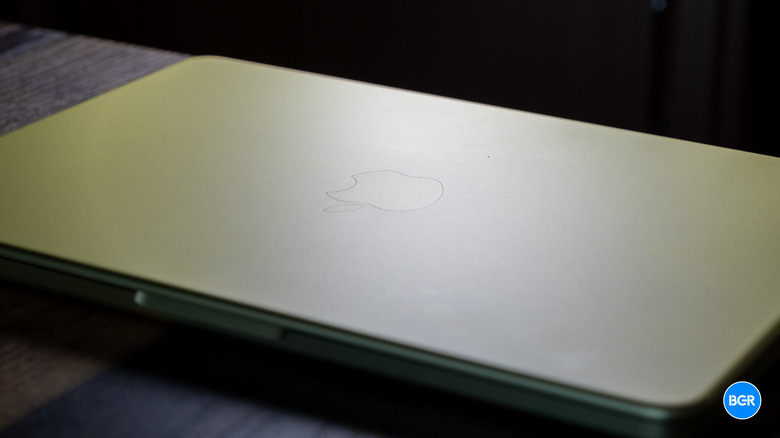
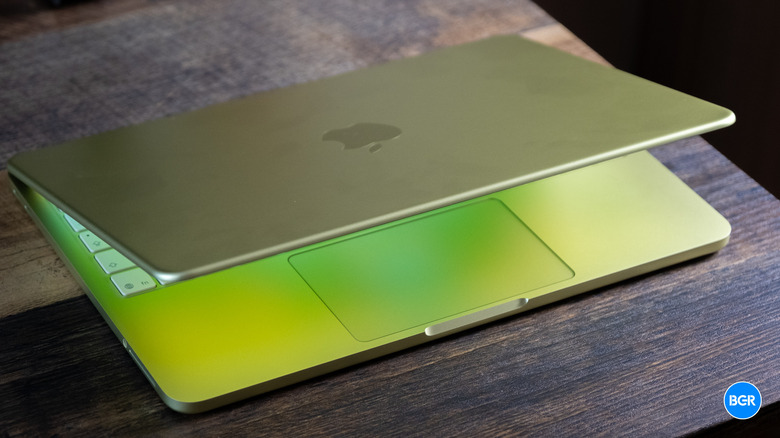
It turns out that $600 laptops don't have to be made from cheap plastic. The MacBook Neo certainly makes design trade-offs compared to its more expensive siblings, but frankly, the build quality still beats plenty of Windows machines twice this price.
Much of that comes down to the aluminum unibody build. It's really what helps the MacBook Neo actually feel like a MacBook. Combine that with the relatively light weight (2.7 pounds) and super-thin build (0.5 inches thick), and you have a machine that actually feels quite premium — to the point of almost redefining what laptops in this price point should feel like.
I've been loving Apple's embrace of more fun colors over the past few years — though the MacBook Neo's aren't quite my favorite. The laptop comes in Silver, Blush, Citrus, and Indigo. I like them all, but our review unit, in Citrus, is probably my least favorite. Also, I wish Apple would be a little more consistent in its colors. Why not just offer it in the same great color range as the iMac?
So, what are the trade-offs to hit the price point? Well, there are a few. For starters, you won't get that edge-to-edge display with a notch, like other recent MacBook models. You also only get Touch ID if you upgrade to the $699 model with 512GB of storage. This feels silly — Touch ID is a 13-year-old technology, and it seems like Apple could have shipped it in even the entry-level 256GB model.
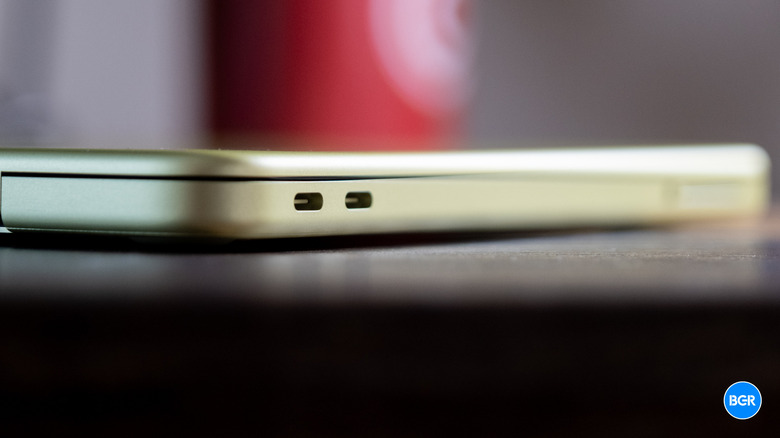
Then there are the port-related trade-offs. You get two USB-C ports and a 3.5mm headphone jack, but that's it. One USB-C port runs at USB 3 speeds (up to 10Gb/s) while the other tops out at USB 2's 480Mb/s — a pretty significant gap that could trip people up if they're not careful about which port they're plugging into for data transfers. Both support charging, which is nice, and there are software hints when you plug a peripheral into the wrong port. But I still would have liked to see both get USB 3.0 — a spec that was launched almost 20 years ago, in 2008.
There's also no MagSafe on the Neo. Now, this is something I mind less, because I really only use USB-C to charge all my devices. But plenty swear by MagSafe, and regardless, the limited port selection means that if you need to charge, you'll really only have access to one port for anything else.
All of this, however, is frankly kind of easy to stomach — except perhaps the lack of Touch ID. I rarely use ports of any kind on a laptop, and USB-C dongles are cheap for those that do. The display not being edge-to-edge is something I had to remind myself of, too. The laptop has a stylish and durable design all around, and it handily beats anything on the Windows side at this price.
Keyboard and touchpad

Maybe I'm just used to them, but I've always really liked Apple's laptop keyboards (save for the "butterfly"). That remains true for the MacBook Neo, which offers a typing experience that's pretty similar to what you'd get on other MacBooks. The key travel is solid, and the keyboard spacing makes it easy to type when you're accustomed to Apple's desktop Magic Keyboard or the Magic Keyboards built into other MacBooks. Sure, mechanical keyboard fans probably won't be very impressed, but the keyboard is easily good enough for typing for long stretches, and it beats many mushy keyboards found on $600 Windows laptops right now.
There is one major omission when it comes to the keyboard, and that's the lack of backlighting. If you're typing in the dark, you won't be able to illuminate the keys. This is a little disappointing.
Then there's the trackpad. I was a little worried about how the trackpad would perform when Apple first announced the Neo, as it's not the same Force Touch trackpad that's found on Apple's more expensive laptops. Instead, it's a so-called Multi-Touch trackpad. Thankfully, there was no reason to worry. The trackpad is still excellent. It's responsive, smooth, and very high quality. It feels very similar to the other MacBook trackpads, though clicking in feels a little different. I tend to enable touch-to-click on laptops anyway, so I don't click in all that often — but even if I did, I wouldn't mind the feel of clicking on the MacBook Neo. All that to say, while the MacBook Neo's trackpad isn't technically as good as the trackpad on the MacBook Air or MacBook Pro, it's head and shoulders above anything on the Windows side at this price, and even at a much higher price.
The other omission is Touch ID on the base model, though we've already talked about that. Unless you upgrade to the $699 model, which I definitely recommend doing, you'll be stuck typing out your passwords all the time.
Speakers
The speakers built into the MacBook Neo aren't the same as the ones built into the MacBook Air or MacBook Pro, and you can hear the difference. Technically, Apple says that they support things like Spatial Audio and Dolby Atmos, but realistically, you're not getting much of an immersive experience when listening to music or other audio on the MacBook Neo.
It does have dual speakers, which is nice, but they lack bass and aren't all that clear. They'll do the job for video calls and casual listening of podcasts and audiobooks, but even a cheap pair of headphones or earbuds will make music sound a whole lot better.
Display and webcam
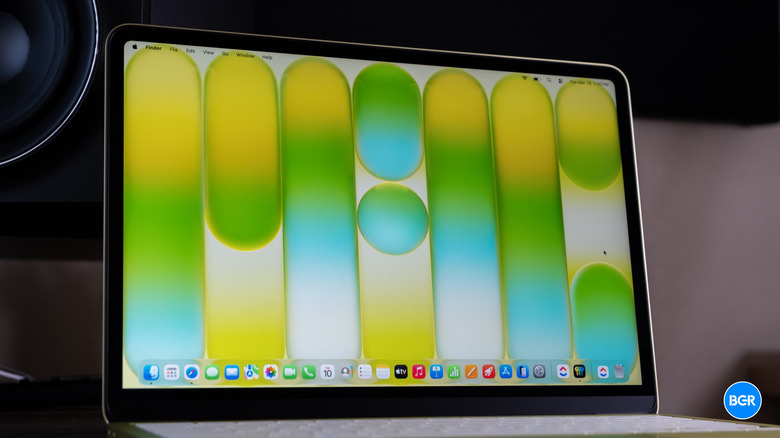
The MacBook Neo has a 13-inch Liquid Retina display, and while it's not incredible, it will do the job for most use cases. It has a 2,408 x 1,506 resolution, making it sharp enough for daily use. It's not an OLED screen — though we didn't necessarily expect one, considering the MacBook Air still doesn't have one. But it still looks bright and vibrant with generally accurate colors. The main downside is that the black levels don't get quite as deep as they would have if the screen were OLED. But again, at this price, it's not bad at all.
The support for external displays isn't as robust as on some other laptops, though. That's more of a port-related issue, but you'll only get support for one 4K monitor at 60Hz. For most users of a laptop like the MacBook Neo, that's perfectly fine, but still something to keep in mind if you want to be able to use more screens or higher-resolution ones.
The webcam also isn't quite as impressive as the one on the MacBook Air. It does have a 1080p resolution, but the sensor is different than the one in the MacBook Air, so images don't look as deep and can lack in dynamic range a little. Again, it's still better than the majority of competitors at this price point and easily good enough for FaceTime and Zoom calls.
Performance
Perhaps one of the biggest differentiators between the MacBook Neo and the more expensive MacBooks in Apple's lineup is the use of an A-series chip instead of the M-series laptop chips that Apple has become known for. That said, the line between the two chip series was already blurred — it's just that now it's being blurred even further. This, however, shouldn't make you worry about the performance of the MacBook Neo. The A18 Pro isn't just capable — it actually beats plenty of laptop-class chips on the Windows side and even many of Apple's older M-series chips. It's made up of a 6-core CPU and a 5-core GPU that supports hardware-accelerated ray tracing. Yes, it's technically a smartphone-class processor, but it'll easily handle the vast majority of tasks that buyers of the MacBook Neo are likely to throw at it.
In fact, I had no trouble using the MacBook Neo for my daily writing workflow, easily opening up plenty of browser tabs while keeping other productivity-related apps like ClickUp open in the background. It even handled basic photo editing in Lightroom without issue. Unsurprisingly, it's not going to keep up with Apple's latest M-series-equipped MacBooks when it comes to more demanding tasks like video editing or triple-A gaming, but you wouldn't expect it to, either. More importantly, the MacBook Neo easily outperforms budget Intel and AMD chips that are commonly featured in Windows laptops at this price point.
That's particularly true when it comes to single-core performance, where the A18 Pro really shines. Its multi-core performance is still very strong, though perhaps not quite as impressive as the multi-core performance from the likes of the Qualcomm Snapdragon X series of processors.
The MacBook Neo is designed for lighter workloads, and in those situations, it excels. That said, some might find that it's not quite powerful enough for their needs, especially given the fact that it only offers up to 8GB of RAM. It would have been nice to have the option of more, and it could have helped with productivity-focused tasks, too. That said, most students, writers, and others who stick to the web browser will be happy with what the MacBook Neo can handle.
Battery

Apple's big shift to ARM-based laptop chips has done wonders for every model of MacBook that it sells. To be clear, the battery life on offer by the MacBook Neo isn't as impressive as what you'll get from the MacBook Air or MacBook Pro, but it's still very good, and will easily get you through a full work day of usage, assuming you're not running benchmarks all day. Apple quotes 16 hours of video playback for the MacBook Neo, but I found that in a work day, I normally got between 11 and 12 hours. That's still very good, though, especially considering the fact that most Windows laptops would require a plug-in before the day is done.
The MacBook Neo doesn't support MagSafe, and it comes with a 20W USB-C power adapter and a 1.5-meter cable. That charger isn't necessarily the most powerful out there, and the MacBook Neo can charge a little faster, at up to around 30W or so. That's not all that quick, so expect to have to wait around a little bit to fully charge the laptop.
Software

This isn't a macOS Tahoe review, so I'm not going to dive too deep into how it performs on the MacBook Neo. Essentially, it works the same and looks the same as on other Apple laptops, Liquid Glass and all.
You will get all of Apple's stock apps out of the box, including the likes of Safari, Mail, and FaceTime. Setting aside preferences related to macOS Tahoe, I found that it performed perfectly fine on the MacBook Neo, with the software remaining mostly responsive and easy to navigate.
Conclusions
Unsurprisingly, the MacBook Neo is a killer deal at this price point. It may not be as powerful as Apple's other laptops, and Apple has made some obvious compromises to get to the lower price, but it's still easily better than any Windows laptop I can think of at $599. I would recommend upgrading to the $699 model for the increased storage and Touch ID, if you can afford it. Touch ID alone makes a big difference when you're constantly signing into apps or unlocking your laptop. And while I wish it wasn't locked behind a $100 upgrade, it's still very helpful to have.
You do have to be comfortable with some compromises, though. 8GB of RAM isn't all that much, and the older ports mean that your connectivity options might be limited. That said, if you're a student or someone looking for a casual laptop to use for productivity, web-based tasks, and other light tasks, the MacBook Neo is easily the laptop to buy.
The competition
Many buyers will be wondering how the MacBook Neo compares to Apple's other laptops. To be clear, the MacBook Air and MacBook Pro are definitely better machines. They have more features, better performance, and longer-lasting batteries. Deciding between them really comes down to how you plan on using your laptop. If you're mostly confined to browser-based services and light productivity tasks, the MacBook Neo is probably more than powerful enough. You'll just have to be comfortable with missing features like the backlit keyboard.
On the Windows side, it's hard to find a good comparison because the MacBook Neo is so much better than any Windows laptop at $599. Any other machine sacrifices performance, battery life, build quality, or all three.
Should I buy the MacBook Neo?
Yes. It's far and away the best laptop in this price range.