

5 Things Linux Can Do That Windows 11 Can't
With experiences in Microsoft's Windows being less than stellar, people are looking for alternatives, and many have discovered Linux. It's not just that Windows 11 is a broken mess and Microsoft has handled its subsequent updates poorly, but there have also been a series of unpopular changes — like AI taking over major aspects of the OS – and reduced user controls, like forcing online-only use versus local accounts. These changes have caused a lot of people to jump ship, with over half a million Windows users swapping to Linux.
Linux has always been a solid alternative and, because there are many distros – Linux versions or distributions – you have complete freedom to find an operating system that best matches your needs. Some great examples are Debian, Zorin OS, Linux Mint, Ubuntu, elementaryOS, and Pop!_OS, with a few additional options for more advanced users like Fedora or Debian. The operating system and its numerous variants have been supported for years, decades in many cases, and they can do so much that Linux is capable of much more than Windows 11 in many ways. In fact, you may be surprised to know some of those things that Linux can do, Windows can't at all.
Linux updates are optional and you'll never be harassed
Linux updates are always optional. Okay, never say never, because there may come a time when a fork of Linux forces or annoyingly pesters you about updates. But as of this writing, that's not the case with most distros. You don't necessarily have to update the entire operating system to get important software packages either. Some of the more visual distros, like Linux Mint or Zorin OS, make it easy to check for, download, and install updates from a graphical interface — you can even automate the process if you want.
Most Linux distros are updated directly from the command line, instead. The command "sudo apt-get upgrade" can be executed as one complete update for the system and all packages, or you can use various changes to the command to hold upgrades, prevent them, or target only certain applications.
In other words, you have full control over what's updated, when those updates are downloaded and applied, and whether or not you even want to deal with the process altogether. Now, it is a good idea to update regularly to ensure you have the latest vulnerability and security fixes, just like you would with Windows updates. However, it's always on your terms, and you definitely have much more granular control over that process.
Linux has no bloat
When you install a new version of Windows, it comes with a lot of extra applications and sometimes even system processes that you either have to disable, uninstall, or simply can't do anything about. I'm looking directly at you, OneDrive. In the computing world, this is rightfully called bloatware. Linux does not come with bloatware. You can download a distro that comes with a useful collection of applications, like Zorin OS, or you can install a clean version and begin adding your own applications and packages.
You have the freedom to choose, but in either situation, you're not dealing with third-party apps and software that are hogging resources or hard drive space. There is a functional Linux application comparable to virtually anything you might be able to install and use on Windows. And if there's not, you can run most Windows apps on Linux if you absolutely need to.
You can make Linux look exactly the way you want
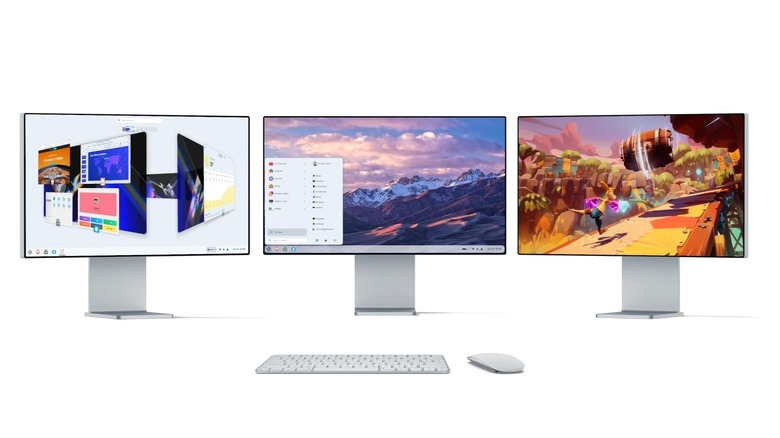
Windows does have some customization. You can change color schemes and styles, desktop wallpaper, and window appearances. Linux, on the other hand, is far more dynamic. You can make it look any way you want. Right from the start, you have the option to choose from several distros, some of which are designed to look exactly like Windows — such as Winux. Windows lookalikes are a great option if you're swapping over and still want the same, familiar feel.
Of course, there are a lot of other distros that make customization a core element. Examples include KDE Plasma, Arch Linux, OpenSUSE, and, at the risk of repeating too much, Pop!_OS, Linux Mint, and Zorin OS. The opposite is also true. If you want to install a beautiful OS and not worry about customizing anything, instead of jumping right into using the software, that's possible too. It's one of those things that, once you experience the true freedom and control Linux gives you, you'll almost never go back.
Linux servers can run without frequent reboots

Running a server is usually for more advanced users, but if you are considering it, whether to set up your own VPN, host websites, create a shared media server, or any other useful server applications, a Linux-based distro is a great starting point. They often have zero licensing fees, they're relatively painless to set up and configure, and they don't require reboots as often. They don't usually experience service restarts or have any maintenance-related downtime, outside of power issues if there's an outage.
There's never any fear of a random update dropping and taking down the server due to a reboot, and instead, you're always in control of when and if updates are applied. If you're looking at preserving server uptime, and why wouldn't you, Linux is an incredibly stable option. There's a reason why most web hosts and server environments are running on Linux or Unix systems. With a private server, you're in full control of the system, all data, and applications it runs, which makes a huge difference if you care about privacy or security.
Linux can run on any hardware, new or old
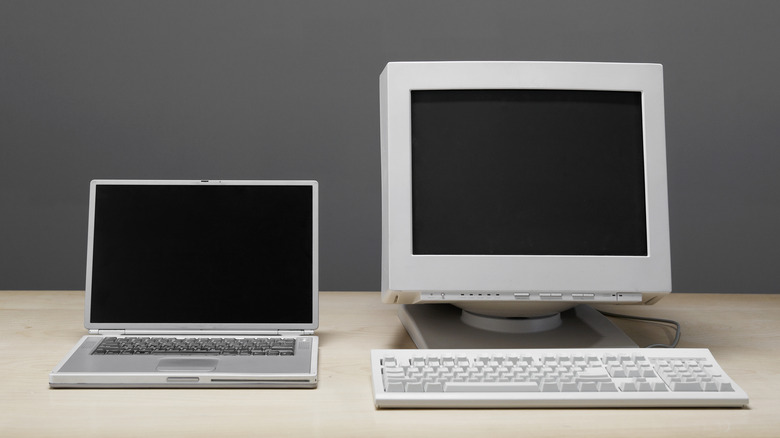
Linux can run on virtually anything. You can install Linux on Chromebooks, old computers and laptops you have lying around, mobile phones and tablets, servers, desktop computers, you name it. Unlike Windows, which has minimum hardware requirements that get more demanding with each iteration, Linux is often backwards compatible with old hardware and runs really well, too. By default, Linux is meant to be lightweight, using fewer resources, but there are some distros, in particular, that are ideal for old machines. Puppy Linux, AntiX Linux, Trisquel Mini, and Lubuntu are a few examples.
Linux is actually everywhere, running on many devices you use today, and most people have no idea. The Steam Deck needs no introduction, but it's powered by SteamOS, Valve's version of Linux. A big reason why there are so many awesome uses for your Steam Deck is because it's running Linux. Android is also built on a modified Linux kernel, which technically means many devices running Android are, as well. Many smart TV operating systems are built or based on Linux, like Roku OS or webOS. Windows 11 is simply too demanding for a lot of those applications, even if you can dual-boot some of those devices.