

5 Of The Coolest Gadgets For Your PlayStation 5
We may receive a commission on purchases made from links.
With the right kind of gadgets, you can turn your PlayStation 5 from just a console to a functional entertainment hub. There are covers that improve airflow while putting on a light show, charging stations that ensure your controller never runs out of juice, and high-quality headsets that immerse you in the game's environments or soundtrack. Certainly, the PS5 has a great selection of gadgets that can help you customize your experience, even beyond gaming.
At the end of the day, what accessory you consider cool depends on the kind of gamer you are. If you are hardcore, you might prefer something that is both fun and practical. If you're a casual player, you might want a nice-to-have accessory that makes the system more comfortable to use. Whatever the case, the PS5 is more than halfway through its lifespan, meaning Sony and others have had enough time to make gadgets to suit a wide range of needs.
Hi-tech covers
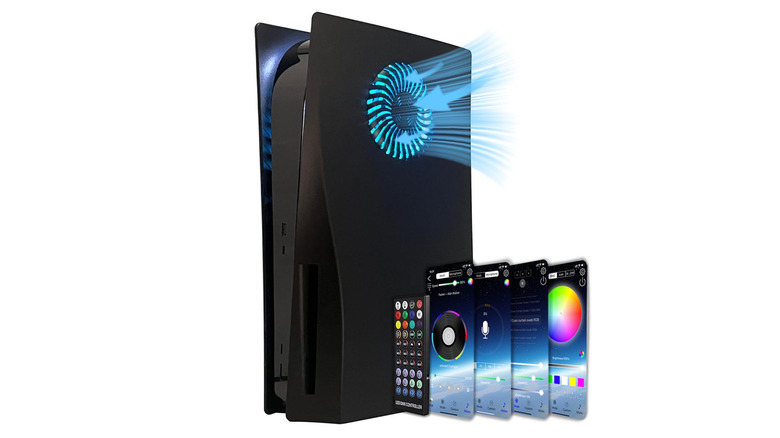
One of the better design choices that Sony made with the PS5 is the removable covers. Not only do they make the console easier to clean, but you can also swap them out for third-party alternatives that do more than just improve the PS5's aesthetics. Take the Dobewingdelou RGB Faceplate, for example, which will set you back $59. It comes in two colors (black and purple) and includes cooling vents for better ventilation and a dust filter to keep the vents clean.
The Dobewingdelou RGB Faceplate also has more than 400 LED light effects that make your PlayStation 5 look like a console from the future. You can tweak their color, speed, and brightness to personalize the light show using its remote control or mobile phone app. The covers also have a built-in microphone that can detect the rhythm of a game's music and make the LED lights "dance" to it.
Charging dock
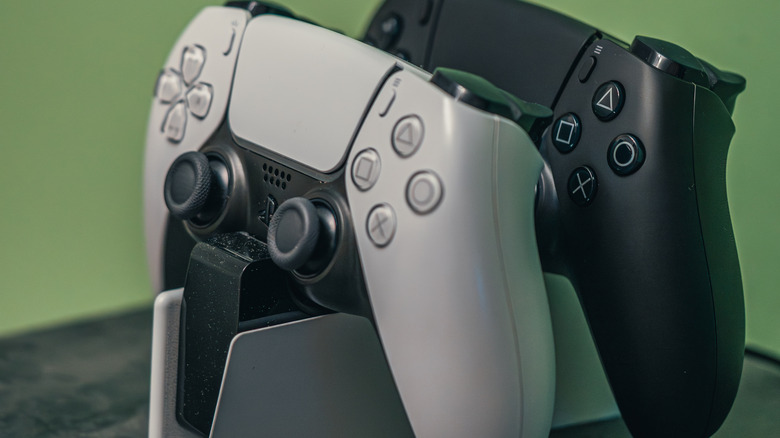
It can be frustrating to have a friend come over to play couch co-op games like "Split Fiction" or "Gears of War: Reloaded" only to discover that one controller has run out of juice. Instead of kicking back on the couch for a fun gaming session, one of you has to sit close to the PS5 with the controller plugged in until it gets enough power to be unplugged.
To prevent these awkward downtimes, you can get a charging dock so you can hot swap controllers when you're alone or have one fully charged if an extra player wants to join in. The DualSense Charging Station is a dedicated charging dock made for PS5 controllers. It costs $29, and you can charge two controllers at once, meaning that even if the other one is charging, there's no need to fumble around for your cable. An added benefit is that it frees up the front USB ports of your PS5 for other gadgets, such as USB drives, external Bluetooth dongles, or a keyboard and mouse.
Mobile gaming controller
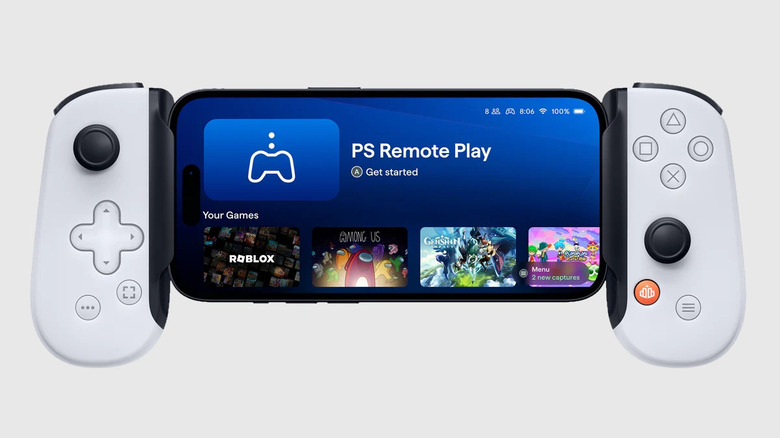
Sometimes, turning on a PS5 and sitting in front of the TV can be a chore. This is where handheld consoles like the Nintendo Switch 2 and Steam Deck offer a bit of convenience since you can play them anywhere and anytime. Sure, you can get the PlayStation Portal, but at $199, it might be cheaper and easier to just use your phone or tablet and play via remote play. However, the lack of button feedback and your fingers crowding the screen can dampen the experience, which is where mobile gaming controllers come in handy.
For the PS5, you have the Backbone One PlayStation Edition, which costs $99 ($100 less than the PlayStation Portal). It was designed to look and feel like you're holding an actual DualSense controller. You just snap your phone in the middle — the right side has either a USB or Lightning port connector — and it becomes a gaming console. Just remember that you can't stream using the PS Remote Play app if your PS5 is offline, since the app needs access to the console using the internet.
Wireless headsets
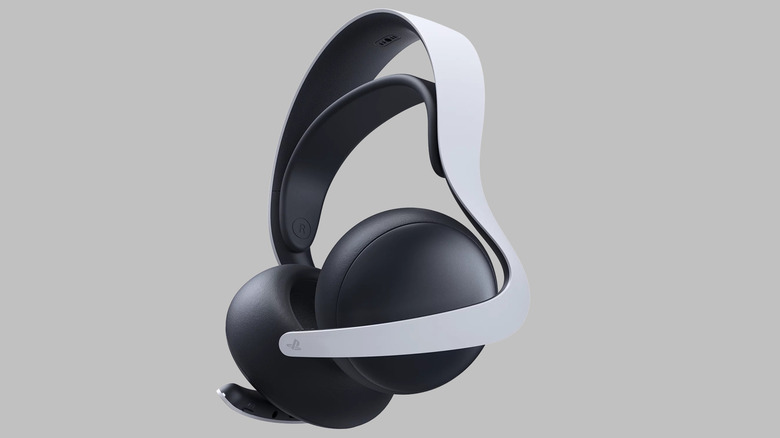
A good headset can elevate the gaming experience sonically, with the Pulse Elite 3D wireless headset being a prime example. This $149 headset is built with games in mind, with features like 3D audio that make sound seem like it's coming from all directions. The Pulse Elite 3D can enhance experiences in games like "Resident Evil 7: Biohazard" and the remake of "Silent Hill 2," making their already excellent sound design more haunting and terrifying. The Pulse Elite 3D also features dual hidden microphones that provide clear communication and noise cancellation for ambient sounds.
Other than that, the headset's audio quality is great all around, making it pretty good for listening to music or the acidic jazz, soul, and funk-infused soundtrack of "Persona 5" as you play the game, as well. You can tweak how it sounds by accessing the audio settings on the PS5 and selecting one of the three available equalizer presets or creating your own. The Pulse Elite 3D is also ideal for watching movies, series, and anime on streaming apps like Netflix and Prime Video, or listening to music on Spotify and Apple Music.
Remote control
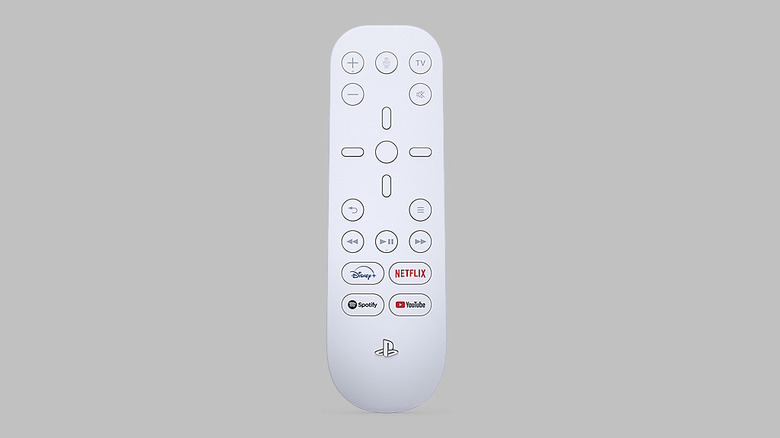
Despite the few PS5 problems that exist, it is a great media hub, especially if you don't have a smart TV that you can install streaming apps on. However, using the DualSense to control media playback can be clunky. Simple actions like navigating menus in streaming apps and adjusting the volume can take longer with a controller than a remote control. If you are someone who frequently consumes non-gaming content on the PS5, the PS5 Media Remote, which costs $29, can make the experience smoother. It's also a more intuitive gadget to use for non-gamers in your household who need to use the PS5 to watch or listen to something.
The PS5 Media Remote doesn't have a lot of buttons, but it does include everything you need for easier media playback, navigation, and volume control. It also has dedicated buttons for Netflix, Disney+, YouTube, and Spotify. You can instantly launch any of these apps with the press of a button, even when the PS5 is off. It can also be used with compatible TVs since it has a built-in infrared transmitter.